
Why CicadaChat starts you in the 1 km room
Open CicadaChat, allow location, and you land in the 1 km room. Why the neighbourhood is the default, what happens if you say no to location, and how your choice of room is remembered.
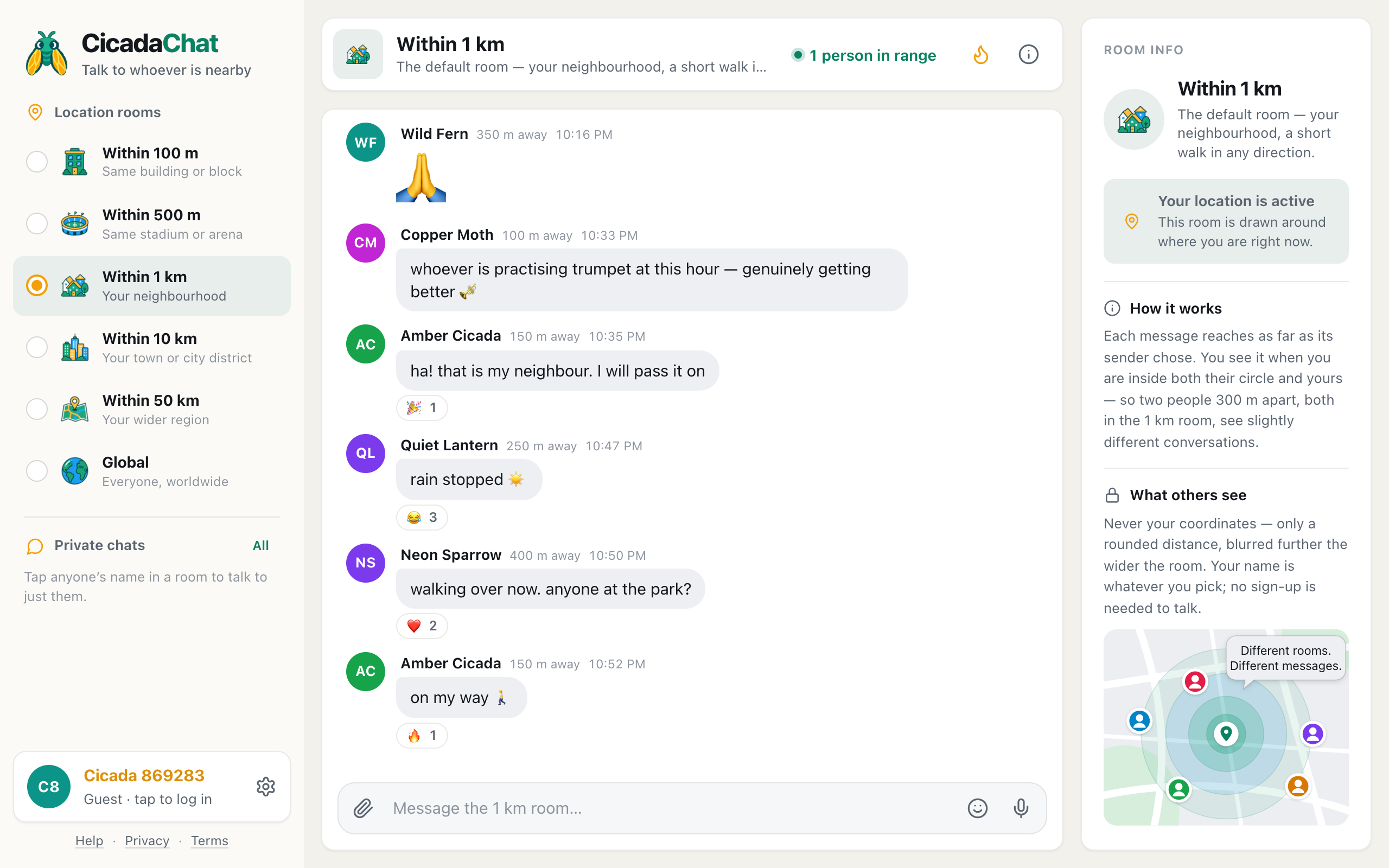
Open CicadaChat for the first time, allow location, and you land in a room called Within 1 km. Not the smallest room, not the biggest, not a lobby or a list of channels to pick from, but a conversation with everyone within a kilometre of where you're standing. That's a deliberate choice, and knowing why CicadaChat starts you in the 1 km room helps you make the most of it, and decide when to leave it. This article explains what happens in your first seconds in the app, why the neighbourhood is the default, what happens if you say no to location, and how CicadaChat remembers the room you actually prefer.
What happens when you open CicadaChat
The first time you open CicadaChat, three things happen, and none of them needs a form:
- While it gets ready, the app shows Warming up… and Setting up your session. No sign-up needed. Behind that, it creates a guest account for you, with a name like Cicada 691203 and a coloured avatar.
- It asks your browser for your location straight away. The 1 km room is drawn around where you are, so CicadaChat asks at the start rather than leaving you in a room it can't fill.
- Once your location arrives, it opens the 1 km room, shows Listening… while it fetches what people around you have been saying, and then shows the conversation.
The whole thing takes a few seconds. You can read, react and write straight away.
Why the 1 km room is the default
CicadaChat has six rooms, and each is the right size for something. The default has to be the right size for the most people, in the most places, at the most times of day. The 1 km room wins on three counts.
There's usually someone there
A chat app that opens on an empty room is a chat app people close. The 100 m room is lovely in a busy apartment block, an office or a café, but on a quiet residential street it can be empty for hours. A kilometre in every direction takes in thousands of homes in a city, and a good part of most towns. There's a far better chance someone has said something recently, and that someone is online now.
What's said there is still local
The wider rooms are busier, but busier isn't always better. The 10 km room is a whole district, and a question about the market near you competes with talk about places you'll never go. In the 1 km room, the people answering walk the same streets as you. When someone says "the road by the lake is closed", it's a road you might use.
It matches how people think about "round here"
Ask someone what their neighbourhood is, and they'll usually describe somewhere they can walk across in ten or fifteen minutes. That's roughly a circle with a 1 km radius. The room's own description says the same: The default room — your neighbourhood, a short walk in any direction.
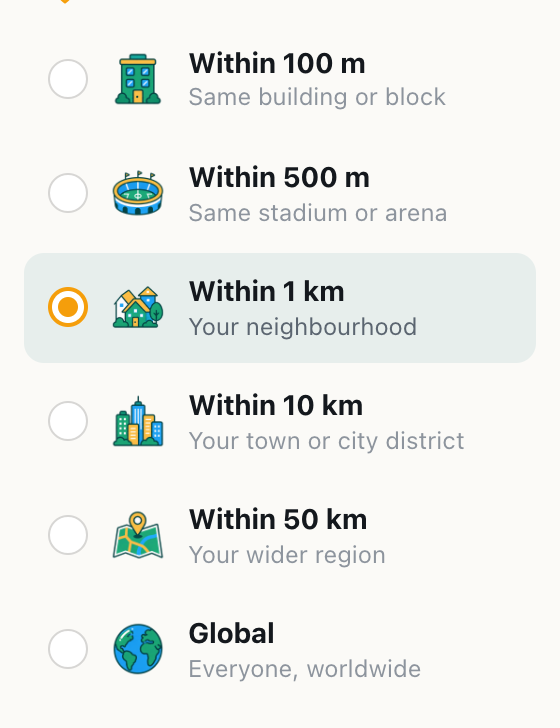
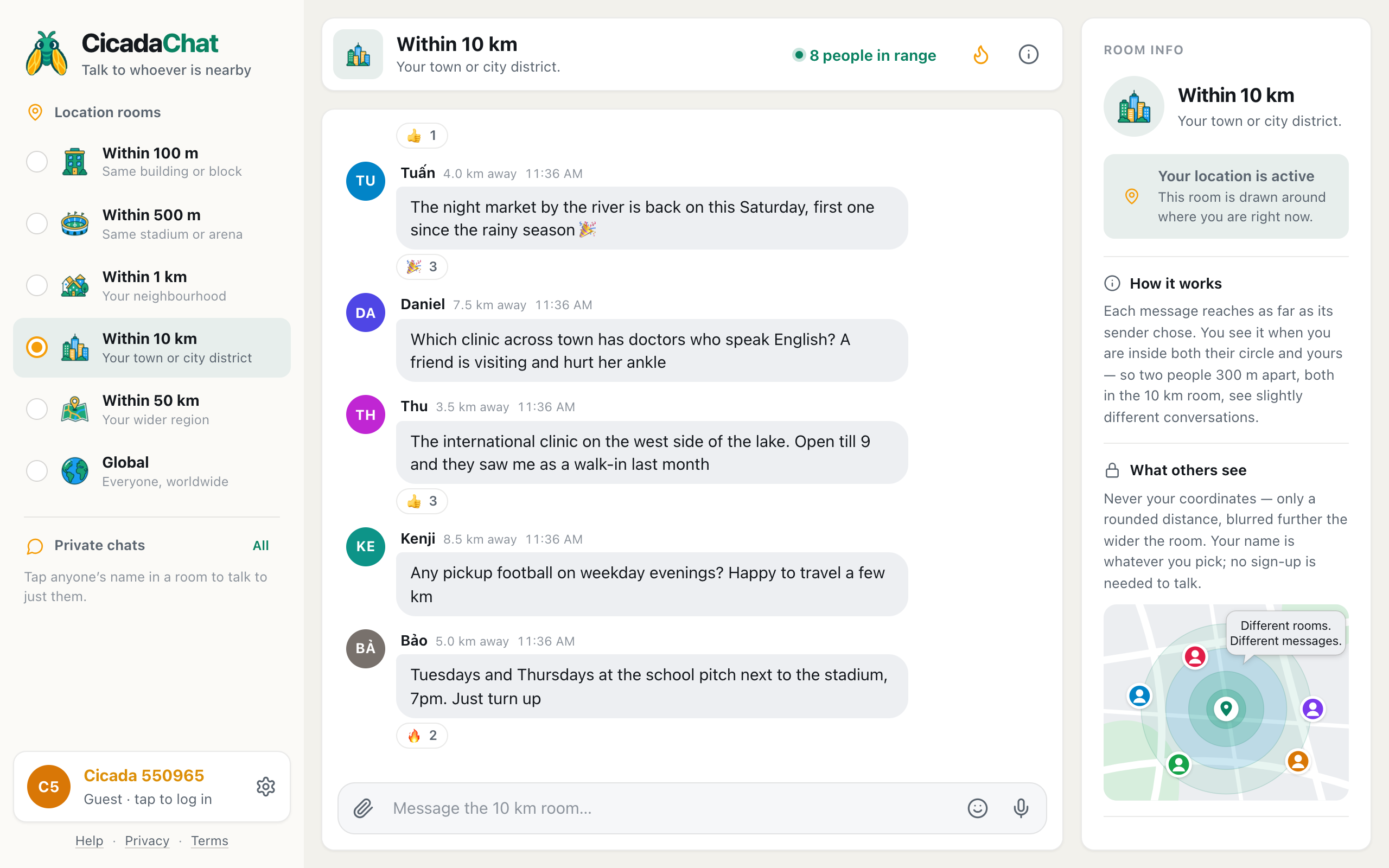
A screenshot of the Location rooms list on a computer. Within 1 km sits in the middle of the ladder, selected, between Within 500 m and Within 10 km.
The room you choose is remembered
The 1 km room is only where you start. If you spend your days in the 100 m room at the office, or prefer the buzz of the 10 km room, pick it, and CicadaChat remembers your choice on that device. Next time you open the app there, you'll be back in the room you chose.
A few details are worth knowing:
- The choice is saved per device. Your phone and your laptop each remember their own room. That's handy: many people keep the laptop at home on the 1 km room and let the phone roam.
- Hot doesn't stick. The flame button, Hot, shows a room's most-reacted messages from the past week. It's a way of looking at a room, not a setting, so switching rooms always opens the new one on its latest messages.
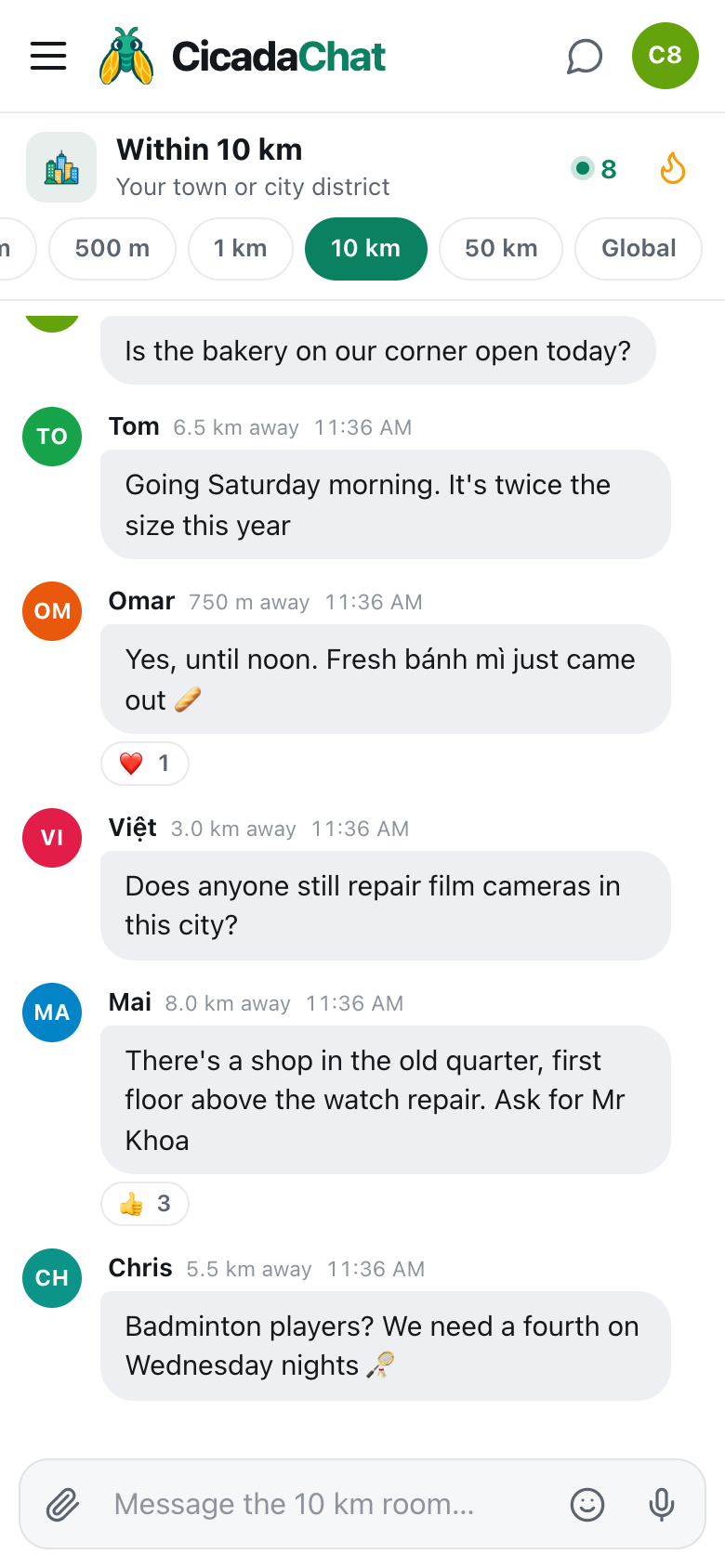
- Changing room is one tap. On a phone, the room tabs under the header go 100 m, 500 m, 1 km, 10 km, 50 km, Global. On a computer, the same ladder is the Location rooms list on the left. The help article choosing a room: 100 m, 500 m, 1 km, 10 km, 50 km or Global goes through each one.
If CicadaChat is still finding you
Sometimes your location takes a moment to arrive, especially indoors, where a phone can't always see the sky, or on a laptop that works out where it is from nearby Wi-Fi. While CicadaChat waits, the room shows Finding you, with a reminder that Nobody ever sees your coordinates — only roughly how far away you are. The message box says Waiting for your location… and stays disabled, so you can't accidentally post to the wrong place.
Usually it takes a second or two. If it takes much longer, try moving closer to a window, or check that location services are on for your phone as a whole, not just for the browser. If the device can't work out where it is at all, CicadaChat says so, We could not work out where you are. You are in the global room., and moves you to Global rather than leaving you on a waiting screen.
Indoors, a phone's position can also be a little off, by tens of metres or occasionally more. In the 1 km room that hardly matters: your circle is two kilometres across, and a small error moves its edge a little, not its heart. It matters much more in the 100 m room, which is one more reason the neighbourhood makes a good default.
If you don't share your location
Saying no to the location prompt is a normal choice, not an error. CicadaChat doesn't nag and doesn't lock you out. It moves you to the Global room, which needs no location at all: it's one room shared by everyone on CicadaChat, wherever they are.
You'll see a card at the top of the room, titled Location is off, and the local rooms are greyed out. If CicadaChat can still ask, the card has a Try again link. If your browser is set to block location for the site, asking again does nothing, so the card is titled Location is blocked instead and explains where to change that in your browser's settings.
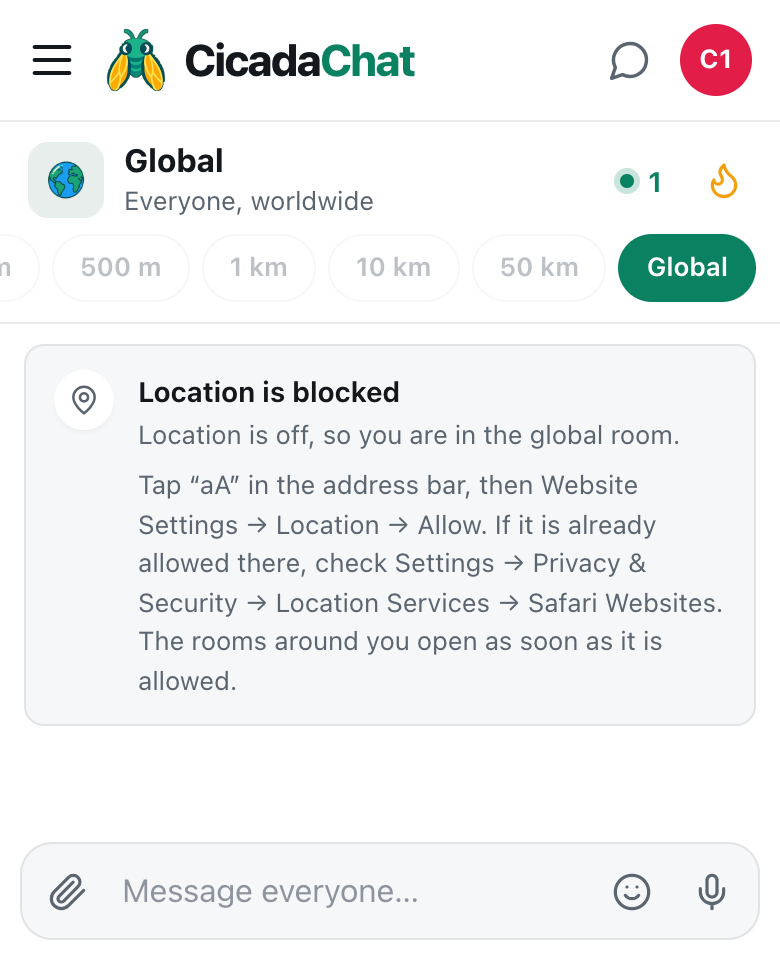
A screenshot of CicadaChat on a phone with location blocked. The app has moved to the Global room, and the card explains how to allow location in the browser.
The Global room is a complete place to be, and some people prefer it. The help article using CicadaChat without sharing your location: the Global room explains what it's like. Global and the local rooms are separate worlds, though: nothing said in Global shows up in the 1 km room, and nothing said in the 1 km room shows up in Global.
Changing your mind later
If you said no and later want the neighbourhood, allow location for CicadaChat in your browser's site settings. You don't need to reload the page. CicadaChat notices the change when you come back to it, starts following your location, and takes you back to the room you'd have been in: the 1 km room, unless you'd chosen another one before. If you picked Global yourself in the meantime, it respects that and leaves you there.
You can also open Settings, from the gear button next to your name, where the Location section shows whether location is active and offers a Share my location button when CicadaChat can still ask. The help article how to turn on location for CicadaChat (and unblock it in your browser) has the steps for each browser.
What sharing your location with CicadaChat actually shares
Allowing location lets CicadaChat draw your circle, and it's worth being clear about what that means for other people:
- Nobody sees your coordinates. Other people see a distance, rounded: right here for anything under 50 m, and otherwise the nearest 50 m, like 450 m away.
- Your position updates as you move, so the room is always the one around you. Small movements of a few metres don't count; CicadaChat waits until you've moved a little before updating.
- An exact spot is only ever shown if you send one on purpose, with the paperclip's Location option, and CicadaChat warns you first who will see it.
When the 1 km room isn't the right one
The default is a good starting point, not a rule. A few situations call for another room:
- You're in a big building such as an office, an apartment block or a hospital, and want only the people in it: try 100 m.
- You're at a stadium, a festival or on a campus and want the crowd, not the streets around it: try 500 m.
- You live somewhere quiet, like a village or a suburb with big gardens, and the 1 km room has little in it: try 10 km for the whole town.
- You're travelling and want to talk to people wherever they are: Global.
Remember that switching rooms changes both who hears you and whom you hear. A message you send from the 10 km room reaches 10 km, but you'll only see messages from people close enough for both your circle and theirs.
Your first message in the 1 km room
If the room is quiet when you arrive, it'll say Nobody has said anything yet and Be the first. Anyone within 1 km will see it. Good first messages are easy to answer: a question about the area, a tip, a hello with a reason. "Just moved in near the old cinema, where do people do their weekly shop?" gets replies. "Hi" usually doesn't. Your guest name is fine to start with. If you'd like people to recognise you, creating a free account lets you choose the name they see.
No comments yet. Start the conversation.