
Working from home, not alone: finding company and coffee within 1 km
Working from home? How to use CicadaChat's 1 km room to find cafés with plugs, lunch companions and a weekly co-working morning with the remote workers down the road.
Working from home has plenty going for it: no commute, your own coffee, your own chair. What it doesn't have is anyone to talk to at eleven in the morning. No one to ask where the good café with plugs is, no one to have lunch with, no one who knows what it's like to spend the whole day talking to a screen. But you're almost certainly not the only one doing it. Within a kilometre of you there are freelancers, remote workers, students writing theses and people running small businesses from their kitchen tables. CicadaChat's 1 km room is how you find them. This article is about working from home without being alone: finding company, coffee and co-workers within 1 km, and turning a chat in the neighbourhood room into a regular Wednesday.
Why the 1 km room works for remote workers
An office gives you colleagues by accident. You don't choose them, but you bump into them every day. Working from home, nothing bumps into you. The 1 km room brings some of that accident back: it's a conversation with everyone within a kilometre of you, a short walk in any direction, and among them are people whose days look a lot like yours.
A kilometre is also the right distance for the things remote workers want. A café you can walk to between calls. A lunch that doesn't eat the afternoon. A library or co-working space close enough to go for a morning and come home for a meeting. People further away are nice to talk to, but they're not people you'll have coffee with on a Tuesday.
If you work in a shared building, like a co-working space or an office block, the 100 m room reaches the people in the same building. There's an article about that: the 100 m room at the office or co-working space. The 1 km room is for everyone who works in the neighbourhood, whether they're in an office, a café or their spare room.
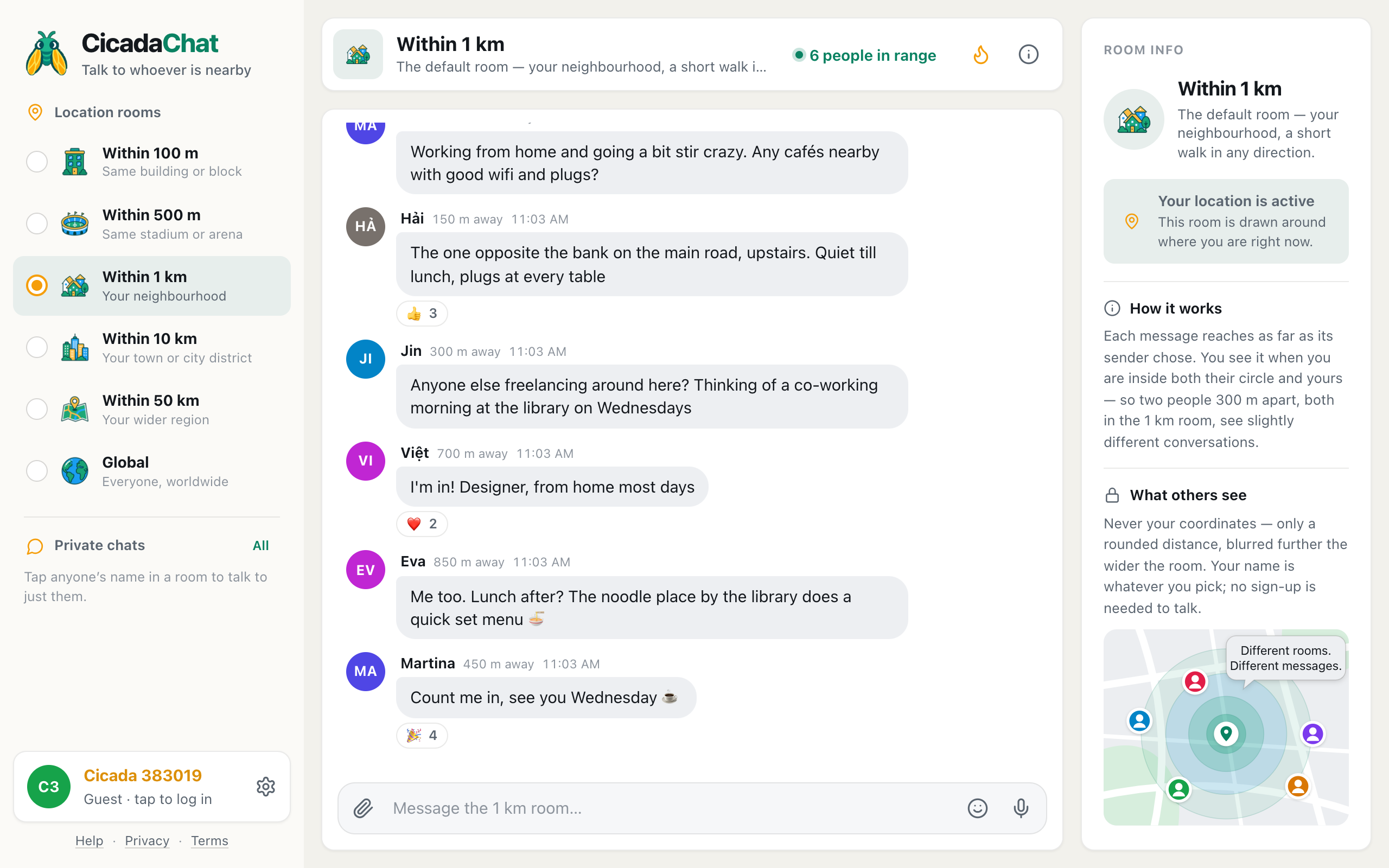
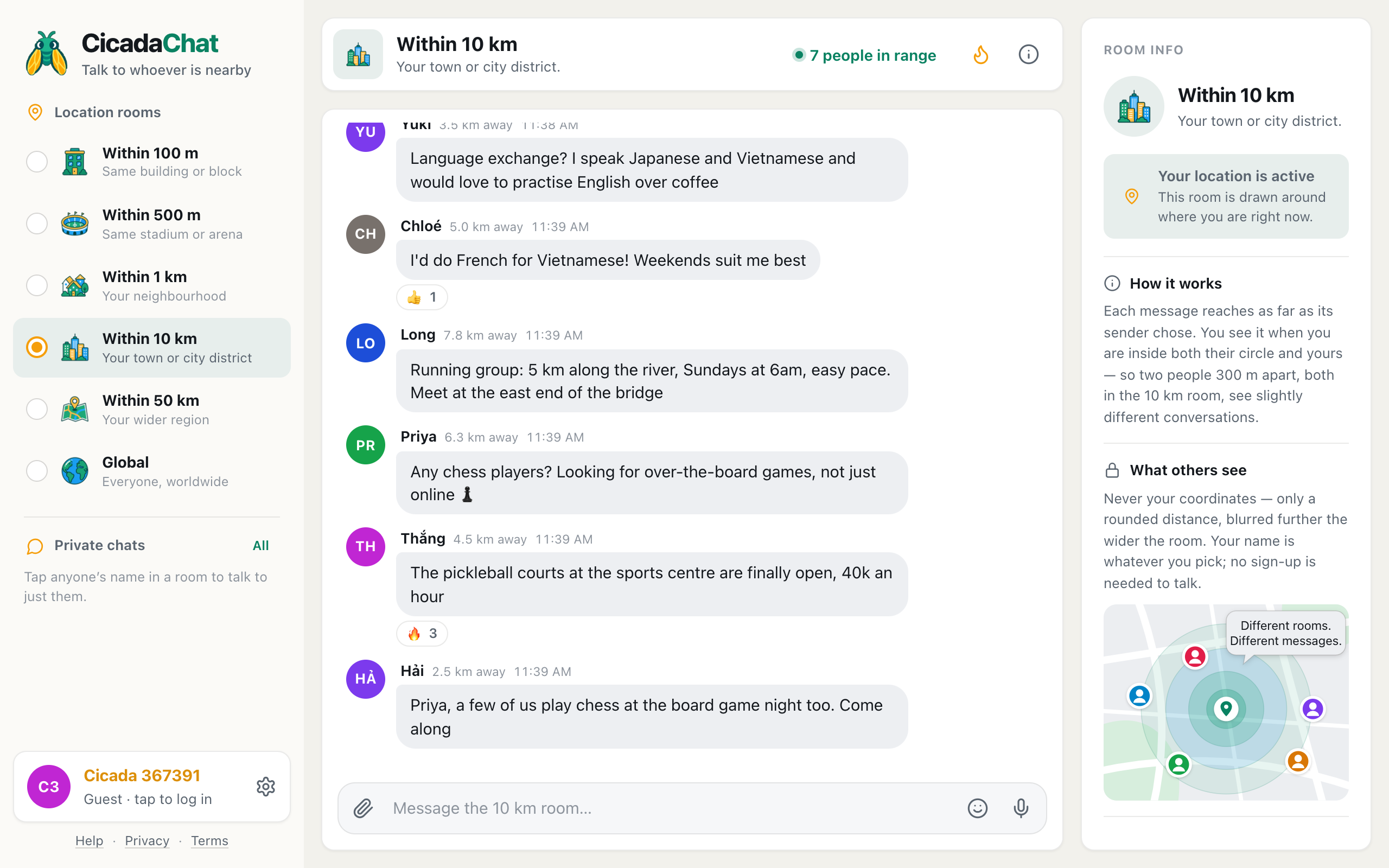
A screenshot of the 1 km room on a computer. People working from home swap café tips and plan a Wednesday co-working morning at the library, with lunch after.
Keeping the room open on your computer
If you work at a computer all day, keep CicadaChat open in a browser tab. On a wide screen, you get the room list on the left, the conversation in the middle and the room info on the right. The header shows how many people are in range right now, like 6 people in range: how many people are online and would hear you if you spoke.
CicadaChat doesn't send notifications, so an open tab won't ping you in the middle of a call. Look at it when you take a break, the way you'd look up from your desk in an office. When someone's writing, a line under the messages says so, like Jin is typing….
On a laptop, your location usually comes from the Wi-Fi networks around you, which is accurate enough for the 1 km room. If you work from the same place most days, CicadaChat remembers the room you chose on that device and opens there next time.
Things to ask
Where to work for a change
"Working from home and going a bit stir crazy. Any cafés nearby with good wifi and plugs?" Answers like "the one opposite the bank on the main road, upstairs. Quiet till lunch, plugs at every table" are exactly what a map won't tell you. Ask about libraries with desks, co-working spaces with day passes, and parks with shade and a signal, too.
Who else is around
"Anyone else freelancing around here? Thinking of a co-working morning at the library on Wednesdays." A question like this finds your people quickly. Designers, developers, writers, translators, accountants, researchers: remote work is everywhere, and the replies often surprise you.
Lunch
"Lunch after? The noodle place by the library does a quick set menu." Lunch is the easiest invitation to accept, and the easiest to fit around work. It's also the best way to find out whether the people you've been chatting with are people you'd like to see again.
Practical help
Where to print something, which shop sells a laptop charger, whether the internet outage is just your building or the whole area, who fixes a broken screen. The kind of thing you'd ask the person at the next desk.
Starting a regular co-working morning
A one-off coffee is nice. A regular slot is what actually fixes the loneliness. Here's how a few messages in the 1 km room can turn into a weekly habit:
- Suggest something specific. "Co-working morning at the library on Wednesdays" is easier to say yes to than "we should meet up sometime".
- Pick a public place. A library, a café, a co-working space. Somewhere anyone can walk into, and nobody has to host.
- Say how to recognise you. "I'll be at the big table by the window, with a green laptop sticker" saves an awkward first five minutes.
- Keep the details for those who reply. Tap each person's name to open a private chat and confirm the time. A private chat shows no distance and works wherever you both are.
- Post a reminder in the room. "Co-working at the library tomorrow from 9, all welcome" on a Tuesday brings in new people each week.
If it sticks, a private room gives the group its own space, for "running late", "I'll save the window table" and "anyone want to try the new lunch place?". It's an invite-only chat that only members can read, and it works from anywhere, including on the days someone is working from another city. It needs registered accounts, and its creator adds members from their friends.
Beyond coffee: swapping skills and favours
Put a dozen remote workers in one neighbourhood and you've got a surprising range of skills within a short walk. The 1 km room is a good place to trade small favours:
- A second pair of eyes. "Anyone good with spreadsheets fancy looking at a formula over coffee? I'll buy." Small, specific, and easy to say yes to.
- A practice audience. A presentation to rehearse, a job interview to prepare for, a language to practise before a call.
- Shared resources. A printer, a spare monitor for a week, a quiet room for an important call when the builders are in next door.
Keep the details in a private chat once someone offers. And if you share a file, like a flyer for the co-working morning, remember that a document sent in the room can be opened by everyone who sees the message. Check what's in it first.
Take it slowly
Not everyone who replies will become a friend, and that's fine. Some people want a table to work at and nothing more. Some want lunch once a month. Some will become the people you text when you get a new job. Let it find its own pace. The 1 km room makes the first hello easy, and the rest is the same as making friends anywhere: turn up, be kind, and say yes to lunch.
Adding people you get on with
With a free registered account, you can add the people you meet as friends. Tap someone's name to open a private chat with them and use Add friend there, or use the same button beside their name in the People in range list. Once they accept, you each see when the other is online, but never where they are or how far away. It's a quiet way to know whether your co-working friend is around before suggesting coffee. The help article friend requests: adding, accepting, declining and removing friends explains how it works.
Friends only works between registered accounts. Creating one is free, and it keeps everything you've said as a guest.
Working out loud, politely
The 1 km room is your neighbourhood's room, not your office's. A few things keep it pleasant for everyone:
- Don't sell. "I'm a web designer, if anyone needs a website!" once, in answer to a question, is fine. Every day is spam.
- Don't post work details. Client names, project details and anything confidential stay out of a room hundreds of people can read. There's no way to edit or delete a message once it's sent.
- Don't post your address to arrange a meeting. Meet somewhere public. Your home office is still your home.
- Join in beyond work. The same room has roadworks, lost cats and bakery tips. The more you take part, the more it feels like somewhere you belong, not just somewhere you look for co-workers.
When you move around
Your 1 km room is centred on you, and it moves when you do. Work from home in the morning and from a café across the neighbourhood after lunch, and each place has its own room, with its own regulars. The café's room might have the students from the university nearby; home might have the parents and the dog walkers. Both are your neighbourhood.
Speaking of dog walkers: a lunchtime walk is one of the best ways to meet people when you work from home, and the regulars at the park have a room of their own too. See dog walks, morning runs and the local park: meeting the regulars on your routes.
A small change that adds up
Working from home doesn't have to mean working alone. One message in the 1 km room can find a café, a lunch companion or a Wednesday morning table full of people doing the same thing as you. It's the closest thing to a watercooler your neighbourhood has.
No comments yet. Start the conversation.