
Choosing a room: 100 m, 500 m, 1 km, 10 km, 50 km or Global
What each of CicadaChat's six rooms is good for, how to switch between them on a computer or phone, and how to pick the right one before you speak.
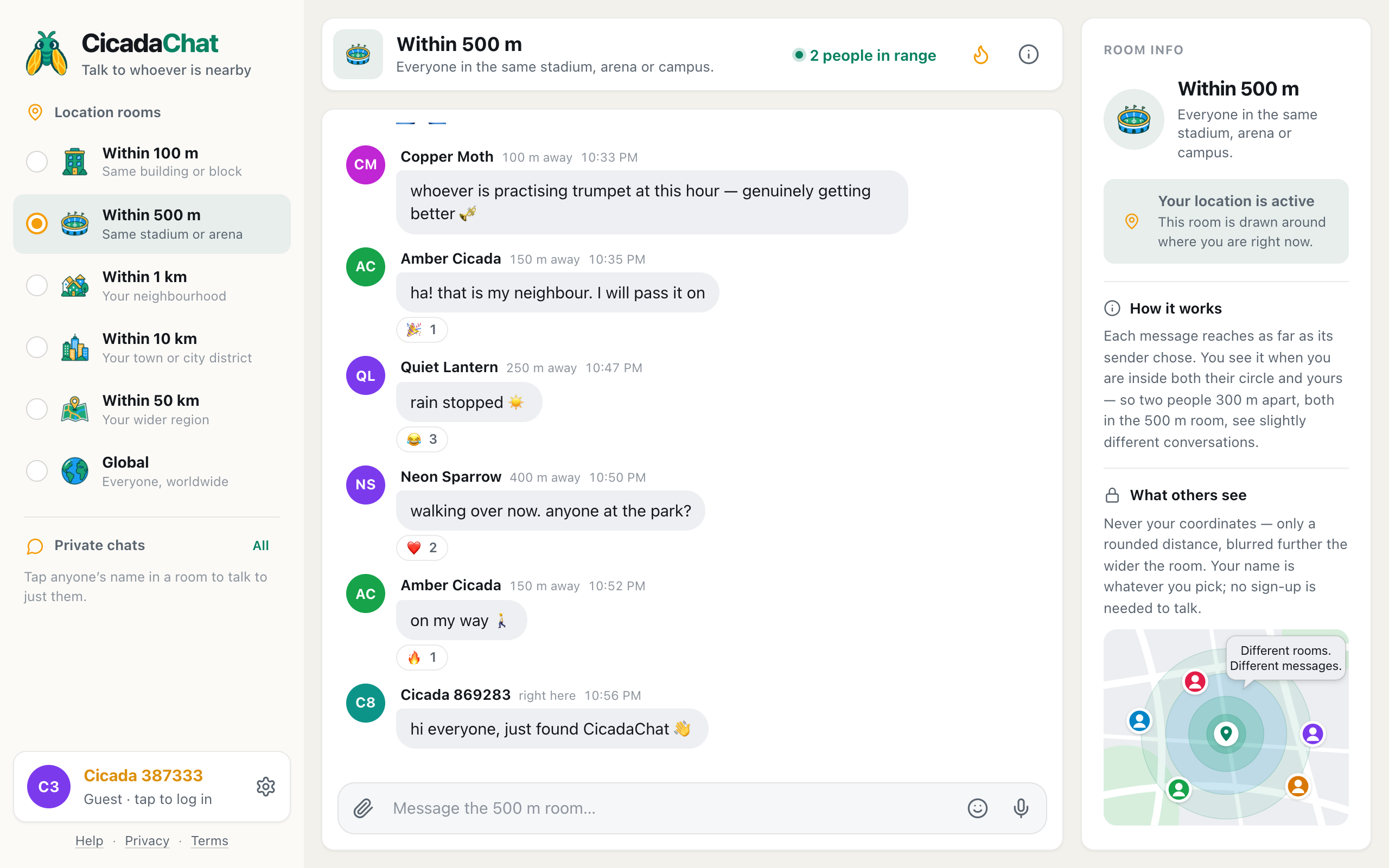
CicadaChat has six rooms, from Within 100 m to Global, and choosing a room is the one decision you make every time you open the app. The short answer: start in Within 1 km, go wider when it's quiet, and go narrower when you only want the people very close to you. This guide goes through each room in turn, what it's good for, and how to switch between them on a computer or a phone.
A screenshot of the Within 500 m room on a computer, picked from the room list on the left.
How to switch rooms
On a computer, the rooms are listed at the top of the sidebar on the left, under Location rooms, from the smallest to the widest. Click a room to move into it. The orange dot marks the one you're in.
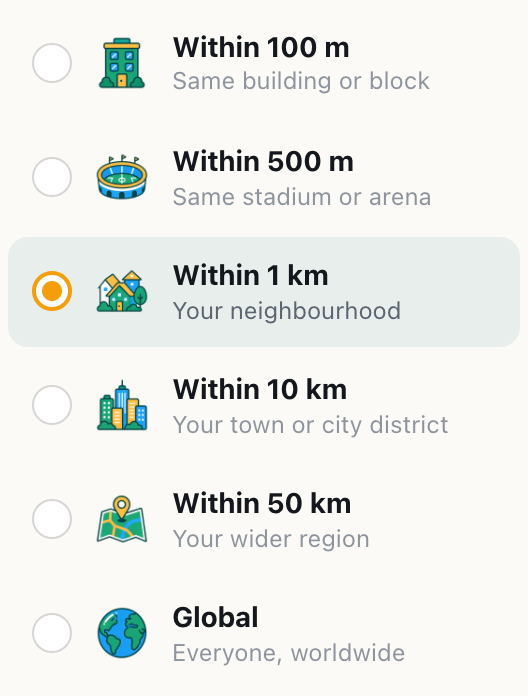
A screenshot of the room list in the sidebar, from the smallest room to the widest.
On a phone, the same six rooms are a row of tabs under the room name, so you can switch without opening a menu. Tap a tab to move. The row scrolls sideways, and the room you're in stays in view, highlighted in green.

A screenshot of the room tabs on a phone. Swipe the row sideways to reach Global.
The full list, with a picture and a description for each room, is also in the phone's sidebar: tap the menu button at the top left.
A few things happen when you switch:
- The conversation reloads for the new room. You see that room's history, measured from where you are now, and new messages arrive live.
- Your choice is remembered on this device. Next time you open CicadaChat, you land in the same room size.
- A new room opens on its latest messages. If you were looking at Hot in the old room, the new one opens on its conversation instead.
If you haven't shared your location, the five local rooms are greyed out and only Global can be picked. On a computer, pointing at a greyed-out room says Share your location to use this room.
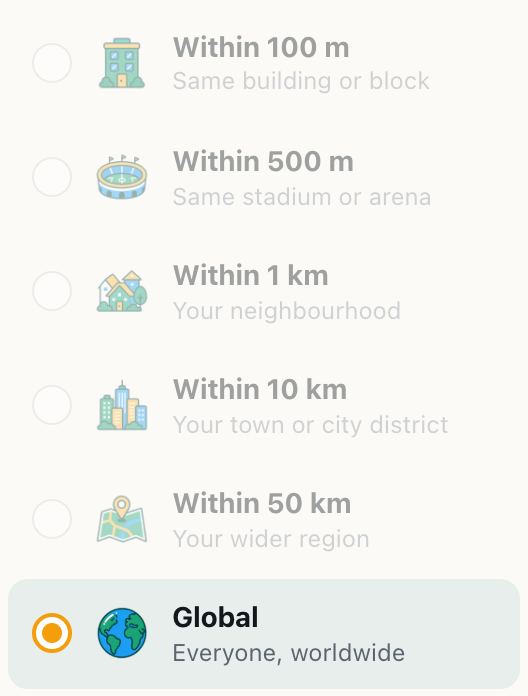
A screenshot of the room list without a shared location. Only Global can be picked.
Choosing a room: a guide to each size
Each room is a circle drawn around you. The size you pick decides two things at once: how far your messages reach, and how far away a message can be sent from and still reach you. Here's what each size is like in practice.
Within 100 m: your building or block
The room describes itself as This room reaches people in the same building or block as you. A hundred metres is roughly one city block, a large apartment building with its car park, or an office building. It's the room for things that only matter to people right next to you: a parcel left in the wrong lobby, the lift being out of order, a lost cat on the stairs, music that's a little too loud on a Sunday morning.
It's often the quietest room, and that's the point. When someone does speak in it, they're very close. Distances here are the most precise the app gets, rounded to the nearest 10 m, so you'll see right here a lot.
Within 500 m: the stadium, arena or campus
Everyone in the same stadium, arena or campus. Five hundred metres covers a football ground and its car parks, a festival site, a big market or most of a university campus. It's the room for events: which gate has the shortest queue, what song was that, whether anyone found a blue scarf in block C. It also works well in a busy shopping district, where the 1 km room would pull in too many streets.
Within 1 km: your neighbourhood
The default room — your neighbourhood, a short walk in any direction. A kilometre is ten to fifteen minutes on foot. It's where CicadaChat puts you when you first open it, and where most conversation happens: which bakery is still open, whether the park is flooded, a warm welcome for someone who has just moved in. If you're not sure which room to use, use this one.
Within 10 km: your town or city district
Your town or city district. Ten kilometres takes in a small town, or a big slice of a city. It's the room for things that travel further: a road closed after an accident, a concert this weekend, which part of town has lost power. It's busier than the rooms below it, because the circle holds a hundred times the area of the 1 km room.
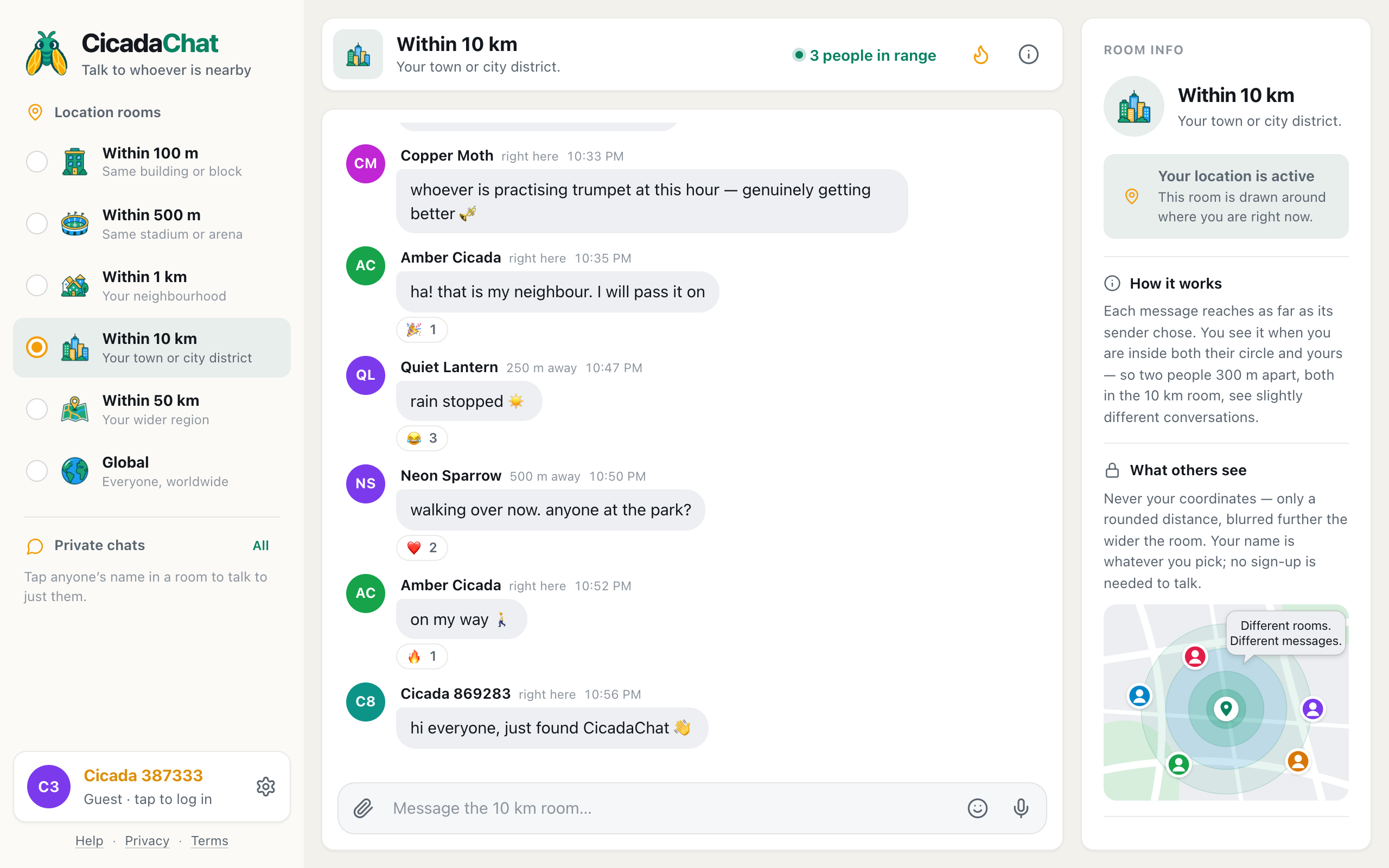
A screenshot of the 10 km room. Distances are rounded to 250 m, so close neighbours show as right here.
Distances get rougher here: they're rounded to the nearest 250 m before they reach anyone. A neighbour 120 m away shows as right here in this room, as in the picture above, even though the same person shows as 150 m away in the 500 m room.
Within 50 km: your wider region
Your wider region. Fifty kilometres covers a city and its surroundings, or several towns. It's the room for news that crosses town lines: a storm moving through, a festival in the next town over, a question for anyone across the region. Distances are rounded to the nearest kilometre.
Global: everyone, anywhere
Everyone on CicadaChat, wherever they are. No location needed. Global is the one room that isn't a circle. It's shared by everyone, shows no distances, and is kept apart from the local rooms: messages sent in Global never appear in a local room, and local messages never appear in Global. It's where you are if you haven't shared your location, and it's always there when you want to talk to the whole world instead of the street.
Wider or narrower: the trade-off
Every step up the list makes the room busier and every step down makes it more local. The table puts the numbers side by side.
| Room | Your messages reach | You see messages sent within | Distances rounded to |
|---|---|---|---|
| Within 100 m | 100 m | 100 m of you | 10 m |
| Within 500 m | 500 m | 500 m of you | 25 m |
| Within 1 km | 1 km | 1 km of you | 25 m |
| Within 10 km | 10 km | 10 km of you | 250 m |
| Within 50 km | 50 km | 50 km of you | 1 km |
| Global | Everyone in Global | Global only | No distances |
The middle column has one catch: a message also has to be allowed to reach you. A message sent to the 500 m room from 700 m away doesn't appear in your 10 km room, because its sender chose to reach only 500 m. In short, you see a message when the distance between you is no bigger than the smaller of the two rooms, yours and the sender's. The Help article Why two people in the same room can see different messages works through this with examples.
An example: one day, four rooms
Most people don't stay in one room. Here's how a day might go:
- At breakfast, you notice the water is off. You switch to Within 100 m and ask whether it's just your flat. Two neighbours from the same building answer within minutes. Nobody three streets away needed to hear about it.
- At lunch, you move up to Within 1 km to ask where to get a good bowl of noodles nearby. That's a neighbourhood question, and the 1 km room is where the neighbourhood is.
- In the evening, you're at a match. In Within 500 m, the crowd is swapping news about which exits are quickest. The street outside isn't part of it.
- On the bus home, traffic stops. Within 10 km tells you there's been an accident on the bridge, reported by someone 4 km ahead.
Because CicadaChat remembers the last room you picked, you'll open the app in the 10 km room tomorrow morning. Step back down when you want your neighbourhood again.
Tips for picking the right room
- Pick the room before you write. Your message reaches as far as the room you're in when you send it, and that can't be changed afterwards. The message box names the room as a reminder: Message the 100 m room….
- When a room feels empty, step one size wider. The people in range count in the header tells you how many people are online and would see a message right now. If it says 1 person in range, that's just you.
- Check Hot in a quiet room. The flame button shows the past week's most-reacted messages in that room, which is a quick way to see what people nearby talk about.
- Go narrow for anything about your building. A question about your building's hot water doesn't need to reach the whole neighbourhood.
- At an event, try 500 m. It holds the crowd without pulling in the streets around it.
- When you travel, your rooms travel with you. The 1 km room in a new city is that city's neighbourhood, with its own history. Your room size stays the same.
Questions about choosing a room
Does switching rooms delete my messages?
No. A message stays where it was sent, with the reach it was sent with. Switching only changes what you're looking at. Come back to the room later and your messages are still there, as long as you're standing somewhere they reach.
Will people in wider rooms see my 100 m message?
Only the ones within 100 m of you. Someone 2 km away reading the 10 km room won't see it, because your message was only allowed to reach 100 m.
Why can't I pick a local room?
The local rooms need your location. Open Settings with the gear next to your name to see whether it's shared, blocked, or still waiting for your browser, and how to turn it on.
Can I be in two rooms at once?
You view one room at a time, but you don't miss what's said around you. Private chats and private rooms carry on whichever location room you're in, and switching back to a room shows everything sent there that reaches you.
No comments yet. Start the conversation.