
For cafés, shops and restaurants: reaching the neighbourhood in the 1 km room
How local cafés, shops, restaurants and services can use CicadaChat's 1 km room: setting up, a business card, what to post, answering questions, and not overdoing it.
Most of a neighbourhood café's customers live or work within a kilometre of it. The same goes for the bakery, the noodle stall, the hairdresser, the tailor, the corner shop and the family restaurant. Those are exactly the people in CicadaChat's 1 km room: everyone within a short walk of wherever you're standing, which for a local business means the people who could drop in today. This article is for cafés, shops, restaurants and local services that want to reach the neighbourhood in the 1 km room: how to set up, what to post, how to answer questions, how a business card helps, and how to stay welcome in a room that belongs to the neighbourhood, not to you.
Why the 1 km room suits a local business
Advertising usually reaches a lot of people who'll never come in. The 1 km room reaches the opposite: only people within a kilometre of where the message was sent. Post from behind your counter, and your message reaches the streets around your shop, the people who pass your door, and the offices and homes a few minutes' walk away. Nobody across the city sees it.
It's also a conversation, not a noticeboard. People in the room ask questions: is the bakery open on the holiday, does anyone do gluten-free, where can I get a suit taken in by Saturday? A business that's in the room can answer, and a good answer from the people who actually run the place is worth more than any flyer.
If your customers are in one building or on one street, like a café inside an office block, the 100 m room is closer to the right size. There's an article about that: for shop owners: talking to the people on your street in the 100 m room. For a market stall or an event site, the 500 m room covers the whole site, as explained in for event organisers and stallholders: talking to the whole site in the 500 m room.
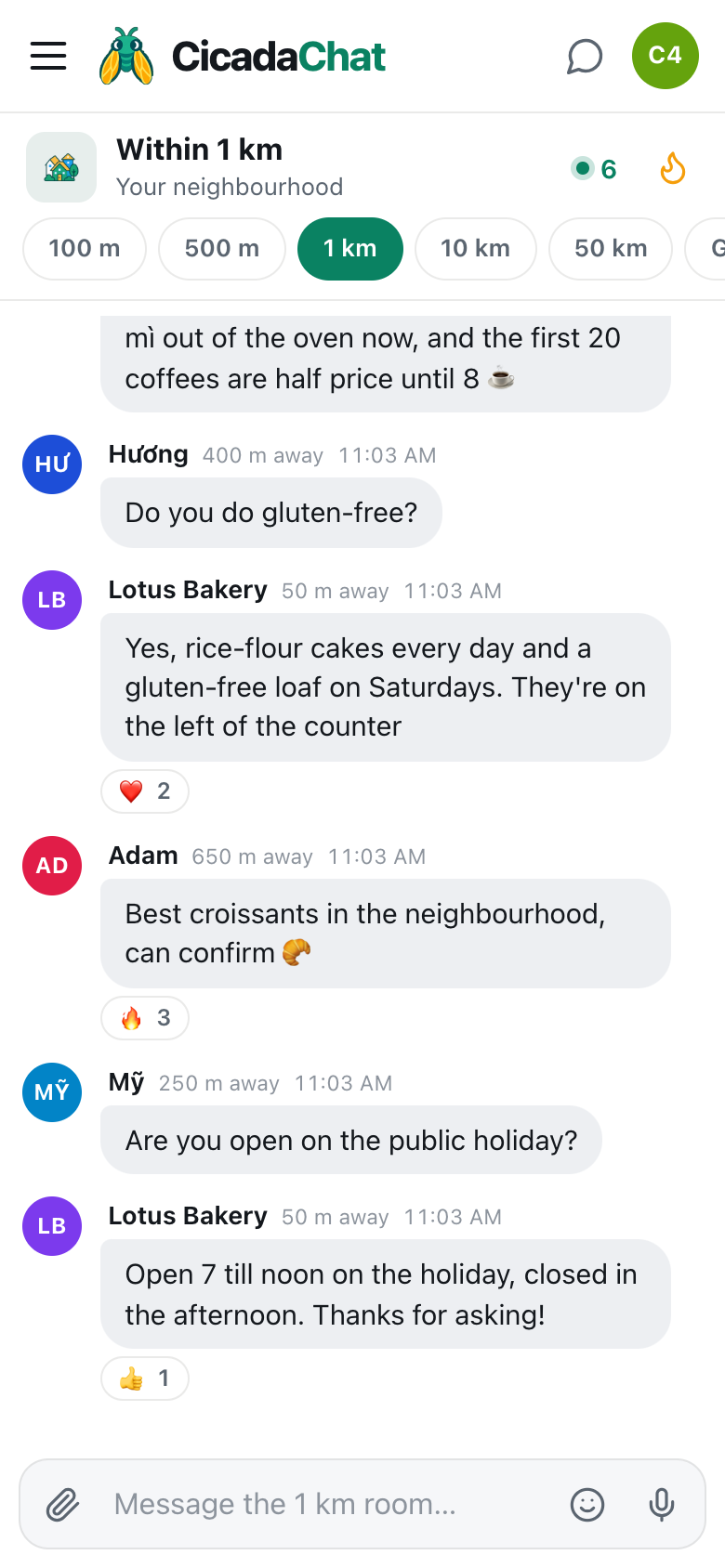
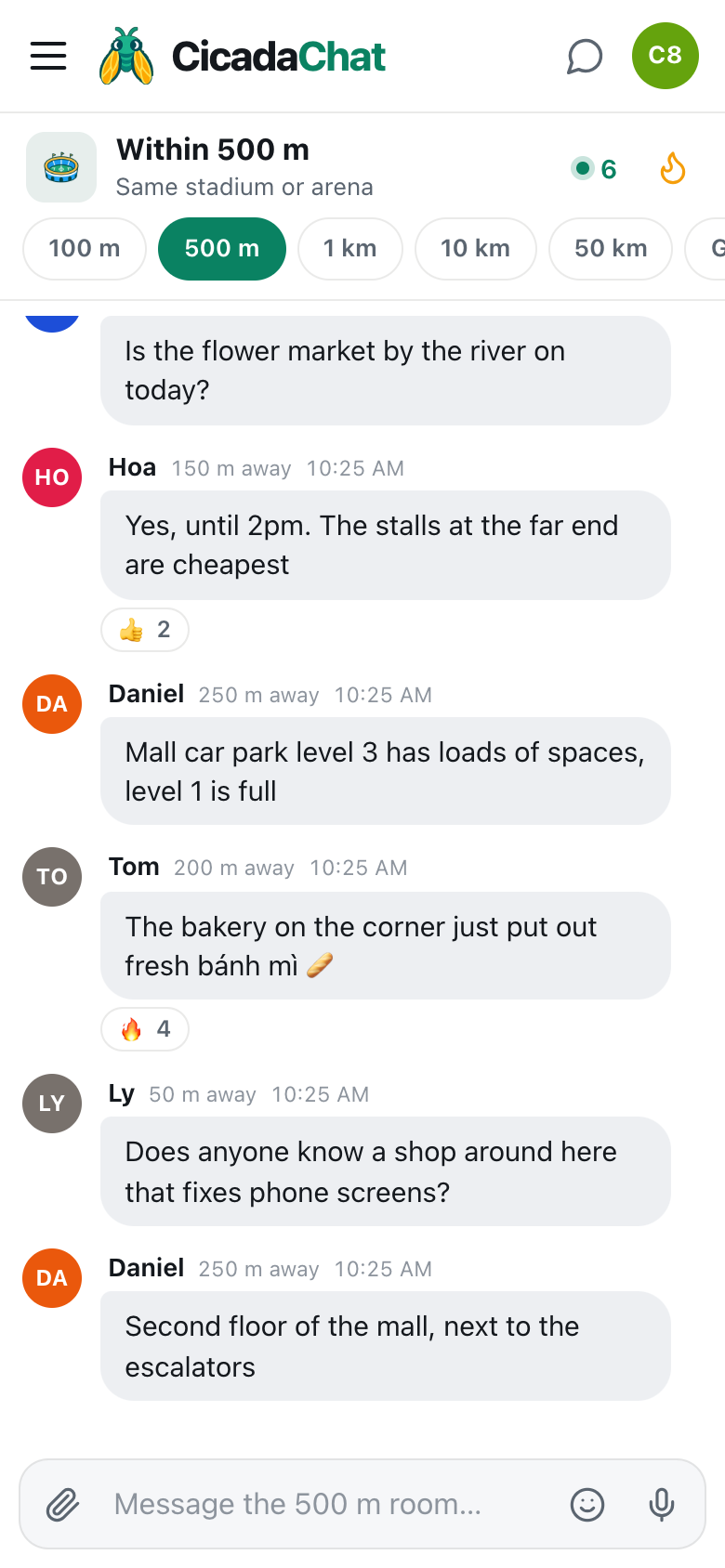
A screenshot of a neighbourhood bakery in the 1 km room. Posting from 50 m away, Lotus Bakery announces fresh bánh mì and answers customers' questions.
Setting up
- Create a registered account at CicadaChat. A guest account works for chatting, but a registered account lets you choose your name, sign in on any device, and add a business card.
- Use your business's name as your Full name, like Lotus Bakery. That's the name shown with your messages, so everyone knows exactly who's talking. If you also chat as yourself, use a separate personal account for that.
- Add a profile photo: your logo or your shop front. It appears next to every message.
- Add a business card (below).
- Post from the shop. A message reaches 1 km around the spot where it was sent. Posting from your counter means your message reaches your neighbourhood, and your distance shows as right here or a short distance to people nearby, which tells them how close you are.
Your business card
A registered account can describe a business: its name, a description, an address, a phone number, an email, a website and up to eight photos. You add it in Your account, opened from your name at the bottom of the sidebar, under Business. The description is the place for opening hours, what you sell and anything customers should know.
Anyone who opens a private chat with you sees the card beside the conversation. On a wide screen, it sits on the right. On a phone, a button at the top of the chat opens it. So when a customer taps your name on one of your messages to ask something privately, your address, opening hours and photos are right there.
The help article how to add a business card to your CicadaChat account has the steps. Keep the card up to date: it's the first thing a curious neighbour sees.
What to post
The best business messages in the 1 km room are useful today, to people nearby. A few ideas:
- What's fresh or ready now. "Fresh bánh mì out of the oven now." "Today's special is bún riêu." "New autumn stock is in."
- Offers that bring people in today. "The first 20 coffees are half price until 8 ☕" works because it's short, specific and ends soon.
- Changes to opening hours. "Open 7 till noon on the holiday, closed in the afternoon." Customers appreciate it, and it saves wasted journeys.
- Events. A tasting, a live music night, a children's craft morning, a grand reopening.
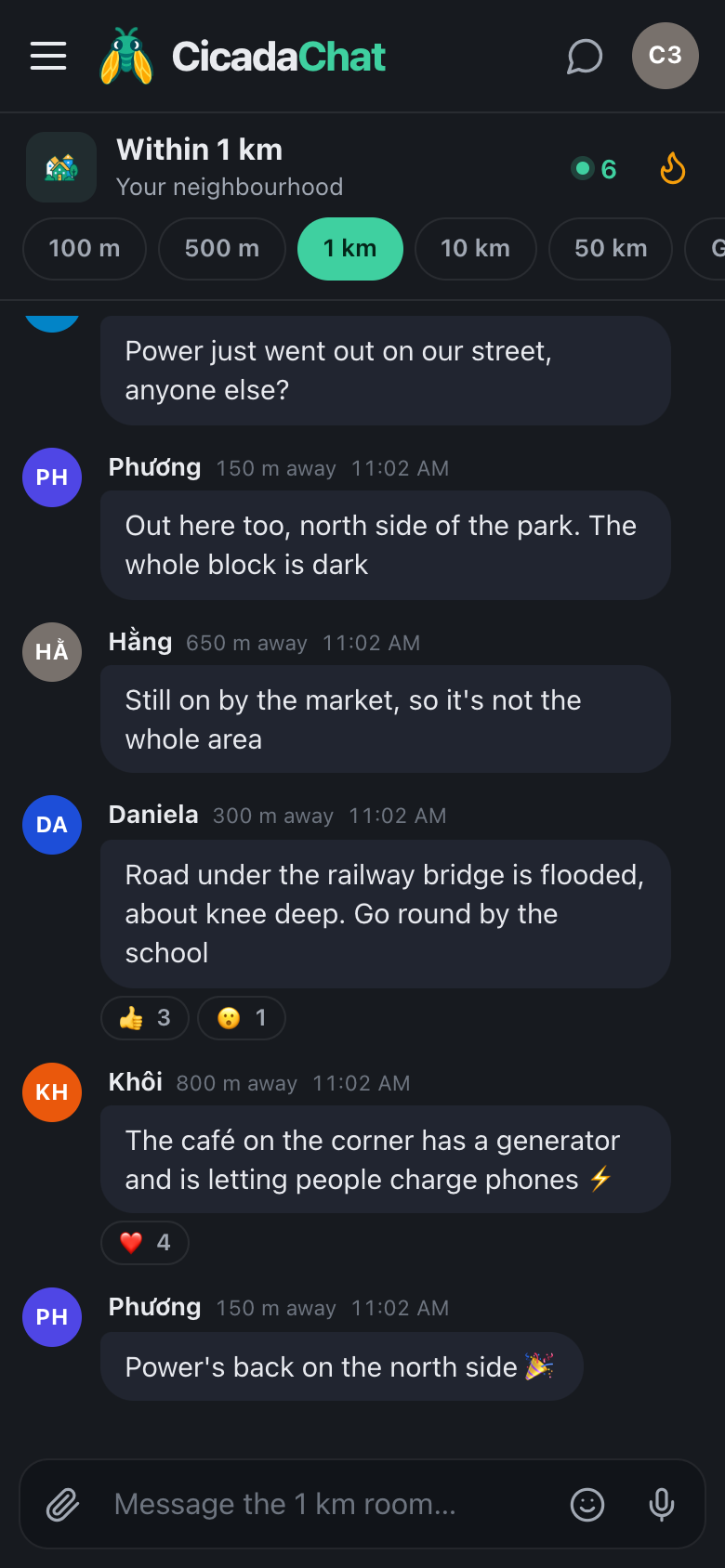
- Help in a crisis. During a power cut, "we have a generator, come and charge your phone" is the best advert a café will ever post, even though it isn't one.
Add a photo when it helps: a tray of croissants says more than a description. Tap the paperclip and choose Photo.
Ideas for different kinds of business
- Restaurants and street food: today's dish, a table free right now, "last ten portions of phở, then we're closed".
- Hairdressers and beauty salons: a cancellation this afternoon, a slot free tomorrow morning.
- Repair shops and tailors: how long a repair takes this week, a reminder that you do same-day alterations before a holiday.
- Corner shops and pharmacies: late opening, a delivery of something people have been asking for, bottled water in a heatwave.
- Studios and classes: a free taster session, a space left in Saturday's class.
Whatever you run, the question to ask before posting is the same: would a neighbour be glad to have read this today?
Answering questions
Being in the room means being part of the conversation. When someone asks something you can answer, answer it:
- "Do you do gluten-free?" "Yes, rice-flour cakes every day and a gluten-free loaf on Saturdays. They're on the left of the counter."
- "Are you open on the public holiday?" "Open 7 till noon on the holiday, closed in the afternoon. Thanks for asking!"
Answer questions about the neighbourhood too, not just about your shop. The café that knows which road is closed, or which pharmacy is open on Sunday, becomes the café people trust. And when a customer says something nice, a ❤️ reaction is a warm, unobtrusive thank you.
For anything personal, like an order, a booking, a complaint or a special request, move to a private chat. The customer can tap your name, or you can tap theirs, and the conversation happens beside your business card.
When customers recommend you
The best thing that can happen in the 1 km room is someone else recommending you. "Best croissants in the neighbourhood, can confirm 🥐" from a customer 650 m away is worth ten of your own posts, and when other people react to it, it can end up in Hot, the room's most-reacted messages of the past week, for everyone to see.
You can't make that happen, but you can make it easy: be good, be friendly in the room, and be the name people already know when someone asks "where's the best bakery round here?".
How often to post
This is the part that decides whether the neighbourhood welcomes you. The 1 km room belongs to everyone in it, and a business that fills it with adverts quickly becomes the business everyone scrolls past.
- Once a day is plenty for news and offers. Many of the best local businesses post a few times a week.
- Answer whenever you're asked. Answers don't count as advertising. They're helping.
- Never post the same message twice in a row. If nobody reacted, change the offer, not the frequency.
- Don't pretend to be a customer. Recommending your own shop from a personal account is the quickest way to lose the neighbourhood's trust, and people notice. There's no way to edit or delete a message once it's sent.
- Don't advertise in other people's questions. If someone asks for a plumber and you run a bakery, stay out of it.
Distance works for you
Every message shows how far away its sender was, rounded: right here for under 50 m, then to the nearest 50 m. When a customer sees "Lotus Bakery · 50 m away", they know it's close. When they're 650 m away, they know it's a short walk. No map needed.
It also works the other way: people who are too far away to come don't see your messages at all. Your offer about the first 20 coffees reaches the people who can actually come and get one.
The one thing to remember is that it's the place you post from that counts, not your shop's address. Posting from home in the evening reaches the neighbourhood around your home. For shop news, post from the shop.
Keeping in touch with regulars
Some customers become regulars, and some regulars become friends. With a registered account, you can add them as friends. Friends see when you're online, never where you are. And if you'd like a space for your most loyal customers, like a supper club, a tasting group or a class, you can create a private room: an invite-only chat for people you've added as friends, which works from anywhere.
A good neighbour first
The businesses that do best in the 1 km room aren't the ones that post the most. They're the ones that feel like part of the neighbourhood: the bakery that announces fresh bread, answers questions about gluten-free cakes, tells everyone when the road outside is closed, and lets people charge their phones in a power cut. Be that business, and the neighbourhood will do your advertising for you.
No comments yet. Start the conversation.