
The 10 km room: chatting with your whole town or city district
CicadaChat's 10 km room is a chat with everyone in your town or city district. What it reaches, who hears you, what you see there and what people use it for.
Your neighbourhood is where you live, but your town is where you get around. It's where you commute, shop for the things your street doesn't sell, take the children at the weekend, find a doctor who speaks your language and look for people who share your hobbies. CicadaChat's 10 km room lets you chat with your whole town or city district in one conversation: everyone within ten kilometres of you, with no group to find and no invite to wait for. This article explains what the 10 km room is, who it reaches, what you see there, and what people use it for.
What the 10 km room is
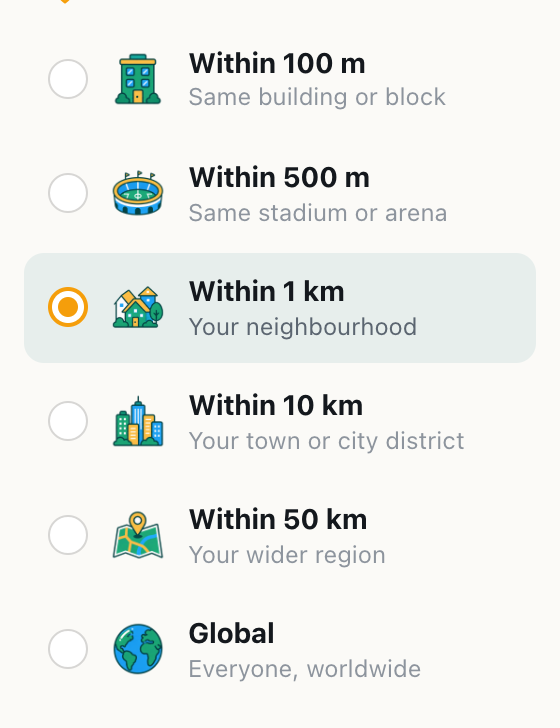
CicadaChat rooms aren't places you join. Each one is a circle drawn around you, and the room ladder gives you six sizes: 100 m, 500 m, 1 km, 10 km, 50 km and Global. The 10 km room is the fourth rung, the first one that's bigger than a walk.
In the room list it's called Within 10 km, with Your town or city district underneath, and the room header describes it the same way: Your town or city district.
A circle with a radius of 10 km is twenty kilometres across and covers more than 300 square kilometres. In a big city, that's a whole district and a good slice of the ones around it: several neighbourhoods, a ring road, a university or two, hospitals, stadiums, parks and a couple of big markets. In a smaller city it can be the whole place, from the centre out to the suburbs. In the countryside, it's a market town and the villages around it. Everyone inside that circle can get to everyone else in half an hour or so, which is what makes it a room worth talking in.
You don't need an account. The first time you open CicadaChat, it creates a guest account for you, gives you a name like Cicada 550965, and starts you in the 1 km room once your browser shares your location. The 10 km room is one tap away.
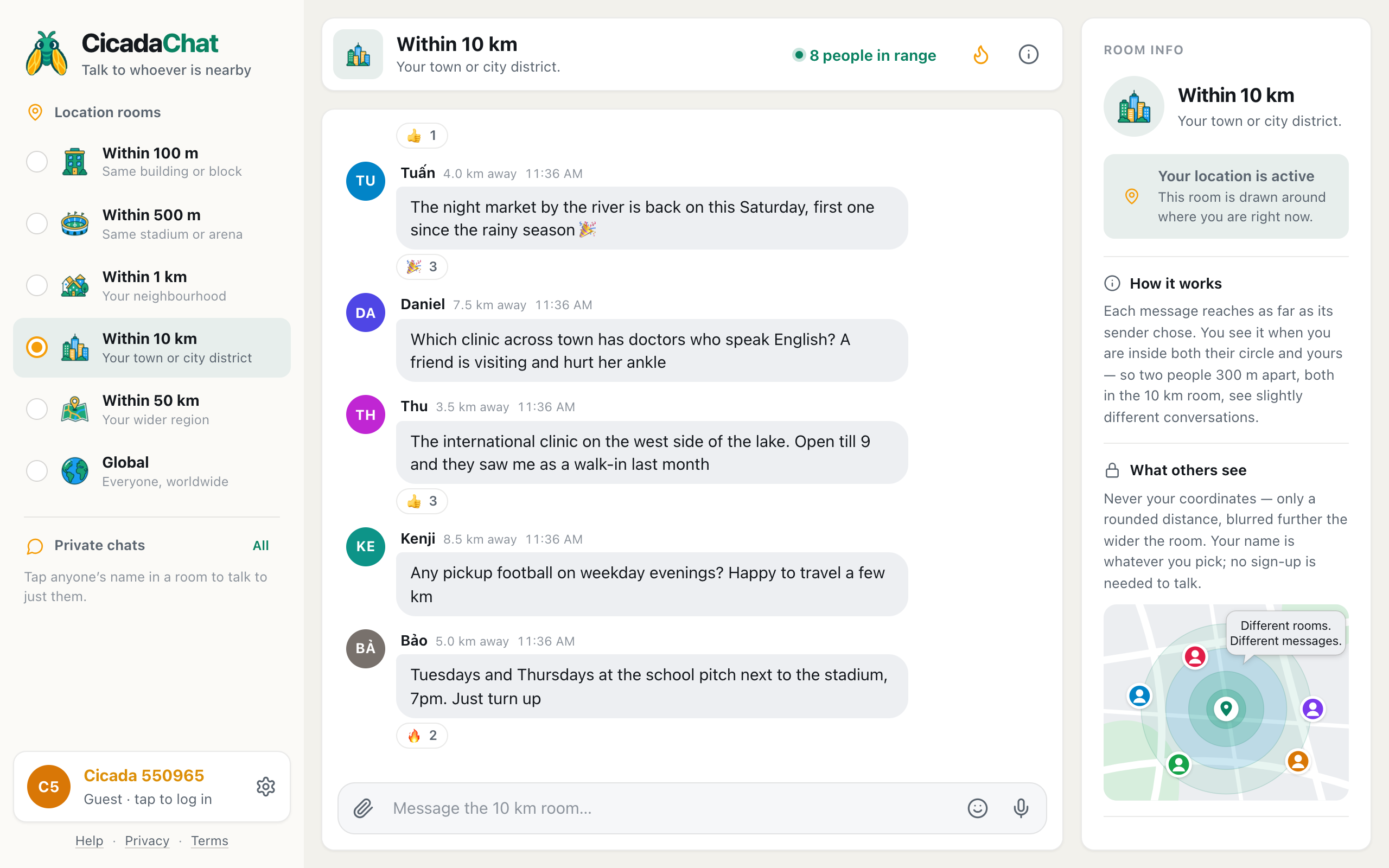
A screenshot of the 10 km room on a computer. Within 10 km is selected in the Location rooms list, the header shows 8 people in range, and Room info on the right explains how the room is drawn.
How to get to the 10 km room
- Allow location when your browser asks. The 10 km room is drawn around where you are, so CicadaChat needs to know.
- On a phone, tap the 10 km tab in the row of room tabs under the header. It's the fourth one, after 100 m, 500 m and 1 km.
- On a computer, click Within 10 km in the Location rooms list on the left.
- Wait a moment while CicadaChat fetches what people around you have been saying.
- Type into the box at the bottom, which now says Message the 10 km room…, and press send.
If the tab is greyed out, CicadaChat doesn't have your location. On a computer, hovering over it shows Share your location to use this room. Until you allow it, you're in the Global room, which needs no location at all.
CicadaChat remembers the room you pick on that device. If the 10 km room turns out to be the one you use most, it's where the app opens next time.
Who hears you, and whom you hear
Every message remembers where it was sent from and which room its sender was in. A message you send from the 10 km room reaches 10 km around the spot where you sent it. Someone sees it when they're inside your circle and also inside their own. In other words, a message shows up when the distance between you is no more than the smaller of the two rooms.
That rule matters more in the 10 km room than anywhere else, because it's where the difference between the two circles is biggest. Here's how it plays out across a town:
- Someone 6 km away, also in the 10 km room, sees your message. You're inside each other's circles.
- Someone 6 km away in the 50 km room sees it too. Their room is wider, but your message reaches 10 km, and they're inside that.
- Someone 6 km away in the 1 km room doesn't. They've chosen to hear only what's said within a kilometre of them, and you're further than that.
- Someone 600 m away in the 1 km room does see it. You're inside their 1 km circle, and they're inside your 10 km one.
- Someone 15 km away in the 50 km room doesn't. They're inside their own circle, but outside yours.
So a message in the 10 km room reaches everyone within 10 km who is listening that wide, plus the people close to you who are listening narrowly. It doesn't reach the whole town's 1 km rooms. That's by design: the people in a 1 km room chose their neighbourhood, and CicadaChat doesn't let the rest of the city shout into it.
It works in reverse too. When you sit in the 10 km room, you hear the town's 10 km and 50 km messages from within 10 km of you, and the 1 km, 500 m and 100 m messages from people close enough to be inside their own small circles. The 10 km room is a superset of your neighbourhood: nothing said in your 1 km room disappears when you step up.
Because every circle is centred on a different person, two people in the 10 km room see different conversations. Someone on the east side of town and someone on the west side share the middle, but each sees their own edge. The help article why two people in the same room can see different messages walks through it with more examples.
What you see in the room
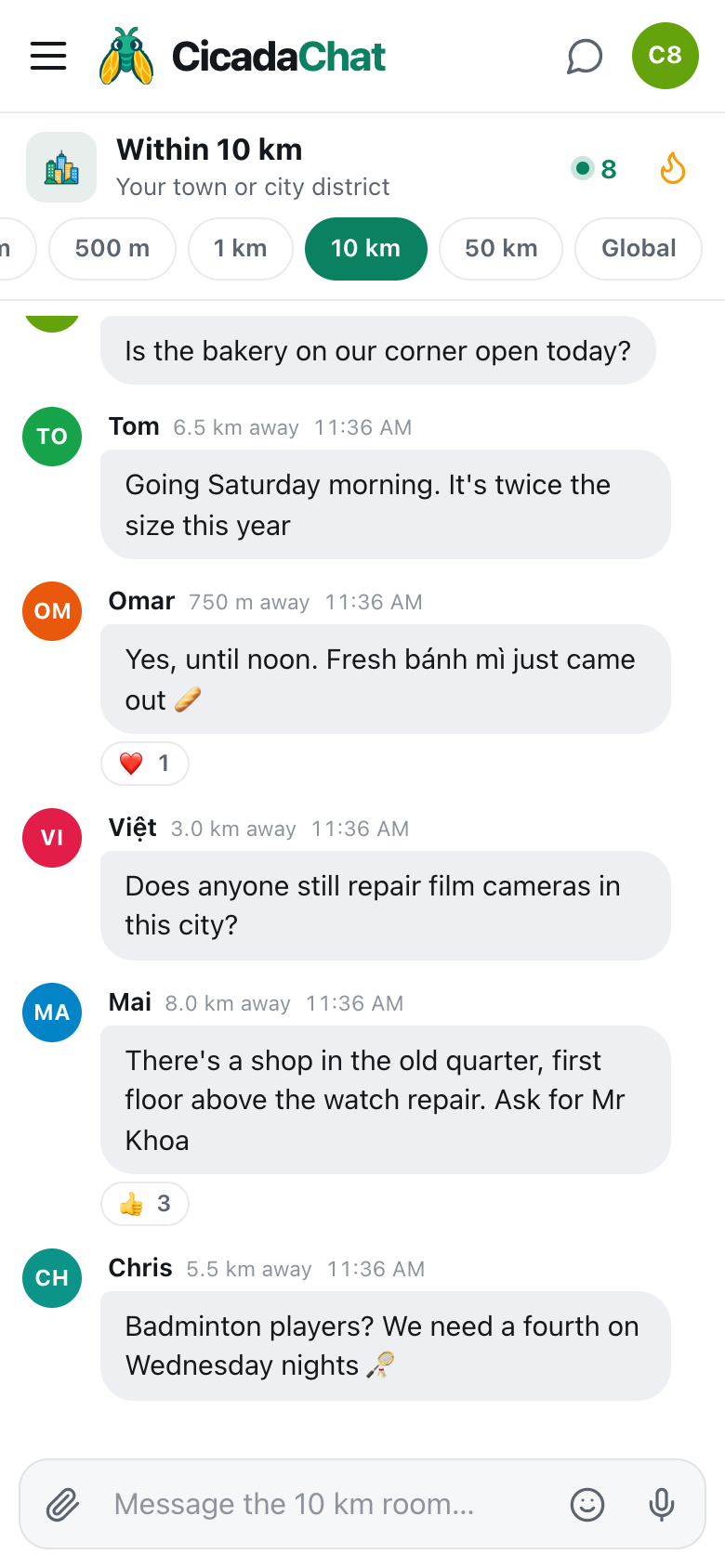
Each message shows the sender's name, how far away they were when they sent it, and the time. In the 10 km room, distances are rounded to the nearest 250 m, so you'll see things like 750 m away, 3.5 km away or 8.5 km away. Anyone within about 125 m of you shows as right here. The rounding is coarser than in the neighbourhood rooms because a town-wide room can afford it: nobody needs to know whether a helpful stranger is 3.4 or 3.6 km away, only that they're across town rather than next door.
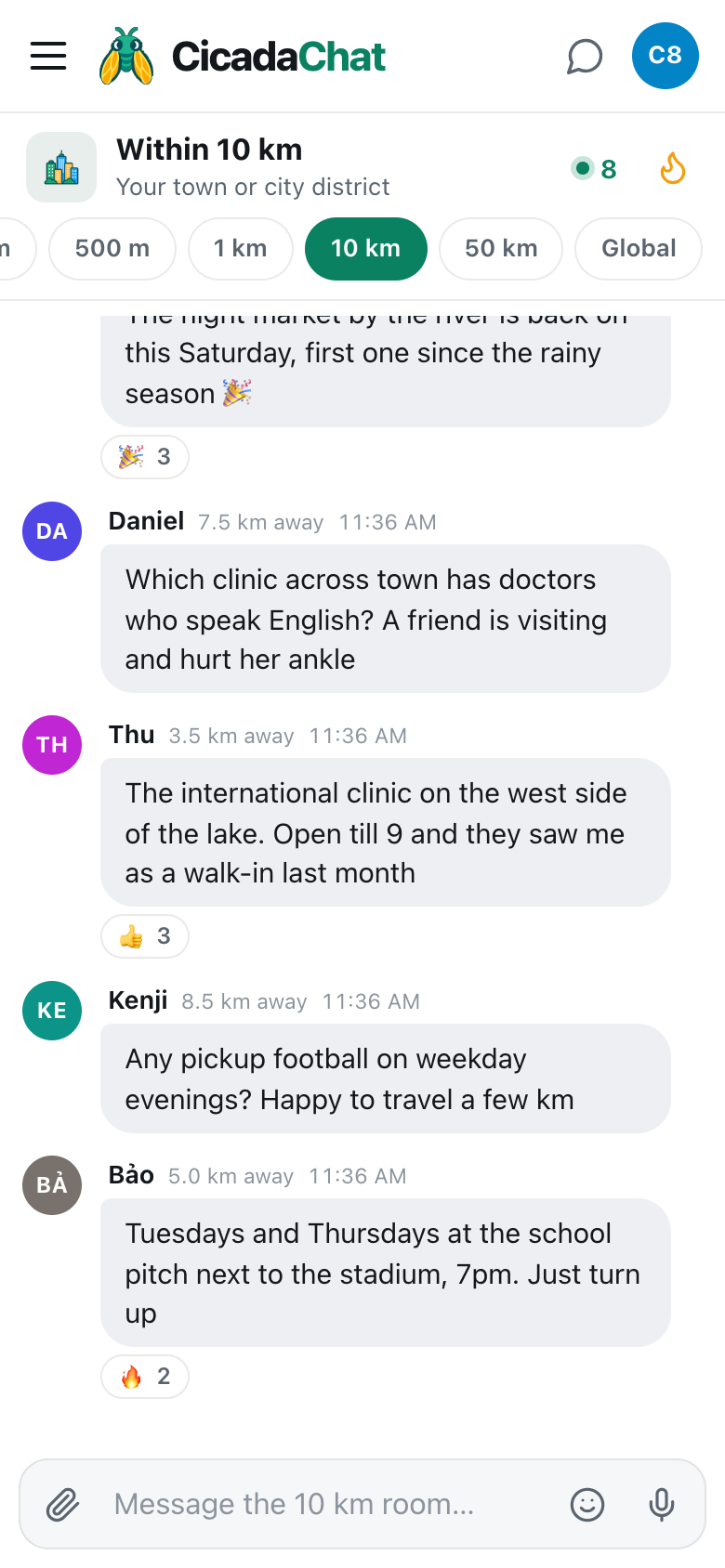
A screenshot of the 10 km room on a phone. The 10 km tab is highlighted, and each message shows a rounded distance such as 3.5 km away or 8.5 km away.
In the header, the green dot and number are people in range: how many people are online now and would hear you if you spoke, you included. On a computer it's spelled out, like 8 people in range. Tap it to open the People in range list, nearest first. In a busy city the list shows the nearest hundred. Tap anyone there, or anyone's name on a message, to start a private chat with just them.
Beside it is the flame button, Hot: the room's most-reacted messages from the past week. In a town-wide room, Hot fills up with the things a whole district finds useful, like the clinic everyone recommends, the festival date, or the road that's closed until Friday.
To read further back, scroll up and press Load older messages.
The room follows you
Because the room is a circle around you, it moves when you do. When you open the room, it loads what's been said within reach of where you are. Ride across the city and the circle comes with you. New messages reach you based on where you are now, and the distance on each one is measured from where you were when it arrived.
At 10 km, that movement is slower than in the small rooms. Walking a few streets changes your 100 m room completely, but your 10 km room barely shifts. It changes when you change districts: commuting from a suburb to the centre, or driving to the next town. Many people find their 10 km room at home and their 10 km room at work overlap a lot, which is part of why it feels like "their town".
What people use the 10 km room for
Getting around
Traffic, closed roads, a flooded underpass, a bus running late. The 10 km room covers the whole of most commutes, so the people reporting are on the roads you're about to use.
What's on
Night markets, kite festivals, open-air cinema, a band in the park. Events draw people from across a town, and the 10 km room is where you hear about them in time to go.
Finding the things your neighbourhood doesn't have
A specialist doctor, a film camera repair shop, imported groceries, a tailor who can copy a suit. Most neighbourhoods don't have everything, but most towns do, and somebody within 10 km knows where.
Lost and found across town
A dog that slipped its lead can be three kilometres away within the hour. The 10 km room reaches everyone along the way.
Finding your people
Pickup football, board game nights, language exchange, running groups, chess. A neighbourhood might not have enough people for your hobby. A whole district almost certainly does.
What you can send
- Messages of up to 2,000 characters, with emoji.
- Reactions: 👍, ❤️, 😂, 😮, 😢, 🔥, 🎉 and 👀. Reactions are what put a message into Hot.
- Photos and documents, from the paperclip button. Photos are resized and re-encoded on your device, which strips the hidden location data many phone cameras add.
- Voice notes, from the microphone button.
- Your location, from the paperclip's Location option. It's the one time anyone sees an exact spot, and CicadaChat warns you first: Everyone within 10 km will see this exact spot. In a room this size, that's potentially thousands of people, so share a meeting point, not your home.
There's no way to edit or delete a message after you've sent it, so read it through before pressing send.
How the 10 km room compares with its neighbours
The 1 km room is your neighbourhood, a short walk in any direction. The 10 km room is your town or city district, a short ride. The 50 km room is your wider region, where a trip takes planning. If the 10 km room is too busy, or the talk is about places you never go, step down to 1 km. If it's quiet, or you're in the countryside, try 50 km. The help article choosing a room: 100 m, 500 m, 1 km, 10 km, 50 km or Global compares all six, and 1 km or 10 km? How to tell when it's time to go wider looks at the choice between these two in detail.
Good manners in a town-wide room
- Say where you mean. "The bridge" means nothing across 20 km. "The northbound bridge by the stadium" does.
- Remember the size of the audience. A 10 km room can hold a lot of people. Write for strangers, not for your street.
- Describe places, not people. A road, a queue or a shop is fine. A description of someone isn't.
- Keep your address out of public messages. Use a landmark, and swap details in a private chat once you know who you're talking to.
- React to good answers. A 👍 on the right reply tells the next reader which one to trust, and lifts it into Hot.
Guests and registered accounts
Everything in this article works as a guest. A free account lets you choose your name, sign in on any device, add friends, who see when you're online but never where you are, and create private rooms, invite-only chats that work from anywhere. That's how many town-wide clubs start: people meet in the 10 km room and move into a private room of their own. Creating an account keeps your guest history, so nothing you've already said is lost.
No comments yet. Start the conversation.