
The 1 km room: chatting with your neighbourhood, a short walk in any direction
CicadaChat's 1 km room is a chat with everyone within a short walk of you, and the room you start in. What it reaches, what you see there and what neighbours use it for.
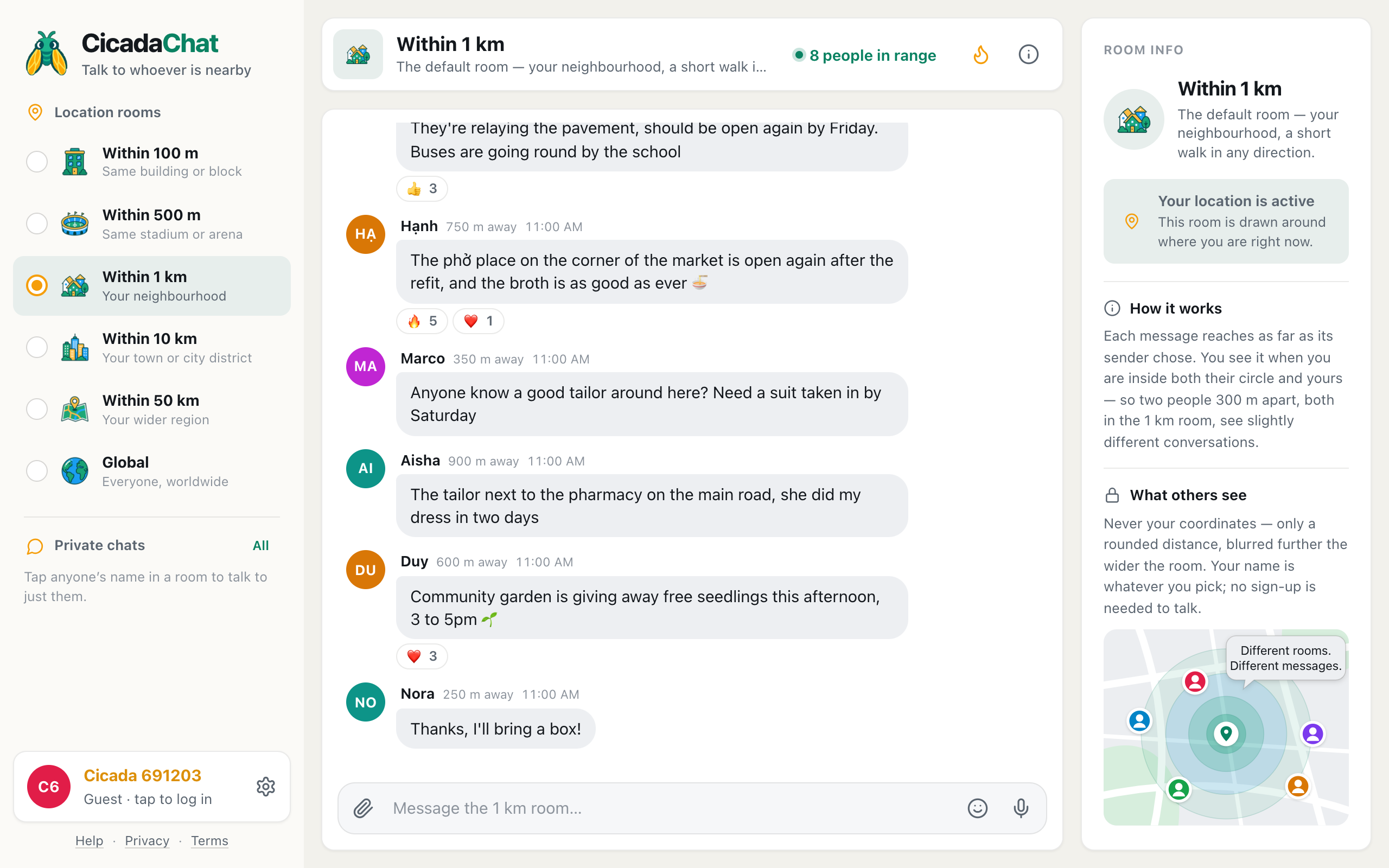
Think about everything within a ten or twelve minute walk of your front door. The market, the school, the bus stop, the phở place on the corner, the park, the pharmacy, the streets that flood when it rains and the ones that don't. That's your neighbourhood, and it's full of people who know things you'd like to know. CicadaChat's 1 km room lets you chat with your neighbourhood: everyone within a kilometre of you, in one conversation, with no group to find and nobody to ask for an invite. It's also the room CicadaChat opens in, so if you've used the app at all, you've probably already been in it. This article explains what the 1 km room is, who it reaches, what you see there, and what people use it for.
What the 1 km room is
CicadaChat rooms aren't places you join. Each room is a circle drawn around you, and the room ladder gives you six sizes: 100 m, 500 m, 1 km, 10 km, 50 km and Global. The 1 km room is the third rung and the middle of the local ones.
In the room list it's called Within 1 km, with Your neighbourhood underneath. On a computer, the header and the room info panel describe it in full: The default room — your neighbourhood, a short walk in any direction.
A circle with a radius of 1 km is two kilometres across. In a city, that's a whole neighbourhood: several streets of houses and apartment blocks, a market or two, a few schools, a park, dozens of cafés and small shops. In a town, it might be most of the centre. In the countryside, it might be a village and the fields around it. It's big enough that there's usually someone around to talk to, and small enough that everyone in it shares the same streets, the same weather and the same roadworks.
You don't need an account. The first time you open CicadaChat, it creates a guest account for you, gives you a name like Cicada 691203, and puts you in the 1 km room as soon as your browser shares your location.
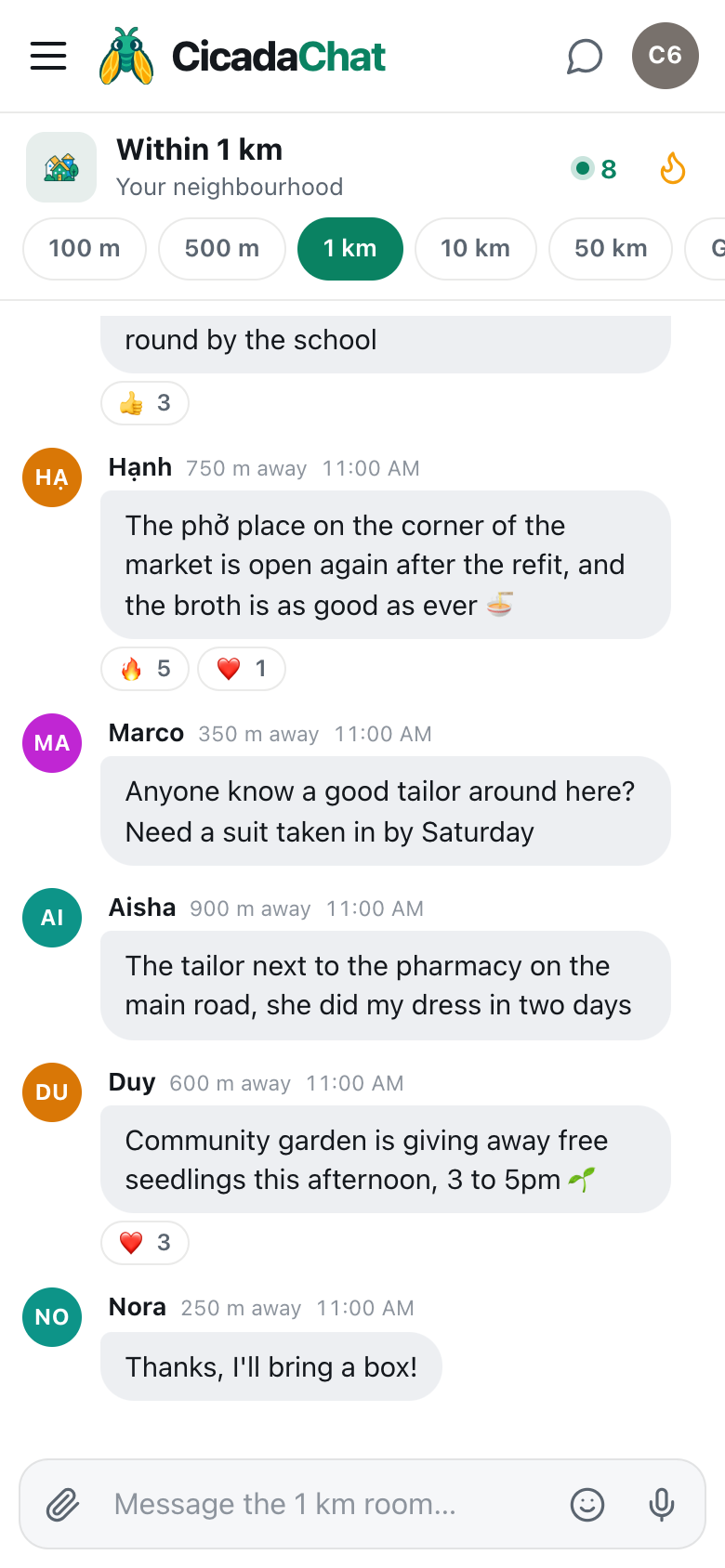
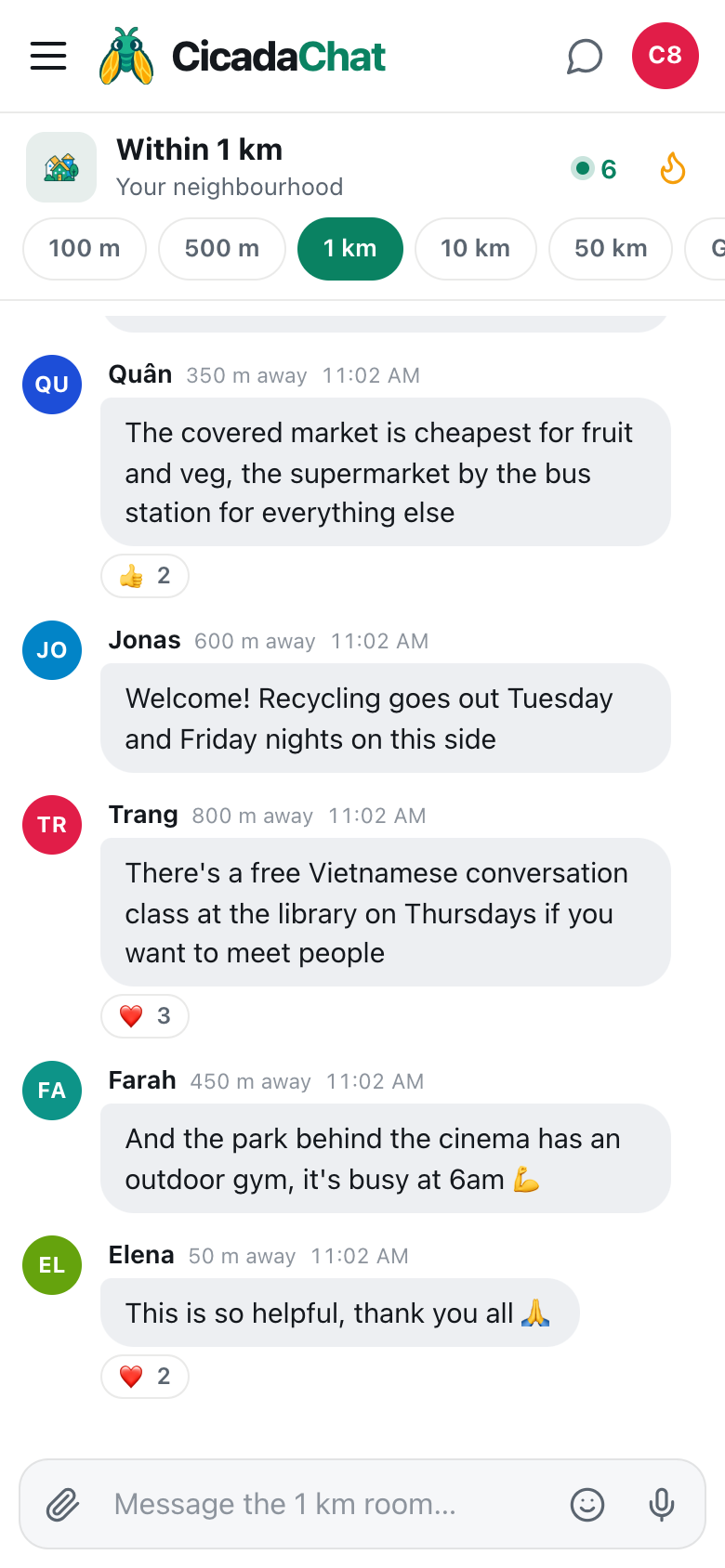
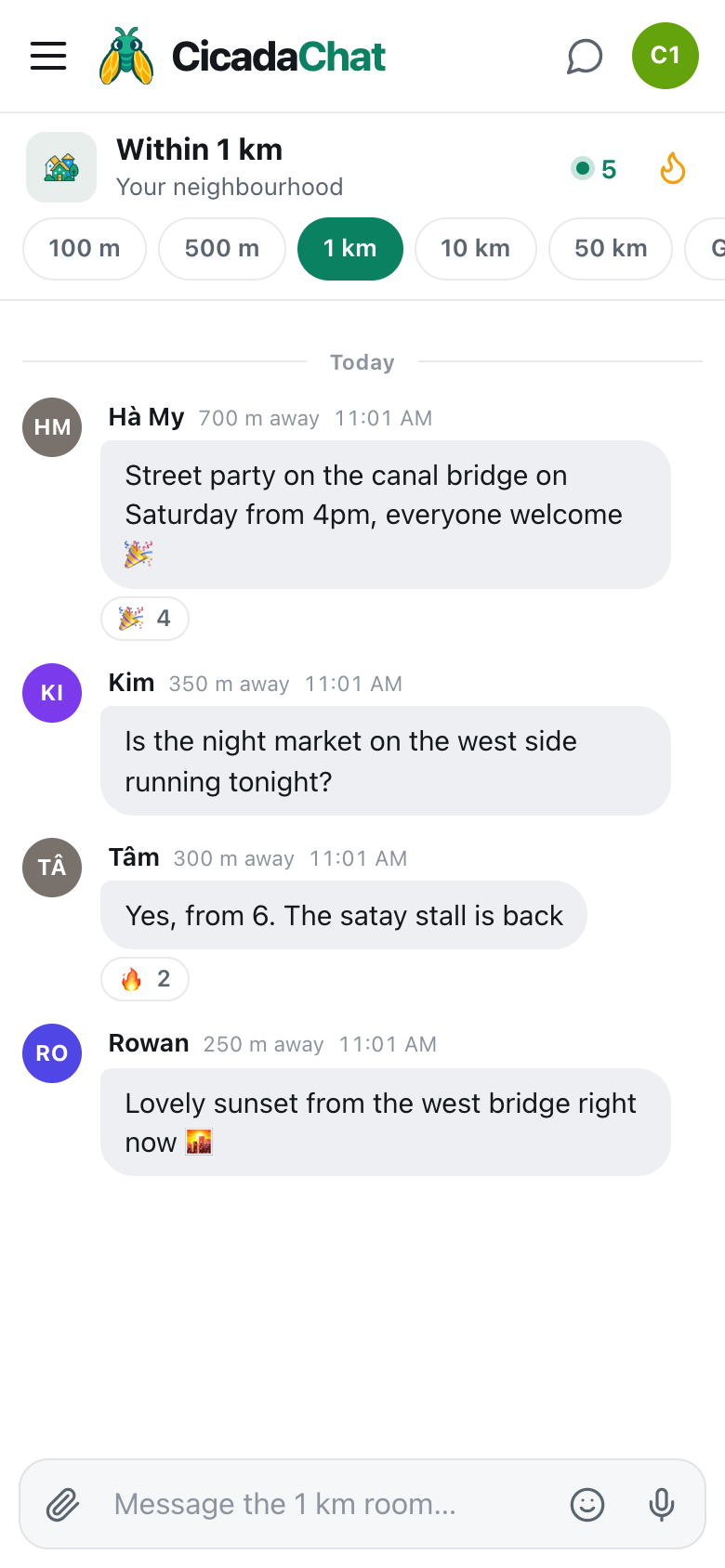
A screenshot of the 1 km room on a phone. The header reads Within 1 km, Your neighbourhood, with the number of people in range and the Hot button beside it.
Why it's the room you start in
CicadaChat opens in the 1 km room because it's the size that works best for most people, most of the time. The 100 m room is wonderful in a busy building, but in a quiet street it can be empty. The 10 km room is always lively, but it's a whole district, and a question about your street gets lost in it. The 1 km room is in between: local enough that the answers are useful, wide enough that there's someone to give them.
If you pick another room, CicadaChat remembers your choice on that device and opens there next time. You can always come back to the neighbourhood with one tap. There's more about this in why CicadaChat starts you in the 1 km room.
How to get to the 1 km room
- Allow location when your browser asks. The 1 km room is drawn around where you are, so it needs to know.
- On a phone, tap the 1 km tab in the row of room tabs under the header. It's the third one, after 100 m and 500 m.
- On a computer, click Within 1 km in the Location rooms list on the left.
- Wait a moment while CicadaChat shows Listening… and fetches what people around you have been saying.
- Type into the box at the bottom, which now says Message the 1 km room…, and press send.
If the tab is greyed out, CicadaChat doesn't have your location. On a computer, hovering over it shows Share your location to use this room. Until you allow it, you're in the Global room, which needs no location at all.
A screenshot of the 1 km room on a computer. Within 1 km is selected in the Location rooms list, and Room info on the right says the room is drawn around where you are right now.
Who hears you, and whom you hear
Every message in CicadaChat remembers where it was sent from and which room its sender was in. A message you send from the 1 km room reaches 1 km around the spot where you sent it. Someone sees it when they're inside your circle and also inside their own. Put simply, a message shows up when the distance between you is no more than the smaller of the two rooms.
Here's how that plays out in a neighbourhood:
- A neighbour 600 m away, also in the 1 km room, sees your message. You're inside each other's circles.
- Someone 600 m away in the 10 km room sees it too. Their room is wider, but your message reaches 1 km, and they're inside that.
- Someone 3 km away in the 10 km room doesn't. They're inside their own circle, but outside yours. Your question about your street stays on your side of town.
- Someone 600 m away in the 500 m room doesn't see it either. They've chosen to hear only what's said within 500 m of them.
That last rule works in your favour too. Nobody can shout into your neighbourhood from across the city. A message from the 10 km room reaches you only if the sender is within your 1 km, so the 1 km room stays about the neighbourhood.
Because every circle is centred on a different person, two neighbours in the 1 km room see nearly the same conversation, but not exactly the same one. The further apart they live, the more their rooms differ. That's normal, and it's what keeps the room local wherever you stand. The help article why two people in the same room can see different messages walks through it with more examples.
What you see in the room
Each message shows the sender's name, how far away they were when they sent it, and the time. In the 1 km room, anything under 50 m shows as right here. Everything else is rounded to the nearest 50 m, like 350 m away or 900 m away. CicadaChat never shows anyone your coordinates, only that rounded distance.
In the header, the green dot and number are people in range: how many people are online now and would hear you if you spoke. On a computer it's spelled out, like 8 people in range. Tap it to open the People in range list, nearest first. Tap anyone there, or anyone's name on a message, to start a private chat with just them. The help article who's around? Using the People in range list explains who the list counts.
Beside it is the flame button, Hot: the room's most-reacted messages from the past week. In a neighbourhood room, Hot is where the best tips end up: the plumber everyone recommends, the day the market's closed, the café that let people charge their phones in a power cut.
When someone is writing, a line under the messages says so, like Hạnh is typing…. To read further back, scroll up and press Load older messages.
The room follows you
Because the room is a circle around you, it moves when you do. When you open the room, it loads what's been said within reach of where you are. Walk to the market and the circle comes with you. New messages reach you based on where you are now, and the distance on each one is measured from where you were when it arrived.
For most people, the 1 km room is really two or three rooms that overlap: the one around home, the one around work, maybe the one around the school or the gym. Each is its own neighbourhood, with its own regulars.
What people use the 1 km room for
Asking the neighbourhood
"Anyone know a good tailor around here?" is the kind of question the 1 km room answers best. Local recommendations for plumbers, dentists, noodle stalls and tailors come from people who've actually used them.
What's going on round here
Sirens, a road closed off, a queue round the block, a street party. The people who can see it from their window are the ones in your 1 km room.
Help when things go wrong
In a storm, a flood or a power cut, the 1 km room is how you find out whether it's just your street, which roads are under water, and who's got a generator.
Giving, lending and swapping
A ladder for an afternoon, a sofa you don't need, a bag of lemons from the tree. The 1 km room is close enough for someone to walk over and pick it up.
Finding your people
Dog walkers, runners, parents at the same school gate, people working from home who'd like some company. The neighbourhood is full of people who'd get on, and the 1 km room is how they notice each other.
What you can send
- Messages of up to 2,000 characters, with emoji.
- Reactions: 👍, ❤️, 😂, 😮, 😢, 🔥, 🎉 and 👀. A 👍 on a good answer tells the next person it's the one to trust.
- Photos and documents, from the paperclip button. Photos are resized and re-encoded on your device, which strips the hidden location data many phone cameras add.
- Voice notes, from the microphone button, up to five minutes.
- Your location, from the paperclip's Location option. It's the one time anyone sees an exact spot, and CicadaChat warns you first: Everyone within 1 km will see this exact spot. In a neighbourhood room, that can include people who live on your street, so think twice before sharing it from home.
There's no way to edit or delete a message after you've sent it, so read it through before pressing send.
How the 1 km room compares with its neighbours
The 100 m room is your building or your block. The 500 m room is a stadium, a campus or a few streets. The 10 km room is a town or a whole district of a city. The 1 km room is the one in the middle of those, sized for the part of the map you'd call "round here". If the room is quiet, try one wider. If it's too busy, or the conversation is about places you never go, try one narrower.
Good manners in a neighbourhood room
- Remember who's reading. In the 1 km room, your audience is your neighbours. Some of them know you, or will one day.
- Describe places, not people. "The road under the railway bridge is flooded" helps everyone. A description of someone on your street doesn't.
- Keep your address out of public messages. "Near the post office" is enough. Swap the details in a private chat once you know who you're talking to.
- Answer when you can. A one-line answer to a neighbour's question is what makes the room worth opening.
Guests and registered accounts
Everything in this article works as a guest. A free account adds friends, who can see when you're online but never where you are, and private rooms, invite-only chats for a group you've met, which work from anywhere. Creating an account keeps your guest history, so nothing you've said in the neighbourhood is lost.
No comments yet. Start the conversation.