
Stuck at the gate: using the 100 m room at airports, stations and waiting rooms
When the board says delayed and the announcement is inaudible, the people within 100 m are waiting for the same thing. How to use the 100 m room when travelling, and how to stay safe.
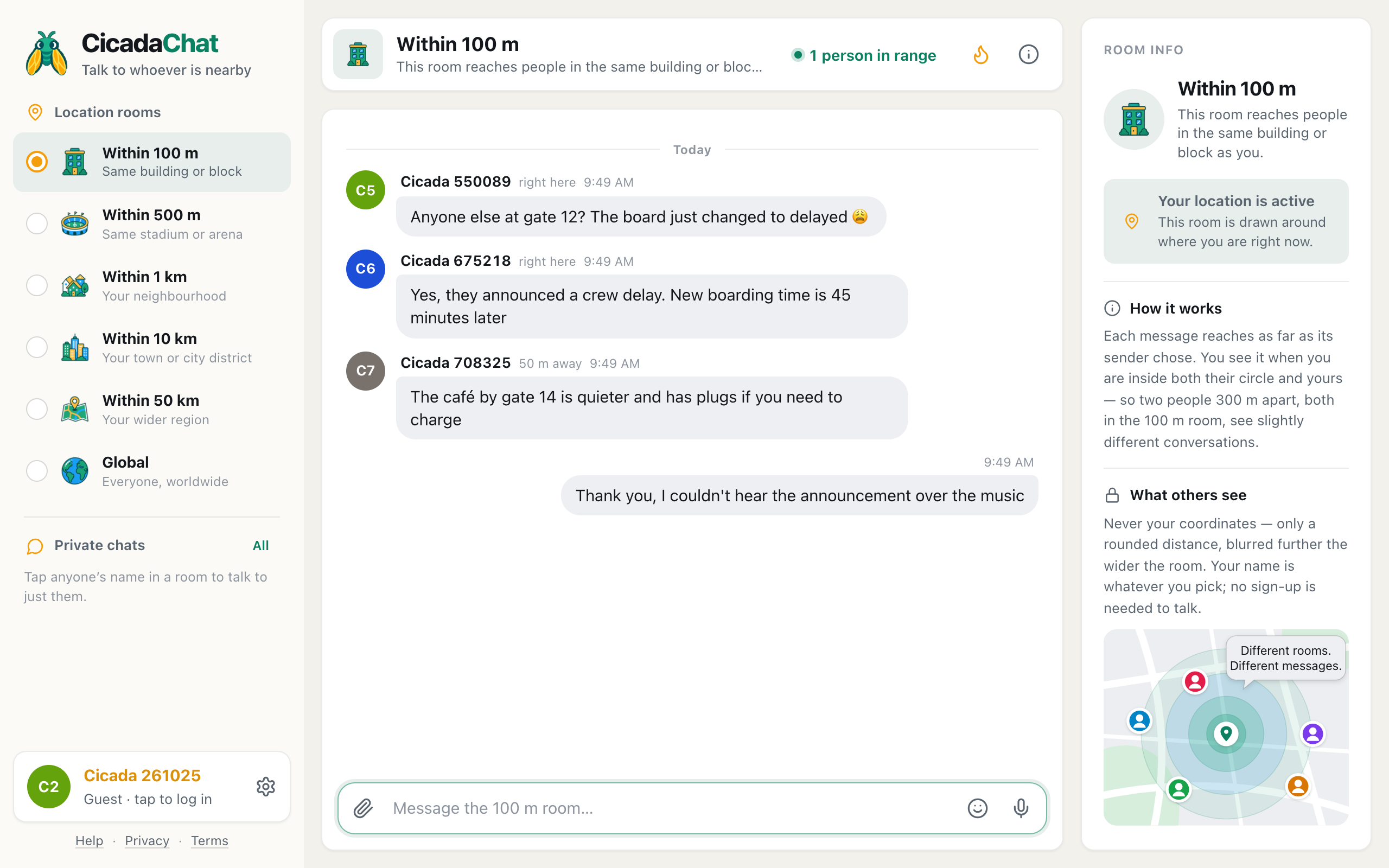
The departure board changes to Delayed. The announcement is drowned out by music. The train hasn't moved for twenty minutes, and nobody knows why. Everyone around you is wondering the same thing, and none of you knows anyone else. CicadaChat's 100 m room turns that crowd of strangers into a conversation: at airports, stations and waiting rooms, the people within 100 m are exactly the people waiting for the same thing you are. This article covers how to use the 100 m room when you're stuck at the gate, on the platform or in the waiting room, what to ask, and how to stay safe while you do.
Why the 100 m room works when you're stuck
A gate area, a platform or a waiting room is a small place full of people with the same problem. That's the 100 m room's ideal audience. The room is a circle with a 100 m radius around wherever you're standing, so it covers your gate and the gates on either side, your platform and the next one, your waiting room and the corridor outside. Your message reaches everyone within 100 m of you who has a local room open, whichever local room they're reading, and you see everything they say.
No sign-up is needed. Open cicadachat.com in your phone's browser, allow location, tap the 100 m tab, and you're in. A traveller who has never used CicadaChat can join the conversation in under a minute.
A screenshot of the 100 m room at an airport gate. Someone always caught the announcement you missed.
At the airport
Airports are where the 100 m room earns its keep. Useful questions:
- "Anyone else at gate 12? The board just changed to delayed."
- "Did anyone catch that announcement? I couldn't hear it over the music."
- "Has boarding started? The screen at our gate is blank."
- "Is there anywhere to charge nearby? All the plugs here are taken."
Someone always heard the announcement, and someone has always found the quiet café with the plugs. The distance next to each reply helps too: right here is someone at your gate, 100 m away is probably the next one along.
It works after landing too. In the baggage hall, "Has the luggage from the 9:40 flight started coming out, or are we at the wrong belt?" reaches everyone standing around the belts. At the taxi rank, "Is this the queue for taxis, or for the hotel shuttles?" saves a long wait in the wrong line.
Airports are big. If your gate area is quiet, or you want to know about the whole terminal, step up to the 500 m room. Its label is Same stadium or arena, and it covers most terminals.
At the station
On a platform, the questions are about the train you're all waiting for:
- "Anyone know why the 8:15 is cancelled?"
- "Which end of the platform does first class stop at?"
- "Is the replacement bus leaving from the front or the back of the station?"
Your position updates as you move, once you've moved about 25 m. If you walk to the other end of a long platform, your 100 m circle moves with you.
On a stuck train, the 100 m room reaches the people in your carriage and a few carriages either way. It's a calm way to swap what you've heard without walking the length of the train. When the train moves again, your circle moves with it, and the people you were chatting with stay in it, since they're moving too.
In waiting rooms
Hospital waiting areas, government offices, the queue for a visa or a driving test. The 100 m room can help with practical questions: "Does anyone know if you need a printed copy of the form?" "Is there a machine for tickets, or do you queue at the desk?"
Waiting rooms are also where privacy matters most. People nearby can see your name and a rounded distance. In a small waiting room, "right here" narrows you down to a few chairs. Keep your questions about the process, never about your personal situation: skip the health condition, the case number, the reason for the visa. The same goes for anything you'd rather the person on the next chair didn't know.
Staying safe with strangers
Travel is where you meet the most strangers, so a few habits are worth keeping:
- Never share travel documents. No photos of boarding passes, tickets or passports. Boarding pass barcodes contain your name and booking reference.
- Don't announce that your home is empty. "Off for two weeks!" is best posted after you're back, not from the gate.
- Keep valuables to yourself. "Can someone watch my bag?" is a request to a stranger. Keep your things with you.
- Use a private chat for plans. If you agree to share a taxi with someone from the room, tap their name and arrange it one to one. Meet in a public, busy spot.
- Trust official sources. The room is great for "did anyone hear that?", but the gate staff, the departure board and the operator's app have the final word.
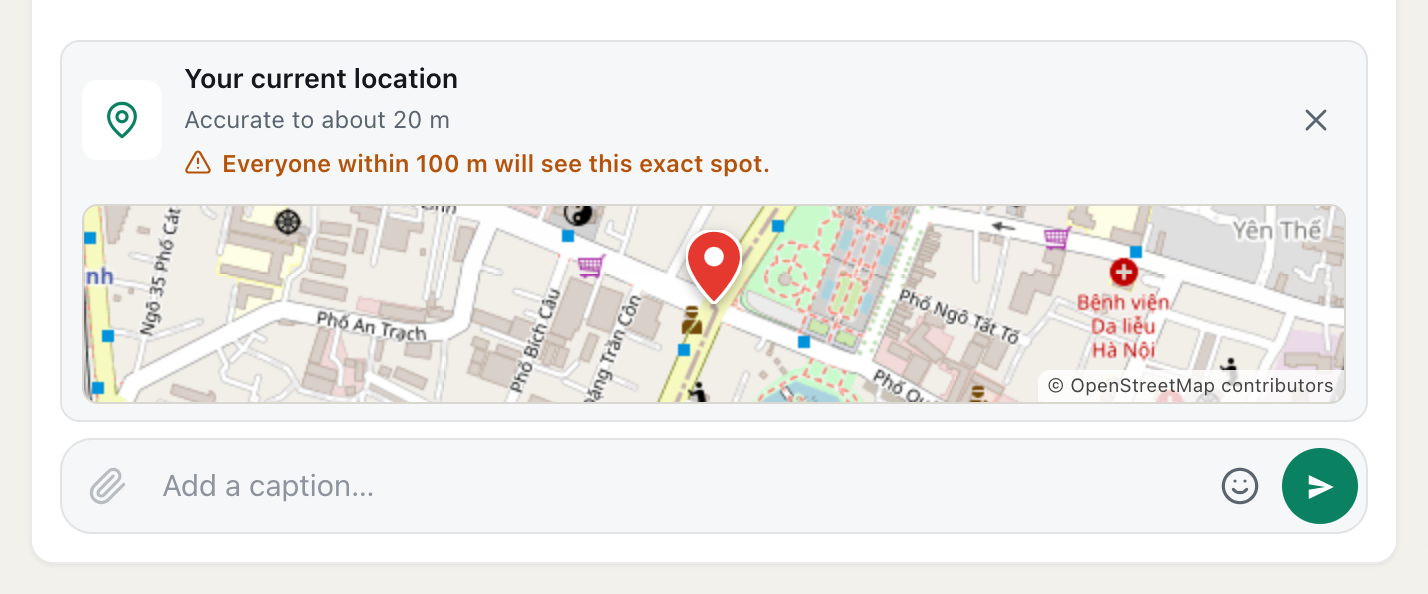
Your coordinates are never sent to anyone. Other people see only a rounded distance, and the only exact spot anyone ever sees is one you choose to share with the paperclip and Location. In a crowd of strangers, there's rarely a reason to.
When location is tricky
Airports and big stations are hard places for phone location: large roofs, underground platforms and lots of steel. If the 100 m room seems to show the wrong crowd, or none at all, try these:
- Move near a window or an open part of the terminal for a better fix.
- Check that location is allowed for CicadaChat in your browser. The help article how to turn on location for CicadaChat (and unblock it in your browser) covers every browser and phone.
- Step up to the 500 m room. A wider circle is more forgiving of a location that's a little off.
No location? Use the Global room
If you're abroad, have location turned off, or simply don't want to share where you are, CicadaChat still works. Decline the location prompt and you land in the Global room, one conversation for everyone on CicadaChat, wherever they are. The local rooms, including the 100 m room, stay greyed out until you allow location.
Global won't tell you why gate 12 is delayed, but it's a pleasant place to pass the time with people around the world. The help article using CicadaChat without sharing your location: the Global room explains how it works.
Saving battery and data on the move
Delays drain batteries. CicadaChat keeps things light, but a few habits help:
- Post, then close. Your message stays at the spot where you sent it, and replies wait for you. You don't need to keep the app open.
- Add it to your home screen so it opens in one tap without a full browser.
- Share a charging spot. "The café by gate 14 has plugs" is one of the kindest messages you can post at an airport.
Ferries, buses and long queues
Anywhere people wait together works the same way:
- At a ferry terminal: "Has anyone heard whether the afternoon crossing is running in this wind?" On board, the 100 m room reaches most of a ferry.
- At a bus station: "Is this the stop for the airport bus, or is it round the corner?"
- In a queue for a concert or a museum: "Does anyone know if they're checking tickets on phones or only printed ones?" For a big venue, the 500 m room reaches the whole queue.
- At a border or a check-in desk: practical questions only. Never share document details.
Travelling abroad
CicadaChat works the same in any country, in any browser, with no app to install. When you arrive somewhere new, your rooms are drawn around your new position, so the 100 m room at your gate in another country reaches the travellers around you there. A few things to keep in mind:
- Mobile data: CicadaChat needs an internet connection. Roaming data or airport Wi-Fi both work.
- Language: the people within 100 m may not share your language. Short, simple sentences travel best, and a question like "gate 12 delayed?" is understood almost everywhere.
- Your name travels with you. If you have an account, the same name appears wherever you are. If you'd rather be anonymous on the road, a guest account in your phone's browser works fine.
Being a good fellow traveller
Delays bring out the best and worst in people. The 100 m room works best when it's the best:
- Pass on what you know. If you heard the announcement, share it. If you found the replacement bus, say where it is.
- Answer newcomers. Someone always joins late and asks what's going on.
- Keep it calm. Frustration is understandable, but the staff at the gate aren't in the room, and rumours spread fast. Share what you know, and say when you're guessing.
- Say goodbye. "Boarding now, good luck everyone" closes the conversation nicely.
If you open the room and nobody has said anything yet, be the first. The people around you are probably wondering the same thing. For more on getting a quiet room talking, see why the 100 m room is quiet sometimes, and how to start a conversation there.
No comments yet. Start the conversation.