
Privacy in the smallest room: what the people within 100 m can and can't see
In the 100 m room your audience is your neighbours. Exactly what they can and can't see about you, why distances are so blunt, and habits that keep you comfortable.
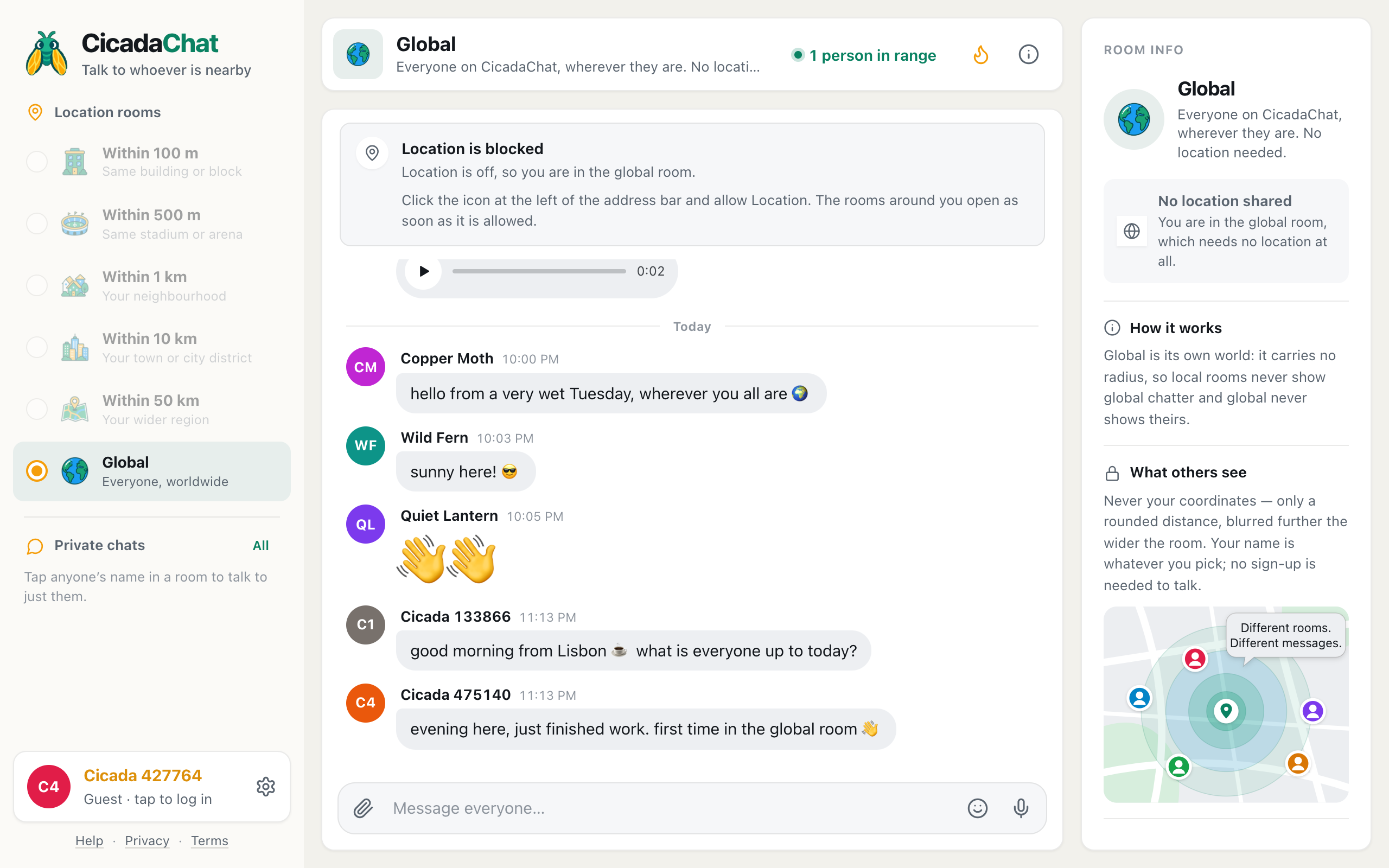
In a big room, you're one voice among hundreds. In the 100 m room, you might be one of five, and those five live on your stairs. That changes what privacy means. This article covers privacy in the smallest room: exactly what the people within 100 m can and can't see about you on CicadaChat, where the real risks are, and simple habits that let you be a good neighbour without becoming an open book.
What the people within 100 m can see
When you send a message in the 100 m room, everyone within 100 m of you who opens a local room sees four things with it:
- Your name. As a guest, that's an automatic name like Cicada 391049. With an account, it's the name you chose.
- Your picture, if you've set a profile photo. Otherwise, a coloured circle with your initials.
- The time you sent the message.
- A rounded distance between where you sent it from and where they are now.
Plus, of course, whatever you wrote, and any photo, document, voice note or location you attached.
What they can't see
Just as important is what never reaches them:
- Your coordinates. Your exact position is used on the server to decide who sees what, and it never leaves it. Nobody's phone or browser receives it.
- Your email address and password. Neither is ever shown to other people.
- Your location in a photo. Phone cameras hide GPS data inside pictures. CicadaChat re-encodes every photo before it's uploaded, which strips that data out.
- Whether you're a friend's friend, where you live, or which rooms you read. None of that is shown anywhere.
The full list, room by room and feature by feature, is in what other people can see about you on CicadaChat.
Why distances are so blunt in the 100 m room
A precise distance sounds harmless, but it isn't. If you know someone is 37 m from you, then 41 m from you after you walk to the corner, then 29 m from the car park, you can work out where they are. That trick is called trilateration, and it's why CicadaChat rounds every distance before it leaves the server, and rounds it again for display.
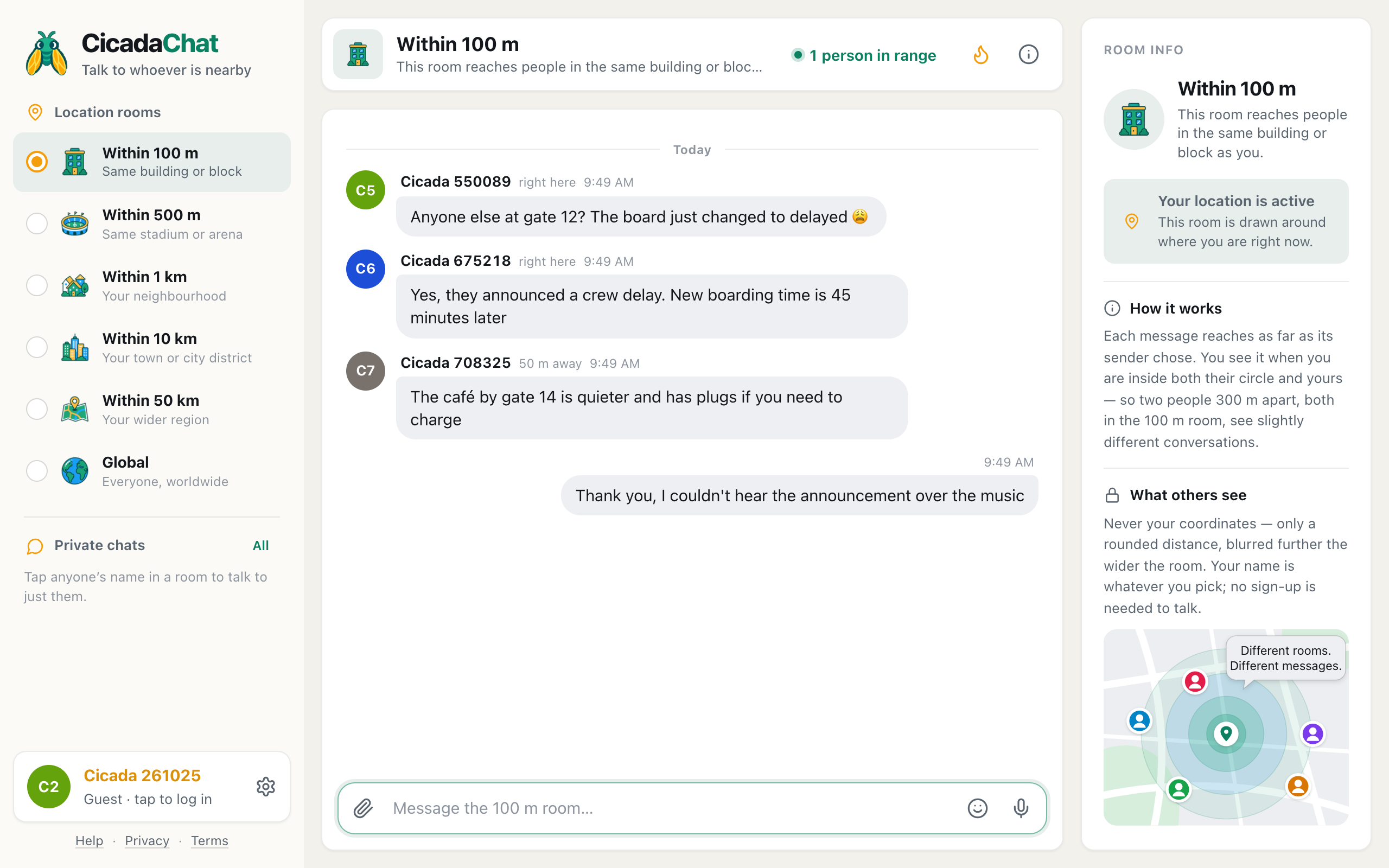
In the 100 m room, you'll only ever see three answers: right here for anything under 50 m, then 50 m away or 100 m away. That's enough to know someone is "in my building or the next one" and not enough to know which flat.
The distance is also measured from each reader, not from a fixed point. The same message says right here to the neighbour upstairs and 50 m away to someone across the street. There's no single number that belongs to you.
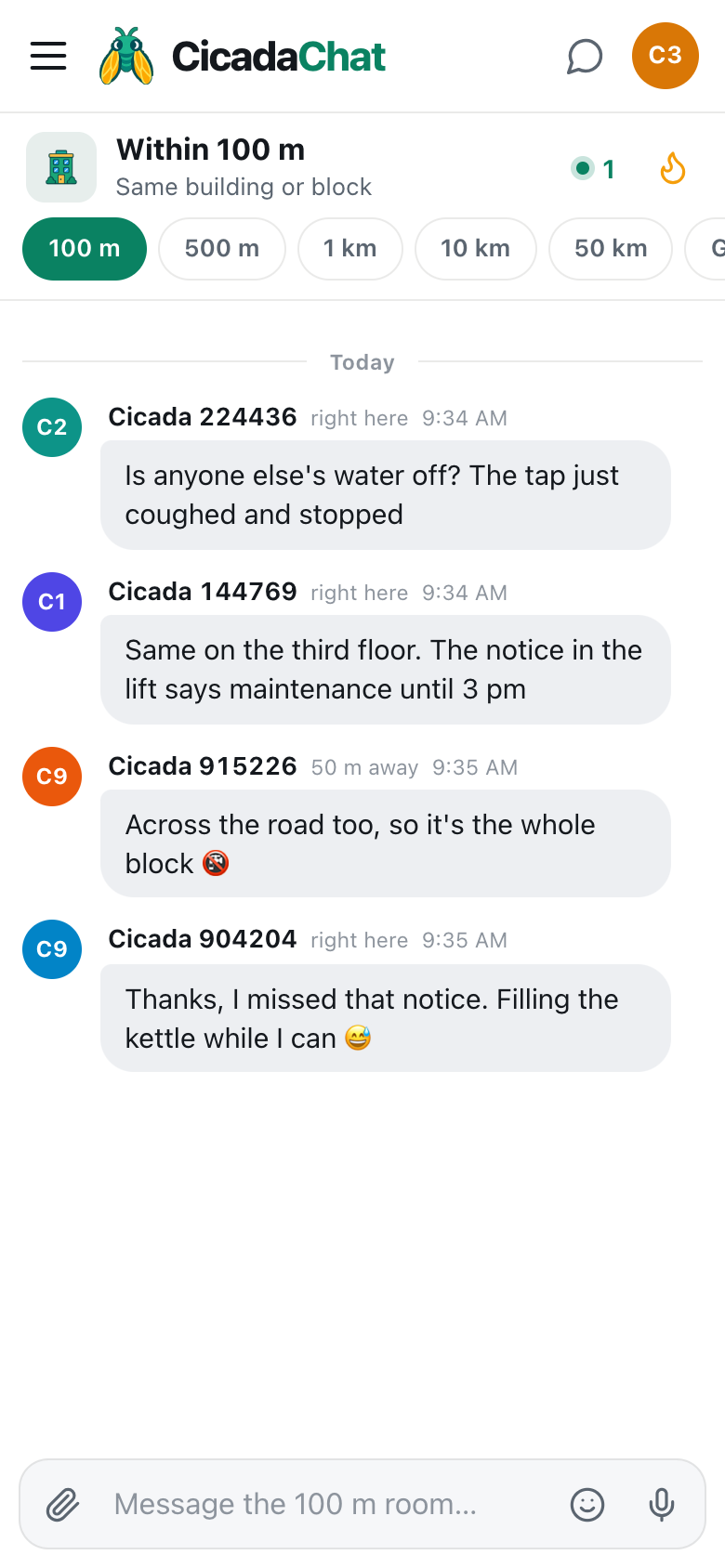
A screenshot of the 100 m room on a phone. Each message carries only a blunt distance, measured from whoever is reading it.
The real risk in a small room: context
CicadaChat can hide your coordinates. It can't hide what you say. In a room with a handful of people, small details add up quickly:
- "The dog barking on the 3rd floor is mine, sorry!" tells your neighbours your floor and that you have a dog.
- "Off to the airport for two weeks" tells them your home is empty.
- "I'm the one with the red bike" lets anyone match your name to your face.
None of that is a secret from your neighbours in real life, maybe. But the 100 m room is readable by anyone who comes within 100 m of the spot you wrote from, including people passing through, and your message stays there for anyone who comes later.
Habits that keep you comfortable
- Talk about the building, not about your home. "Is the water off?" is safe. "My flat, number 12, has no water" isn't necessary.
- Never share when you're away. Mention a trip after you're back, not before.
- Choose your name deliberately. Your full name plus your floor makes you easy to find. A first name or a nickname lets you be a neighbour without being an address. As a guest, the automatic Cicada name is already anonymous.
- Move personal things to a private chat. Tap someone's name to talk to them one to one. Private chats are just the two of you, and they don't depend on distance.
- Remember that messages stay. There's no way to edit or delete a message after you send it, so read it once before pressing Enter.
Photos: what they carry and what they don't
When you attach a photo, CicadaChat resizes it on your device to at most 2048 pixels on the long edge and re-encodes it. That strips the hidden GPS tag a phone adds to every picture, so the file itself doesn't say where it was taken.
What the photo shows is another matter. A picture of a lost key on your doormat shows your doormat. A view from your window shows your floor and your side of the building. Before you send a photo in the 100 m room, look at the background as well as the subject.
Sharing your location: the one exception
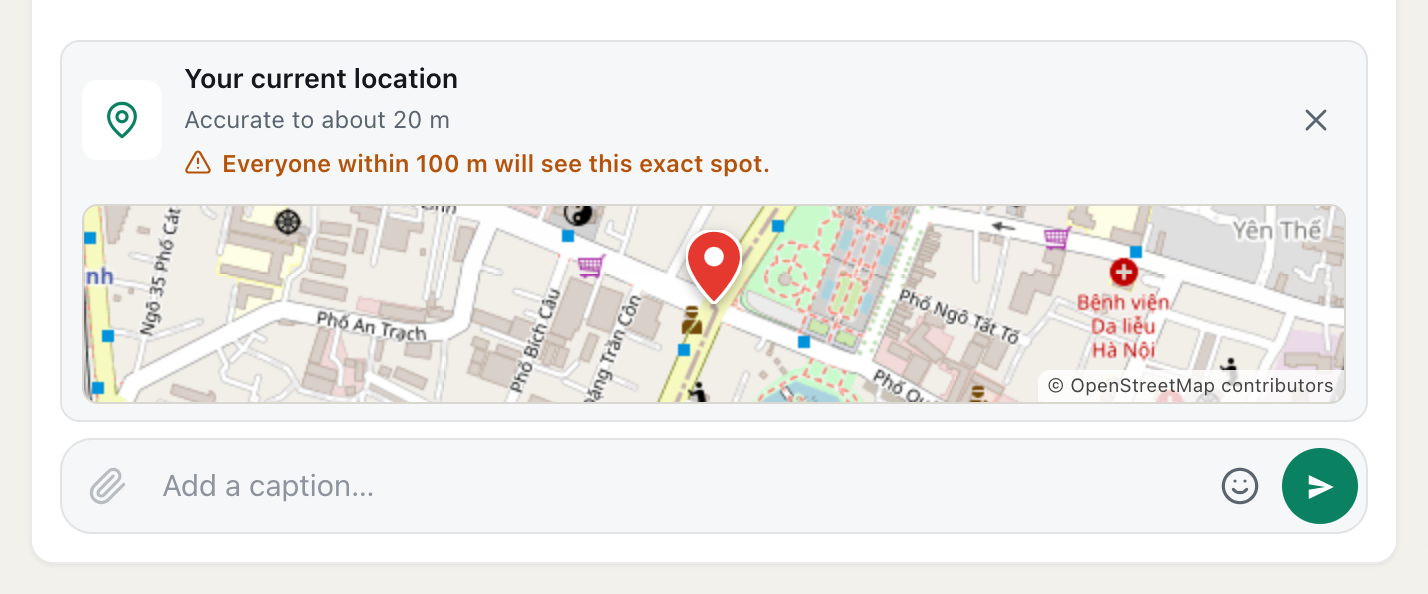
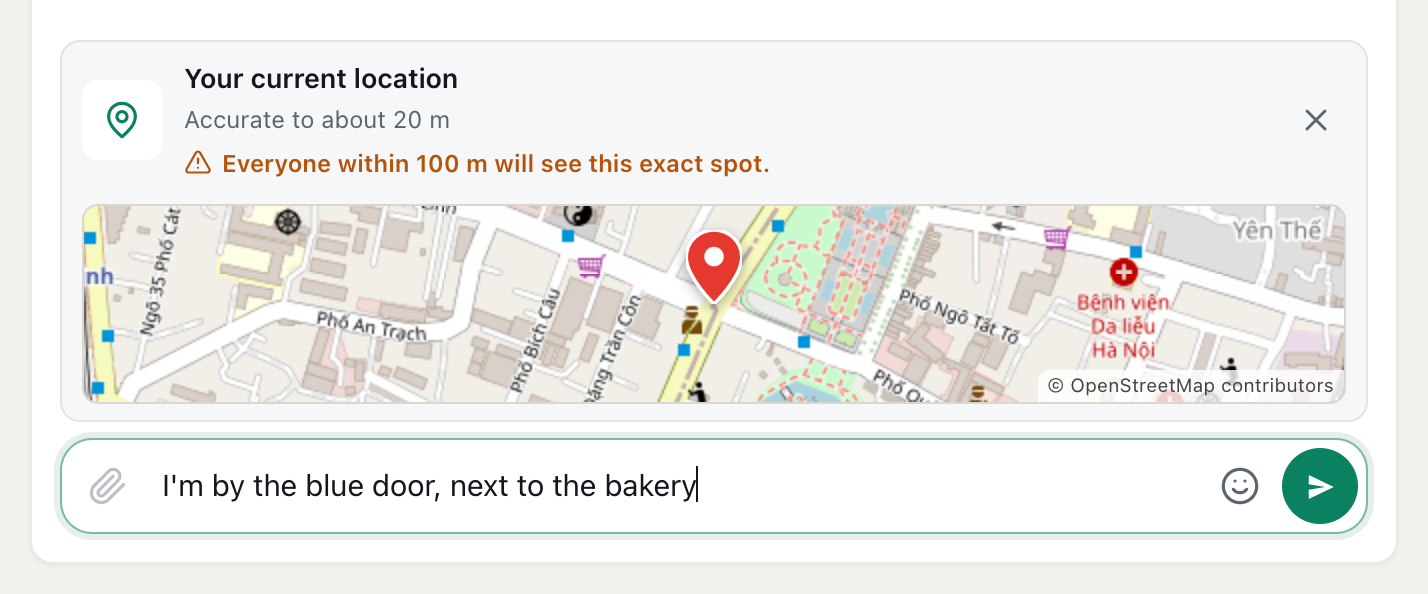
There is one way to send an exact spot, and it's always your choice: the paperclip, then Location. CicadaChat shows a map preview labelled Your current location, how accurate it is, and a warning in orange: Everyone within 100 m will see this exact spot.
A screenshot of a location about to be shared from the 100 m room. The orange warning appears before anything is sent, and the X removes it.
A shared location is sent as a pin with coordinates and links to open it in a map. It's useful for "the cat is here" or "I'm by this bench", and it's the only time the people in the room see where you are. In the 100 m room, never share a location from inside your home. Walk to the spot you're talking about, or describe it in words. The article how to share your location in a message, and who will see it covers this in more detail.
Who can read your message, and for how long
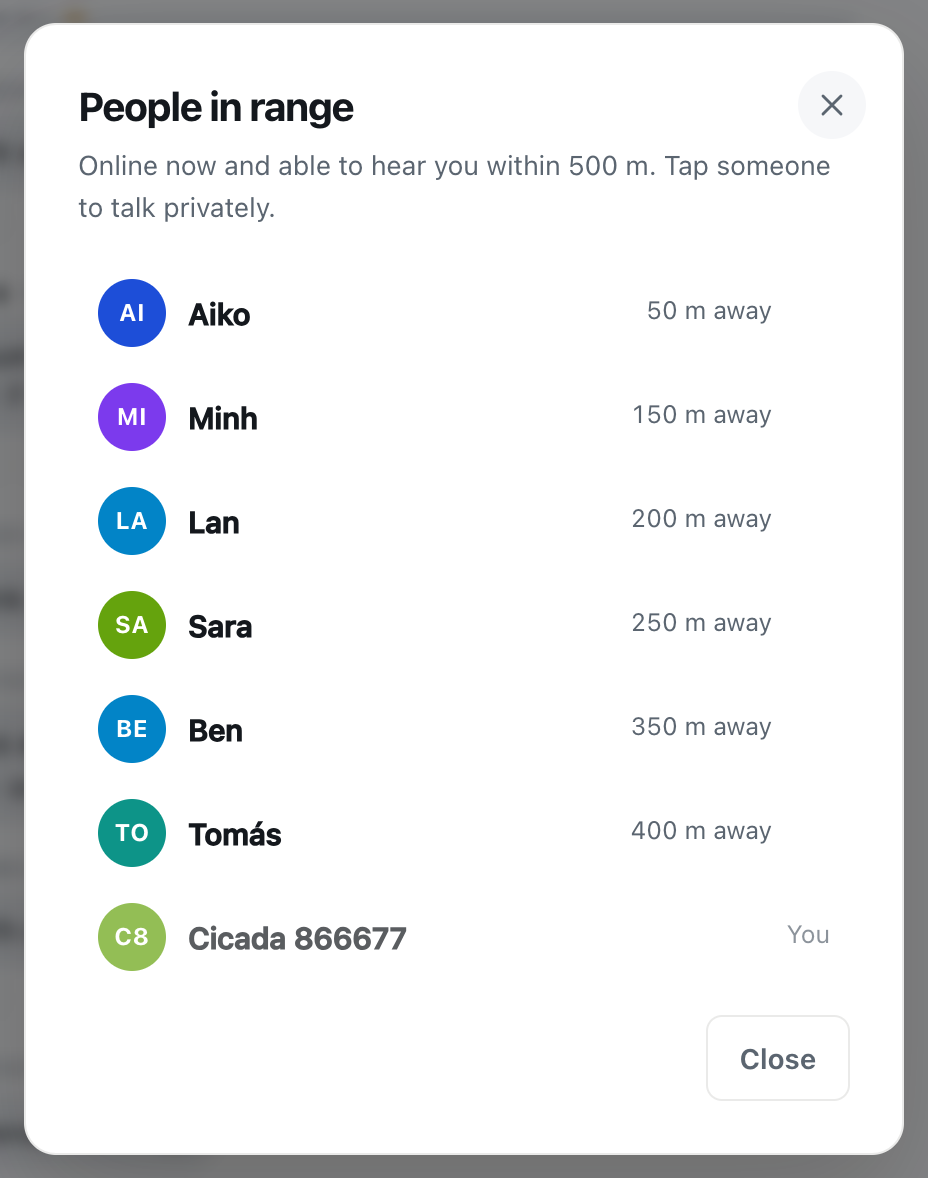
It's easy to think of a chat message as something that flashes past. In the 100 m room it doesn't. A message is stored with the spot it was sent from and the radius of the room it was sent in, and it stays there. Anyone who opens a local room within 100 m of that spot can scroll back and read it, today or next month. The Hot view keeps the most-reacted messages of the past seven days at the top, so a popular message is even easier to find.
That has a few practical consequences:
- Your audience isn't only the people online now. The people in range count tells you who would see a message live. Others will see it later.
- Your audience moves through the area. A courier, a visitor or someone waiting at the bus stop outside your building is inside the circle while they're there.
- Your audience never goes wider than 100 m. A message sent in the 100 m room never reaches someone 300 m away, even if they're reading the 10 km room, and it never appears in Global. Choosing the smallest room really does keep your words on your block.
So the useful test before sending is not "who's here right now?" but "would I mind anyone who passes this building reading this?".
Guest or account: which is more private?
Both keep your coordinates, email and password private. The difference is the name.
- As a guest, you're Cicada plus a number. Nobody can connect that to you unless you tell them. The trade-off is that a guest account lives in your browser; clear it, and the account is gone.
- With an account, you pick a name, a username and optionally a photo. That's what lets neighbours find you again and add you as a friend. Choose them with the room in mind: many people use a first name and no photo in local rooms.
Creating an account keeps everything you did as a guest, so you can start anonymous and decide later.
Friends, private rooms and what they reveal
Once you've met someone in the 100 m room, you may want to keep in touch. Friends on CicadaChat never see each other's location or distance. They see whether you're online, nothing more. The same goes for private rooms: the members see the messages and each other's names, not where anyone is. So adding a neighbour as a friend doesn't tell them anything new about where you are.
Seeing something that worries you
Most of the 100 m room is water outages and lost parcels. If a message ever makes you uneasy, you're in control of your side of it:
- You don't have to reply, and you don't have to stay in the room. Switching to a wider room or Global takes one tap.
- Nobody can find your coordinates through the app, so a rude message is words, not a way to find you.
- For anything threatening or dangerous, contact the local authorities, just as you would offline.
In short
The 100 m room shows your name, your picture, the time and a blunt distance: right here, 50 m away or 100 m away. It never shows your coordinates, your email or the location inside your photos. The only exact spot anyone ever sees is one you choose to share. Everything else is up to what you write, and a little care there goes a long way. For how the room itself works, start with the 100 m room: chatting with the people in your building or on your block, and for the legal detail, read the Privacy Policy.
No comments yet. Start the conversation.