
Meeting fellow travellers in your hotel or hostel with the 100 m room
The people staying under the same roof are one message away. How to use the 100 m room in a hotel or hostel to make plans, meet up safely and keep in touch after the trip.
You check in, drop your bag and sit on the bed wondering what to do with the evening. Somewhere in the same building, a dozen other travellers are doing exactly the same thing. The common room might be empty, and knocking on doors is out of the question. CicadaChat's 100 m room is a simple way of meeting fellow travellers in your hotel or hostel: it reaches the people staying under the same roof and on the same street, and nobody has to swap phone numbers or join a group to say hello. This article covers how to use the 100 m room when you're staying somewhere new, what works, and how to stay safe while you do.
Meeting fellow travellers with the 100 m room
The 100 m room is a circle with a 100 m radius drawn around wherever you are. In a hostel or a hotel, that's your building, the ones next door and a stretch of the street outside. Everyone in that circle who has CicadaChat open in a local room sees your messages, and you see theirs.
For travellers, that has some real advantages over the usual ways of meeting people:
- No sign-up. Open cicadachat.com in your phone's browser, allow location, and tap the 100 m tab. You're chatting as a guest within a minute, in any country.
- No group to find. Hostel group chats exist, but someone has to add you, and they fill up with people who left weeks ago. The 100 m room is whoever is around you now.
- It moves with you. Check out, take the night bus, check in somewhere new, and your 100 m room is the people at the new place. There's nothing to leave.
- No phone number. Other people see your name, a picture if you set one, and a rounded distance. Nobody sees your number, your email or your coordinates.
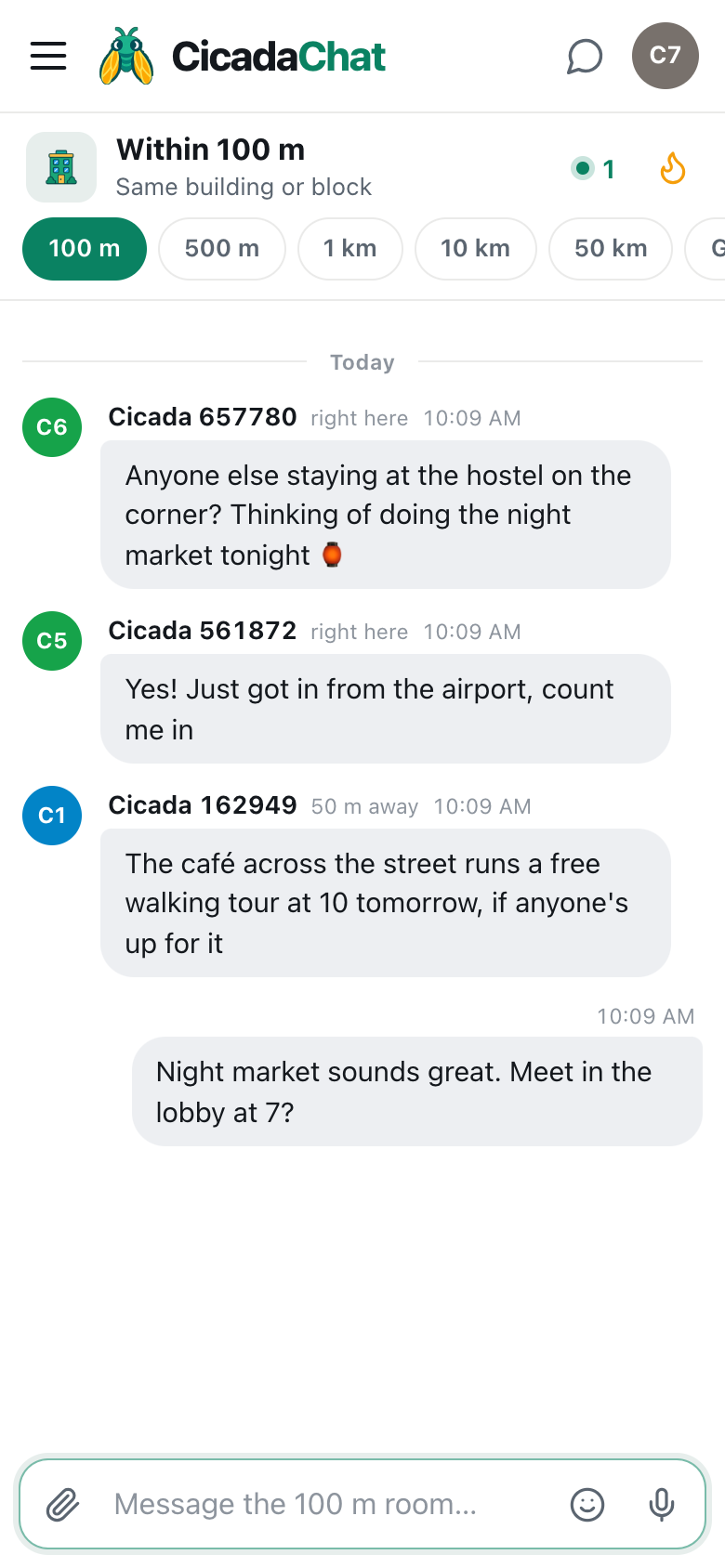
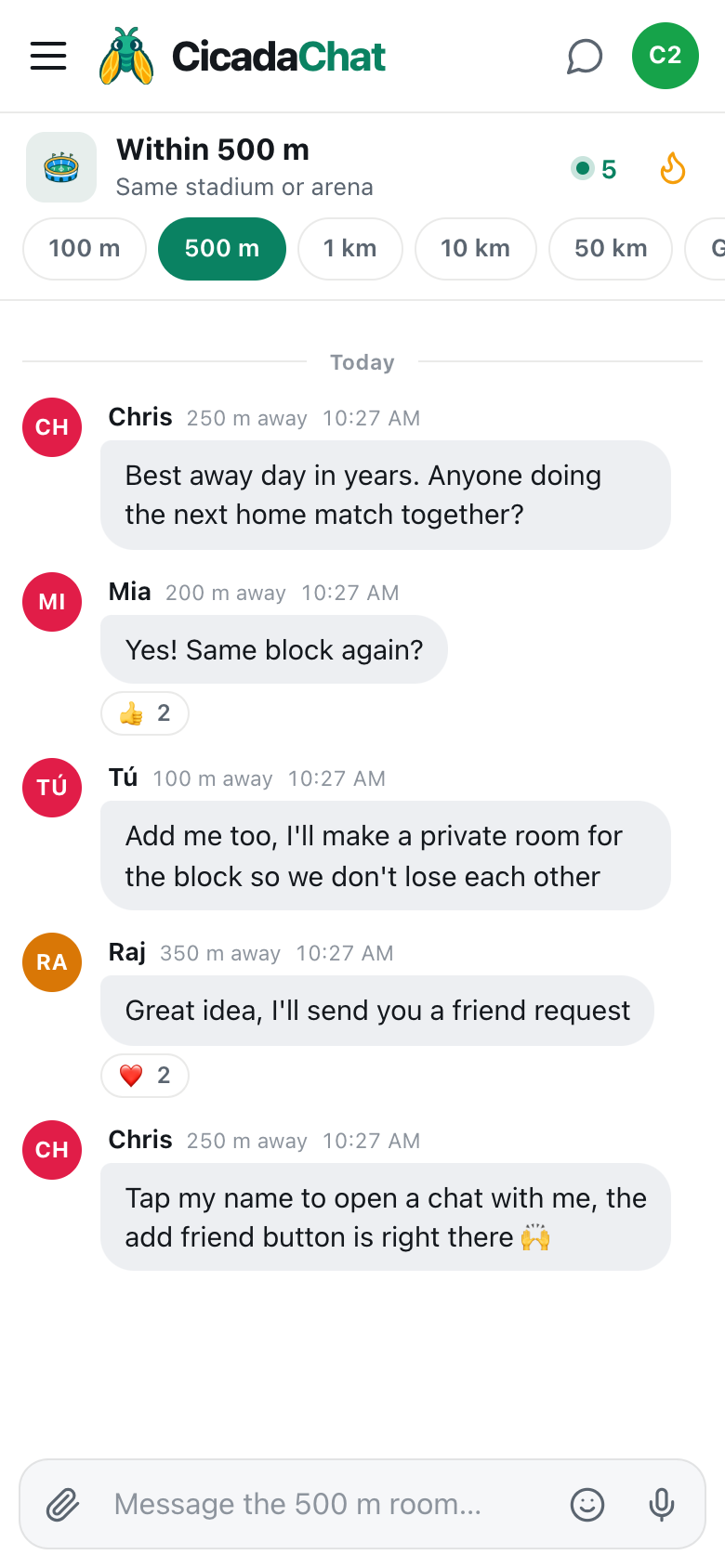
A screenshot of the 100 m room at a hostel. A plan with a time and a meeting point, the lobby at 7, is easy to say yes to.
Good first messages
The messages that get answers are specific and easy to say yes to:
- "Anyone else staying at the hostel on the corner? Thinking of doing the night market tonight."
- "Just arrived. Is there anywhere good for breakfast nearby?"
- "Looking for people to split a taxi to the airport tomorrow at 6 am."
- "Is the rooftop open this evening, or is it closed for the rain?"
- "Anyone up for the free walking tour at 10 tomorrow?"
"Hi, anyone here?" is friendly, but it gives nobody anything to answer. A plan, even a small one, turns a quiet room into a meet-up.
Meeting up
When a few people are in, pick a meeting point everyone can find: the lobby, the reception desk, the hostel bar. "Meet in the lobby at 7?" works better than trying to find each other on the street.
If the meeting point is outside and hard to describe, you can share an exact pin: tap the paperclip, choose Location, and add a caption. In a public room, CicadaChat warns you before sending: Everyone within 100 m will see this exact spot. That's fine for a street corner or the entrance to a market. It isn't for your room. The article "I'm by the blue door": sharing your location to meet up within 100 m explains when a pin helps and when words are better.
Moving to a private chat
Once you've got talking with someone, it's often easier to carry on one to one. Tap their name on any of their messages, and a private chat opens beside the room. Private chats are just the two of you, and they don't depend on distance, so you can keep talking after one of you checks out and moves on to the next city.
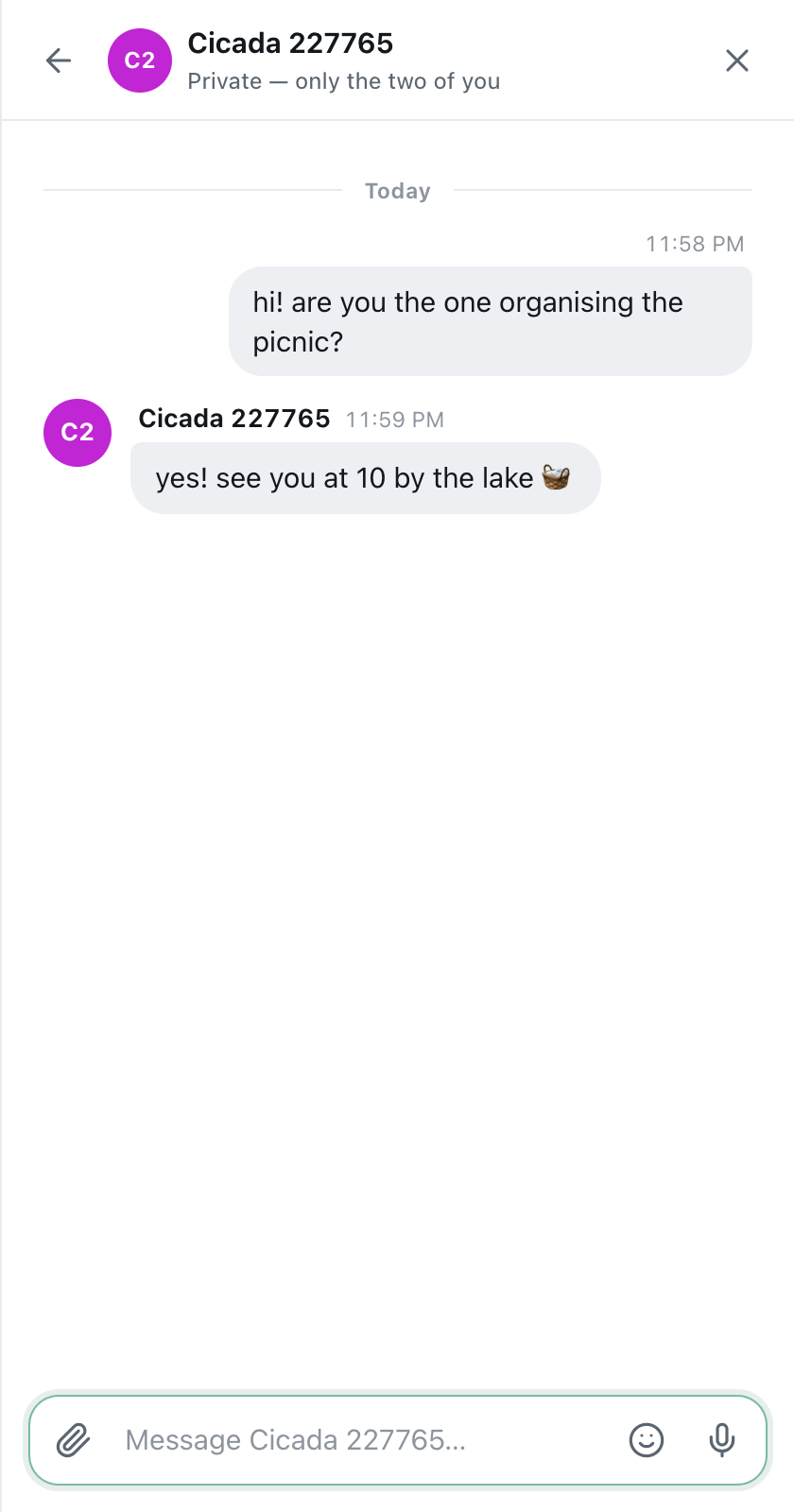
A screenshot of a private chat between two guests. It keeps working after one of you checks out and moves on.
Guests can use private chats. There's more on starting one, finding it again and keeping track of unread messages in private chats: how to message someone one to one.
Staying safe with people you've just met
Travel is full of good people, and the 100 m room is a friendly place. A few habits keep it that way for you:
- Never share your room number in the 100 m room, or anything that says which bed or door is yours. The room is read by anyone within 100 m, including people who aren't staying there.
- Meet in public places: the lobby, a busy café, the entrance to a market. Not in your room, and not somewhere quiet.
- Tell someone your plans. If you're heading out with people you've just met, let a friend back home or the hostel staff know where you're going.
- Keep your documents to yourself. No photos of passports, tickets or booking confirmations.
- Don't announce that you're alone, or when you're leaving your things unattended.
Your coordinates are never sent to anyone. Other people see a blunt distance: right here for anyone under 50 m, then 50 m away or 100 m away. In a hostel, almost everyone is "right here", which tells nobody which room is yours.
Hotels are different from hostels
Hostels are built for meeting people, and their 100 m room tends to be chatty. Hotels are quieter: guests are often on business, on a family trip or keeping to themselves. In a hotel, the 100 m room works best for practical questions:
- "Does anyone know if the pool is open late?"
- "Is breakfast in the restaurant on the ground floor or on the roof?"
- "Has anyone found a good place for dinner within walking distance?"
At a conference hotel, the 100 m room turns into a quick way to find the other delegates: "Anyone here for the conference tomorrow? A few of us are heading to dinner at 8."
When the building is quiet
If you open the 100 m room and see Nobody has said anything yet, you're simply the first person to use it here, or the first one this evening. Messages stay where they were sent, so your question is still there for the traveller who checks in an hour from now, as long as they're within 100 m of the spot you asked from.
A few things to try:
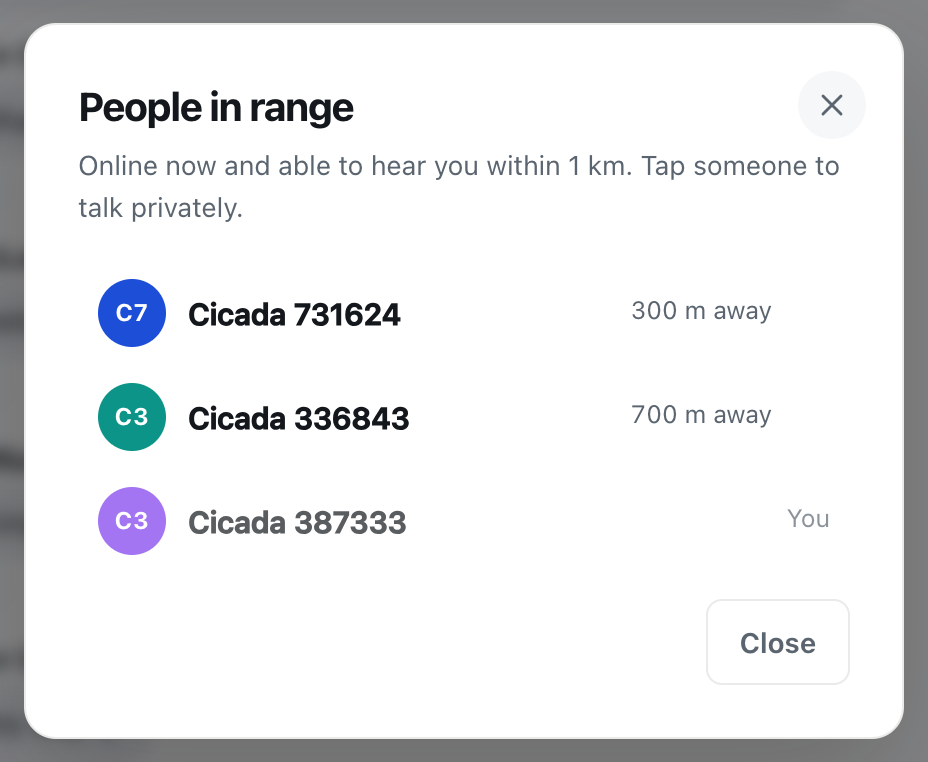
- Tap the count in the header to open People in range. It lists who's online nearby right now, and you can start a private chat with anyone on it.
- Step up to the 500 m room. Its label is Same stadium or arena, and in a busy area it reaches the other hostels, cafés and bars nearby. Your message still reaches people within 100 m, because they're inside your wider circle.
- Try the Global room in the evening for conversation with people anywhere. It needs no location at all.
Keeping in touch after the trip
You meet great people on the road, and they're gone the next morning. CicadaChat has two ways of keeping them:
- Private chats keep working wherever you both are, as guests or with accounts.
- Friends and private rooms need a free account. Add each other as friends, then one of you can create a private room for the group, such as "Night market crew", and add the others. A private room works from anywhere, so it can outlive the trip.
A guest account lives in your phone's browser. If you clear your browser's data, it's gone, along with its private chats. If you've met people you'd like to keep, create an account before you move on: it keeps everything you did as a guest.
For hostel and hotel staff
If you run a hostel or work on the front desk, the 100 m room is a direct line to your guests, and to travellers passing your door. Create an account with the hostel's name, and post from the building:
- Tonight's events: "Pub quiz in the common room at 8, free to join."
- Practical notices: "Breakfast is on the roof terrace from 7 to 10." "The lift is out this morning, sorry, the stairs are to the left of reception."
- Local tips: "The night market opens at 6, a 5-minute walk left out of the door."
Add a business card to the account, in the Business section of Your account, with the address, phone number, website and a few photos. Anyone who opens a private chat with the hostel sees it beside the conversation, which makes questions like "do you have a bed for tonight?" easy to answer.
Keep it light: one or two posts a day at most. Your guests share the room with everyone else within 100 m, and the neighbours will thank you for not filling it with announcements.
A few travel tips
- Location abroad: CicadaChat needs mobile data or Wi-Fi, and your phone's location. Hostel Wi-Fi works fine.
- Location indoors: in big, thick-walled buildings, phones can be off by tens of metres. If the room looks wrong, try from a window or the lobby.
- Language: the people within 100 m may not share your language. Short, simple messages travel best.
- Battery: your message stays in the room, so post and close the app. Replies wait for you.
If you're still on your way, the same room works at the airport, the station and anywhere else you're stuck waiting. See stuck at the gate: using the 100 m room at airports, stations and waiting rooms.
No comments yet. Start the conversation.