
From the 100 m room to a private room: keeping in touch with the neighbours you meet
The 100 m room is where you meet neighbours; it isn't a group. How to keep in touch with a private chat, an account, friends and a private room of your own.
The 100 m room is where you meet the people around you: the neighbour who lent you a ladder, the parents from the courtyard clean-up, the traveller from the hostel. But it's a circle drawn around you, not a group, and the moment either of you moves away, you're no longer in each other's room. This article covers how to keep in touch with the neighbours you meet, going from the 100 m room to a private chat, to friends, and to a private room of your own, and what each step needs.
Why the 100 m room isn't a group
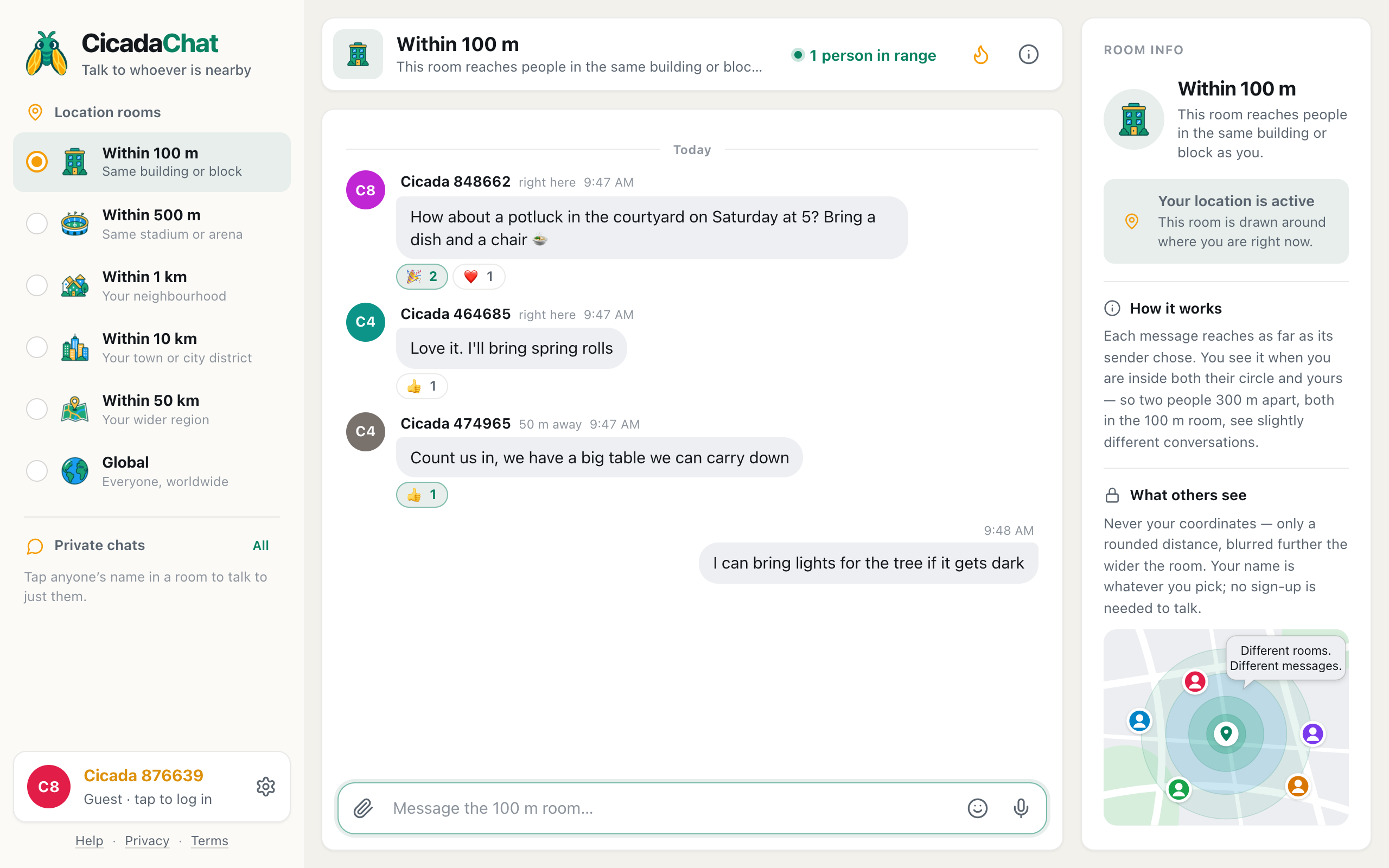
CicadaChat's rooms are drawn around each reader. The 100 m room shows you what's said within 100 m of where you are right now, and sends your messages to the people within 100 m of you. That's what makes it effortless: nobody has to be invited or removed. It's also why it isn't the right place to keep a relationship going:
- When you're at work, your 100 m room is your office, not your building.
- When a neighbour moves house, they're no longer in the circle.
- Everything said in the room is readable by anyone within 100 m, including people passing by.
CicadaChat has three ways of keeping in touch that don't depend on distance. Each one is a step further than the last.
Step 1: a private chat
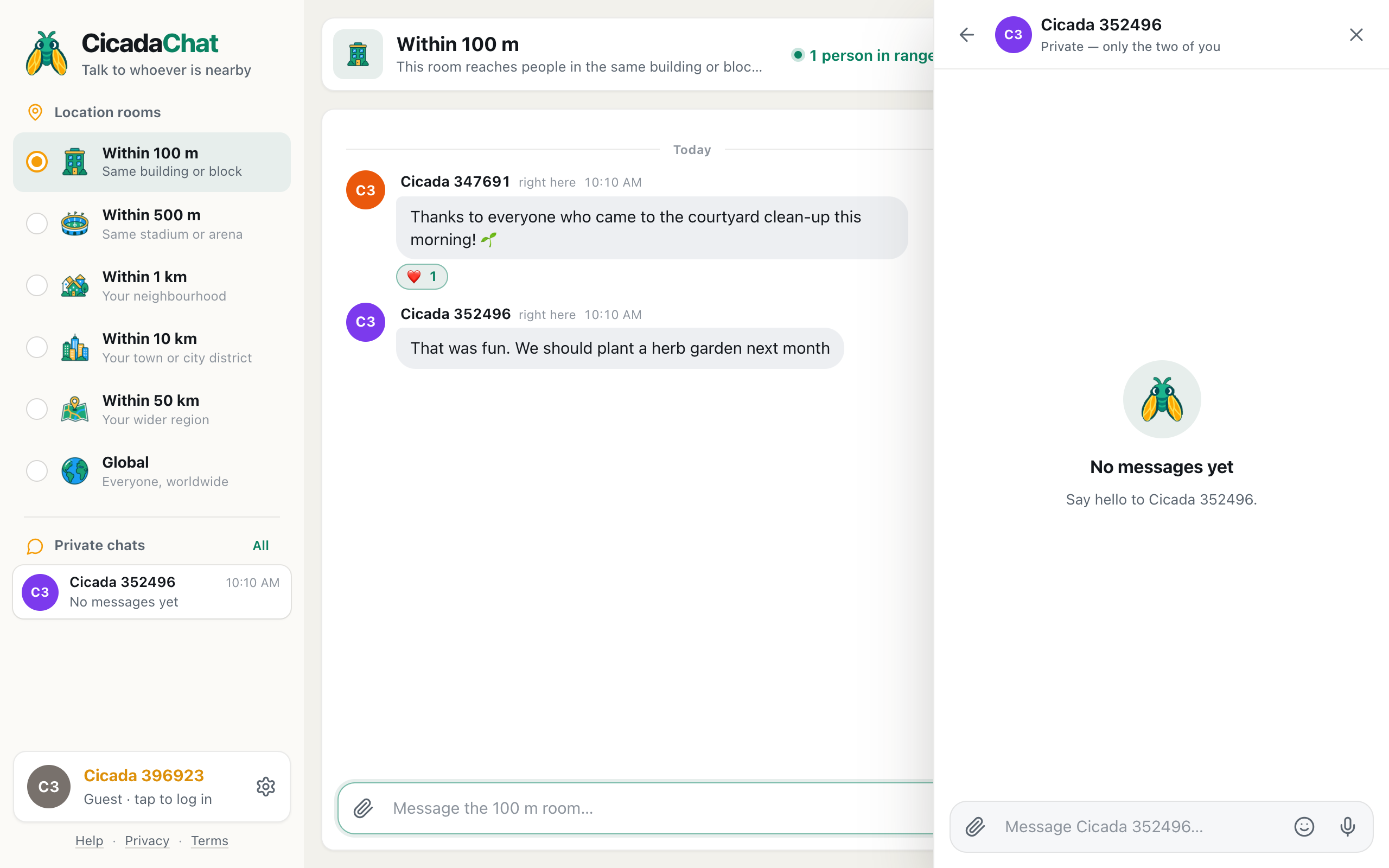
The quickest step. Tap someone's name on any of their messages in the 100 m room, and a private chat with them opens beside the room. The header says Private — only the two of you, and a new chat starts with No messages yet and an invitation to say hello.
A screenshot of a private chat opened by tapping a name in the 100 m room. It says Private, only the two of you.
Private chats:
- Don't depend on distance. You can carry on talking from anywhere.
- Work for guests. Neither of you needs an account.
- Appear in your sidebar under Private chats, so you can find them again.
- Take photos, documents, voice notes and locations, like the rooms do. A location shared in a private chat is seen only by the other person.
For one neighbour, a private chat is often all you need: "Thanks for the ladder, shall I bring it back tonight?"
Step 2: create an account
A guest account lives in your browser. If you clear your browser's data, or switch to a new phone, the guest account and its private chats are gone. If you've met people you want to keep, a free account is worth the minute it takes:
- Everything carries over. Creating an account upgrades your guest account in place, so your messages and private chats come with you.
- You choose your name. Your neighbours will recognise you, rather than a Cicada number.
- You can sign in anywhere, on your phone and your computer.
- Friends and private rooms become available. They're for registered accounts only.
Step 3: add each other as friends
Friends on CicadaChat are mutual: one of you sends a request, the other accepts. You can send a request from a private chat with them, from the People in range list, or by searching for their username in the Friends dialog. Both of you need an account.
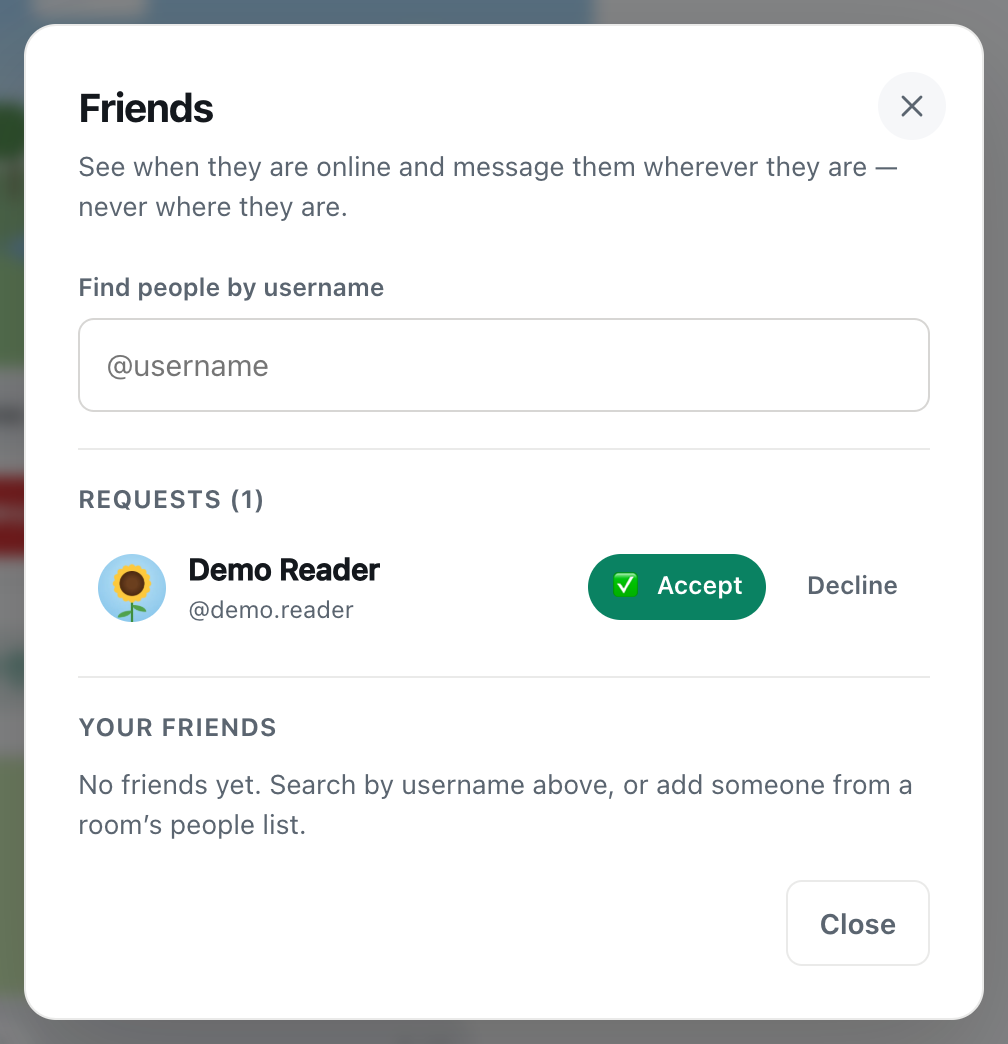
A screenshot of a friend request in the Friends dialog. Once accepted, you can add each other to private rooms.
What being friends gives you:
- You see when friends are online. Only accepted friends see this. Someone with a pending request can't tell whether you're online.
- You can add each other to private rooms.
- Nothing about your location. Friends never see each other's position or distance.
The full guide is friend requests: adding, accepting, declining and removing friends.
Step 4: a private room for your group
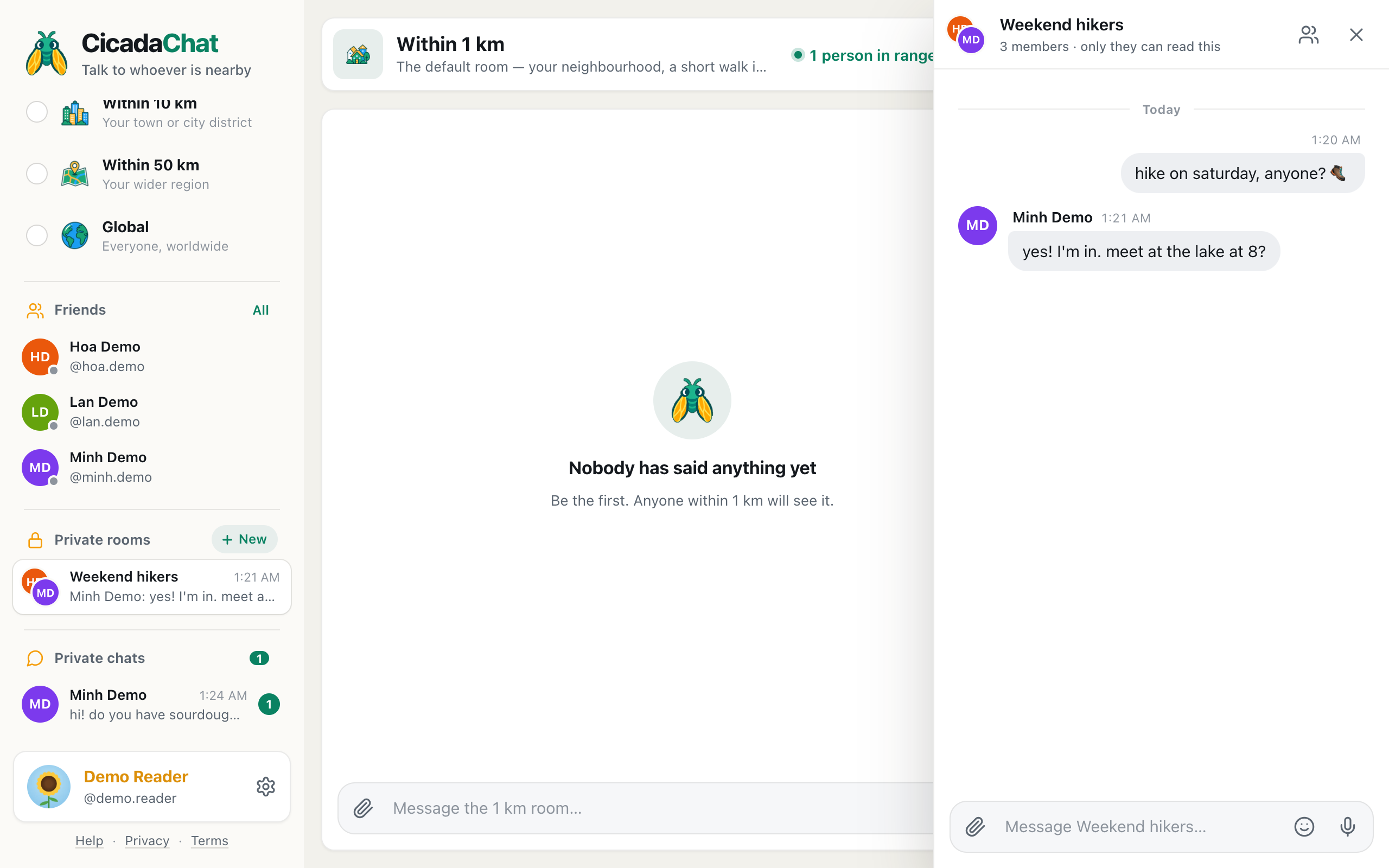
When a group has formed, such as the courtyard gardeners, the parents from the playground or the bread club at the bakery, a private room gives it a home. A private room is an invite-only group chat:
- The person who creates it is the owner, and names it, for example "Courtyard gardeners".
- The owner adds members, and only from their accepted friends, so nobody is pulled into a room by a stranger.
- It works from anywhere, like a private chat.
- It holds up to 50 members.
- Anyone can leave. If the owner leaves, the longest-standing member becomes the owner. A room that everyone leaves is deleted.
- It's invisible from outside. People who aren't members can't see that it exists.
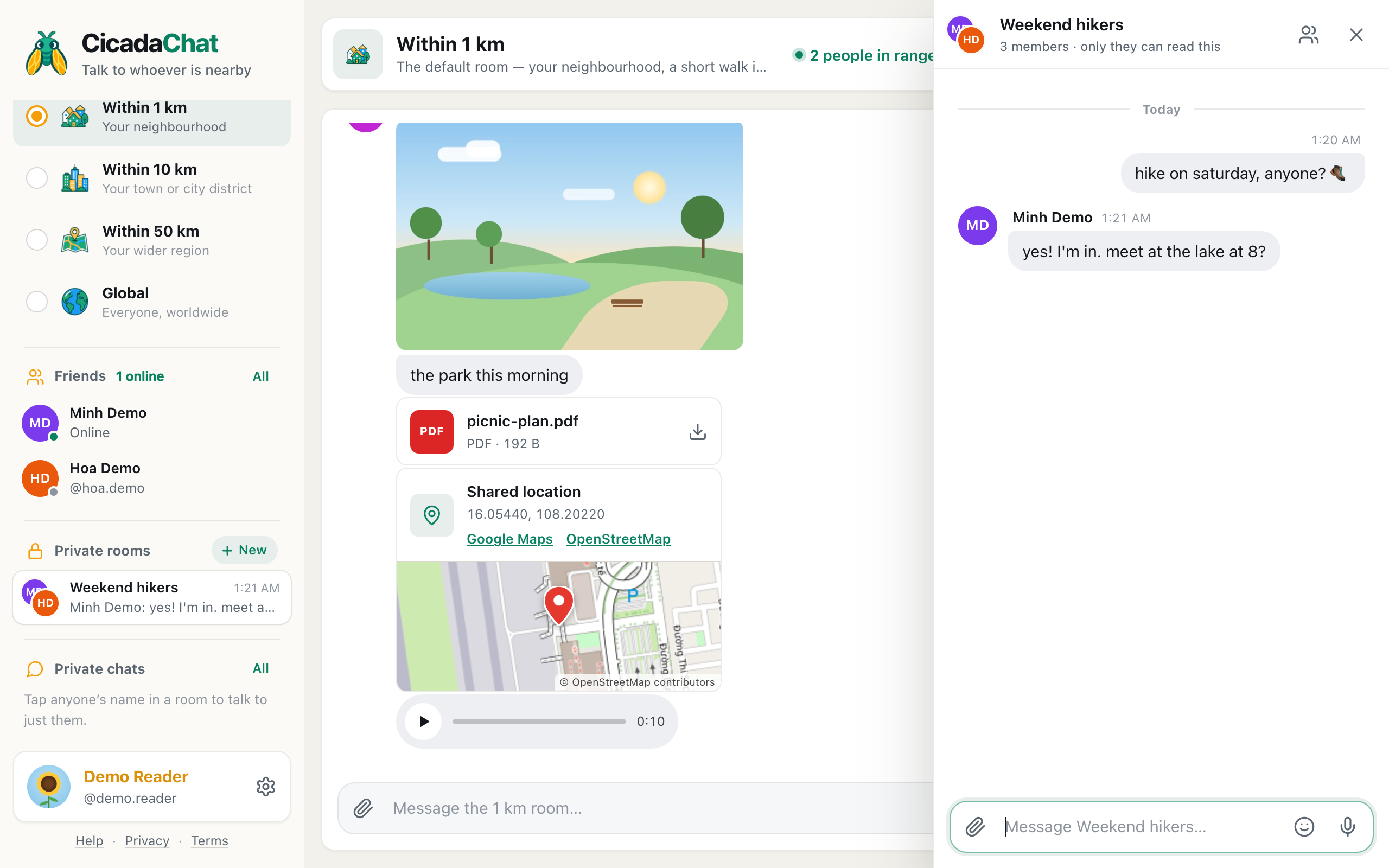
A screenshot of a private room. It works wherever its members are, and outsiders cannot see that it exists.
How to set one up, step by step, is in how to create a private room for people you know.
Which one to use
| What you want | Use |
|---|---|
| Ask everyone nearby, now | The 100 m room |
| Talk to one person you've met | A private chat |
| See when neighbours you know are online | Friends |
| Plan things with a group, wherever they are | A private room |
Keep using the 100 m room
A private room doesn't replace the 100 m room. They do different jobs. Keep anything anyone nearby might need to know in the 100 m room: the lift is broken, the courtyard will be busy on Saturday, a parcel is at the front desk. Keep planning, photos and in-jokes in the private room.
A good pattern, from the story in planning a building get-together from the 100 m room: the idea goes out in the 100 m room, so everyone can join. The people who get involved become friends, and one of them creates a private room to plan the next event. The event is announced in the 100 m room again, and new neighbours join.
A story: from a borrowed ladder to a courtyard garden
Here's how the steps tend to happen in practice.
It starts in the 100 m room. A neighbour asks whether anyone has a ladder. You answer, and you tap their name to open a private chat and arrange a time. Both of you are guests; nobody needs an account for that.
A few weeks later, the same neighbour posts in the 100 m room about tidying up the courtyard on Sunday morning. Six people turn up. Afterwards, someone posts "Thanks to everyone who came!" and another replies "We should plant a herb garden next month."
The people who want to make the garden happen create accounts and add each other as friends, from the private chats they already have. One of them creates a private room called "Courtyard gardeners" and adds the others. In the private room, they share photos of seedlings, split the cost of the soil and agree a date, without filling the 100 m room with planning.
On planting day, the announcement goes out in the 100 m room again, so that anyone in the building can join. Two new neighbours come down, and by the end of the morning they're friends too, and in the private room.
Nothing in that story needed a phone number, and nobody had to share where they live.
When someone moves away
A neighbour moving away is when these steps really pay off. They're no longer in your 100 m room, but:
- Your private chat with them carries on as before.
- If you're friends, you'll still see when they're online.
- They stay in the building's private room for as long as they like, and can leave it whenever they choose.
If you'd rather stay a guest
Not everyone wants an account, and that's fine. Guests can chat in every room and use private chats. What they can't do is add friends or join private rooms. If a group of neighbours creates a private room, a guest neighbour can still take part in the 100 m room and in private chats. Just remember that a guest account lives in one browser: clearing the browser's data ends it, private chats included.
Being a good friend of the building
- Ask before adding. Adding someone to a private room is only possible once they've accepted your friend request, but it's still polite to ask whether they'd like to join a particular room.
- Don't carry private things back into the room. What's said in a private room or a private chat stays there.
- Keep new neighbours in mind. A private room of old friends can feel like a closed club. Keep the 100 m room welcoming, so newcomers find their way in.
- Hand over when you move. If you created the building's private room and you're moving away, you can simply leave it, and the longest-standing member becomes the owner.
Finding your way back
Everything you keep in touch through lives in the sidebar. Private chats lists your one-to-one conversations, newest first, with a count of unread messages. Your friends and private rooms have their own sections for registered accounts. So when you open CicadaChat somewhere new and the 100 m room is full of strangers, the people you've already met are still one tap away.
What stays private
At every step, your location stays yours. Private chats, friends and private rooms never show where anyone is, or how far away they are. The only exception is a location you choose to share in a message, and in a private chat or a private room, only the people in it can see that.
The 100 m room is where you meet the neighbours. Private chats, friends and private rooms are how you keep them.
No comments yet. Start the conversation.