
For shop owners: talking to the people on your street in the 100 m room
Your best customers live and work within 100 m. How a shop or café can use the 100 m room, add a business card, and post in a way neighbours are glad to see.
Your best customers live and work on your street. They walk past every day, and a surprising number of them don't know you now bake sourdough on Thursdays, or that the pastries are half price after four. CicadaChat's 100 m room reaches exactly those people. For shop owners, it's a way of talking to the people on your street, the office workers upstairs and the neighbours across the road, without an advertising budget or a following to build. This article covers how a shop, café or small business can use the 100 m room well, how a business card makes you easy to contact, and the etiquette that keeps neighbours glad to hear from you.
Why the 100 m room suits a local shop
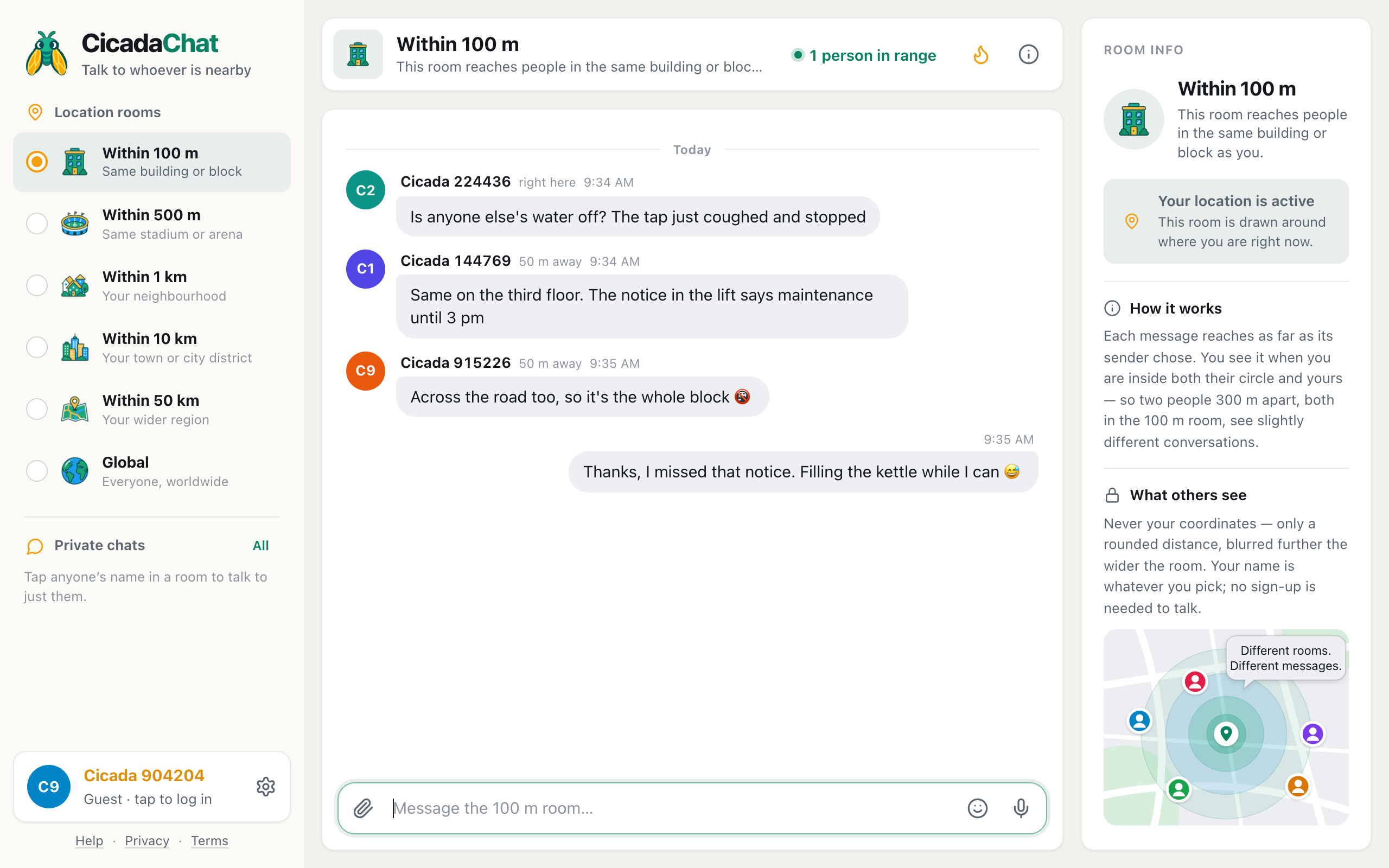
The 100 m room is a circle with a 100 m radius around wherever you are. Post from behind your counter, and your message reaches everyone within 100 m of your shop who has a local room open: residents above and around you, people at work in the buildings nearby, and anyone passing along the street. Messages stay at the spot they were sent from, so someone who opens CicadaChat on their way past this afternoon still sees what you posted this morning.
That's a very different audience from social media. Everyone who reads your message could be at your door in two minutes. Nobody has to follow you, and nobody is reading from the other side of the city.
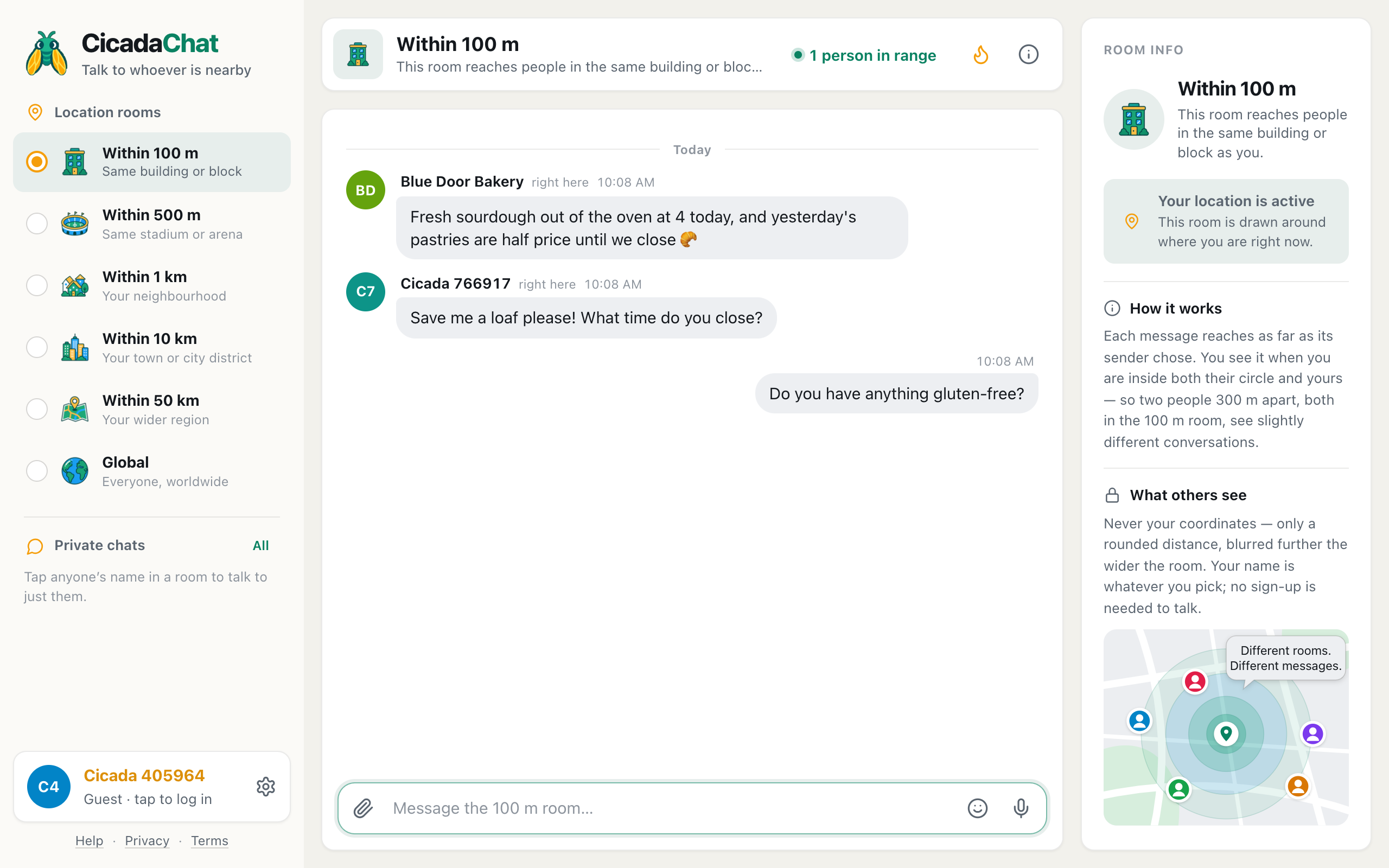
A screenshot of a bakery's account posting in the 100 m room. Customers reply in the room, or tap the name to talk privately.
Setting up: an account with your shop's name
You can post as a guest, but a guest appears as Cicada plus a number, which doesn't tell anyone who you are. For a shop, create a free account and use the shop's name as your full name, the name shown in rooms, for example Blue Door Bakery. Names can be up to 32 characters.
A few tips:
- Use the name on your sign, so people can match the message to the door.
- Add a profile photo: your logo or your shopfront.
- Keep a separate personal account if you also chat as yourself. Your shop's account then speaks only for the shop.
Add a business card
A business card is what turns a chat into a customer. Registered accounts can describe their business in Your account, in the Business section: the Business name, a Description (what you do, opening hours, anything people should know), Address, Phone, Email, Website, and up to 8 photos, the first of which is the Cover.
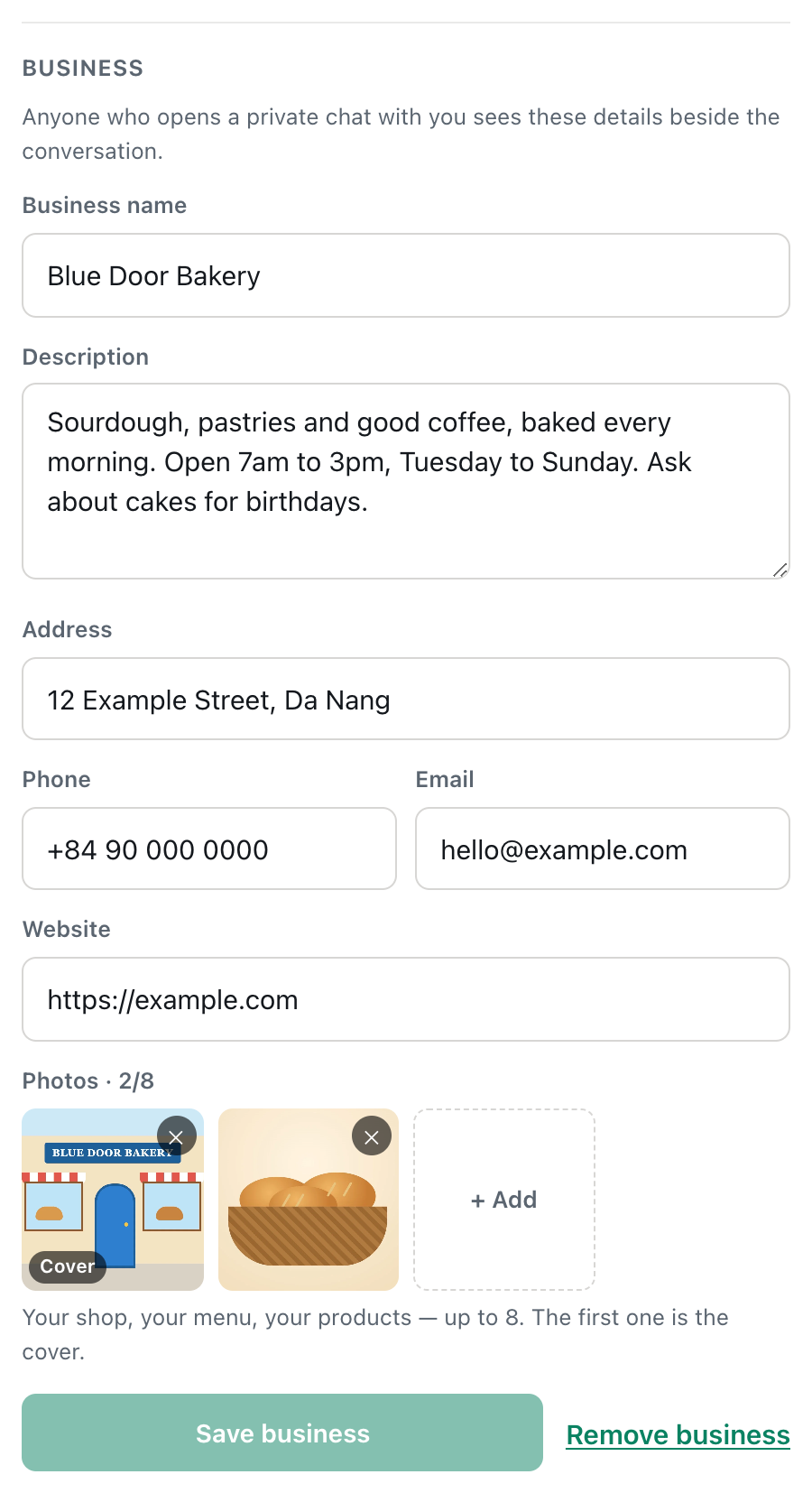
A screenshot of the Business section in Your account. The first photo is the Cover, shown at the top of the card.
Whoever opens a private chat with you then sees your card beside the conversation: your photos, your address, a phone number to tap and a link to your website. On a phone, it opens from the store button at the top of the chat. Guests see it too, so a passer-by doesn't need an account to find your opening hours.
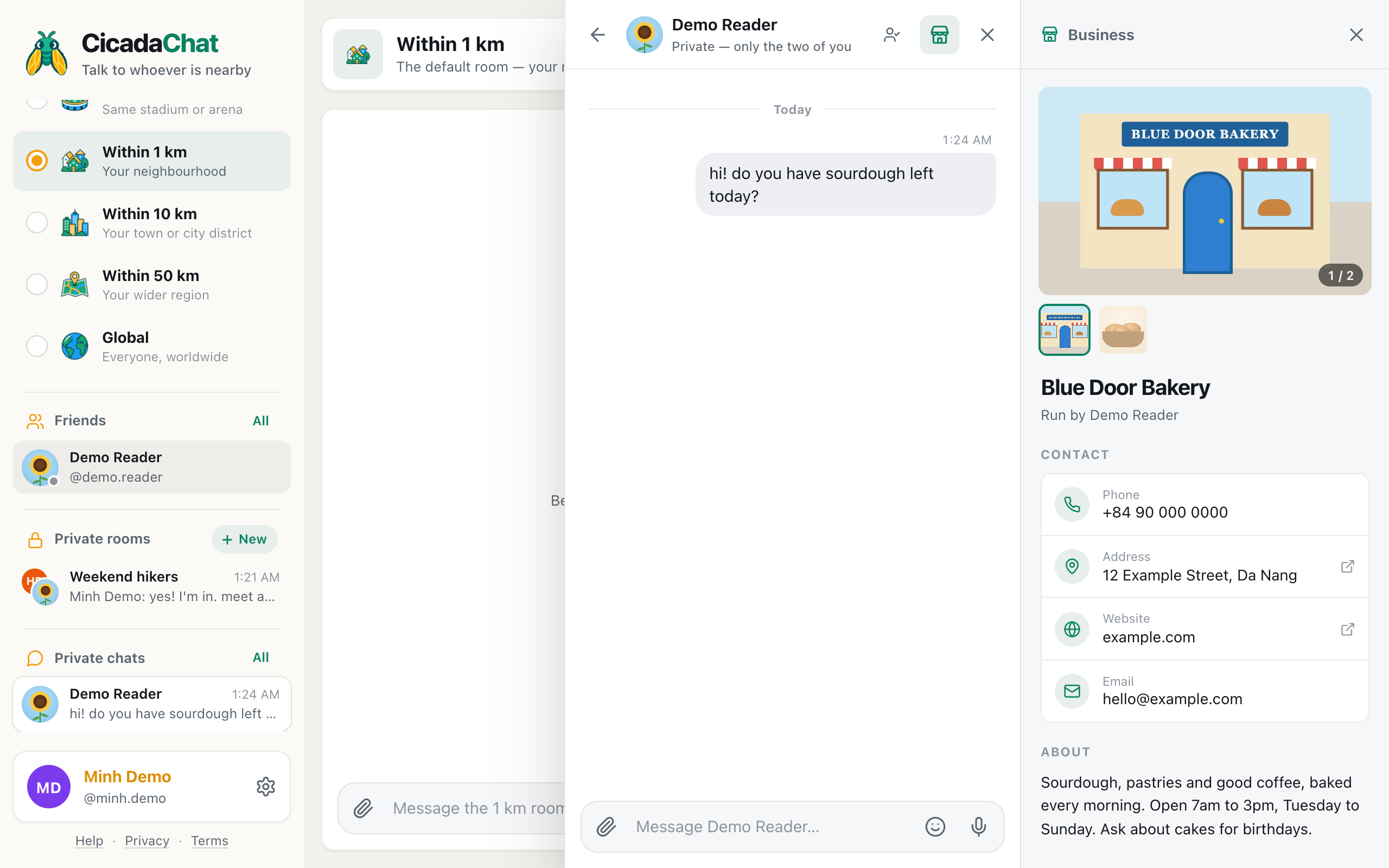
A screenshot of a business card beside a private chat. Anyone who messages the shop sees it, guests included.
The full walkthrough is in how to add a business card to your CicadaChat account.
What to post
The messages that work are the ones a neighbour is glad to see. They're timely, local and useful:
- What's fresh: "Fresh sourdough out of the oven at 4 today."
- Offers that expire: "Yesterday's pastries are half price until we close."
- Changes that affect people: "Closed tomorrow for a family wedding, back on Friday." "Open late on Thursday for the street fair."
- Things people keep asking: "Yes, we do gluten-free now, on Tuesdays and Saturdays."
- Neighbourly help: "Your parcel was delivered to us by mistake, it's at the counter." "We've got a bowl of water outside for dogs."
Short is best. One or two sentences, with a photo if it helps. Tap the paperclip and choose Photo for a picture of the bread or the new menu board.
Answering customers
People will reply in the room: "What time do you close?" "Do you have anything gluten-free?" Answer in the room when the answer is useful to everyone, since the next person will have the same question. When it's about one person's order or a booking, move to a private chat. When a customer taps your name, a private chat opens with your business card beside it.
Reactions are a quick way to acknowledge replies. A 👍 on "Save me a loaf please!" says "noted" without another message.
How often to post
This is the part that decides whether neighbours enjoy your messages or scroll past them. The 100 m room is a shared space, not an advertising board, and the people in it are your neighbours first.
- At most once or twice a day, and only when there's something new.
- Never repeat the same message hour after hour. It stays in the room anyway.
- Don't post elsewhere to reach more people. Your messages reach people within 100 m of where you send them, which is the point. Walking round the block posting from every corner turns neighbours against you.
- Be part of the room, not just a voice in it. Answer questions about the street, pass on lost property, welcome newcomers.
The Hot view helps you tell what works. Tap the flame in the header to see the room's most-reacted messages of the past week. If your "half price after four" message is up there, people liked it. If it isn't, try something different.
Lost property and other small kindnesses
Shops and cafés collect forgotten umbrellas, scarves and chargers. A message from behind the counter reaches the customers who've just left and the regulars who'll be back tomorrow. And because shops are easy to find, you'll often become the place neighbours leave found keys, as described in lost a cat, found a key: using the 100 m room for lost and found on your block. It's one of the best ways to become part of the street.
Where your shop's message reaches
Two things are worth understanding about who sees your posts:
- Your message reaches people within 100 m of where you send it, whichever local room they're reading. Someone within 100 m who keeps CicadaChat on the 1 km room still sees your message.
- It never reaches further than 100 m. Someone 400 m away reading the 1 km room won't see it. If you want a wider audience, such as a market stall announcing a whole neighbourhood event, the 500 m or 1 km room is the right place, used sparingly.
Post from the shop itself. If you type your morning message at home before you leave, it goes to your home street, not your shop's.
A week in the 100 m room, for a bakery
Here's what a good week can look like, and why each message works:
- Monday: "Closed today, back tomorrow at 7." It saves neighbours a wasted walk.
- Tuesday: "Gluten-free loaves today, a few left at 3 pm." It answers a question people keep asking, on the day it matters.
- Wednesday: nothing. There was nothing new to say.
- Thursday: "Fresh sourdough out of the oven at 4 today." A photo of the loaves. The message collects reactions and shows up in the room's Hot view for the rest of the week.
- Friday: "Found at our counter: a set of keys with a red bottle opener. Ask inside." Not a sale, but the neighbours remember it.
- Saturday: "Yesterday's pastries are half price until we close." Timely, useful, and gone by Sunday.
Five messages in a week, each one something a neighbour would want to know.
Market stalls, food trucks and pop-ups
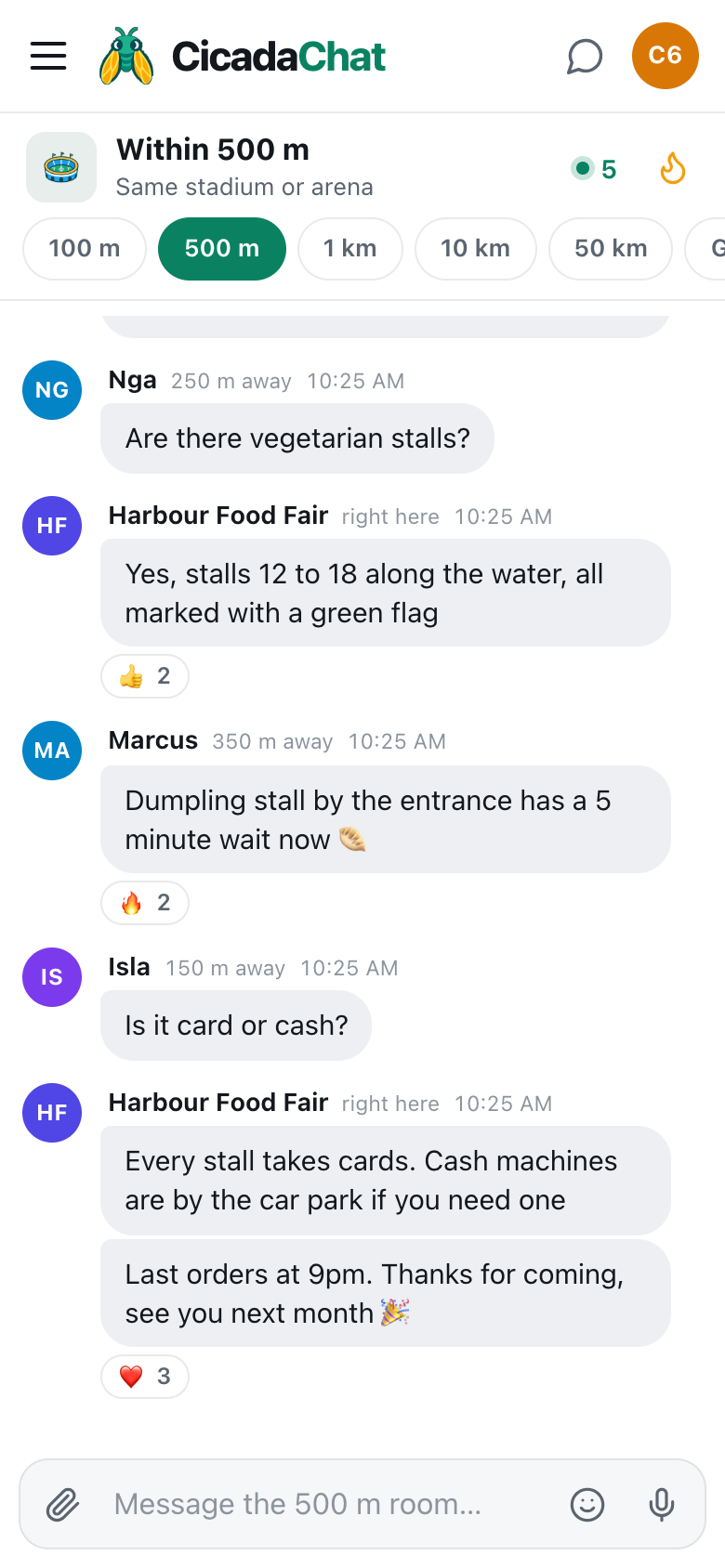
A business that moves around can use the 100 m room too. Because your messages reach people within 100 m of where you send them, post once you've set up: "Food truck's parked by the park gates until 2, today it's dumplings." The next week, somewhere else, the same account reaches a different street. A business card with your website and social links helps regulars find out where you'll be next.
Talking to other shops on the street
The other shop owners on your street are in your 100 m room too. It's a handy back channel for the things local businesses share: "Anyone else's card machine down?" "The street will be closed for the market on Sunday, deliveries before 8." A little cooperation makes the whole street a better place to shop.
Being honest and careful
- Be accurate. If the bread's sold out, say so. Messages can't be edited or deleted after sending, so post a correction rather than leaving people to find out at the counter.
- Don't pretend to be a customer. "Wow, the bakery on the corner is amazing!" from a second account is easy to spot, and it spoils the room for everyone.
- Keep customers' details private. Never mention a customer's name, order or address in the room.
- Keep the business card up to date. Wrong opening hours are worse than none.
Keeping in touch with regulars
Some customers become regulars, and regulars become friends. With accounts, you can add them as friends and, if you like, create a private room, for example for a weekly bread club or a supper club. That's covered in from the 100 m room to a private room: keeping in touch with the neighbours you meet.
No comments yet. Start the conversation.