
Privacy in a crowd: what the people within 500 m can and can't see
In the 500 m room, strangers see a name and a distance rounded to 50 m, never your coordinates. What else they see, and what can give more away than you meant.
A stadium full of strangers, all in one chat. It's natural to wonder what those strangers can find out about you. The short answer: in CicadaChat's 500 m room, they see the name you chose, a profile picture if you've set one, and a distance rounded to the nearest 50 m. They never see your coordinates. This article goes through privacy in the 500 m room in detail: what people within 500 m can and can't see, how the crowd itself protects you, and the few things, mostly in what you write and photograph, that can give more away than you meant to.
What the people within 500 m can see
Your name
Every message shows the sender's name. As a guest, you have a name like Cicada 123456, which says nothing about you at all. If you create an account, you choose a full name that's shown in rooms instead of your username, and you can change it later. Use whatever you're comfortable with: a first name or a nickname is fine. Nobody needs your surname to chat about the match.
Your profile picture
If you have an account and have set a profile photo, it appears next to your messages. Otherwise, people see a coloured circle with your initials. At a big event, a photo of your face shown to everyone within 500 m is a choice worth making on purpose.
A rounded distance
Next to your name, people see how far away you were when you sent the message: right here if it was under 50 m, and otherwise a distance rounded to the nearest 50 m, like 250 m away. The rounding happens on CicadaChat's server, before anything is sent to anyone else's phone, so the exact figure never reaches them.
Your messages, reactions and anything you attach
Whatever you post in the room, and the reactions you add to other people's messages, are visible to everyone the message reaches. So are the photos, documents and voice notes you send.
That you're online and nearby
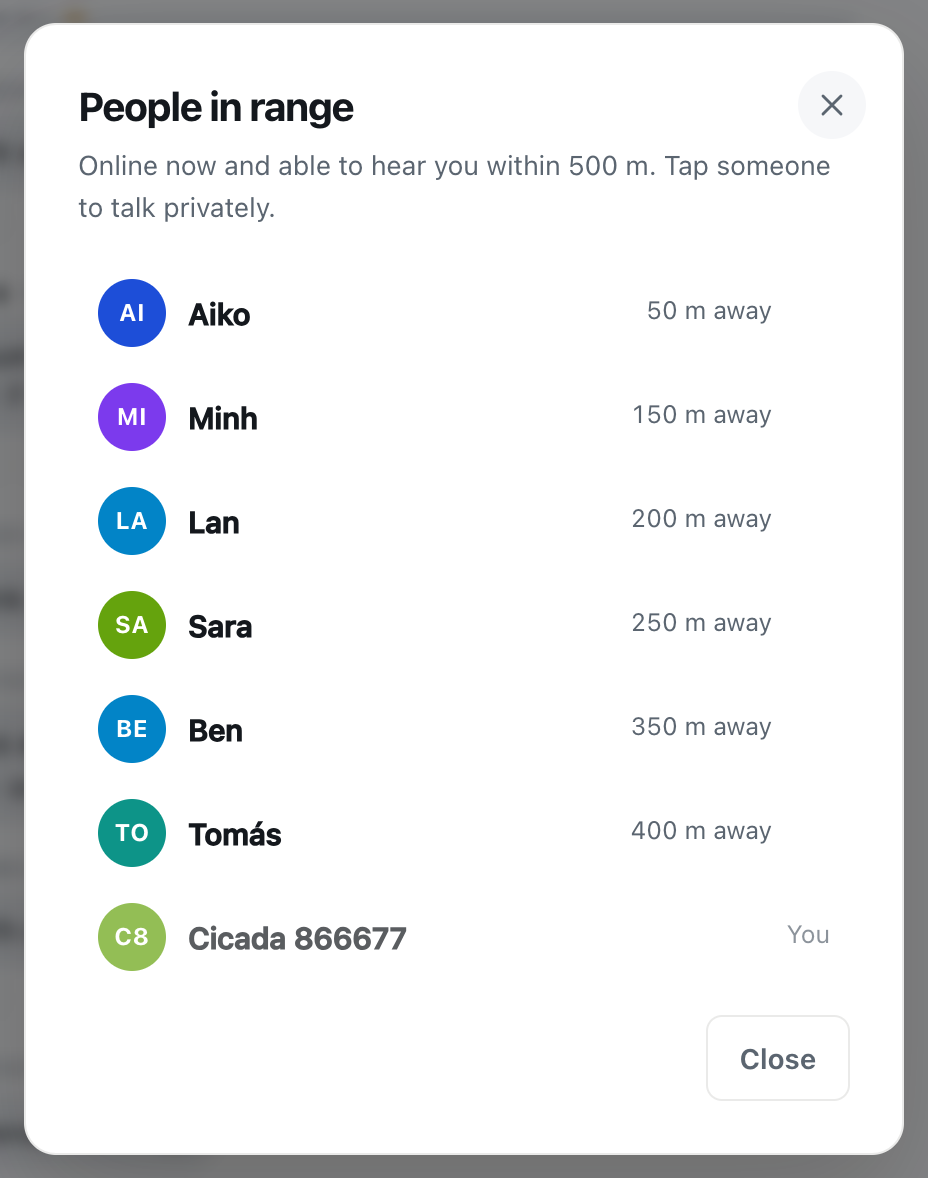
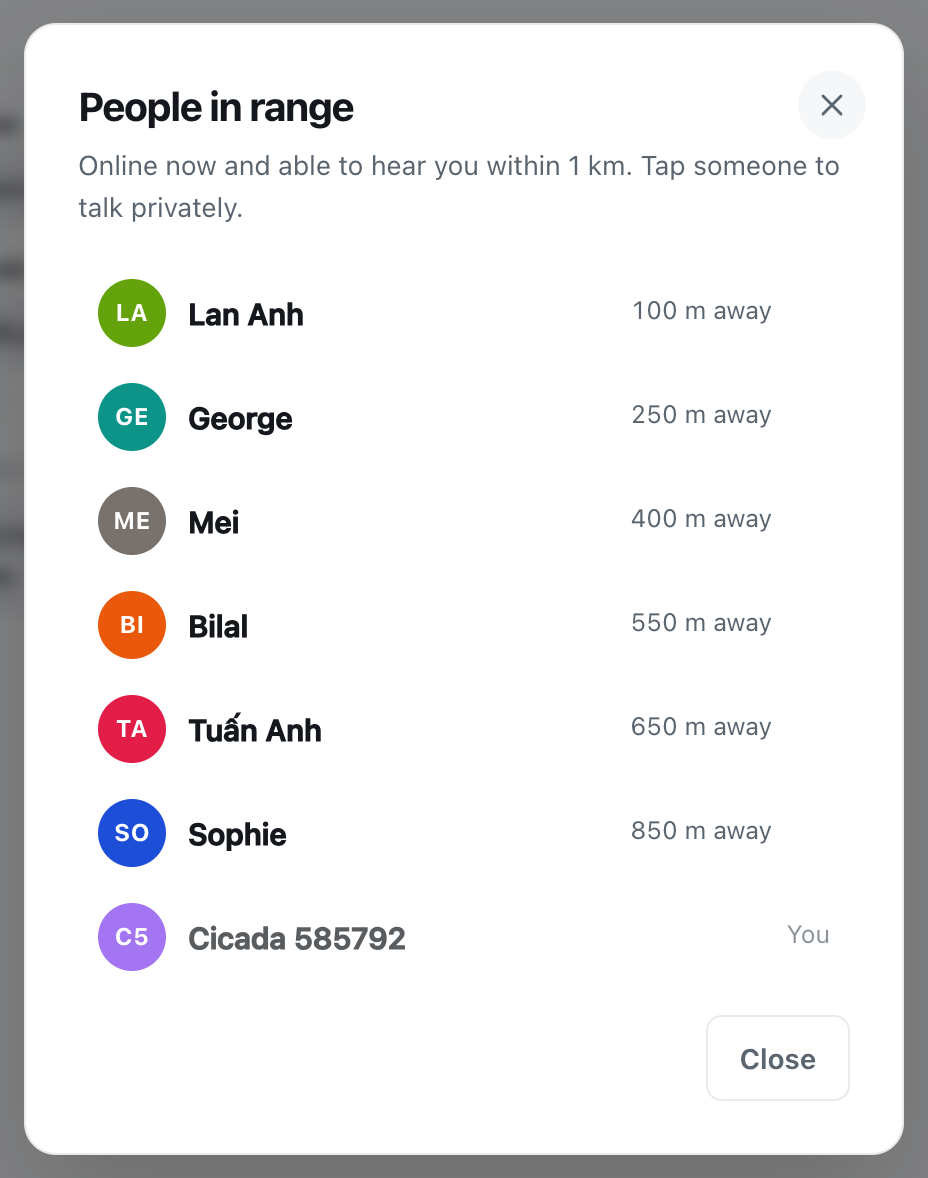
The header of the room shows how many people in range are online. Tapping it opens the People in range list: Online now and able to hear you within 500 m, nearest first, each with a rounded distance. While you have a local room open, you can appear in the lists of the people near you, even if you never say a word.
A screenshot of the People in range list in the 500 m room. Each person shows only a name and a distance rounded to 50 m.
What they can't see
- Your coordinates. Your exact position is used on CicadaChat's server to work out who's in range, and it's never sent to another user.
- Your direction. "300 m away" is a ring around the reader, not a point. It doesn't say north, south, east or west.
- Your email address or phone number. Neither is shown in rooms.
- Your private chats and private rooms. They're between the people in them.
- Where you were before. There's no trail of your movements. Each message carries only the rounded distance from the reader.
Why a crowd is good for privacy
Rounded distances protect you in any room, but in the 500 m room at a busy event the crowd does a lot of extra work.
Imagine you're 250 m from someone in a stadium. From their seat, "250 m away" describes a ring of places around them: most of the opposite stand, part of the concourse, a bit of the car park. In a full stadium, thousands of people are sitting on that ring. Your distance alone points at none of them in particular.
Compare that with the 100 m room in a quiet building, where "right here" might mean one of four flats on your landing. The smaller the room and the emptier the place, the more a distance narrows things down. The 100 m article privacy in the smallest room: what the people within 100 m can and can't see covers that case. At a stadium, an arena or a busy campus, the 500 m room puts you in a very large, very anonymous crowd.
What can give you away
CicadaChat keeps your location to itself. What it can't control is what you choose to share, and in a crowd, a few kinds of detail are easy to post without thinking.
Seat numbers, blocks and rows
"Block 114, row K" is useful when you're handing in a lost scarf. It's also your exact seat, shared with everyone within 500 m. Share it when there's a reason, like helping someone find their belongings, and leave it out when there isn't.
Tickets and wristbands
Never post a photo of your ticket or wristband. A barcode or QR code is often all someone needs to copy it and get in before you. Crop it out, or better, take a different photo.
What you're wearing
"I'm the one in the yellow hat" plus a rounded distance can pick you out of a crowd. That's great when you want to be found by a friend, so do it in a private chat, not in the public room.
Photos of other people
A photo of the pitch or the stage is great. A close-up of the stranger in front of you, shared with thousands, is not. Their privacy matters as much as yours.
Plans
"Leaving now, walking back to my car on my own" tells everyone within 500 m more than they need to know. Keep plans for private chats.
Photos: the GPS problem is already solved
Phone cameras hide the place a photo was taken inside the file. CicadaChat removes it: when you send a photo, it's resized and re-encoded on your device before it's uploaded, and that strips the GPS data. The photo that reaches the room is the picture and nothing else.
So the thing to check is what's in the picture: faces, tickets, a street sign outside your house, your bank card on the table.
Sharing your location on purpose
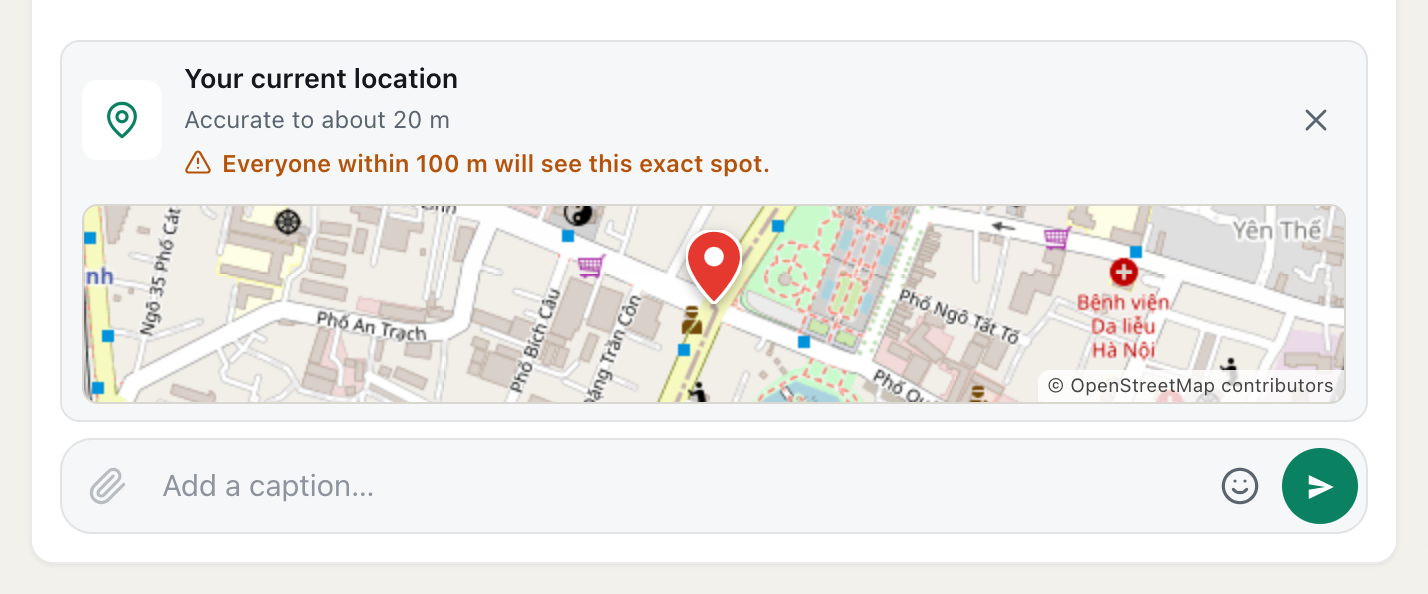
There's one time other people see an exact spot: when you choose to share it. Tap the paperclip, choose Location, and CicadaChat attaches your current location to the message. Before you send it, a warning under the attachment says who'll see it: Everyone within 500 m will see this exact spot.
In the 500 m room at an event, that's a lot of people. If you're trying to meet one friend, open a private chat with them first, by tapping their name, and share the location there. The help article how to share your location in a message, and who will see it goes through it step by step.
A shared location is stored separately from the position CicadaChat uses to work out who's in range, and it's the only time a message carries a point on a map.
Messages stay
There's no way to edit or delete a message after you send it. It stays in the place it was sent: anyone who opens a room near that spot later, within the message's reach, can scroll back and see it. A popular message can also sit in the room's Hot view, the most-reacted messages from the past week, for several days.
At a stadium, that means your "what a goal!" is still there when the next crowd arrives. That's part of the fun. It's also a reason to write only what you're happy for strangers to read later.
Staying out of the list
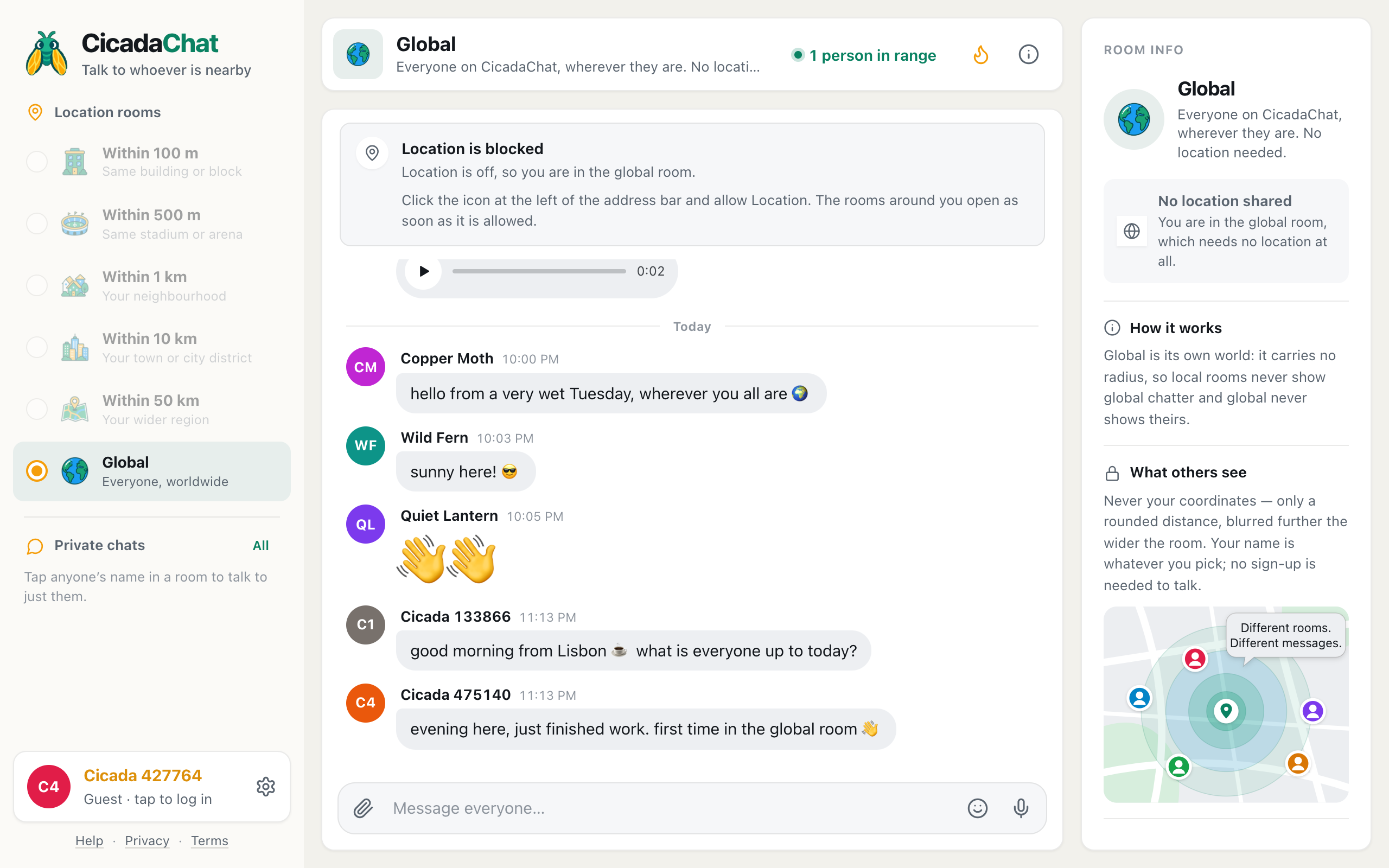
If you want to read without appearing in anyone's People in range list, switch to Global. The Global room has no location at all, and while you're in it, you're not listed in anyone's local room. Close CicadaChat, or put your phone away, and you drop out of the lists too.
You can also use CicadaChat without sharing your location at all. You'll have only the Global room, but nothing about where you are will be used.
Talking one to one with someone from the crowd
Tap anyone's name, on a message or in the People in range list, and a private chat opens: Private — only the two of you. Nobody else in the room sees it. Anyone can message you this way, so a few habits help:
- Take it slowly. Someone you've swapped two messages with about a penalty is still a stranger.
- Meet in the open. If you arrange to meet, pick a busy, obvious spot: a gate, a kiosk, the big screen.
- Just stop replying if a conversation turns uncomfortable. A private chat only continues if you answer.
Friends see even less
If you create an account and add friends, they can see when you're online. They never see where you are or how far away you are, not even when you're both at the same match. Friends find each other at an event the same way anyone does: by saying so in a private chat.
Quick privacy checklist for a big event
- If you have an account, use a name you're happy for thousands of strangers to see.
- Think twice before posting a seat number, and never post a ticket.
- Look at what's in a photo before sending it.
- Share your location only when you mean to, and preferably in a private chat.
- Keep plans and descriptions of yourself for people you've chosen to talk to.
- Switch to Global if you'd rather not appear in local lists.
For a full list of what's visible about you across CicadaChat, not just in the 500 m room, see what other people can see about you on CicadaChat, and for what CicadaChat itself stores, the Privacy Policy.
No comments yet. Start the conversation.