
Small venues, big conversations: the 100 m room at a gig, a bar or a café
In a small venue, the 100 m room is the room you're standing in. How to use it at a gig, a bar or a café, share photos considerately and keep the crowd friendly.
A band in the back room of a pub, forty people and a borrowed PA. A café with a queue out of the door. A bar where the quiz is about to start. Small venues are full of people who'd happily talk to each other, if only it weren't so loud, or so awkward to turn round. CicadaChat's 100 m room is the room you're standing in: at a gig, a bar or a café, it reaches the people around you and not the whole city. This article covers how to use the 100 m room in small venues, what makes it work, and the courtesies that keep it fun.
Why the 100 m room fits a small venue
CicadaChat's rooms are circles drawn around you. The 1 km room is a whole neighbourhood, and the 500 m room reaches a stadium or a campus. At a small venue, both are too big: your "is the band on yet?" would reach people who have no idea which band you mean.
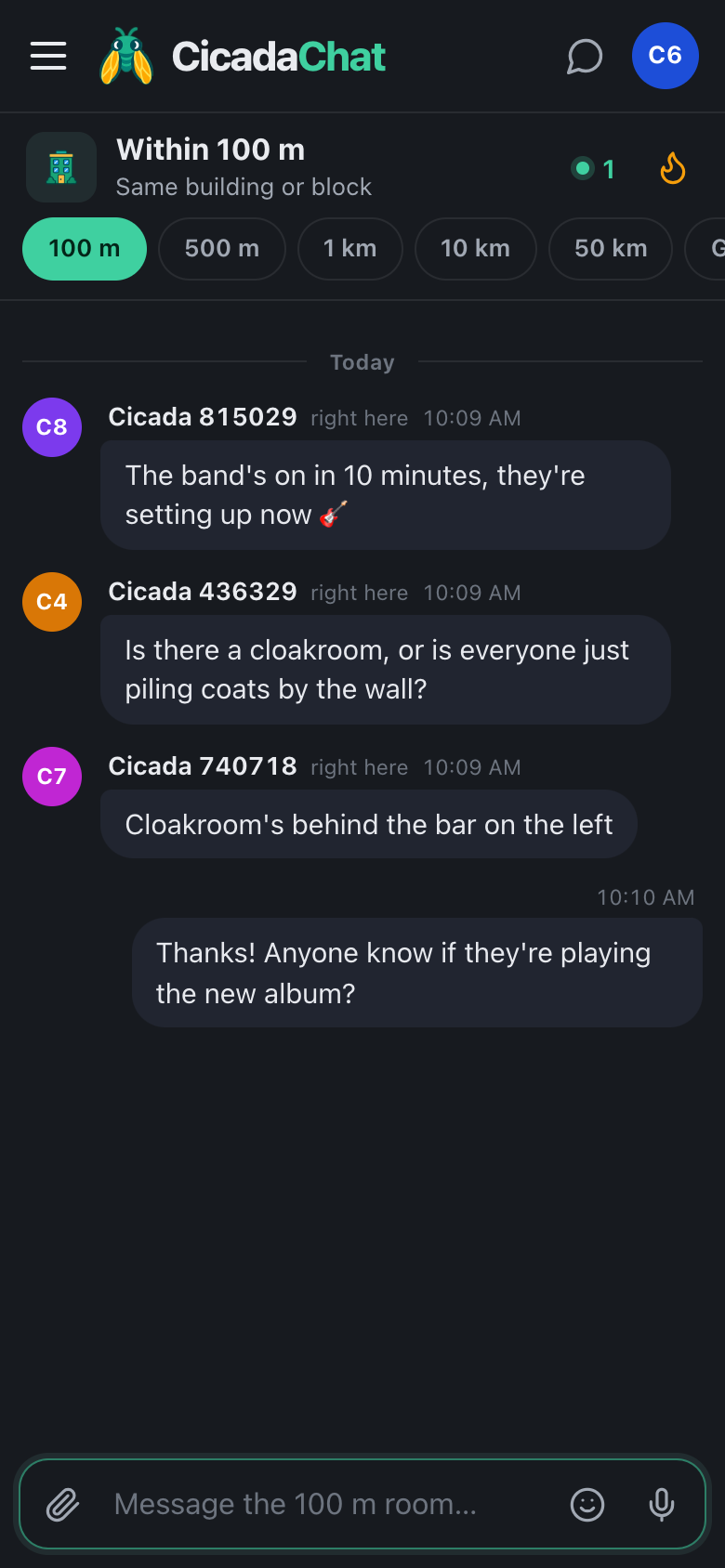
The 100 m room is a circle with a 100 m radius. From inside a pub, a club or a café, that's the venue itself, the pavement outside and the neighbouring buildings. Your message reaches everyone in that circle who has a local room open, and you see everything they say. Nearly everyone will show as right here, since CicadaChat rounds distances and shows anything under 50 m that way.
It also cuts through noise. When you can't hear the person next to you, a message is the easiest way to ask a question.
A screenshot of the 100 m room at a small gig, in dark mode. Everyone in the venue shows as right here.
At a gig
The 100 m room turns a small gig into a shared experience:
- Before the show: "The band's on in 10 minutes, they're setting up now." "Is there a cloakroom, or is everyone piling coats by the wall?"
- During the show: a 🔥 or a 🎉 on someone's "this song!" is the silent version of cheering. Reactions don't interrupt anyone.
- After the show: "Anyone know the name of the second-to-last song?" "Is anyone heading to the late bar round the corner?"
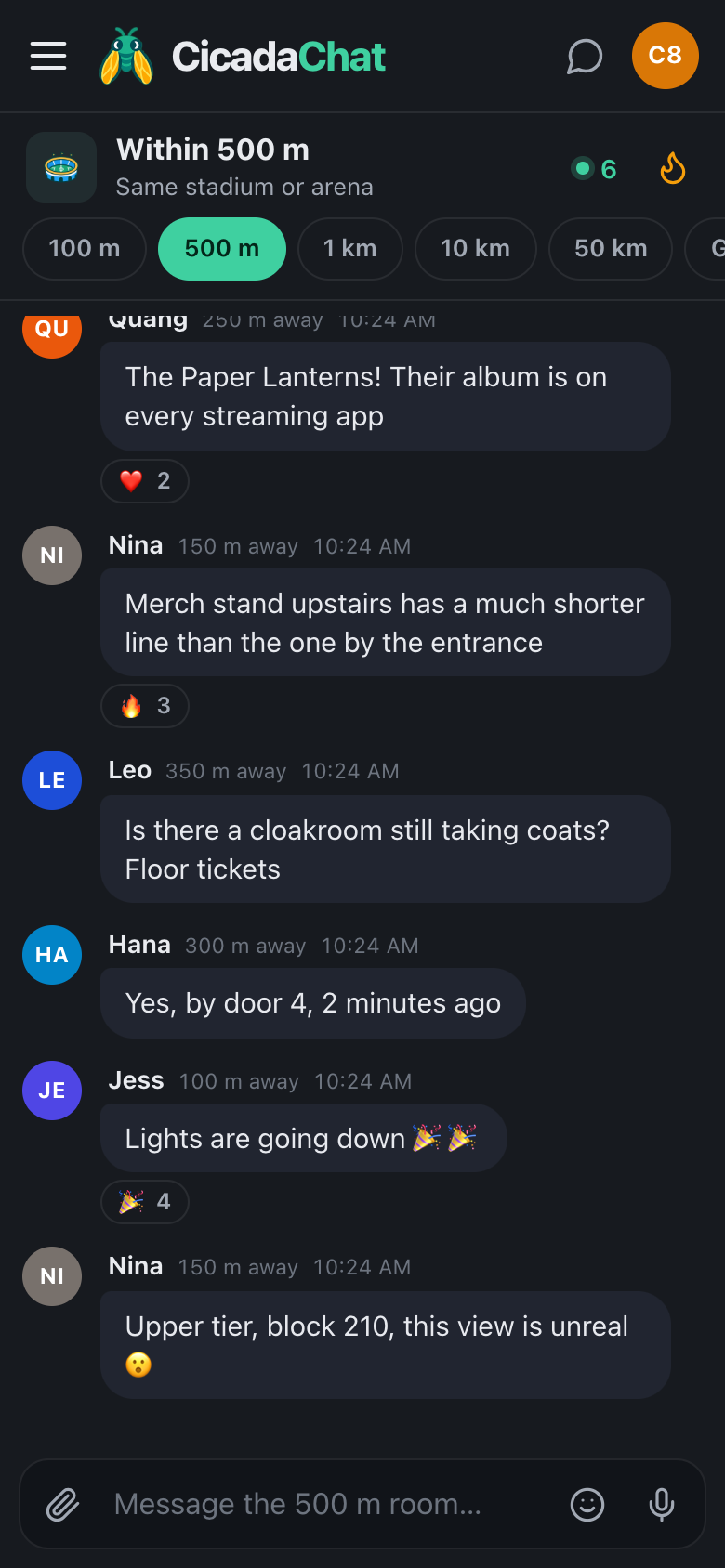
For a big gig in an arena or a festival, move up a rung. The 500 m room, labelled Same stadium or arena, reaches the whole crowd.
Hot: the best moments of the night
Tap the flame button in the header to open Hot, the room's most-reacted messages from the past week, ranked by how many people reacted. After a good gig, it's a quick replay of the evening as the crowd saw it: the photo everyone loved, the joke about the encore, the question that got the most 👀.
In a bar
- Quiz nights: "Team of two looking for a third, anyone?" Just don't share the answers.
- Watching a match: the 100 m room is everyone in the pub, groaning at the same moment.
- Practical questions: "Is the kitchen still serving?" "Does anyone know if they take cards?"
- Meeting people: "Anyone here on their own for the jazz night? Come and join our table by the window."
In a busy street full of bars, the 100 m room may reach several venues at once. That's usually part of the fun, and it helps with questions like "which bar on this street has space for eight?".
In a café
Cafés are quieter, and the 100 m room works as a gentle noticeboard:
- "Is anyone using the socket by the window table? I'll swap you my seat."
- "Does anyone know the Wi-Fi network name? The sign's gone."
- "Whoever left a green scarf on the table by the door, it's at the counter."
If you run the café, the room is also a way to talk to the people sitting in it and walking past.
Dark mode for dark rooms
A bright white screen in a dark venue is distracting for the people around you, and for the band. CicadaChat has a dark theme: choose Dark in Settings, or System to follow your phone. Turn the screen brightness down too. It's kinder to the room, and it saves battery for the walk home, when you may need your phone for a map or a taxi.
Photos, carefully
Gigs and nights out make people want to share pictures. Tap the paperclip and choose Photo. CicadaChat resizes the picture on your phone and re-encodes it, which strips the hidden GPS data phone cameras add, so the file doesn't carry the place it was taken.
What the photo shows is up to you, and in a small venue it's worth a moment's thought:
- Other people's faces. A shot of the stage is great. A close-up of a stranger in the crowd, shared with everyone nearby, isn't. Crop or pick another picture.
- Venue rules. Some artists and venues ask for no photos. Respect it.
- Your own details. A photo of your table with your bank card on it is easy to miss.
The help article how to send photos and documents in a chat covers sizes and formats.
What doesn't work in a loud room
CicadaChat can send voice notes, but at a gig or in a crowded bar they're mostly noise, for you and for whoever tries to listen. Stick to text, emoji and reactions. The row of quick reactions, 👍, ❤️, 😂, 😮, 😢, 🔥, 🎉 and 👀, says a lot without anyone needing to hear anything. The article sending messages, emoji and reactions in CicadaChat shows everything you can do with a message.
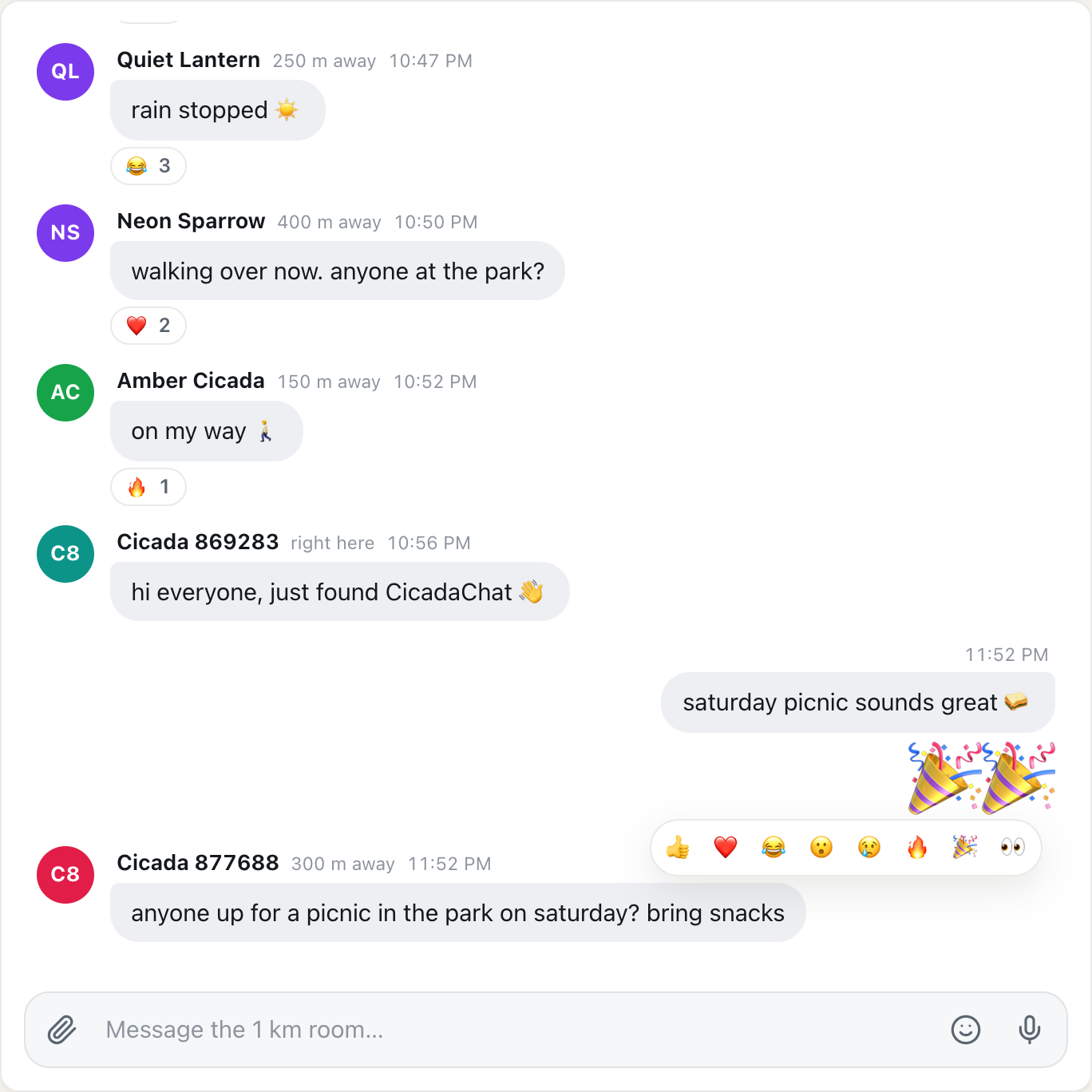
A screenshot of the quick reactions row. In a loud room, a reaction says what you would have shouted.
A night at a small gig, message by message
7:40 pm. You arrive early, open CicadaChat and tap the 100 m tab. The header shows a few people in range. Someone has asked whether there's a cloakroom, and someone else has answered: behind the bar on the left.
7:50 pm. "The band's on in 10 minutes, they're setting up now." A handful of 🔥 reactions appear under it.
8:30 pm. Between songs, someone posts a photo of the stage. It collects more reactions than anything else tonight.
9:45 pm. "Anyone know the name of the second-to-last song?" Two people answer within a minute, one of them with the album it's from.
10:15 pm. "A few of us are heading to the late bar round the corner, come along." You tap the name of the person who asked about the song and carry on the conversation in a private chat.
Next week, anyone who opens the Hot view within 100 m of the venue sees the stage photo at the top, a small record of a good night.
Running a venue?
If you run the bar, café or venue, the 100 m room lets you talk to the people inside and walking past. Create an account with the venue's name and post from the venue: "Doors at 7:30, support act at 8." "Kitchen open until 10 tonight." "Quiz starts in 15 minutes, teams of up to six." Add a business card with your address, website and opening hours, so anyone who messages the venue sees them. Keep it to the things people want to know, and let the crowd do the rest of the talking.
Keeping it friendly
The 100 m room in a venue is a crowd, and crowds work best when everyone is kind:
- Don't describe strangers. "The guy in the red hat is so loud" is unkind, and the guy in the red hat might be reading. Say "could we keep it down a little at the back?" instead.
- No heckling the performers. They may well be reading the room after the set.
- Be welcoming. People on their own at a gig are often looking for someone to talk to. A friendly reply helps.
- Remember messages stay. There's no way to edit or delete a message after sending, and the next person to open the room nearby will see it.
Meeting someone from the room
If you've got talking to someone and want to meet, tap their name to move to a private chat, and pick an obvious spot: "by the bar", "outside the front door". Meet in the open part of the venue. For your privacy, keep plans like "I'm heading home alone after this" out of the public room.
Remember that people see a name and a rounded distance, not where you are. In a small venue almost everyone is right here, so nobody can pick you out from the distance alone. What you write, what you're wearing and what you post in photos can, so share them only with the people you mean to. There's more on this in privacy in the smallest room: what the people within 100 m can and can't see.
After the night
Most of the 100 m room conversation stays where it happened: the next person to open CicadaChat in that pub will see what was said, and nobody at home will. If you met people you'd like to see again, create a free account and add them as friends. Friends see whether you're online, never where you are. A private room for a group of friends works from anywhere, which makes it ideal for "same band, next month?".
No comments yet. Start the conversation.