
The Global room: chatting with everyone on CicadaChat, wherever they are
CicadaChat's Global room is one conversation for everyone, wherever they are, with no location needed. What it is, who hears you, what you see there and what people use it for.
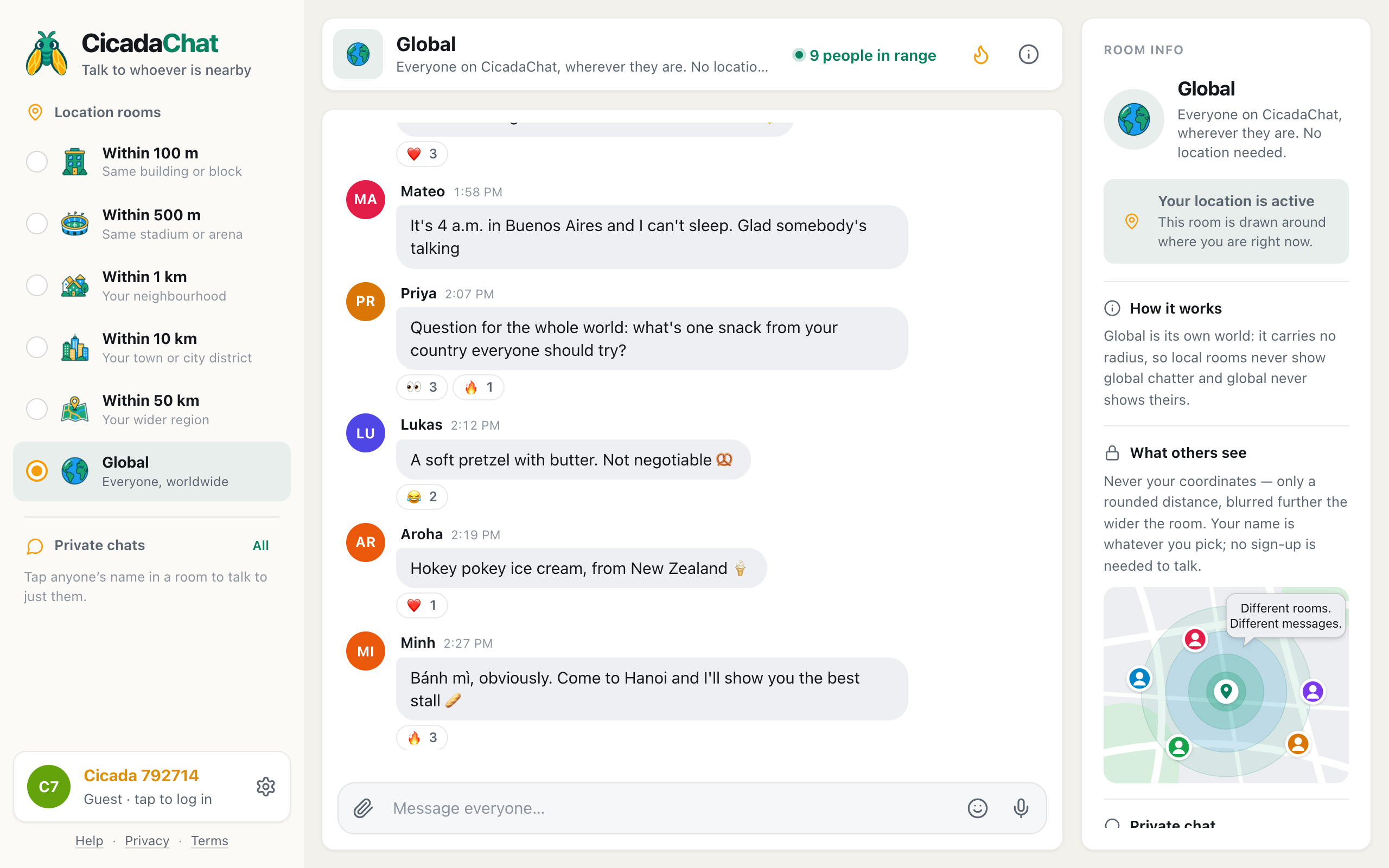
Every other room on CicadaChat is a circle drawn around you: 100 m, 500 m, 1 km, 10 km or 50 km. The Global room is different. It has no circle at all. It's one conversation shared by everyone on CicadaChat, wherever they are, and it's open whether or not you share your location. This article explains what the Global room is, how to get there, who hears you, what you see, and what people use it for, so you can chat with everyone on CicadaChat and know exactly what that means.
A screenshot of the Global room on a computer. Global is selected at the bottom of the room list, the header shows 9 people in range, and no message carries a distance.
What the Global room is
CicadaChat is built around distance. When you open it with your location on, you land in the 1 km room, which is simply everyone within a kilometre of where you're standing. Move up the ladder and the circle gets wider: your town at 10 km, your region at 50 km. Each of those rooms is different for every person, because each one is centred on whoever is looking.
Global is the last rung of the ladder, and the one exception to all of that. In the room list it's described as Everyone, worldwide, and the header says Everyone on CicadaChat, wherever they are. No location needed. Those two lines are the whole idea:
- It's the same room for everybody. Someone in Lisbon and someone in Hanoi who both open Global see exactly the same messages. There's no radius, so there's nothing to differ.
- It doesn't use your location. You can be in Global with location on or off, and your messages there carry no position at all.
- It's its own world. Messages sent in Global stay in Global, and messages from the local rooms never appear in it. More on that below.
How to get to the Global room
There are two ways in, and one of them happens by itself.
If you don't share your location, CicadaChat takes you straight to Global. That happens when you decline the browser's location prompt, when location is blocked for the site, or when your device can't work out where you are. You're not left in front of a locked door: Global is a complete room, with messages, reactions, photos, voice notes and private chats. The rooms that need a location (100 m to 50 km) are greyed out in the list until you allow it. If that's your situation, using CicadaChat without sharing your location walks through it step by step.
If you do share your location, you start in the 1 km room, and Global is one tap away:
- On a computer, find the room list in the sidebar on the left, under Location rooms.
- Click Global, the last entry, with the globe picture and Everyone, worldwide under it.
- On a phone, use the row of tabs under the room header instead: swipe it to the end and tap Global.
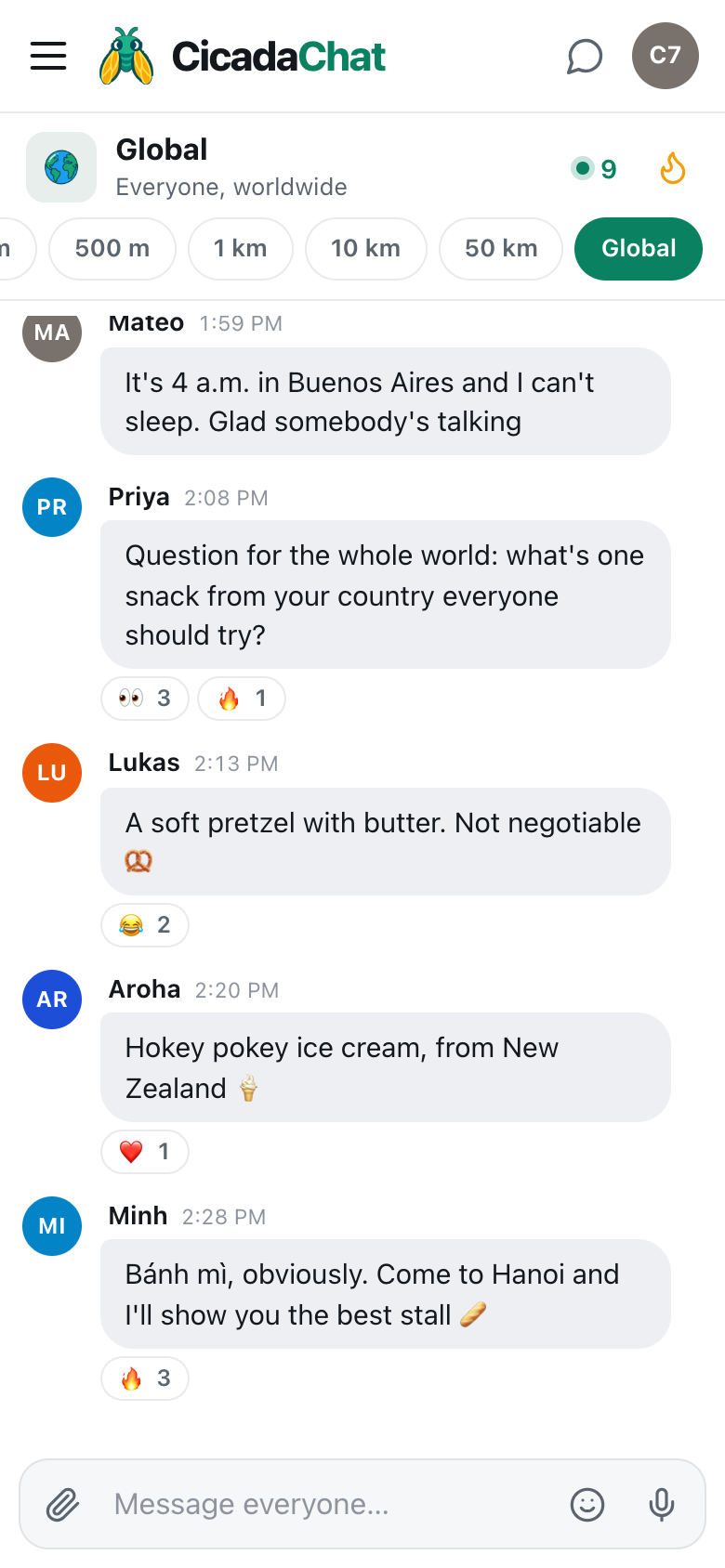
A screenshot of the Global room on a phone. Global is the last tab in the row under the header, and the message box reads Message everyone…
CicadaChat remembers the room you chose, so if you pick Global yourself, that's where you'll be the next time you open the app.
Who hears you, and whom you hear
In the local rooms, who hears a message depends on two circles: the one the sender chose and the one the reader is in. None of that applies here. When you send a message in Global, everyone who is in the Global room sees it: people who are online now see it arrive, and anyone who opens Global later finds it in the history. When someone else posts in Global, you see it too, whether they're down the street or on the other side of the planet.
The number in the header, 9 people in range in the picture above, is how many people are in the Global room right now, counted as people rather than browser tabs. Click it (or tap the number on a phone) to open People in range, the list of who is online and able to hear you. Tap any name there to talk to that person privately.
What Global doesn't reach is just as important. People sitting in a local room, say their own 1 km room, don't see Global messages, and you don't see theirs while you're in Global. The room info panel puts it plainly: Global is its own world: it carries no radius, so local rooms never show global chatter and global never shows theirs. So if you want your neighbours to see something, post it in a local room. If you want everyone, wherever they are, post it here.
What you see in the room
Global looks like any other CicadaChat room, with a few differences that come from having no distance.
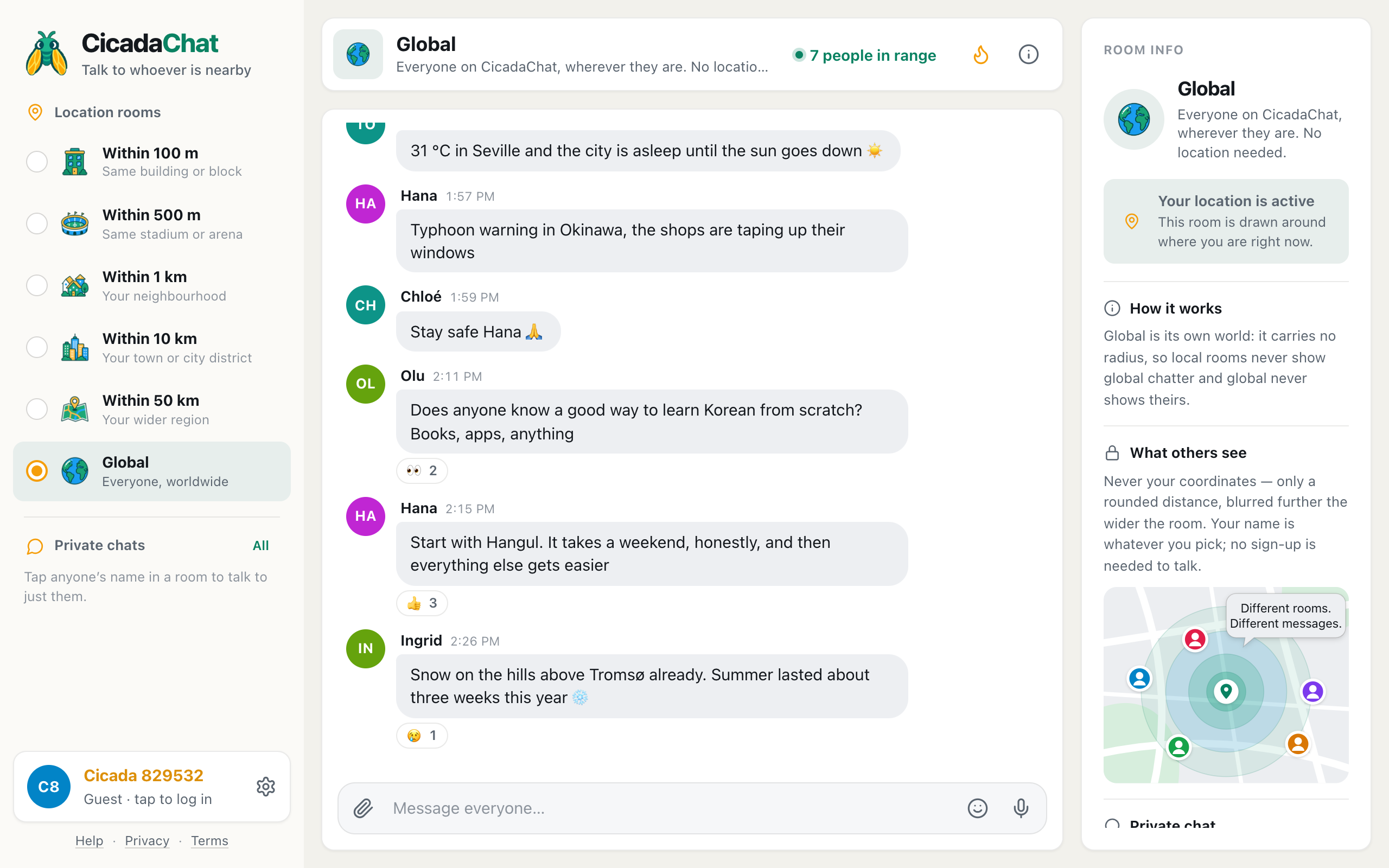
- No distances. In a local room, every message says roughly how far away its sender was, like "1.2 km away". In Global there's nothing to measure, so messages show only a name, a time and the message.
- Times in your own time zone. Every time you see is converted to your device's clock. When someone in Buenos Aires writes "it's 4 a.m. here", the time next to their message is what your own clock said when they sent it.
- A wider mix of languages. People write in whatever language they like. CicadaChat doesn't translate, so English tends to be the common ground, but you'll see plenty of everything else.
- The message box says "Message everyone…". That's a reminder of who is listening.
If nobody has written anything yet, you'll see Nobody has said anything yet and Be the first. Anyone on CicadaChat will see it. That doesn't happen often, because Global is the one room that never depends on who happens to be nearby.
What people use the Global room for
A local room is best for things that depend on where you are: a lost cat, a power cut, the queue outside the bakery. Global is best for everything that doesn't. People use it to:
- Talk when their local rooms are quiet. Late at night, in a small village, or anywhere CicadaChat is still new, the local rooms can be empty. Global always has someone in it.
- Ask the whole world a question. What's a snack from your country everyone should try? How do people learn Korean from scratch? Is it rude to tip in Japan? Questions like these get better answers from many places than from one.
- Share a moment everyone is watching. A rocket launch, a final, an eclipse: things that happen everywhere at once feel different when you're watching with people from ten countries.
- Practise a language. Global is full of people who'd happily trade an hour of their language for an hour of yours.
- Find people who share a rare interest. Urban beekeeping, old film cameras and bonsai have fans in every country, but rarely more than one on your street.
- Just say hello. Plenty of messages in Global are simply "good morning from Lisbon" or "evening here in Osaka", and that's part of its charm.
What you can send
Everything you can send in a local room works in Global too:
- Text and emoji, up to 2,000 characters per message.
- Reactions on other people's messages. A message that collects reactions from lots of people can turn up in the Hot view, the flame button in the header, which shows the most-reacted messages of the past week.
- Photos and documents, from the paperclip button. Photos are re-encoded on your device before they're sent, which also removes any GPS position a camera stored in the file.
- Voice notes, from the microphone button.
- Your location, from the paperclip's Location option. Think twice before you do: in Global, the attachment shows the warning Everyone in the global room will see this exact spot, and that means everyone.
Messages can't be edited or deleted once they're sent, in Global or anywhere else, so it's worth a second look before you press send in the room with the biggest audience.
How Global compares with the 50 km room
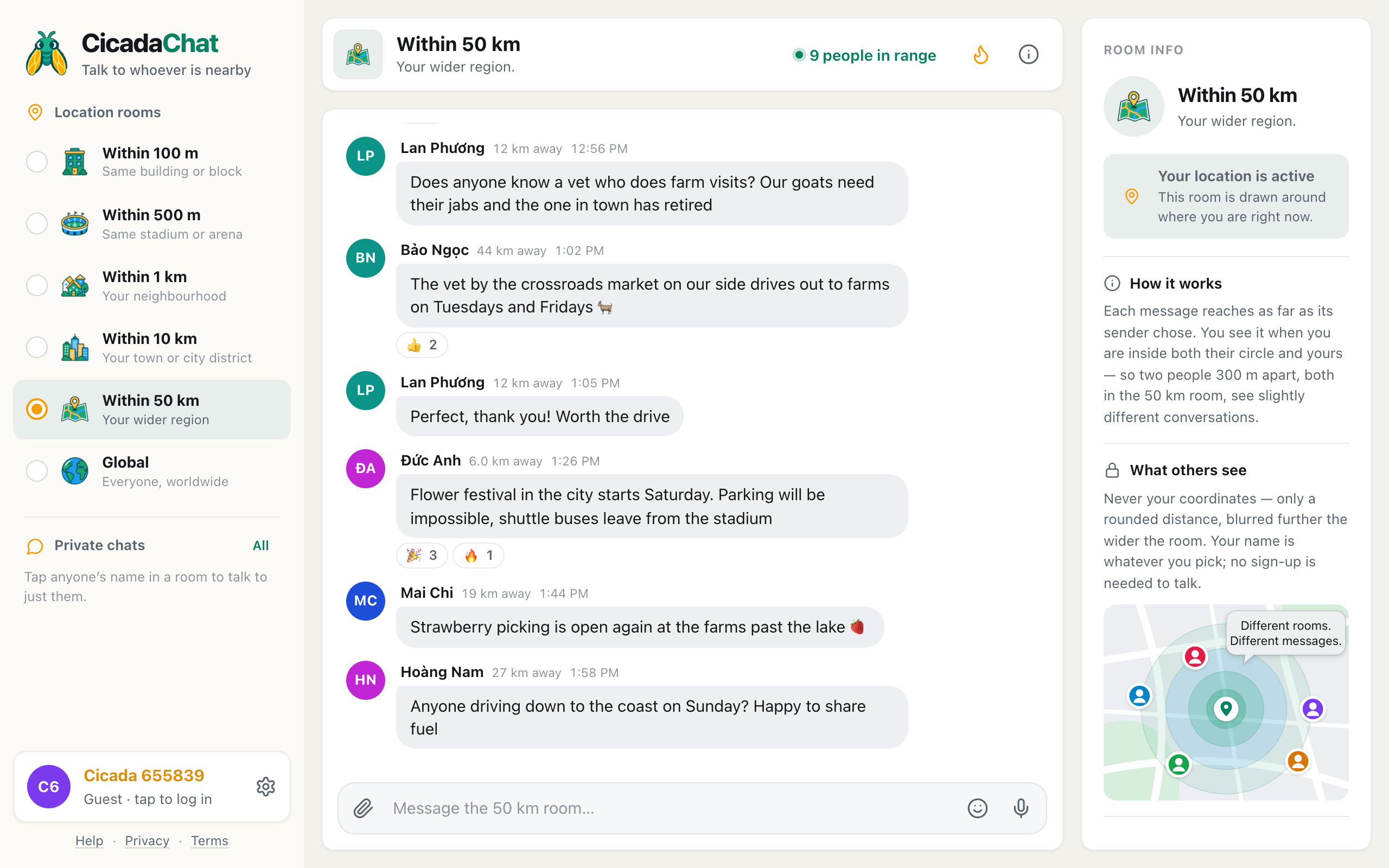
It's tempting to think of Global as "50 km, but bigger". It isn't. The 50 km room is still a circle around you: it's made of people in your region, it changes as you travel, and everyone in it sees roughly how far away you are. Global has no centre and no edge. It's the same everywhere, it shows no distances, and its conversation is completely separate from the local rooms. If you're unsure which one a message belongs in, 50 km or Global? Why Global isn't just a bigger circle goes through the differences and how to choose.
For a quick look at the whole ladder, from the 100 m room in your building to Global, see choosing a room: 100 m, 500 m, 1 km, 10 km, 50 km or Global.
Good manners in a room with everyone
The Global room works because people are kind to each other in it. A few habits help:
- Remember it's a mixed crowd. The people reading your message live in dozens of countries and speak dozens of languages. Keep slang light, and be generous with anyone whose English isn't perfect.
- Say where you're writing from, if you like. "Morning from Madrid" gives people context without giving anything away. You never have to, though: Global doesn't show anyone where you are.
- Take long conversations private. If two of you get deep into a topic, tap the other person's name and carry on in a private chat, so the room stays open for everyone else.
- Don't advertise at people. Saying what you do is fine. Posting the same promotion again and again isn't.
Guests and registered accounts
You don't need an account to use Global. Your first visit creates a guest account with a name like Cicada 792714, and you can chat, react, send attachments and start private chats straight away. A registered account adds a few things that matter more in Global than anywhere else, because the people you meet there may live very far away: you choose your own name and profile photo, you can add people as friends so you can find them again in any room, and you can make a private room for a group of friends. Your guest chats come with you when you create an account.
That's the Global room: one conversation, no map, and everyone on CicadaChat in it. Open it next time your local rooms are quiet, or whenever you have a question for the whole world.
No comments yet. Start the conversation.