
50 km or Global? Why Global isn't just a bigger circle, and when to use each
The 50 km room is your region; Global is a separate room for everyone. How they really differ, the signs a message belongs in one or the other, and a quick way to decide.
The room ladder on CicadaChat runs from 100 m to 50 km, and then there's one more rung: Global. Because it sits right after 50 km, it's easy to assume it's the same kind of room, only bigger. It isn't. The 50 km room and the Global room work in completely different ways, reach different people and suit different messages. This article explains 50 km or Global: what really separates them, the signs that a message belongs in one or the other, and how to switch back and forth without losing track of either conversation.
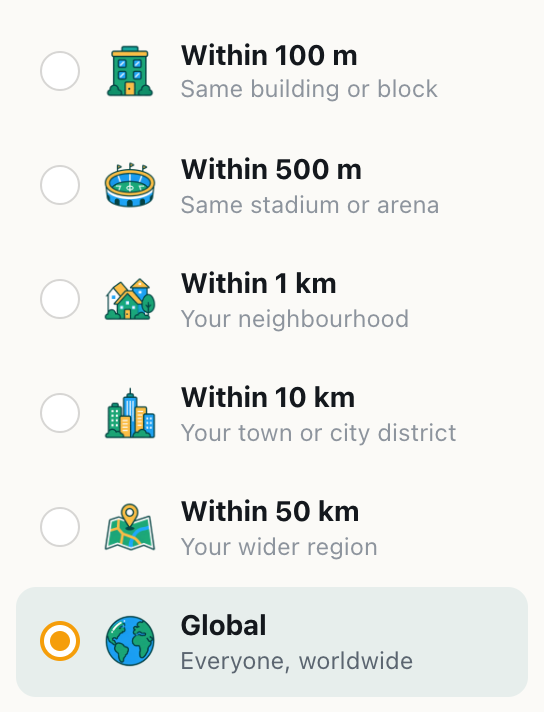
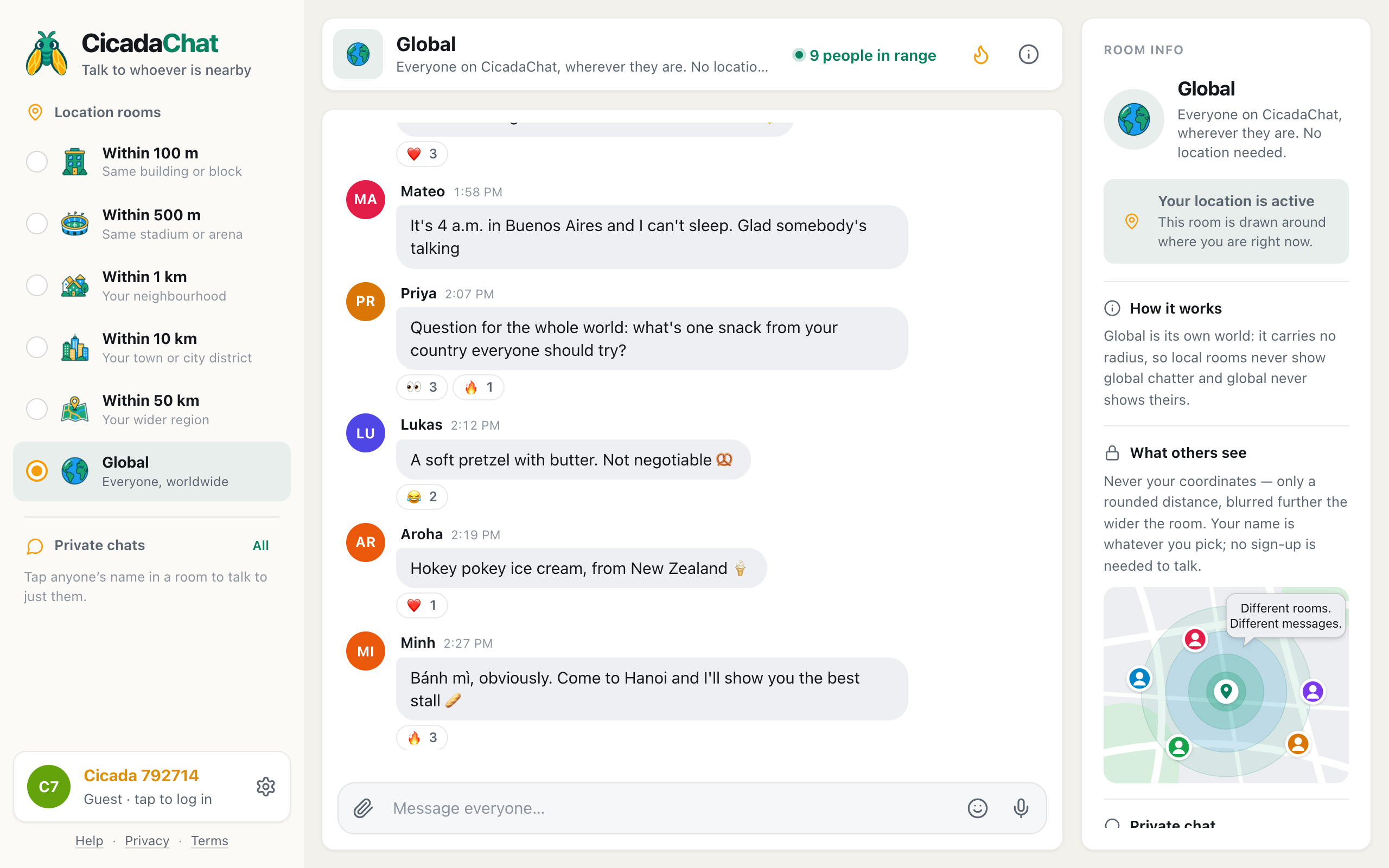
A screenshot of the room list. Global sits at the bottom of the ladder, but it isn't a wider circle: it's a separate room.
Two rooms that look like neighbours
In the room list, the rungs read like a ruler: Within 100 m, Within 500 m, Within 1 km, Within 10 km, Within 50 km, and then Global, described as Everyone, worldwide. The first five are all the same kind of room: a circle around you, bigger at each step. Global is the one that breaks the pattern.
Here's the short version:
| 50 km room | Global room | |
|---|---|---|
| Who's in it | People within 50 km of you | Everyone on CicadaChat who opens Global |
| Needs your location | Yes | No |
| Same for everyone? | No, each person's circle is centred on them | Yes, one conversation for all |
| Distances on messages | Yes, rounded to the kilometre | None |
| Changes when you travel | Yes, it follows you | No |
| Sees the local rooms' messages | Yes, those whose sender reached this far | Never |
Why Global isn't a bigger circle
Every local room follows one rule. A message stores the radius its sender chose, and you see it when you're inside both that radius and your own. So in the 50 km room you see messages sent to 50 km from people within 50 km of you, but also messages sent to 10 km, 1 km or even 100 m, as long as you're close enough to their sender. The local rooms overlap: a message in someone's 1 km room is also visible to a nearby person sitting in their 50 km room.
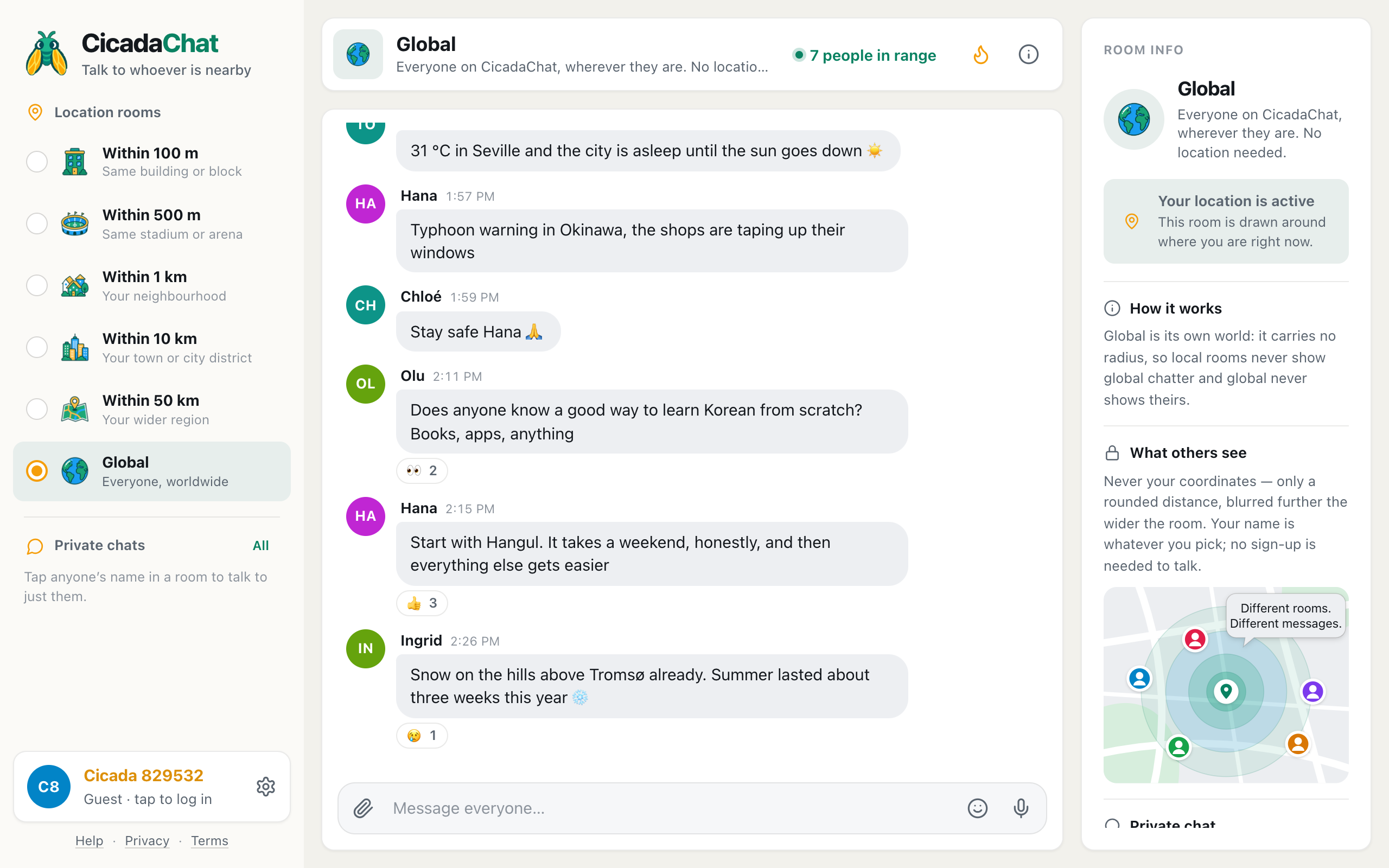
Global doesn't overlap with any of them. A message sent in Global has no radius and no position, and it only ever shows up in Global. A message sent in a local room never shows up in Global. The room info panel says so in one line: Global is its own world: it carries no radius, so local rooms never show global chatter and global never shows theirs.
A screenshot of the Global room with Room info on the right. Under How it works, it says local rooms never show global chatter and Global never shows theirs.
This has two consequences worth remembering:
- Moving from 50 km to Global doesn't show you more of the same messages. It shows you a different conversation. The regional chat about the pass road or the flower festival disappears, and the worldwide chat about snacks, weather and language learning appears.
- Posting in Global doesn't reach your region "as well". Someone 20 km away sitting in their 50 km room won't see your Global message. If you want the region to see it, post it in a local room.
Signs a message belongs in the 50 km room
The 50 km room is for things that depend on where you are, but are too big for your town. Choose it when:
- The answer depends on the region. Is the motorway closed? Which vet drives out to farms? Where's the nearest place to buy a boat trailer? People in another country can't help with that.
- You might meet in person. A lift to the airport, a weekend hike, a carpool to a concert in the city: all of these need people within driving distance.
- It's happening here. Weather across the region, a festival an hour away, smoke from a fire in the hills.
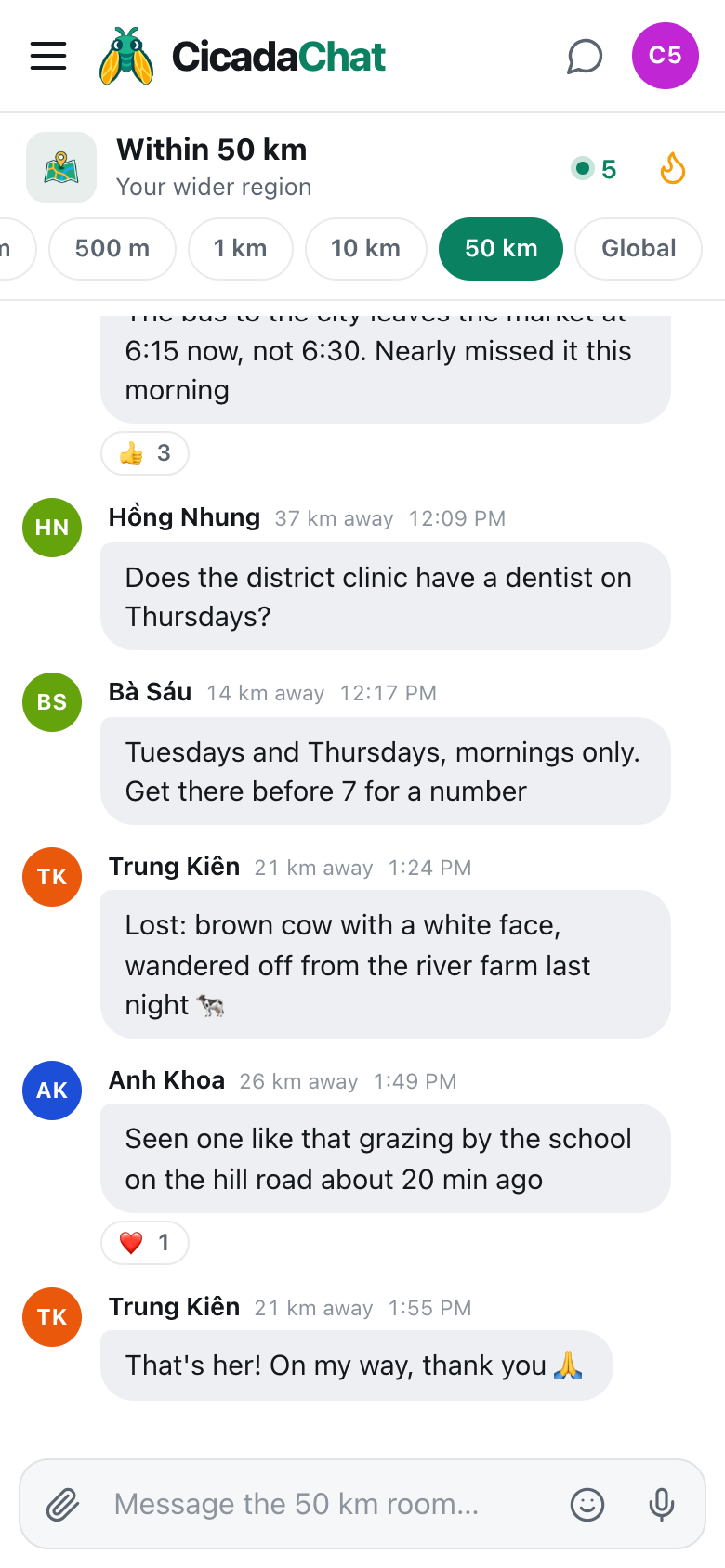
- Distance helps people judge. In a local room, "6 km away" or "44 km away" next to a message tells readers whether it applies to them. Global can't give them that.
There's much more about the regional room in the 50 km room: chatting with your whole region.
Signs a message belongs in the Global room
Global is for things where location doesn't matter, or where you'd rather it didn't come into it. Choose it when:
- Anyone, anywhere could answer. How to learn Hangul, whether to tip in Japan, which book teaches Thai cooking best. The more places people are from, the better the answers.
- You want company, not neighbours. Late at night, when your region is asleep, Global still has people in the middle of their afternoon.
- Everyone is watching the same thing. A launch, a final, a total eclipse. The shared moment is the point, not where you watch it from.
- You don't want distance to be part of it. In Global, nobody sees how far away you are, not even roughly.
- You haven't shared your location. Then Global is your room, and the local rooms are greyed out until you allow it.
Switching between them
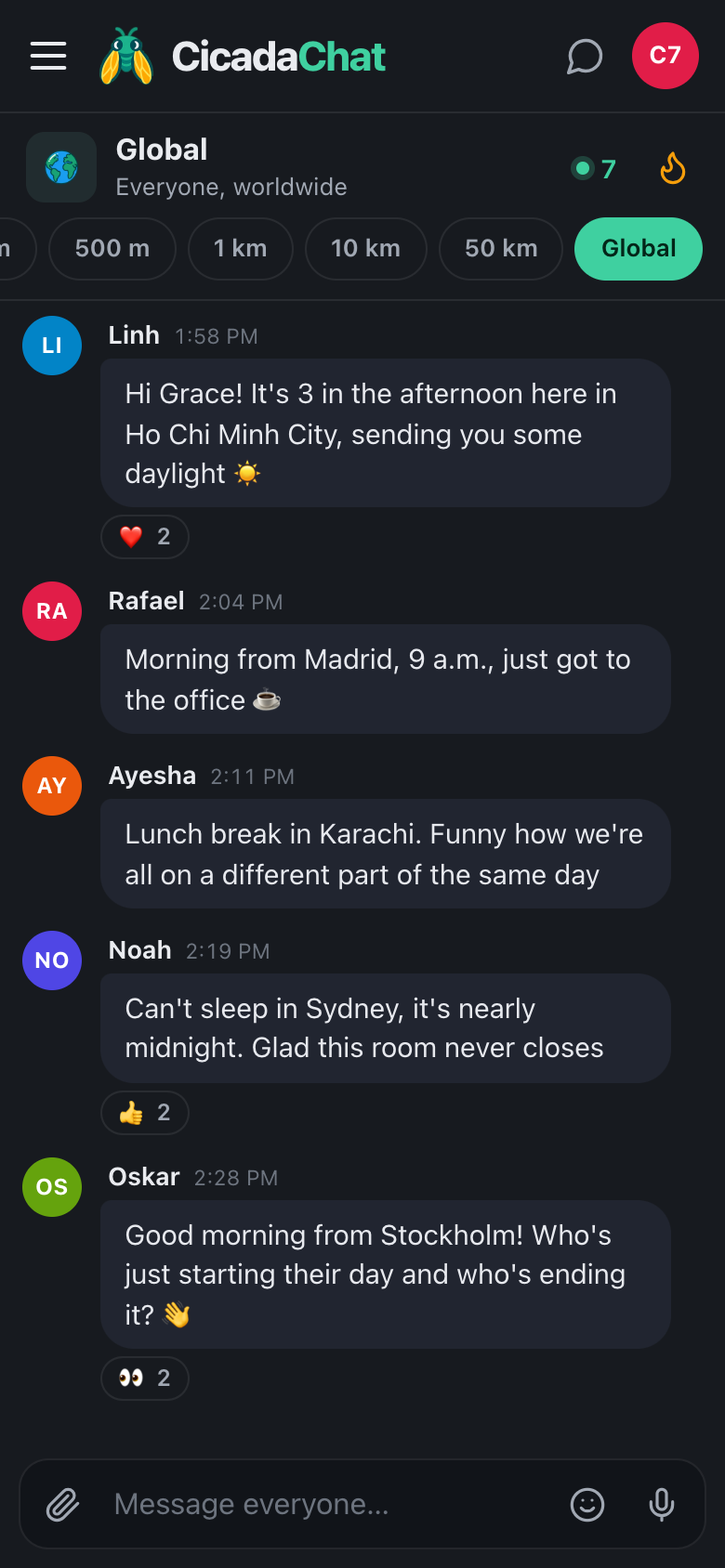
Changing room is one click in the room list on a computer, or one tap in the row of tabs under the header on a phone. Nothing is lost when you switch: the 50 km conversation is still there when you come back, and so is Global's. CicadaChat remembers the last room you chose and opens there next time.
A few things behave differently depending on which room you're in:
- You hear only the room you're in. While you're in Global, you don't see new local messages, and while you're in 50 km, you don't see Global's. If you're waiting for an answer in one, check back there.
- The people count changes meaning. In 50 km, people in range is how many people within 50 km could hear you. In Global, it's how many people are in the Global room right now.
- The Hot view follows the room. The flame button shows the most-reacted messages of the past week for the room you're in, so Global's Hot view is a worldwide one.
- Private chats and private rooms go everywhere. They aren't tied to any room, so a private chat you started in Global carries on whichever room you're looking at.
If Global is the only room you can open
If the rungs from 100 m to 50 km are greyed out, CicadaChat doesn't have your location. That's fine: Global is a complete room, and you can stay there as long as you like. If you'd like the local rooms too, allow location for the site in your browser (or for the app on your phone). The local rooms open as soon as it's allowed, and you're taken back to the room you last chose. How to turn on location for CicadaChat has the steps for each browser.
Common mix-ups, and what's really going on
"I posted in Global, but my neighbour says they didn't see it." Your neighbour was probably in a local room. Global messages only appear in Global, so they'd need to switch to it. If the message was for your neighbourhood, post it again in the 1 km room.
"Someone answered my question, but now I can't find it." Check which room you asked in. If you asked in Global and you're now looking at 50 km, you're looking at a different conversation. Switch back to Global and scroll up.
"The 50 km room is empty, but Global is busy." That's normal, especially late at night or somewhere CicadaChat is still new. Global gathers everyone on CicadaChat, while 50 km only has the people in your region who are using the app.
"I can see distances in 50 km, but not in Global. Is something broken?" No. Global has nothing to measure from, so it never shows distances, not in messages and not in People in range.
"Does being in Global switch my location off?" No. If location is on, it stays on, and the local rooms keep working when you go back to them. It just isn't used for anything in Global, and your Global messages don't carry it.
A quick way to decide
Before you send, ask one question: would the answer change if I lived somewhere else?
- If yes, if it's about a road, a shop, the weather or meeting up, use a local room, and pick the smallest one that reaches the people who can help. The 50 km room is the widest of those.
- If no, if anyone in the world could answer or join in, use Global.
And if a Global conversation turns into something local ("wait, you're in Kraków too?"), that's your cue to carry on in a private chat or in the local rooms, where distance can help you.
Using both in a day
Most people who use CicadaChat a lot move between the two without thinking about it. A typical day might start in Global, saying good morning to people finishing their evening on the other side of the world, move to the 50 km room to check whether the fog has lifted at the airport, drop into the 1 km room at lunch to ask about the new noodle stall, and end back in Global late at night when the region has gone quiet.
That's what the ladder is for. The first five rungs are about here, at different sizes. The last one is about everyone. For a fuller picture of that last rung, read the Global room: chatting with everyone on CicadaChat, wherever they are.
No comments yet. Start the conversation.