
The 100 m room at the office or co-working space
A chat for the building you work in, with no workspace to set up. What the 100 m room is good for at the office or co-working space, and what should never go in it.
"Does anyone have a USB-C charger?" "Is the big meeting room free?" "Who left their lights on in the car park?" Every office has these small questions, and most of them end up in the wrong place: a company-wide channel that reaches colleagues in other cities, or nowhere at all. CicadaChat's 100 m room gives an office or co-working space a chat that reaches exactly the building you're in, with no workspace to set up and no invitations to send. This article covers how the 100 m room works at the office or co-working space, what it's good for, and where its limits are.
The 100 m room at the office
The 100 m room is a circle with a 100 m radius around wherever you are. Open CicadaChat at your desk and pick Within 100 m, and you're talking to the people in your building and the ones next door. Your message reaches everyone within 100 m who has a local room open, whichever local room they're reading. You see everything said within 100 m of you in the same way.
That makes it different from the tools you probably already use at work:
- It isn't tied to a company. In a co-working space, a shared office building or a business park, the 100 m room reaches everyone in the building, whoever they work for. That's exactly who shares the kitchen, the lifts and the meeting rooms.
- Nobody has to be added. The new starter, the visiting freelancer and the person renting a desk for a week are all in the room as soon as they open it.
- It follows you. Leave the office and the office leaves your 100 m room. Open CicadaChat at home and you're talking to your neighbours instead. There's nothing to mute after hours.
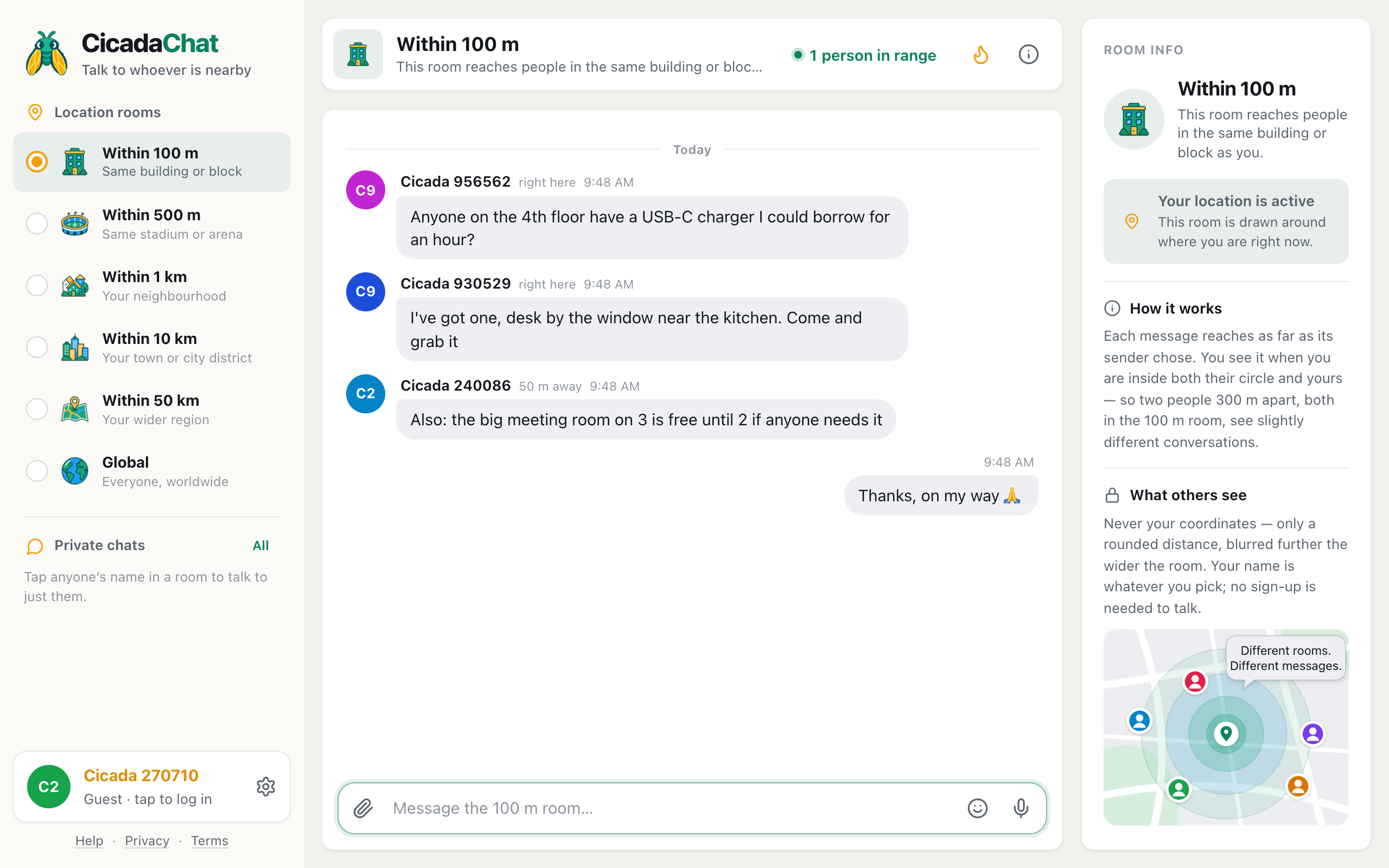
A screenshot of the 100 m room in an office building. The replies come from the same floor (right here) and from further along the building (50 m away).
What it's good for
Borrowing and lending
Chargers, adapters, a stapler, an umbrella for the walk to the station. The person who has one is usually a floor away. "Anyone on the 4th floor have a USB-C charger I could borrow for an hour?" gets an answer faster than walking round every desk.
Rooms and spaces
"The big meeting room on 3 is free until 2 if anyone needs it." In a co-working space, where booking systems are often patchy, a quick message saves a lot of opening doors on other people's calls.
The building itself
The lift, the heating, the coffee machine, the Wi-Fi. When something stops working, one message tells you whether it's just your floor, and saves everyone from reporting it separately. The replies come with a distance, right here or 50 m away, which helps you tell your floor from the building next door.
Lunch and after work
"Heading to the noodle place at 12:30, anyone want to join?" In a co-working space full of people from different companies, this is how you get to know the people you see every day.
Lost and found
A laptop charger left in a meeting room, a jacket on the back of a chair, a set of car keys by the printer. Post it where you found it, so the message reaches the people who were there.
Sharing files
Sometimes a message needs an attachment: a menu for the team lunch, a floor plan for a fire drill, a sign-up sheet for the five-a-side. Tap the paperclip and choose Document. CicadaChat accepts common formats such as PDF, Word, Excel, PowerPoint, text files and ZIP archives, up to 25 MB, and always delivers them as a download rather than opening them in the browser.
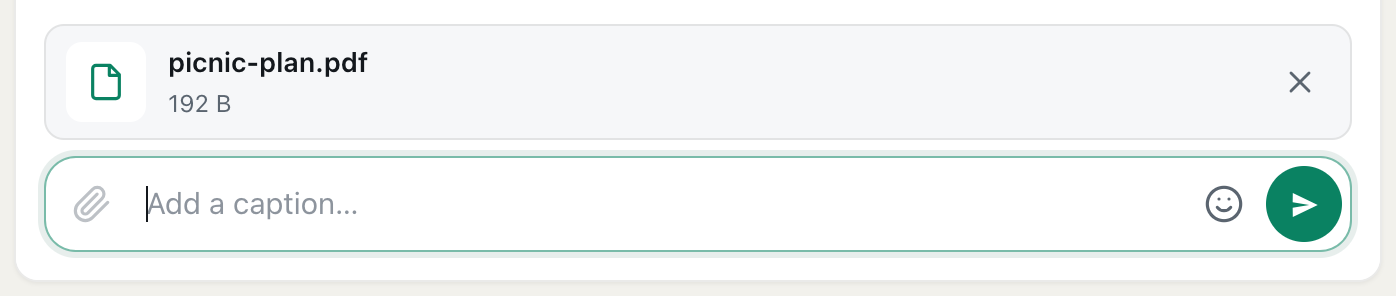
A screenshot of a document attached and ready to send. It is only uploaded when you press send.
A document in the 100 m room can be opened by anyone within 100 m who sees the message, so think of it as pinning a sheet on a noticeboard in the lobby. The help article how to send photos and documents in a chat lists every allowed format and limit.
What not to put in the 100 m room
The 100 m room is a public space in the literal sense. At the office, that means it isn't a work tool, and a few things should never go in it:
- Anything confidential. Client names, project details, figures, screenshots of internal systems. Visitors, other companies and people walking past the building are all within 100 m.
- Anything about a named colleague. Feedback, complaints and gossip belong in a private conversation, or not in writing at all.
- Security details. Door codes, which entrance doesn't lock, when the building is empty.
Messages can't be edited or deleted after sending, so if in doubt, leave it out. For a conversation with one colleague, tap their name and start a private chat. For a team, a private room lets registered users chat as a group, and keep chatting wherever they are.
Your name at work
As a guest, you appear under an automatic name like Cicada 270710, which is fine for asking whether the meeting room is free. If you'd like colleagues to recognise you, create an account and choose a name. Many people use a first name at work.
Remember that the name you pick goes with you: the same account appears in the 100 m room at home. If you'd rather keep a little distance between your work self and your neighbourhood self, a first name is a good middle ground. Nobody in either place sees your email, your coordinates or where the other place is.
In a co-working space
Co-working spaces are where the 100 m room fits most naturally. People share a building but not a company, so there's rarely a single channel everyone is in. A few ideas that work well:
- A daily "who's in": "Anyone around for lunch today?" helps members who work alone.
- Skill swaps: "Anyone good with spreadsheets? Will trade for design feedback."
- Events: talks, drinks and workshops, announced by the space or by members.
- Quiet requests: "Anyone on a call in the booth by the window? It's been 90 minutes."
If the space runs its own community, a business card on the host's CicadaChat account lets members see the space's address, website and contact details in any private chat with them.
Big buildings and business parks
In a tall tower, the 100 m room covers more than your company: a circle 100 m across from the middle of the building often includes the whole tower and its neighbours. In a sprawling business park, it may cover only part of the site. For a campus or a park, the 500 m room is often a better fit. Its label in the app is Same stadium or arena, and it reaches a whole site.
GPS is also less precise indoors, especially in the middle of a big building. If the room shows messages you'd expect to see from another floor but misses the ones from across the corridor, step closer to a window for a better location fix.
Hybrid days and flexible desks
In many offices, who's in the building changes every day. That's where a room based on distance is at its most useful: it always reaches the people who are actually there today, not the whole team list.
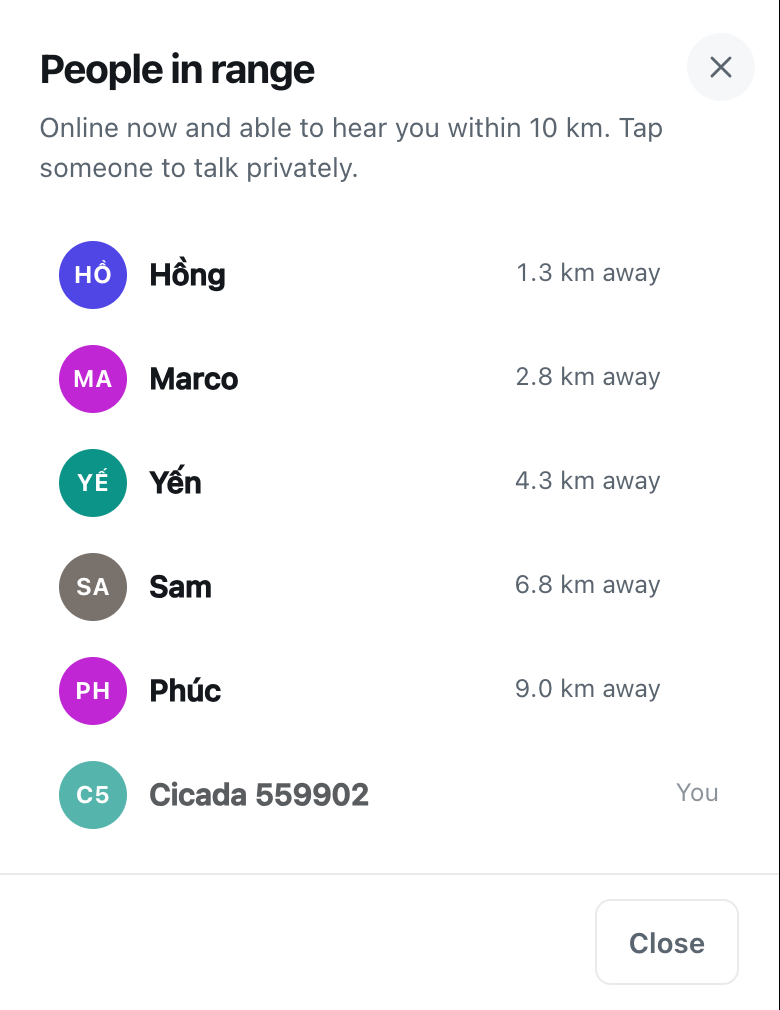
- "Anyone in today?" On a quiet Friday, the people in range count in the header shows how many people nearby have CicadaChat open. Tap it to see the list. The count includes you, so 1 person in range means you're the only one looking.
- Desk sharing: "Is anyone using the desk by the window on 4? There's a jacket on it but no laptop." The person who left the jacket is very likely within 100 m.
- Office days: a message in the morning, such as "Lunch at the noodle place at 12:30, anyone?", reaches the people who came in, not the colleagues working from home.
When you're working from home, your 100 m room is your neighbours, not your office. There's nothing to leave or mute: the office room simply isn't around you. Messages from the office are still there when you come back, since they stay at the spot they were sent from.
If your team wants a chat that works wherever everyone is, the 100 m room isn't the right tool. A private room for registered accounts is. It's an invite-only group, doesn't depend on distance, and is good for the social side of a team. For confidential work, keep using your company's own tools.
Getting started at your office
- Open cicadachat.com at your desk and allow location.
- Pick Within 100 m.
- Post something useful: a question, a notice, an offer.
- Mention it to the people you have lunch with. There's nothing to install and nothing to sign up for.
Once people know the room is there, it fills with exactly the small questions that used to go nowhere. The same idea works in libraries and study halls, which have their own etiquette: see quiet questions in the library and the study hall: the 100 m room on campus. And for how the room works in general, start with the 100 m room: chatting with the people in your building or on your block.
No comments yet. Start the conversation.