
For businesses that serve the whole town: reaching customers in the 10 km room
For businesses that deliver, travel or draw customers from across town: setting up, a business card, where to post from, answering questions and staying welcome in the 10 km room.
A café's customers mostly live within a walk of it. A bakery that delivers birthday cakes, a mobile bike mechanic, a maths tutor, a physiotherapy clinic or a wedding photographer serves a whole town. For businesses like these, the neighbourhood is too small an audience and a city-wide advert too big and too expensive. CicadaChat's 10 km room sits in between: everyone within a short ride of you, talking in one place and often asking for exactly what you do. This article is for businesses that serve the whole town, on how to set up, what to post, how to answer questions, and how to stay welcome in a room that's there for the town first.
Which businesses suit the 10 km room
The 10 km room, Within 10 km, Your town or city district, is a circle twenty kilometres across drawn around you. It suits a business when customers will travel to it, or it will travel to them:
- Delivery: bakeries, caterers, florists, restaurants and grocers that deliver across town.
- Mobile services: bike and car mechanics, cleaners, plumbers, electricians, hairdressers, dog groomers.
- Specialists: clinics, dentists, physiotherapists, vets, lawyers and accountants people cross town to see.
- Teaching: tutors, music teachers, language schools, driving instructors, sports coaches.
- Places to go: gyms, climbing walls, cinemas, event venues, markets.
- One-off services: photographers, removals, repair shops for things most neighbourhoods don't have.
If most of your customers walk in from the next street, the 1 km room is probably a better fit, and for cafés, shops and restaurants: reaching the neighbourhood in the 1 km room is written for you. Many businesses use both.
Setting up
- Create a registered account at CicadaChat. A guest account can chat, but a registered account lets you choose your name, sign in from the shop computer and your phone, and add a business card.
- Use your business's name as your full name, like Hương's Bakery or Mobile Bike Fix. It's the name shown on every message, so nobody has to guess who's talking. If you also chat as yourself, keep a separate personal account.
- Add a profile photo: your logo or shop front. It sits next to each message you send. The help article how to set your profile photo, full name and username covers both.
- Add a business card (below).
- Think about where you post from (further down). In the 10 km room it decides who hears you.
Your business card
A registered account can describe a business in Your account, under Business: Business name, Description, Address, Phone, Email, Website, and up to eight photos, the first of which is the cover. Press Save business when you're done.
The card appears whenever someone opens a private chat with you. On a computer, it sits on the right of the chat. On a phone, a shop button appears at the top of the chat, and tapping it shows the card. So when you say "tap my name for the menu" in the room, the menu, your opening hours and your delivery area are right there, without you pasting them into the room every time. The help article how to add a business card to your CicadaChat account goes through each field.
A good description for a town-wide business says what you do, where you go and when: "Birthday and wedding cakes, delivered anywhere within about 8 km. Order by 6pm for next day. Closed Mondays."
Where you post from decides who hears you
A message from the 10 km room reaches 10 km around the spot where it was sent, to everyone listening in the 10 km or 50 km room. If your shop is on the edge of town and you post from there, half your circle is fields, or the next town. If you deliver anywhere in the city, posting from somewhere central reaches more of the people you serve.
There's also the question of who's listening. A message in the 10 km room reaches people 5 km away only if they're in the 10 km room or wider. People who sit in their 1 km room hear only what's said within a kilometre of them. That's why the 10 km room is a place for conversations with the people who are looking across town, not a way to broadcast to every neighbourhood.
People see how far away you were when you posted, rounded to the nearest 250 m, like 4.8 km away. They never see your coordinates. If your business has a public address, put it on your card. If you work from home, leave the address out: your distance on its own doesn't reveal where you are.
Answering is better than advertising
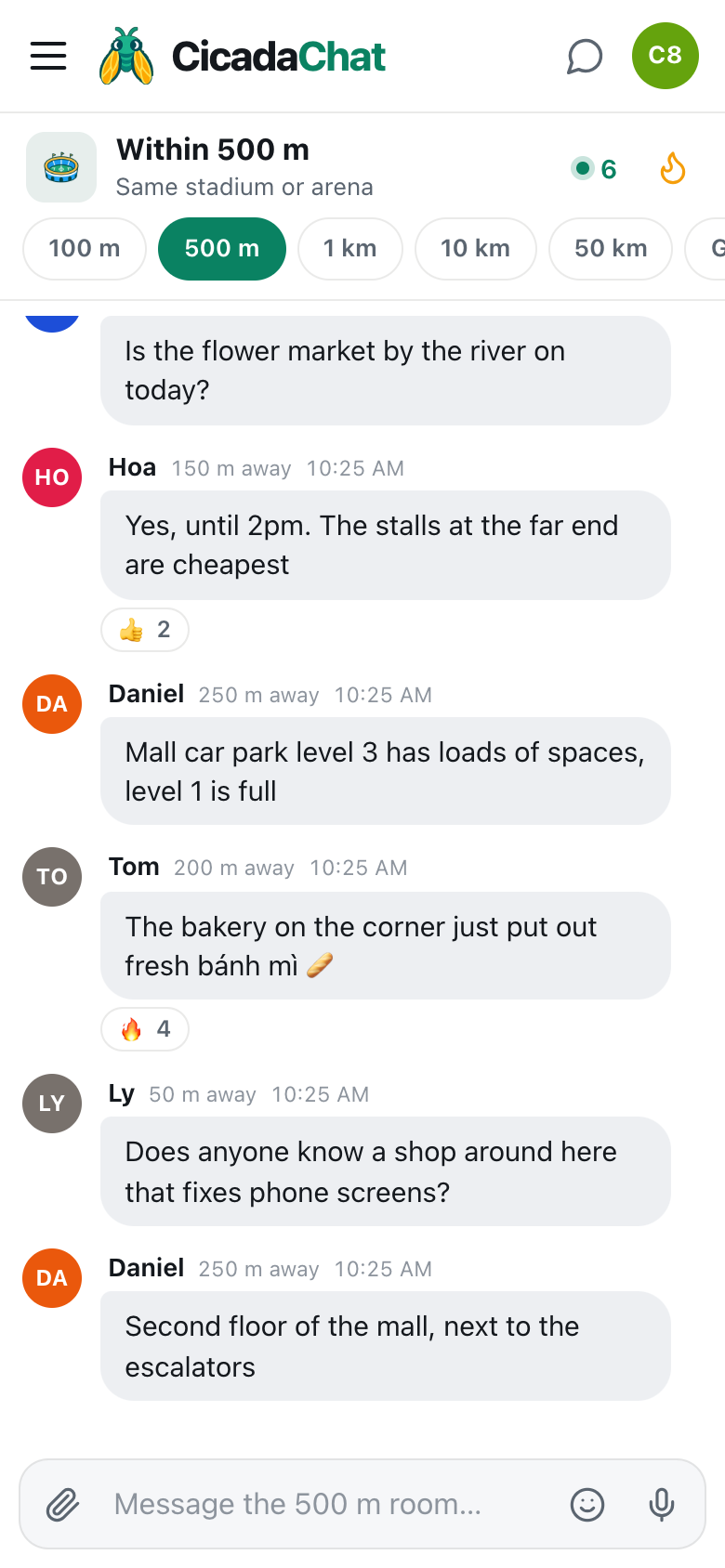
The single best way to use the 10 km room is to answer questions. People ask for exactly what they need, in their own words, every day:
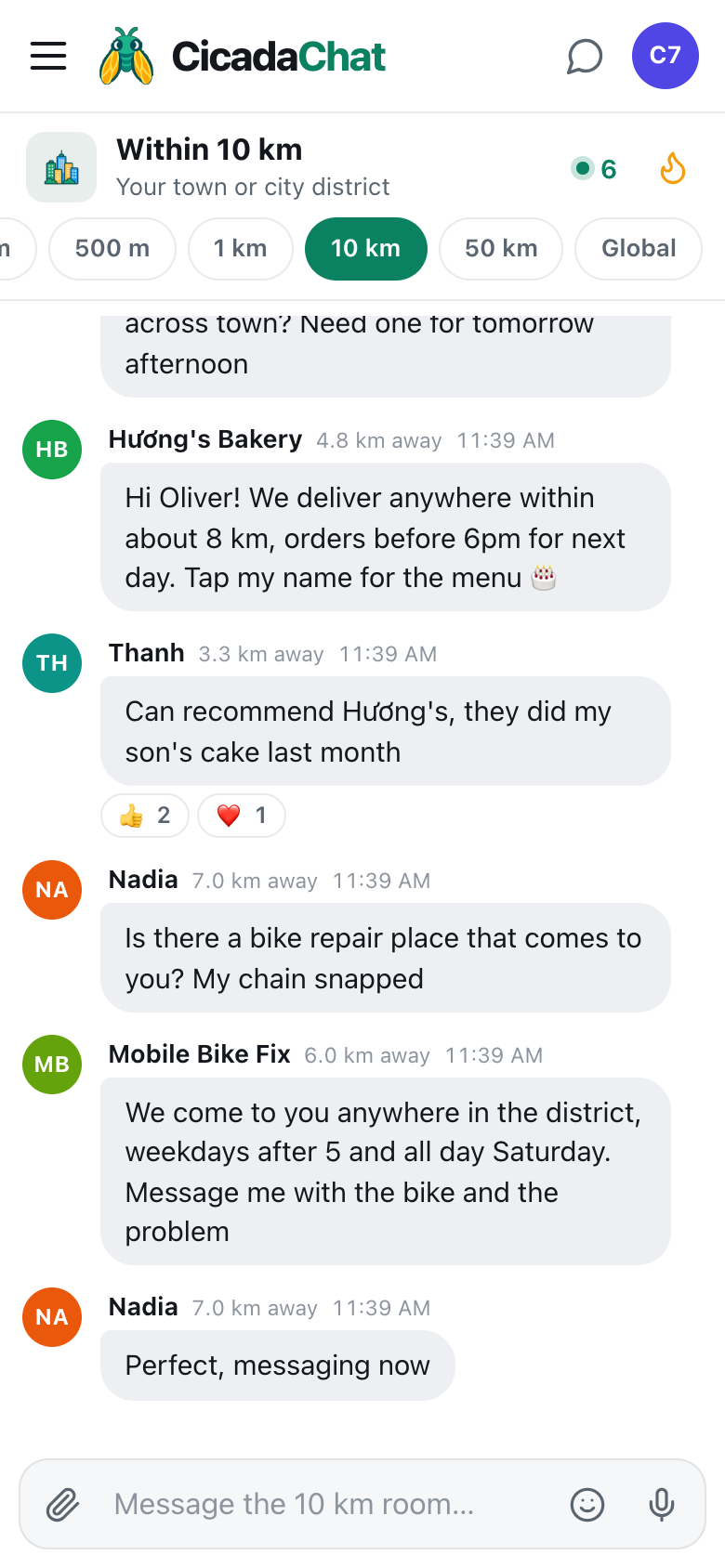
A screenshot of businesses answering questions in the 10 km room. Hương's Bakery replies to a cake request and gets a recommendation from a past customer, and Mobile Bike Fix answers a snapped chain.
"Does any bakery deliver birthday cakes across town?" is a customer telling you what they want and when. A helpful, specific answer, like "We deliver anywhere within about 8 km, orders before 6pm for next day. Tap my name for the menu 🎂", is useful to them, and to everyone else reading who'll need a cake one day. When a past customer adds "Can recommend Hương's, they did my son's cake last month", that's worth more than anything you could write yourself, and the 👍 it gets puts both into the room's Hot view for the week.
Some tips for answering:
- Answer the question that was asked. Price, area and timing, not your whole history.
- Say you're the business. "Hi, we're the bakery" is honest, and people appreciate it.
- Recommend others when you can't help. If you don't deliver that far, say who does. It builds more trust than any advert.
- Move details to a private chat. Addresses, phone numbers, orders and payments belong there, not in the room.
What to post, and how often
Beyond answering, the room welcomes the occasional post that's genuinely useful to the town:
- News: "Now delivering to the east side", "Open all day Saturday this month".
- Timely offers: "Half price on today's bread after 6" or "Two last-minute slots for Sunday portraits".
- Things people can join: a free class, an open day, a tasting.
- Useful information: "The pool is closed until Friday for cleaning" from the sports centre helps everyone.
Once or twice a week is plenty. The same advert every day turns a helpful business into noise, and people will stop reading your name. CicadaChat also limits how quickly anyone can send messages. Post too fast and you'll see You are sending messages too quickly.
Photos
A photo of a cake, a repaired bike or your studio sells better than a description. Attach one with the paperclip button. Photos are resized and re-encoded on the sender's device, which also strips hidden location data. Don't post photos of customers, or of their homes, without asking, and keep receipts, addresses and phone numbers out of the frame.
Handling private chats well
Every "tap my name" becomes a private chat. Only you and the customer can read it, and neither of you sees the other's distance. A few habits make them go well:
- Reply quickly, or say when you'll be back. Private chats show up in the sidebar under Private chats, with unread ones marked.
- Keep your card up to date, so customers can answer their own questions while they wait.
- Confirm the details in writing: the order, the price, the time and where. It saves arguments later.
- Never ask for passwords or payment details in a chat. Use your normal payment method, and never ask customers to send card numbers.
Knowing whether it works
You don't need analytics to see whether the 10 km room is working for your business. Ask new customers how they heard of you, and count the private chats that start with "saw you in the room". Watch the reactions on your answers: a 👍 from a stranger means your reply was useful to someone other than the person who asked. And look at the room's Hot view now and then. If a customer's recommendation of you is in it, that's the best advert you'll get all week. If after a few weeks nothing is happening, try answering more and posting less, or try posting from a different spot, closer to the people you serve.
Being a good citizen of the room
The 10 km room belongs to the town, and businesses are welcome in it the way a friendly shopkeeper is welcome in a conversation: when they help. Some things to avoid:
- Pretending to be a customer. Recommending yourself under another name is easy to spot and hard to recover from.
- Arguing with complaints in public. Apologise, move it to a private chat and sort it out. Everyone reading will notice how you handled it.
- Replying to every message. Answer when your business is the answer.
- Posting outside your area. If you only deliver to the north side, say so.
Regular customers
Over time, some customers become regulars. With registered accounts on both sides, you can add each other as friends, which lets them see when you're online, but never where. For a group of regulars, like a class or a club you run, a private room keeps everyone in one place wherever they are. Only the room's owner can add people, and only their friends, so it stays for the people who chose to be there.
No comments yet. Start the conversation.