
How CicadaChat rooms work: chatting with people by distance
A CicadaChat room isn't a place you join. It's a circle drawn around you. Here's how that decides who reads your messages, what you see and what others learn about you.
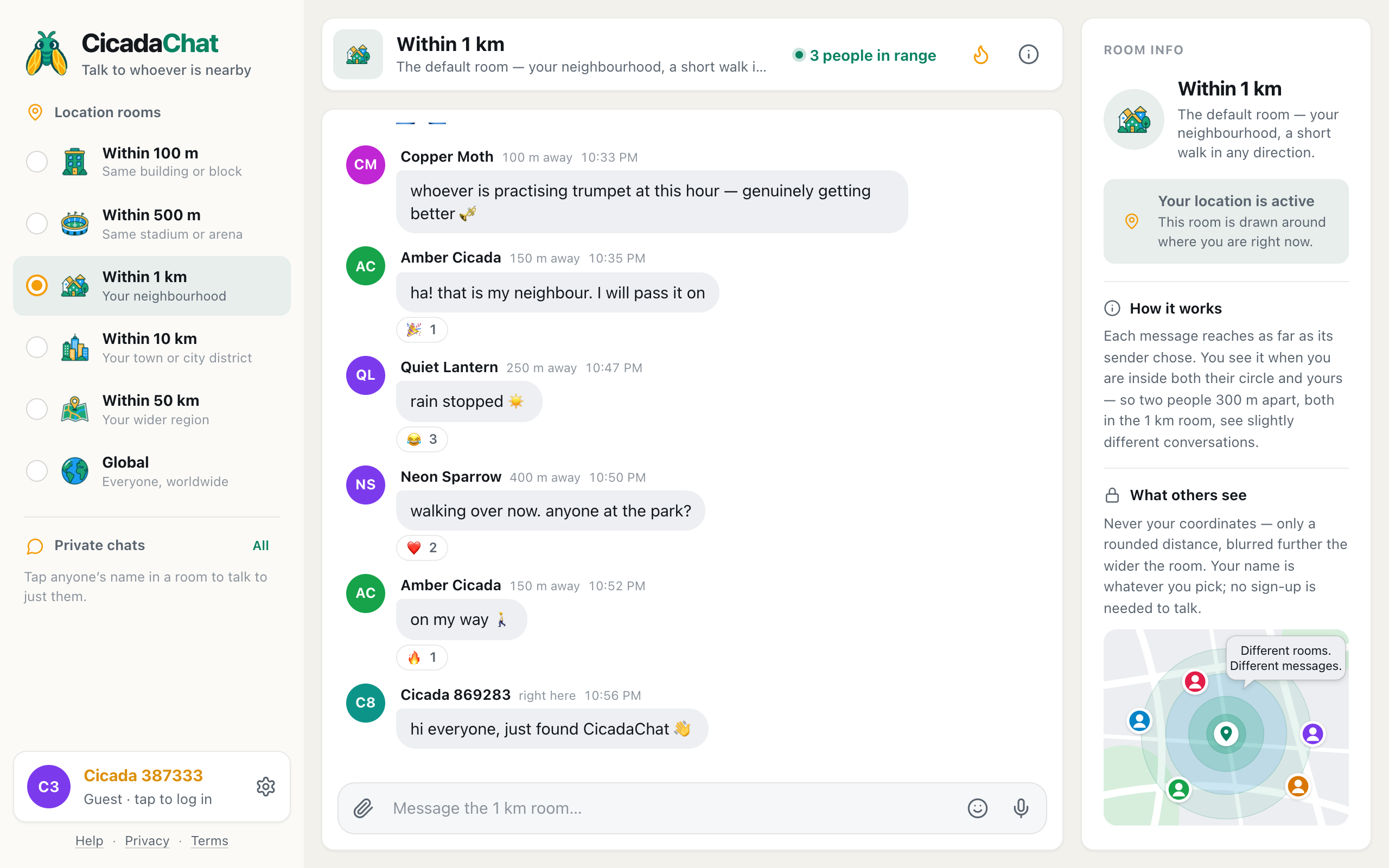
In most chat apps a room is a place: it has a name, a member list and a join button. CicadaChat rooms work differently. A room is a circle drawn around you, and it holds whoever happens to be inside it. This article explains how CicadaChat rooms work, so you can chat with people by distance and know exactly who will read what you write. Once the idea clicks, everything else in the app makes sense.
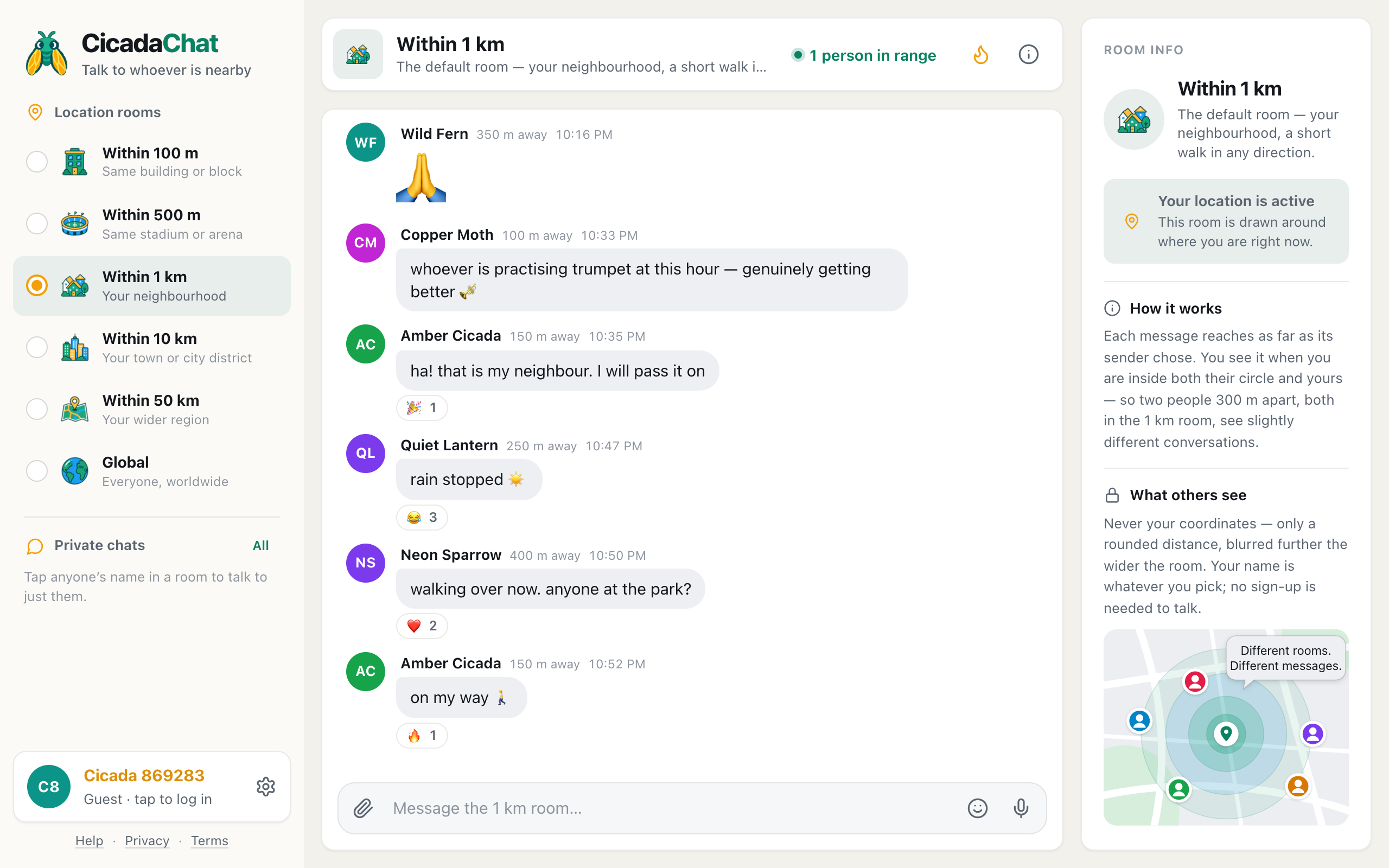
A screenshot of the Within 1 km room. Each name has a rounded distance next to it, measured from you.
A room is a circle around you, not a place you join
CicadaChat has no list of rooms to browse, no room names to search and nothing to join. It has six sizes of circle: Within 100 m, Within 500 m, Within 1 km, Within 10 km, Within 50 km and Global. When you pick Within 1 km, you're not walking into a room that exists somewhere. You're telling the app to draw a circle with a 1 km radius around the spot where you're standing and show you the conversation inside it.
That has a consequence people don't expect at first: your 1 km room and your neighbour's 1 km room are not the same room. If you live three streets apart, your circles overlap a lot, but not completely. Each of you sits at the centre of your own circle, so each of you sees a slightly different conversation. The Room info panel says it in one line: This room is drawn around where you are right now.
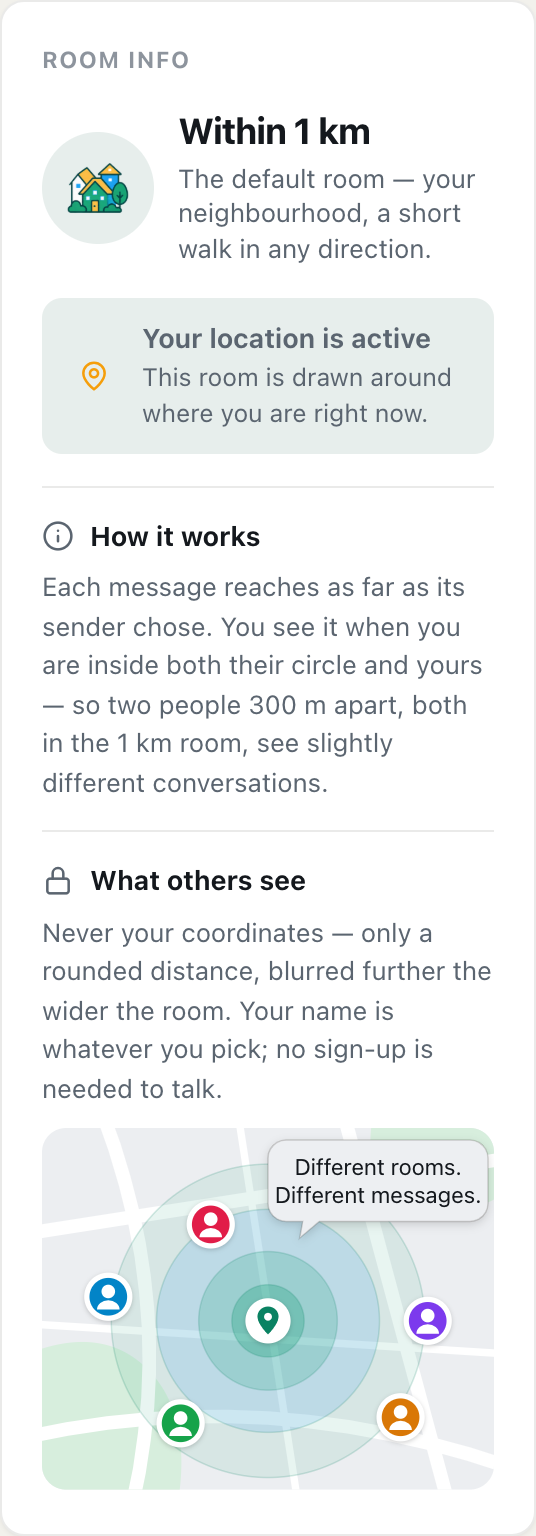
A screenshot of Room info. It says whether your location is active and how this room decides what you see.
You'll find Room info on the right of the screen on a computer. On a phone, tap the room's name or picture at the top of the screen. It's worth reading once, because it describes the room you're in right now: whether your location is active, how the room decides what you see, and what other people see about you.
How CicadaChat rooms work when you send a message
Every message you send carries two things: the point you sent it from, and how far it may reach. The reach is simply the size of the room you were in when you sent it. Send from Within 500 m and your message reaches 500 m. Send from Within 10 km and it reaches 10 km.
Someone else sees your message when both of these are true:
- They're inside your reach. A message sent from the 500 m room is never shown to someone 600 m away.
- You're inside their room. Someone reading the 100 m room only sees messages sent within 100 m of them, however far those messages were allowed to reach.
Put another way, a message is shown when the distance between you is no more than the smaller of the two circles: the sender's and the reader's. Two results follow from that rule, and they're the two things to remember.
You can't shout further than your room
The room you pick is also how far your voice carries. There's no separate setting for it. If you want only your building to hear you, switch to Within 100 m before you write. The message box reminds you, because its placeholder always names the room: Message the 100 m room….
A smaller room is a quieter room
Picking a smaller room doesn't only narrow who hears you. It also narrows what you hear. In the 100 m room you see only what was sent within 100 m of you. That includes messages people sent to wider rooms, as long as they were sent close by.
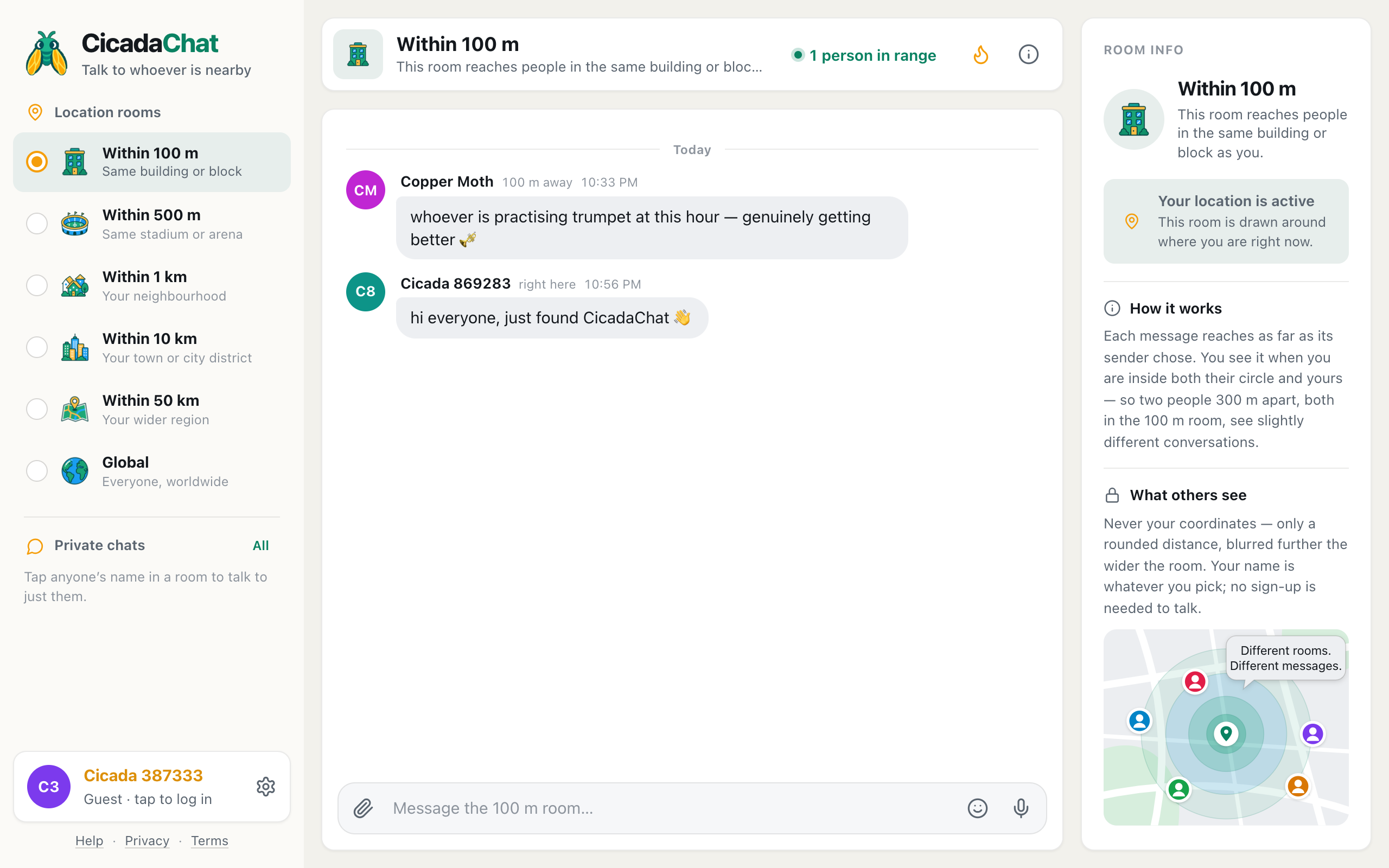
A screenshot of the 100 m room. Only messages sent within 100 m appear, even ones sent to wider rooms.
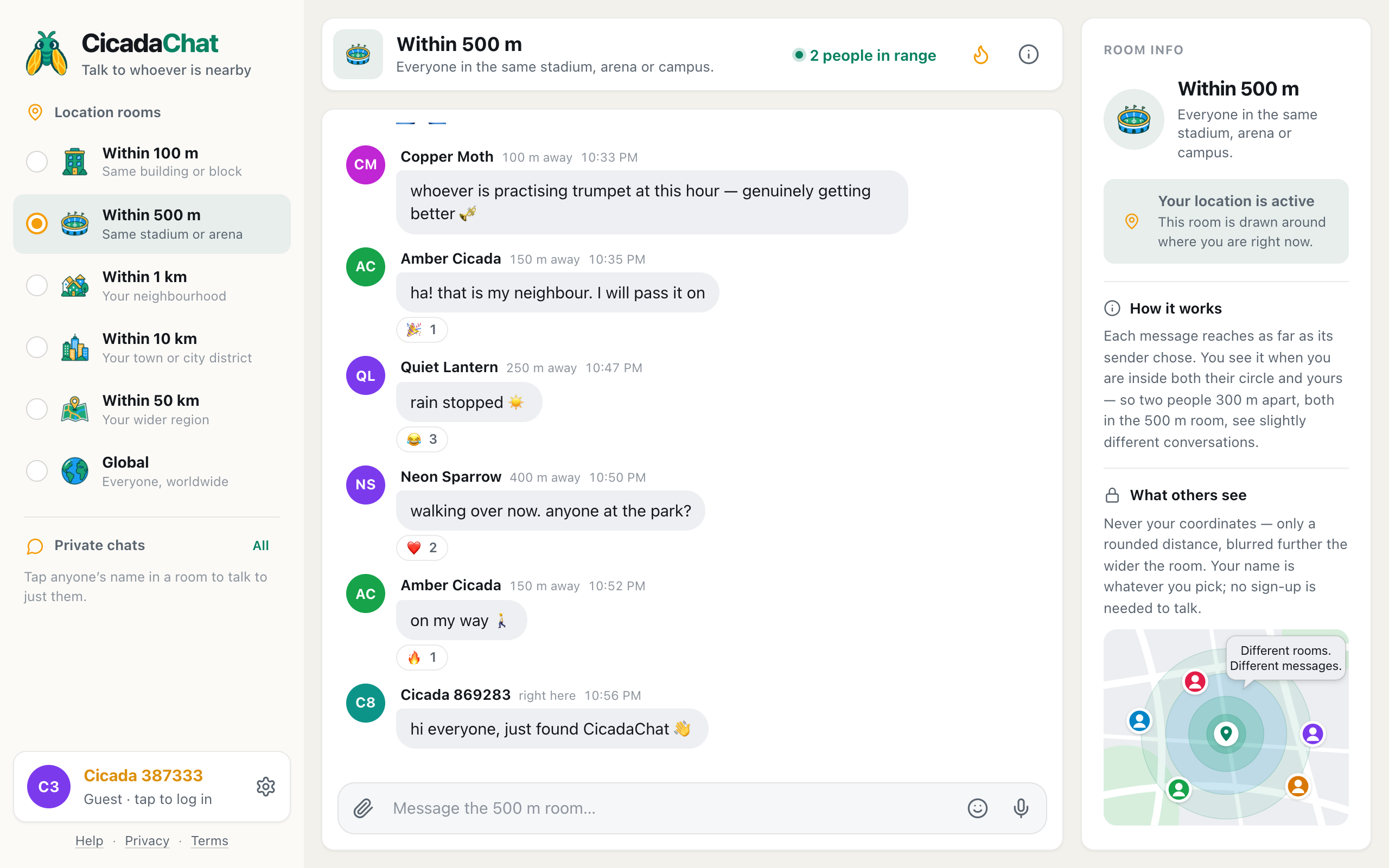
In the picture above, the reader is in the 100 m room. Copper Moth sent the first message to the 500 m room from about 100 m away. The second was sent to the 1 km room by someone standing right next to the reader. Both appear, because both were sent inside the reader's 100 m circle and both were allowed to reach that far. Messages sent from 300 or 600 m away, which the same reader would see in the 1 km room, are left out.
So each room is a trade. Wider rooms are busier, with more people and more messages. Narrower rooms are quieter, with fewer messages from people who are really close. The CicadaChat Help article Choosing a room: 100 m, 500 m, 1 km, 10 km, 50 km or Global goes through each size in turn, and Why two people in the same room can see different messages works through the rule with real examples.
What you see when you open a room
A room shows two kinds of message: its history and whatever arrives while you're reading.
- History is every earlier message that passes the rule above, measured from where you are now. The newest are at the bottom. Scroll up and older ones load in pages, so a busy room never skips or repeats messages while new ones keep arriving.
- Live messages arrive the moment they're sent, if they reach you. There's nothing to refresh.
Because history is worked out from where you are now, it moves with you. Open CicadaChat at home and you read your neighbourhood's conversation. Open it across town and you read that neighbourhood's conversation, including what people there said before you arrived. The point each message was sent from never changes, so a message sent from the corner shop is always "from the corner shop", and its distance is measured from there to you.
While the app is open, your position keeps updating in the background. It's sent again each time you've moved about 25 m or more, so walking down a street slowly shifts your circle along with you: new people come into range, others drop out, and new messages reach you according to where you are now. The history already on your screen stays as it is until the room loads again, when you switch rooms or reopen the app.
Distances instead of locations
Next to each name you see a distance, not a place: right here, 150 m away, 2.5 km away. That distance is measured from you to the point the message was sent from. It's the only thing anyone learns about where a message came from.
The distance is rounded on CicadaChat's server before it reaches anyone's screen, and the wider the room, the rougher it gets:
| Room | Distances rounded to the nearest |
|---|---|
| Within 100 m | 10 m |
| Within 500 m and Within 1 km | 25 m |
| Within 10 km | 250 m |
| Within 50 km | 1 km |
The app then shows it in words: right here for anything under 50 m, the nearest 50 m up to a kilometre (350 m away), one decimal place up to 10 km (7.4 km away) and whole kilometres beyond. So a neighbour 120 m away shows as 150 m away in the 500 m room but right here in the 10 km room, where 120 m rounds to nothing.
Why go to this trouble? Because a stream of precise distances, collected over time from different places, could be used to work out where someone is. Rounded distances can't. Your coordinates are never sent to anyone. The point stored with each message is used only to measure distances and is never shown. The one exception is when you choose to share a location in a message, and CicadaChat warns you before you do.
Global: the room with no circle
Global is the one room that isn't a circle. It's a single room for everyone on CicadaChat, wherever they are, and it needs no location at all.
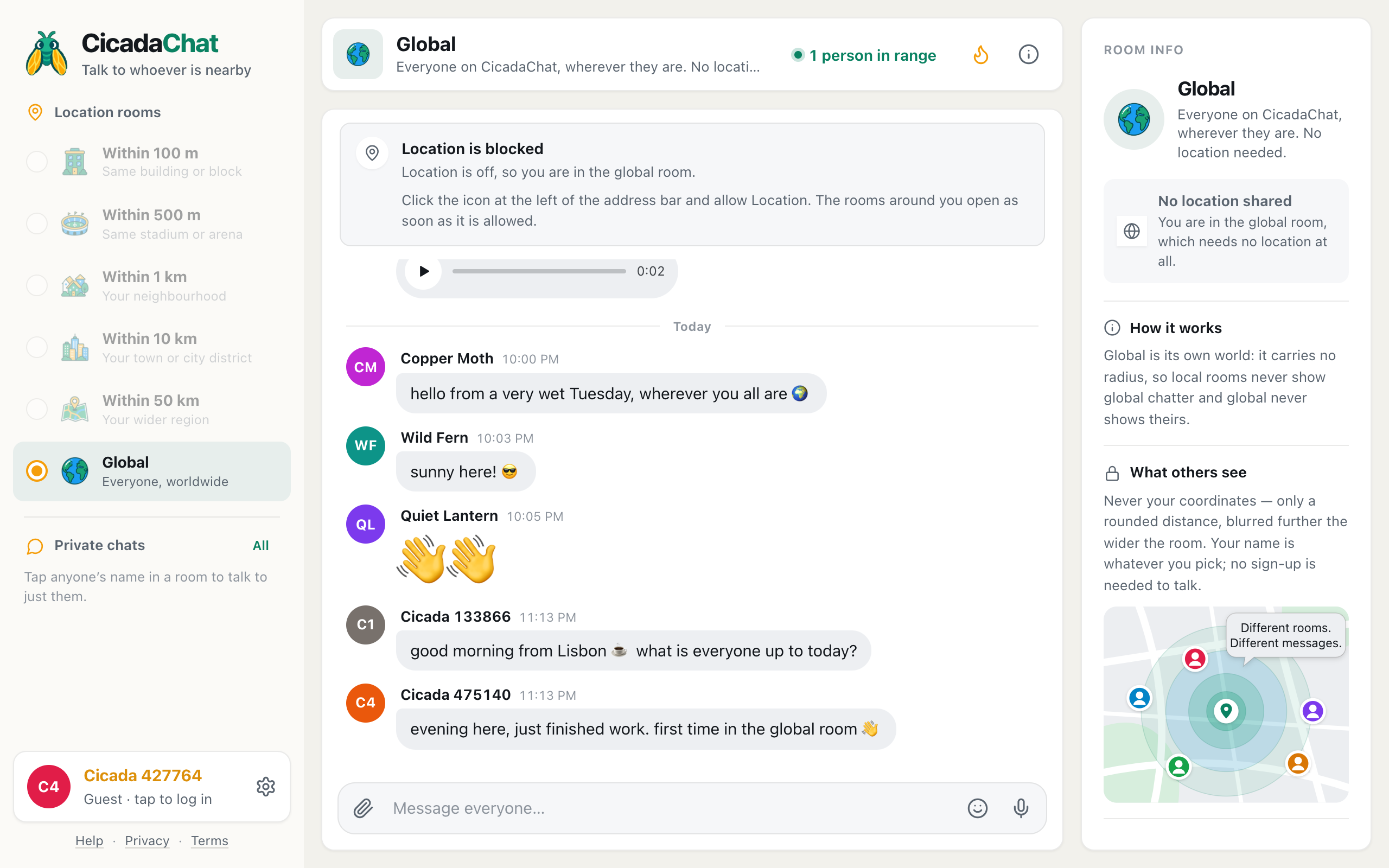
A screenshot of the Global room, reached here without sharing a location. Messages show no distance.
Global is kept completely separate from the local rooms. Messages sent in Global have no reach and no sending point, so they're only ever shown in Global. Messages sent in a local room never appear there. You won't see distances in Global either, since there's nothing to measure from. If you decline the location prompt, or your device can't find you, CicadaChat puts you here, and it's a complete room in its own right rather than a waiting area.
Why rooms work this way
The circle model can seem strange at first, but it solves problems that fixed rooms can't:
- There's always a room where you are. Nobody has to create a room for your street, and nobody has to find it. Arrive anywhere, open the app, and your room is already there.
- No border cuts a street in half. With rooms tied to areas on a map, two people standing on either side of a boundary would be in different rooms. With circles, everyone is at the centre of their own room, so the person across the road is always as close to you as they really are.
- You choose your audience every time you speak. The same app works for a question to your building, a chat about a match with the whole stadium, or news for the whole city. You only change the size of the circle.
- Your location stays yours. Rooms need to know where you are, but other people only ever learn a rounded distance.
Common questions about rooms
Can I open a room somewhere I'm not?
No. Rooms are always drawn around your device's position. There's no map to pick another spot on, which is what keeps local rooms local: the people you meet in the 1 km room really are nearby.
Does CicadaChat remember my room?
It remembers which size you picked, on this device. Next time you open the app you land in the same size of room, drawn around wherever you are then.
Is there a member list?
Not in the usual sense, because a circle has no members. The people in range button in the header shows everyone who is online right now and would see a message if you sent one. The count includes you, so 1 person in range means you're the only one online in range at the moment.
Why is a room greyed out?
The five local rooms need your location. Until you share it, they're greyed out and only Global is open. Settings shows your location status and, where your browser can still ask, a Share my location button. See how to turn on location for CicadaChat.
Can I talk to one person instead of the whole room?
Yes. Tap anyone's name to open a private chat. Private chats aren't circles at all: once started, they carry on however far apart you move.
No comments yet. Start the conversation.