
100 m, 500 m or 1 km? How to tell when the 500 m room is the right size
Three rooms, three sizes. How to judge a place by its size, when the 500 m room is the right choice, and what happens to your messages when you switch.
CicadaChat gives you six rooms, and three of them are close together: 100 m, 500 m and 1 km. Pick too small a room and you're talking to three people in your stand. Pick too big a room and your "which gate is quickest?" lands on people who aren't even at the match. This article is about choosing the right size, and in particular about when the 500 m room is the right room: what each of the three reaches, how to judge a place by its size, and what happens to your messages when you switch.
The three small rooms side by side
Every CicadaChat room is a circle around you. The three smallest are:
| Room | Room list label | Circle across | Typically reaches |
|---|---|---|---|
| 100 m | Same building or block | 200 m | Your building, the block, a small venue |
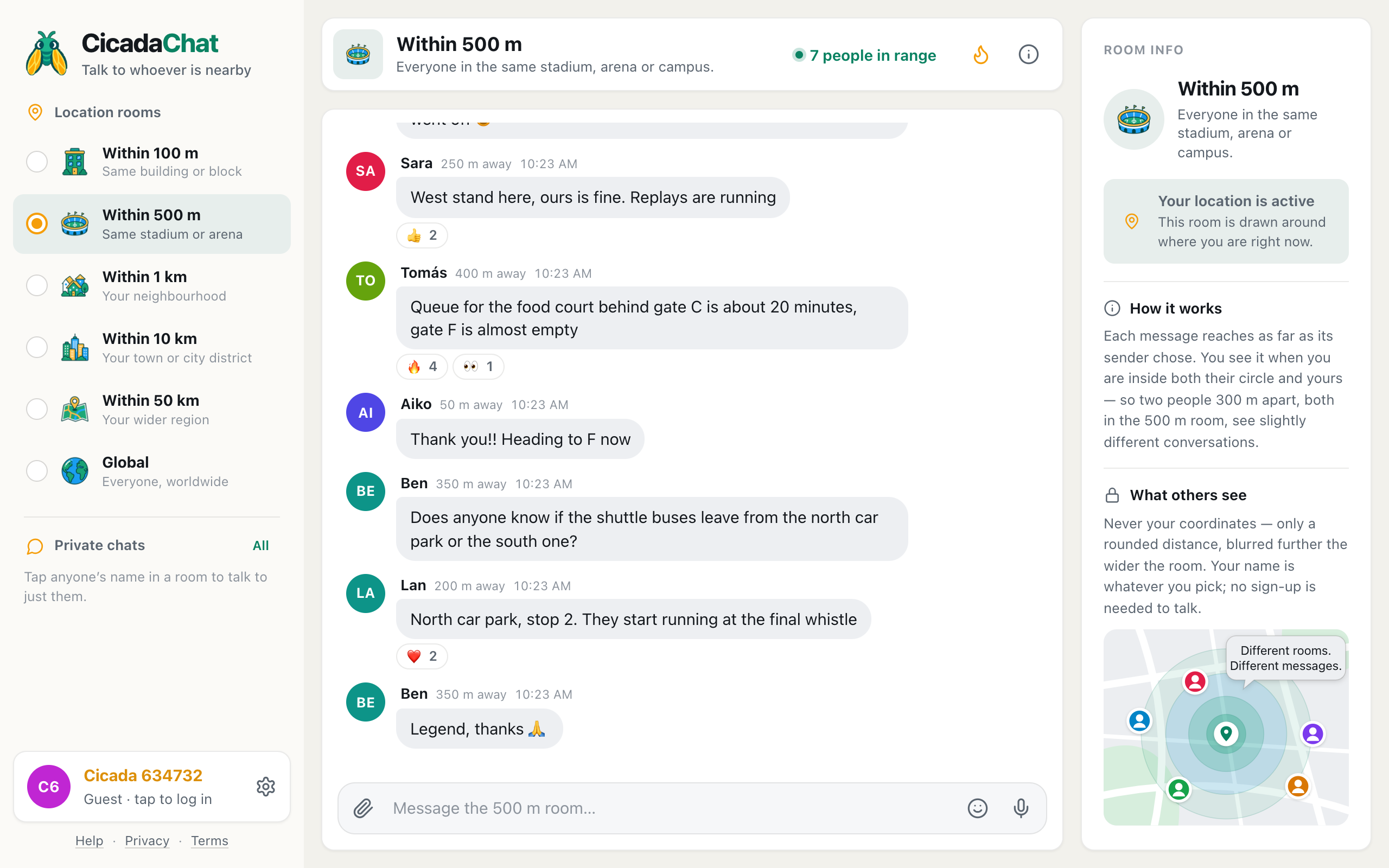
| 500 m | Same stadium or arena | 1 km | A stadium, an arena, a campus, a festival site |
| 1 km | Your neighbourhood | 2 km | A neighbourhood, a short walk in any direction |
The step from one to the next is bigger than it looks. The 500 m circle has 25 times the area of the 100 m circle, and the 1 km circle has four times the area of the 500 m one. In a busy city, that can mean a handful of people, then hundreds, then thousands.
Above them are 10 km (your town or city district), 50 km (your wider region) and Global (everyone on CicadaChat, with no location needed). This article sticks to the three small ones, because that's where the choice is hardest.
Why the size of the room matters
Your room decides two things at once: how far your messages reach, and how far you listen. A message you send from the 500 m room reaches people up to 500 m away, and nobody further. And in the 500 m room, you see messages sent within 500 m of you, and nothing further, however big a room their sender was in.
So the room is a trade. A smaller room is quieter and more local: everything in it is about the place you're standing in. A bigger room is busier and reaches more people, but more of what you read is about somewhere else. The right size is the smallest room that still holds everyone you want to talk to.
A quick way to tell if the 500 m room fits a place
Think of the room as a circle with you in the middle, and ask how far the place you care about stretches from where you stand.
- Everything I care about is within a two-minute walk. One building, one block, one bar. That's the 100 m room.
- It's a big place, but I could walk to the far side in five or six minutes. A stadium, a campus, a festival field, a shopping centre with its car park. That's the 500 m room.
- I care about the whole area around me, streets included. The neighbourhood, the local shops and the people who live here. That's the 1 km room.
A person walks about 80 m a minute, so 500 m is roughly six minutes' walk. If you can reach the edge of the place you're in within six minutes of where you're standing, the 500 m room covers it.
Place by place
A football stadium
A big stadium is 250 to 300 m across, with its car parks and concourses stretching a bit further. From a seat anywhere in the ground, the 500 m room covers the whole stadium and the approaches. The 100 m room covers your stand and maybe the one beside it: good for "is the kiosk behind block 114 open?", but you'd miss the rest of the crowd. The 1 km room adds the streets, bars and flats around the ground, full of people who aren't at the match.
Choose 500 m. Drop to 100 m when you only care about your corner, or when the big room gets too busy to follow.
An indoor arena
An arena is smaller than a stadium, often 150 to 200 m across. The 100 m room can nearly cover it if you're in the middle, but not from the far end of the floor or the top tier. The 500 m room covers the arena, the entrance plaza and the station or car park outside, which is where a lot of the questions are before and after the show.
Choose 500 m. For a small gig in a pub or a club, 100 m is better. The 100 m article the 100 m room: chatting with the people in your building or on your block covers when the smallest room fits.
A university campus
Campuses vary more than stadiums. A compact city campus might be 500 m end to end; a big out-of-town one might be two or three kilometres. From the middle of a compact campus, the 500 m room covers the library, the lecture halls, the student union and the halls next door. On a sprawling campus, it covers your part of it, which is often what you want anyway: the engineering end and the arts end have different questions.
Choose 500 m, and move up to 1 km if your campus is big and you want all of it.
A festival or a fair
A small festival site fits the 500 m room comfortably. A very large one, with several stages and a campsite, can be a kilometre or two across. From the middle, the 500 m room covers the arena and the main stages. From the campsite, it covers the campsite.
Choose 500 m, or 1 km on a very big site.
A shopping centre, a big park, a beach
All roughly 500 m scale. Choose 500 m when you want the whole place, and 100 m when you only care about the part you're in.
Your neighbourhood on an ordinary day
At home on a Tuesday evening, there's no crowd. The 500 m room is a few streets around you, and may be quiet. The 1 km room, CicadaChat's default, is the better place to start. Choose 1 km.
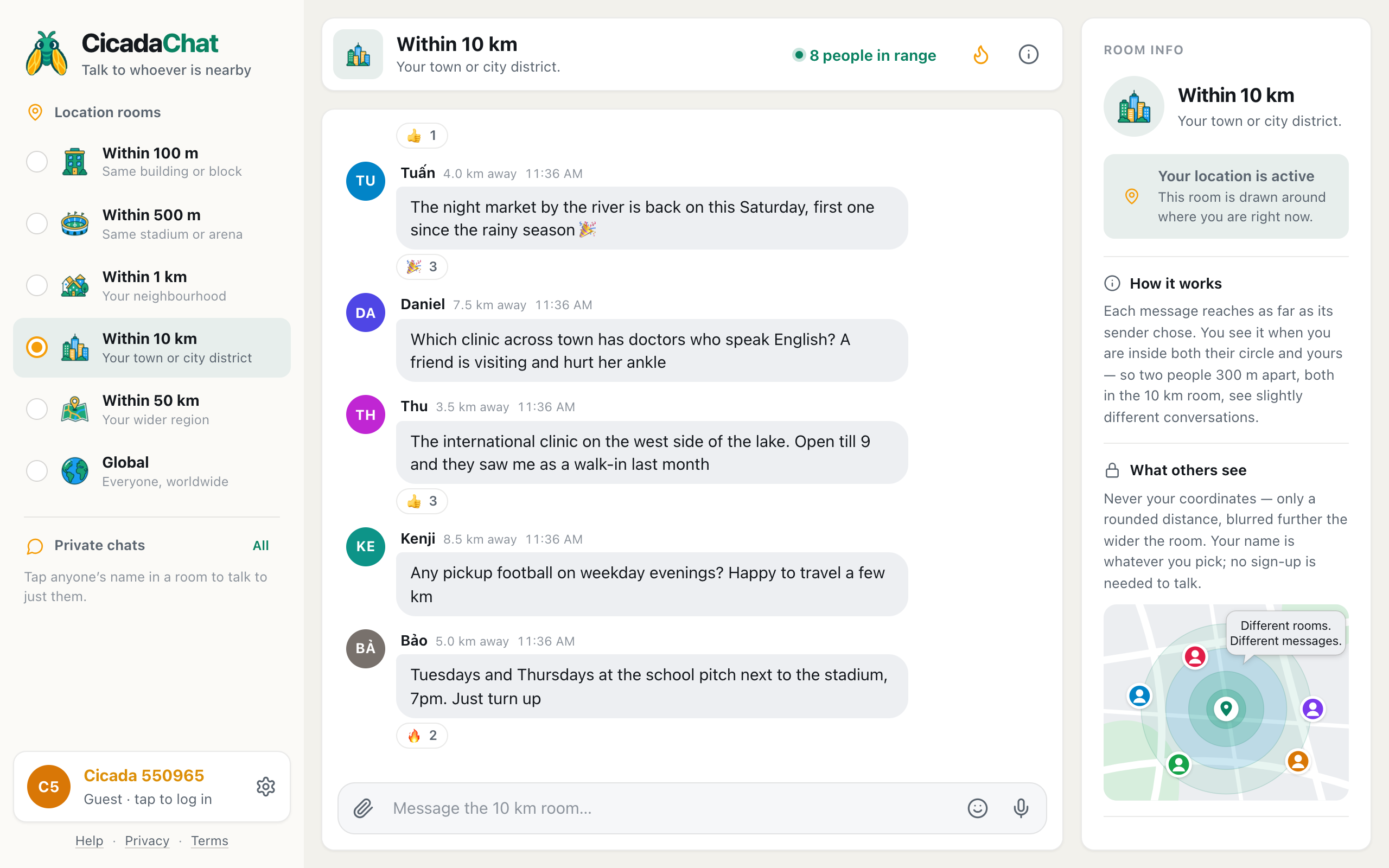
A screenshot of the room list on a computer. Each room has a picture and a line saying who it reaches; the 500 m room is Same stadium or arena.
How to switch rooms
- On a phone, tap a room in the row of tabs under the header: 100 m, 500 m, 1 km and so on. Swipe the row sideways to reach Global.
- On a computer, click a room in the Location rooms list on the left.
- Watch the header. It shows the room's name, a line about who it reaches, and how many people in range are online.
Switching is instant and costs nothing, so try a room, look at the conversation and the number in the header, and move up or down a rung until it feels right.
What happens to your messages when you switch
A message keeps the room its sender was in when they sent it. If you send "gate D is quick" from the 500 m room, then switch to the 100 m room, your message still reaches 500 m around the spot where you sent it. Switching changes what you hear and where your next message goes, not what you've already said.
What you see changes, though. Say you switch from 500 m to 100 m. Messages from 300 m away disappear from your view, because you're now listening only 100 m around you. Switch back, and they return. Nothing is deleted. You've just changed the size of the circle you're looking through.
Messages from bigger rooms can appear in smaller ones, too. Someone 80 m away who posted in the 1 km room shows up in your 100 m room, because 80 m is inside both circles. Someone 300 m away in the 1 km room shows up in your 500 m room but not your 100 m one. The help article why two people in the same room can see different messages has more worked examples.
The number in the header is your guide
The people in range count is the best quick test of a room. It counts the people online right now who would hear you if you spoke.
- A handful in the 500 m room, and you want a conversation? Move up to 1 km.
- Hundreds, and the messages are flying past too fast to read? Move down to 100 m, or open Hot, the flame button, to see the messages people reacted to most this week.
- The number looks right, but the messages are about somewhere else? Move down a rung.
Tap the count to see who's there, nearest first, with rounded distances.
Common questions
Can I be in two rooms at once?
No. You're in one room at a time. But because smaller rooms see messages from bigger ones when the sender is close enough, being in the 500 m room doesn't cut you off from people nearby who chose 1 km.
Is the 500 m room the same for everyone in the stadium?
Nearly, but not exactly. Each person's circle is centred on them. Someone at the north end and someone at the south end, 300 m apart, share most of their circle but not all of it. For a whole stadium, the difference is usually a few messages from the streets at either end.
Why can't I pick 500 m at all?
The local rooms need your location. If CicadaChat doesn't have it, only Global is available. Allow location for the site in your browser, and the other rooms unlock.
Does a bigger room show my location more precisely?
No. In the 100 m and 500 m rooms alike, others see a distance rounded to the nearest 50 m, or right here under 50 m. In the wider rooms, from 10 km up, distances are blurred further. Nobody ever sees your coordinates, in any room.
The short version
Use the 100 m room for a building, 500 m for a stadium, arena or campus, and 1 km for your neighbourhood. The 500 m room is the one for places where a crowd gathers: big enough to reach everyone there, small enough to leave everyone else out. For a fuller tour of the 500 m room itself, read the 500 m room: chatting with everyone in the same stadium, arena or campus.
No comments yet. Start the conversation.