
From the stands to a private room: keeping in touch with the crowd you met
Met great people in the 500 m room at a match or festival? How to keep in touch: private chats, friends, and a private room for your group that works from anywhere.
You spent ninety minutes swapping messages with the people in your block. You shared the groans, the goal and the tip about the quiet tram stop. Then the match ends, everyone goes home, and the 500 m room around the stadium empties. The next time you're there, will you find them again? With CicadaChat, you can. This article is about keeping in touch with the people you meet in the 500 m room, at a stadium, an arena, a festival or on campus: moving from the public room to private chats, adding friends, and creating a private room for your group that works from anywhere.
Why the 500 m room is a good place to meet people
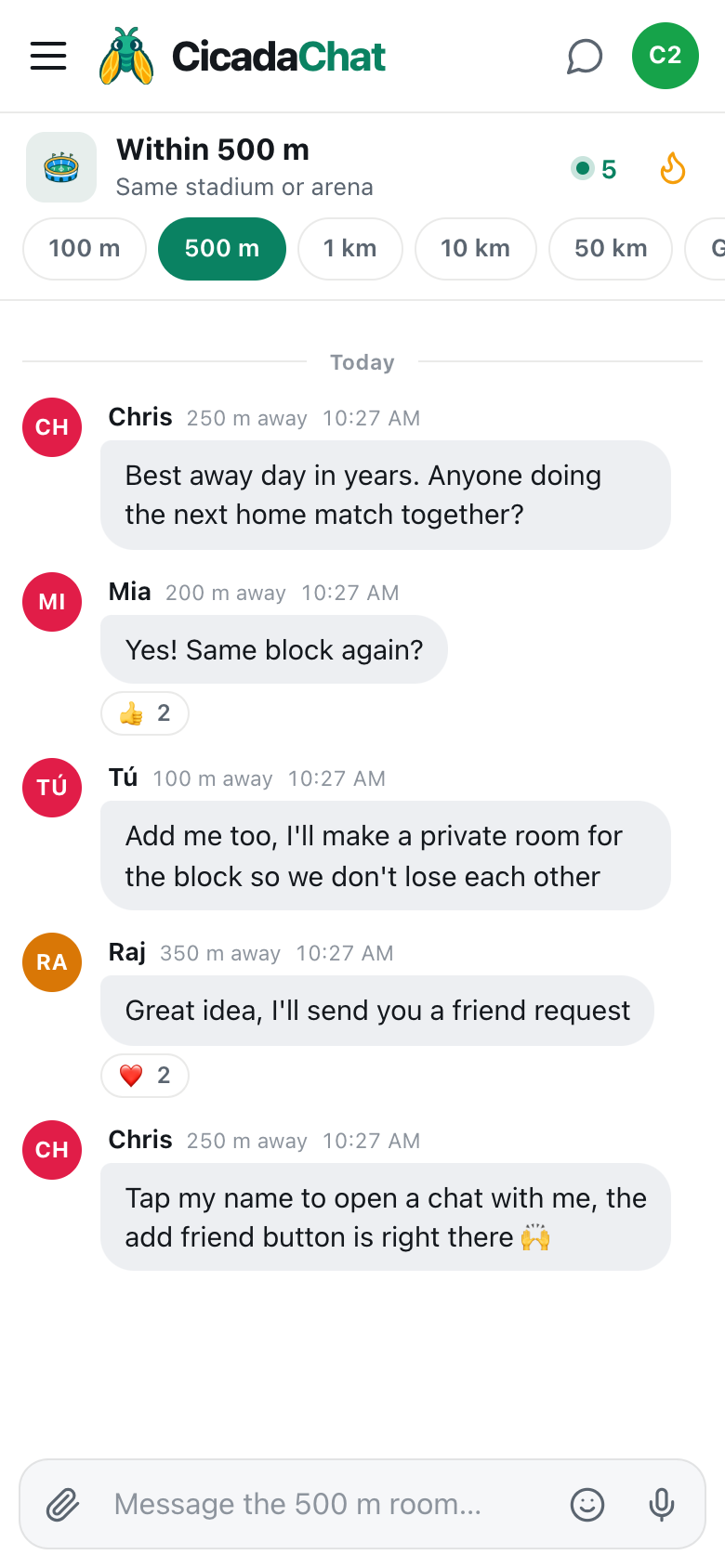
The 500 m room reaches everyone within 500 m of you, and at a big event that means everyone at the same match, the same show or the same festival. You already have something in common with every one of them. That makes the first message easy: "Best away day in years. Anyone doing the next home match together?"
But the room is a circle around wherever you are. When the event ends and everyone disperses, the circle that held all of you together is gone. You need something that doesn't depend on being in the same place. CicadaChat has three things for that, each a step further than the last:
- Private chats: one-to-one conversations, available to everyone, guests included.
- Friends: a mutual connection between two registered accounts, which shows when the other is online.
- Private rooms: invite-only group chats for friends, which work from anywhere.
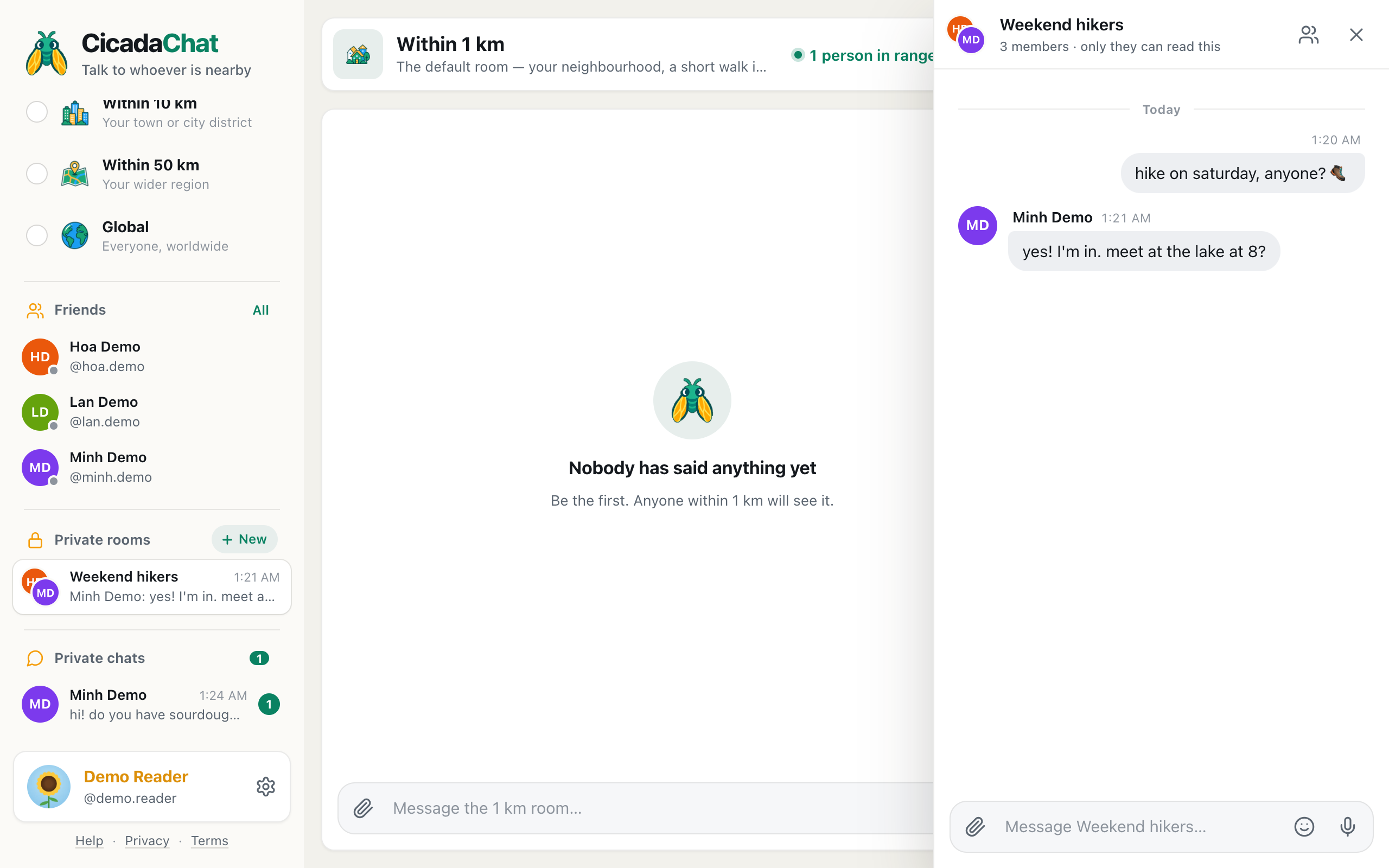
A screenshot of the 500 m room after a match. People from the same block agree to keep in touch in a private room.
Step one: a private chat
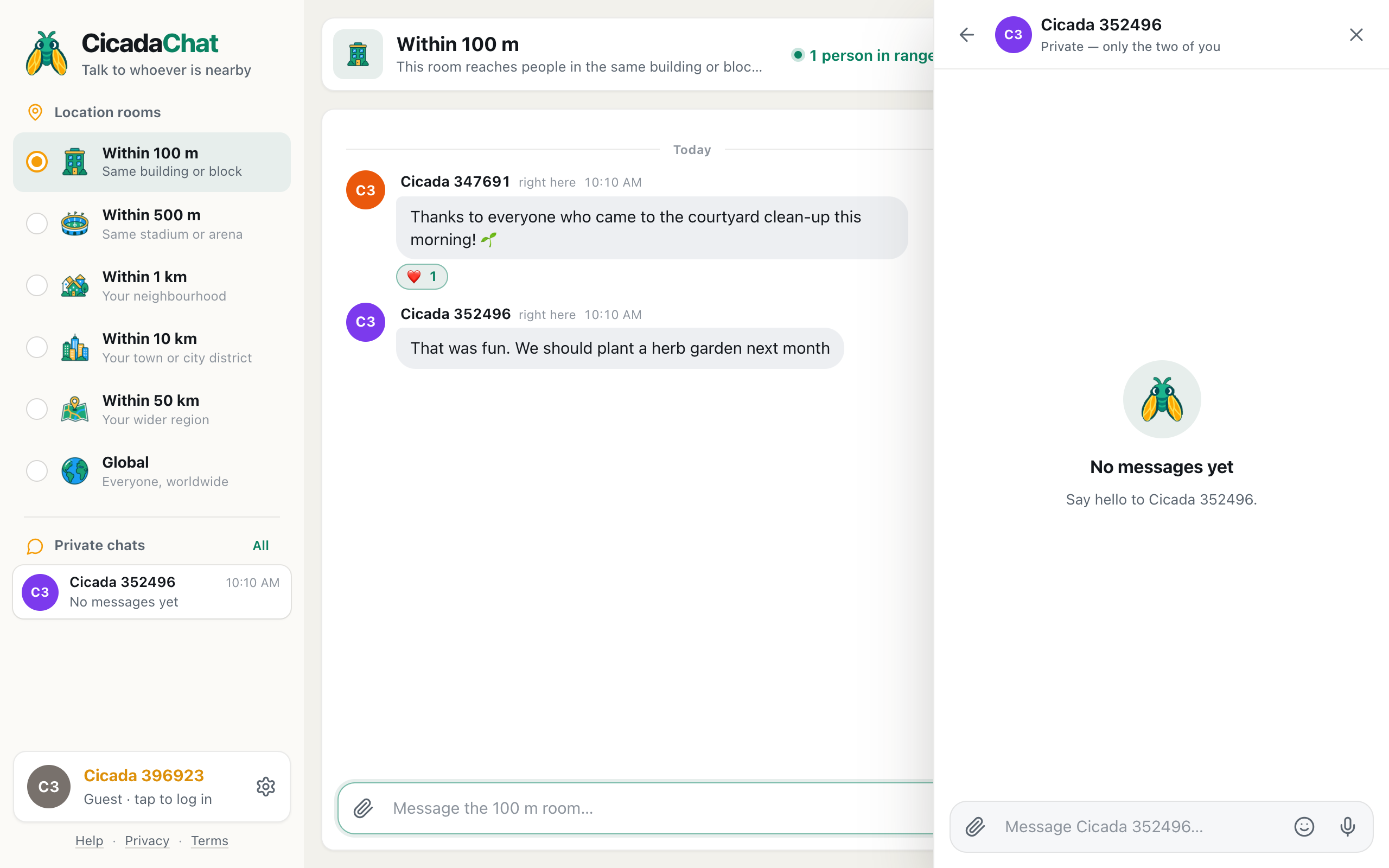
Tap anyone's name, on a message or in the People in range list, and a private chat opens. The header says it plainly: Private — only the two of you. Nobody else in the 500 m room sees it.
Private chats are where the conversation moves when it stops being about the whole crowd: "Which block are you usually in?" "Do you go to away matches?" They don't depend on location. Once a private chat exists, it's in your list of private chats, and you can carry on from anywhere: home, work, the next match.
Private chats work for guests. But a guest account lives in one browser. If you clear your browser's data, or switch phones, it can't be recovered, and neither can its chats. If you want to keep in touch with someone for longer than a day, the next step is an account.
Step two: a free account
Creating an account takes a minute, and it keeps everything you've done as a guest: your history and your private chats come with you.
- Tap your guest name: at the bottom of the menu, where it says Guest · tap to log in, or the round button at the top right on a phone.
- Tap Create one next to New here?.
- Choose a Username, which people can search for, and optionally a Full name, which is shown in rooms. Add your email and a password, or continue with Google.
- Tap Create account.
Your account works on any device you log in on, so the people you meet at a match are still there on your laptop at home.
Step three: add each other as friends
Friends in CicadaChat are mutual. One of you sends a request and the other accepts. Both of you need a registered account. There are three ways to send a request:
- From a private chat. Open the chat, and use the add-friend button in its header, next to the person's name.
- From the People in range list. Tap the number of people in range in the room's header, and use the add-friend button beside a registered person's name.
- By username. In the menu, tap All next to Friends and search under Find people by username. That's handy if someone tells you theirs in a private chat.
Once they accept, you're friends. The help article friend requests: adding, accepting, declining and removing friends covers all the details, including how to decline or remove someone.
What friends can see
Friends see when you're online. They never see where you are, or how far away you are, not even when you're both at the same stadium. That's deliberate: being friends with someone you met at a match shouldn't mean they can follow you home. If you want to meet a friend at the next match, tell them where you'll be in a private chat, or share your location there, on purpose.
Step four: a private room for your group
When a few of you want to keep talking together, as the regulars in block 114 do, or a quiz team, or the friends you met at a festival, create a private room: an invite-only chat that only its members can read.
- In the menu, tap New next to Private rooms.
- In New private room, give it a name: "Block 114 regulars", "Away days", "Festival crew".
- Tick the friends you want in it.
- Tap Create room.
The person who creates the room is its owner. Only the owner can add people, and only from their own friends. That means nobody can be pulled into a room by a stranger. If you want someone in the room, become friends with the owner first, or ask the owner to add them.
A private room holds up to 50 people, and it doesn't care where anyone is. It's the same room at the stadium, in the pub, and at home watching the away match on TV. The help article how to create a private room for people you know goes through it step by step.
Managing the room over time
- Anyone can leave. If it's not for you any more, leave. Nobody's forced to stay.
- If the owner leaves, the longest-standing member becomes the new owner, so the room doesn't get stuck without one.
- A room nobody's in is deleted.
- Private rooms are private. People outside a room can't see that it exists, let alone read it.
How groups use their private room
Season-ticket neighbours
People who sit near each other every other week get to know each other slowly. A private room makes it easy: "Anyone got a spare for Saturday? My brother wants to come." "Running late, save my seat." "Great result, pub after?"
Away days
Travelling fans need to organise: trains, tickets, meeting points in a city none of you know. A private room for the trip keeps it in one place, and it works hundreds of kilometres from home, where no local room could reach.
Festival friends
You met at the acoustic tent, you camped next to each other, and you swore you'd all come back next year. A private room is where next year gets planned.
Campus groups
Study groups, flatmates, sports teams and quiz teams all outgrow the public campus room quickly. A private room keeps them together over the holidays.
Two rooms on match day
Having a private room doesn't mean leaving the 500 m room behind. On match day, the two do different jobs. The 500 m room is still the whole crowd: which gate is quick, who got booked, where the short queue is. The private room is your group: "I'm at gate D, where are you?", "Saved you a seat", "Pub after?". Keep the public tips public, where they help everyone, and the group's plans private, where they belong. Anything you'd only say to people you know goes in the private room.
Keeping it safe
People you meet at an event are still people you've only just met. A few habits help:
- Take friendships at your own pace. You don't have to accept every friend request, and you can decline one without explaining.
- Share personal details gradually. Your home address, your workplace and your full name aren't needed to plan the next match.
- Meet in public places, like the ground, a busy pub or a café, especially the first few times.
- Leave anything that makes you uncomfortable. You can remove a friend or leave a room at any time.
From 100 m to 500 m and back
The same path, from room to private chat to friends to private room, works in every CicadaChat room. In the smallest one, it's how neighbours in the same building become friends; the 100 m article from the 100 m room to a private room: keeping in touch with the neighbours you meet tells that version. In the 500 m room, it's how a crowd of strangers at a match becomes a group of regulars.
After the final whistle, message by message
9:00 pm. Full time. In the 500 m room, Chris asks if anyone's doing the next home match together. Mia says yes: same block again?
9:02 pm. Tú offers to make a private room for the block. Raj says he'll send a friend request.
9:05 pm. Chris says to tap his name to open a chat, and the add-friend button is right there.
10:30 pm. At home, all four have accounts. They're friends with Tú, and Tú creates "Block 114 regulars".
Two weeks later. "Running late, save my seat!" arrives in the room from a tram halfway across town.
No comments yet. Start the conversation.