
Lost in the crowd: finding your friends and lost things within 500 m
Lost keys, a found rucksack, a friend with a dead phone: how to use CicadaChat's 500 m room for lost and found at a big event, and what to leave out.
Big crowds lose things. Every match, concert, festival and fair ends with a table of phones, keys, bank cards, scarves and water bottles at the information desk, and somewhere in the crowd, a person looking for each one. People get lost too: a friend who went to the bar and never came back, a phone that died at the wrong moment. CicadaChat's 500 m room reaches everyone within 500 m of you, which at a big event is the whole site. That makes it one of the fastest ways to find a lost thing, return a found one, or find the people you came with. This article covers how to use the 500 m room for lost and found in a crowd: what to post, what to leave out, and how to find your friends when you've lost them.
Why the 500 m room is good at lost and found
When you lose something at a stadium or a festival, you usually don't know where. Somewhere between the car park, the gate, your seat and the food stall. The 100 m room would reach one part of that journey. The 500 m room reaches all of it: CicadaChat rooms are circles around you, and this one is a kilometre across.
And the people in it are the ones who might have found your thing: they were walking the same concourse, sitting in the same stand, queuing at the same stall. A message posted in the 500 m room reaches everyone there with a local room open, and messages stay, so people who open the room later can scroll back and see it too.
If you've lost something
Check first
- Open the 500 m room and scroll back. Someone may already have posted "found a set of keys with a red keyring near gate 5". Look at the Hot view too, the flame button in the header: found-item messages often collect a lot of reactions.
- Ask the staff. Stewards, the information desk or the lost property point are where most found things end up.
Then post
A good lost-item message is short and specific:
- What it is: "Black leather wallet", "Blue water bottle with stickers on".
- Roughly where: "Somewhere between gate D and block 114", "near the playground".
- Roughly when: "During the first half", "about an hour ago".
- What to do if found: "Please hand it to the info desk" or "please message me".
For example: "Lost a black wallet somewhere between gate D and block 114, during the first half. If you find it, please hand it to a steward or message me 🙏".
What to leave out
Keep a detail or two back. If someone says they've found your wallet, you can ask them what colour the card inside is, or what's on the keyring. It's an easy way to be sure they have the right one, and to put off anyone who's just guessing.
Never post your bank details, your address, or a photo of your ID or ticket, even to help identify something.
If you've found something
The kindest thing you can do in a crowd is post what you've found:
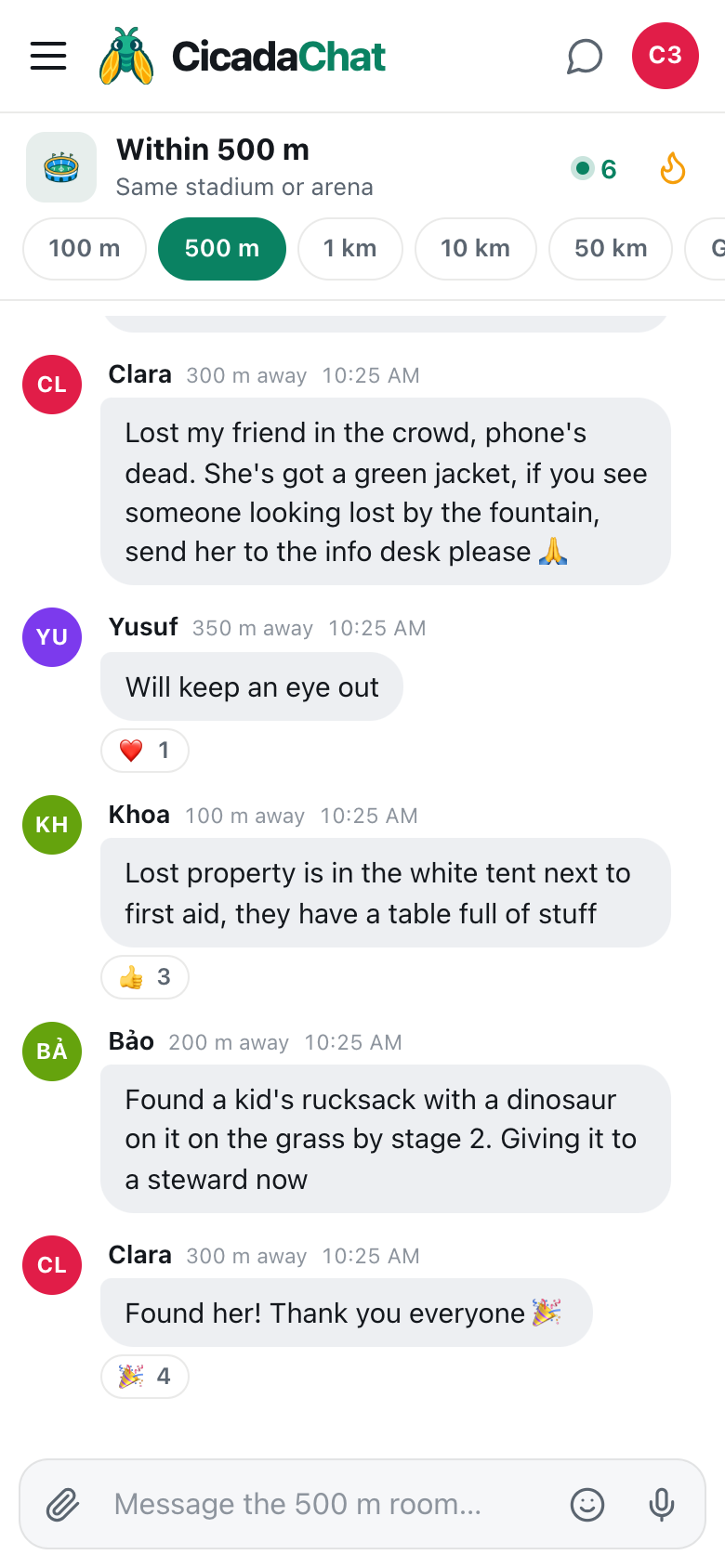
- Say what it is, and where you found it. "Found a kid's rucksack with a dinosaur on it on the grass by stage 2."
- Say where you're taking it. "Giving it to a steward now" or "handing it in at the info desk". That way, the owner goes straight there.
- Don't describe everything. "A set of keys with a red keyring" is enough. Let the owner tell you the rest.
Handing things in to staff is usually best. It means you don't have to arrange to meet a stranger, and the owner knows where to go even if they never see your message.
A screenshot of lost and found in the 500 m room. Found things go to staff, and the room helps a lost friend get found.
Photos of found things
A photo can help, but think about what it shows. A picture of a scarf or a water bottle is fine. A photo of an open wallet, a bank card, a driving licence or a phone's lock screen shows someone's personal details to everyone within 500 m. Describe those instead. Photos you send are resized and re-encoded on your phone, which strips their hidden GPS data, but what's in the picture is up to you.
Lost your friends?
It happens at every big event. Someone goes to the bar, the crowd shifts, and suddenly you're alone in a sea of people. How you find each other depends on whether their phone still works.
If their phone works
Use a private chat, not the public room. Tap their name on any message, or find them in your private chats, and:
- Agree a landmark. "Meet at the big screen", "by the flag with the cicada on it", "gate B". Landmarks work even when the crowd moves.
- Share your location if a landmark isn't enough. Tap the paperclip, then Location. Your friend sees a small map with your exact spot, and links to open it in Google Maps or OpenStreetMap.
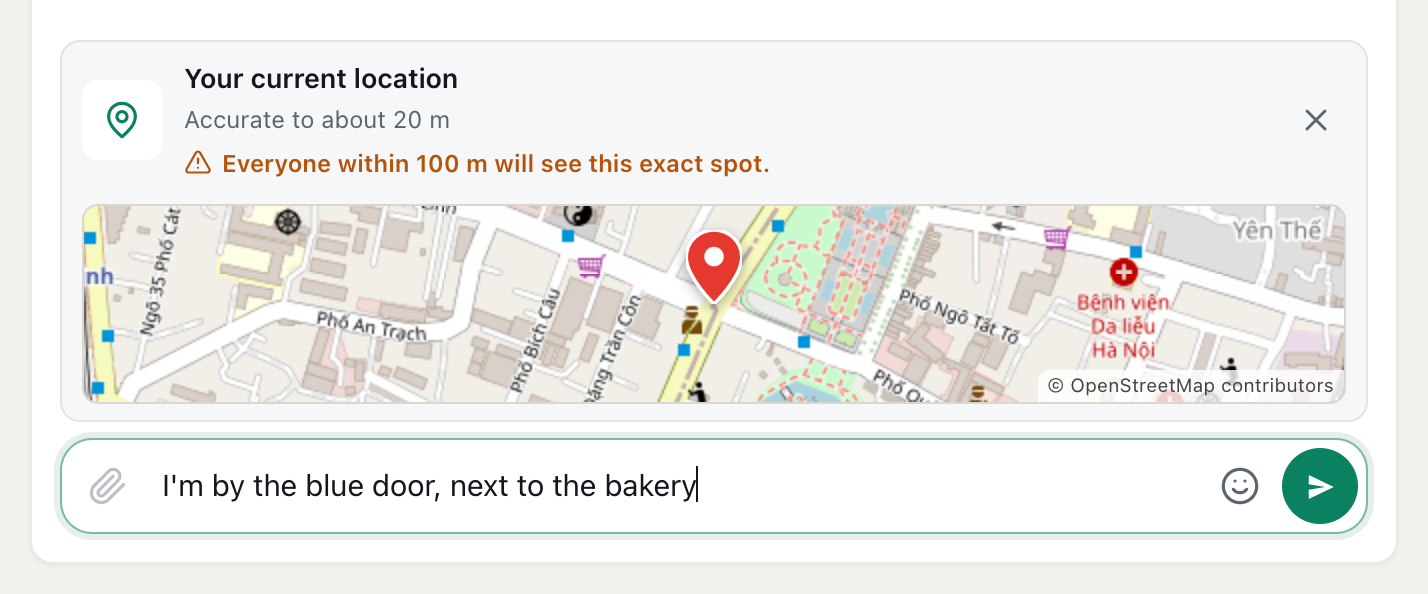
Sharing your location in a private chat is safe: only the two of you see it. In the public room, it's a different story. CicadaChat warns you before you send: Everyone within 500 m will see this exact spot. At a big event, that's thousands of people. The help article how to share your location in a message, and who will see it explains exactly who sees what.
If their phone is dead
This is where the public room helps. You can't reach your friend, but you can reach everyone around them. Describe what they're wearing and where you'll wait, and ask people to pass it on: "Lost my friend in the crowd, phone's dead. She's got a green jacket, if you see someone looking lost by the fountain, send her to the info desk please 🙏". Then go to the info desk and wait.
Keep it to what helps: clothes, a meeting point, the info desk. No full names, no photos of their face, nothing about where they're staying.
Plan ahead
The best way to find lost friends is to agree before you lose them. At the start of the day, pick a meeting point ("if we get split up, meet at the big tree by the water point at the end of each set") and make sure everyone's phone is charged. If you're all on CicadaChat, open private chats with each other before you go in, so they're ready when you need them.
Returning something in person
Sometimes handing a thing in isn't practical: the info desk is shut, or the owner messages you before you get there. If you arrange to give it back yourself:
- Move to a private chat. Tap their name. The details of where you'll meet don't belong in the public room.
- Check it's theirs. Ask them to describe something you didn't mention: the keyring, the phone case, a sticker.
- Meet somewhere busy and obvious, like a gate, a food stall or the info desk itself.
- Don't send money or ask for it. A thank-you is plenty. Anyone asking for a "delivery fee" to return something is best avoided.
Lost children
If a child is lost, tell the event staff or security straight away: stewards, the information desk, lifeguards on a beach, park staff in a park. They have procedures and radios. Then use the room to reach everyone nearby: "Lost boy, about 6, yellow t-shirt, near stage 2, if you see him please take him to the info desk." Don't post a photo of the child's face to thousands of strangers unless the staff ask you to.
If you find a lost child, stay with them where you are, or take them to the nearest steward, and post that you've done it. Don't take them anywhere on your own.
When it works out, say so
"Found her! Thank you everyone 🎉" is one of the nicest messages a room can see, and it gets a row of 🎉 under it. It also lets everyone stop looking. The same goes for things: "Wallet found, thank you!" saves people from keeping an eye out for something that's already home.
After the event
The room's messages stay where they were sent. If you realise the next day that you left something at the stadium, you can go back, open the 500 m room there, and scroll back through the day's messages. The Hot view keeps the most-reacted messages for a week. Most venues also keep lost property for a while: call them, and mention the day and where you sat.
Smaller places, smaller rooms
For a lost cat on your street or keys dropped outside your building, the 100 m room is the better size. It's just your block, where the neighbours who'd have seen it live. The 100 m article lost a cat, found a key: using the 100 m room for lost and found on your block covers that.
Privacy, briefly
People in the room see your name, a distance rounded to the nearest 50 m, and what you write. Never your coordinates. The details that can give you away are the ones you type: your seat, your tent, your plans. For more, see privacy in a crowd: what the people within 500 m can and can't see.
No comments yet. Start the conversation.