
For event organisers and stallholders: talking to the whole site in the 500 m room
How event organisers and stallholders can use CicadaChat's 500 m room to reach everyone on site: setting up, what to post, answering questions and not overdoing it.
If you run an event, you spend a lot of effort telling people things: set times, where the toilets are, which car park to use, that the cooking demo starts in fifteen minutes. Signs get missed, announcements get lost in the noise, and social media posts reach people who aren't there. CicadaChat's 500 m room reaches the people who are: everyone within 500 m of you, which at most fairs, markets, festivals and sports days is the whole site. This article is for event organisers and stallholders. It covers how to set up, what to post, how to answer questions, and how to be a welcome voice in the room rather than a noisy one.
Why the 500 m room suits an event
CicadaChat rooms are circles drawn around each person. The 500 m room is a circle a kilometre across, and it reaches everyone inside it who has a local room open. For an event, that means:
- The whole site. A food fair, a market, a small festival, a school sports day or a car boot sale fits comfortably inside 500 m from its middle.
- Only the people there. Posts don't reach the whole city. They reach people close enough to walk over.
- No group to set up. Nobody has to find a link, scan a code or join anything. Visitors who open CicadaChat and tap 500 m are already in the room with you.
One detail to understand: your messages reach 500 m around the spot where you sent them. Post from the middle of the site, like the main tent or the info desk, and you reach the whole of it. Post from the car park at the edge, and you reach the car park and half the site, plus whatever's on the other side of the fence.
Setting up
An account with your event's name
You can chat as a guest, but for an organiser or a stall, a registered account is much better. Guests get a name like Cicada 123456. With an account, you choose a full name that's shown in rooms: "Harbour Food Fair", "Riverside Market", "Stall 14: Mai's Dumplings". Visitors know at a glance who's talking.
Create one from the log in dialog: tap your guest name, then Create one, and fill in Create your CicadaChat account. Put the event or stall name in Full name, which is optional but is what visitors see in the room. Choose a Username people can find, like harbourfoodfair: registered visitors can search for it under Friends and send you a friend request, which is a simple way for regulars to keep up with you between events. Your guest history comes with you.
A business card
A registered account can carry a business card. Open your account, find the Business section and tap Add business details. You can add:
- Business name and Description: what the event is, opening hours, anything people should know.
- Address, Phone, Email and Website.
- Photos, up to eight, with the first as the cover.
Tap Save business. From then on, anyone who opens a private chat with you sees the card beside the conversation, or behind a shop button on a narrow screen. So when a visitor taps your name to ask a question, they also see your map link, your website and your opening hours. The help article how to add a business card to your CicadaChat account goes through every field.
Where to post from
Pick a spot near the middle of your site as your posting place: the info tent, the stage, your stall if it's central. On the day, walk there before posting anything important.
What to post
The best organiser posts are things visitors want to know, right now. A good rhythm for a one-day event:
- Opening: "Welcome to the Harbour Food Fair! Cooking demo starts at the main tent in 15 minutes."
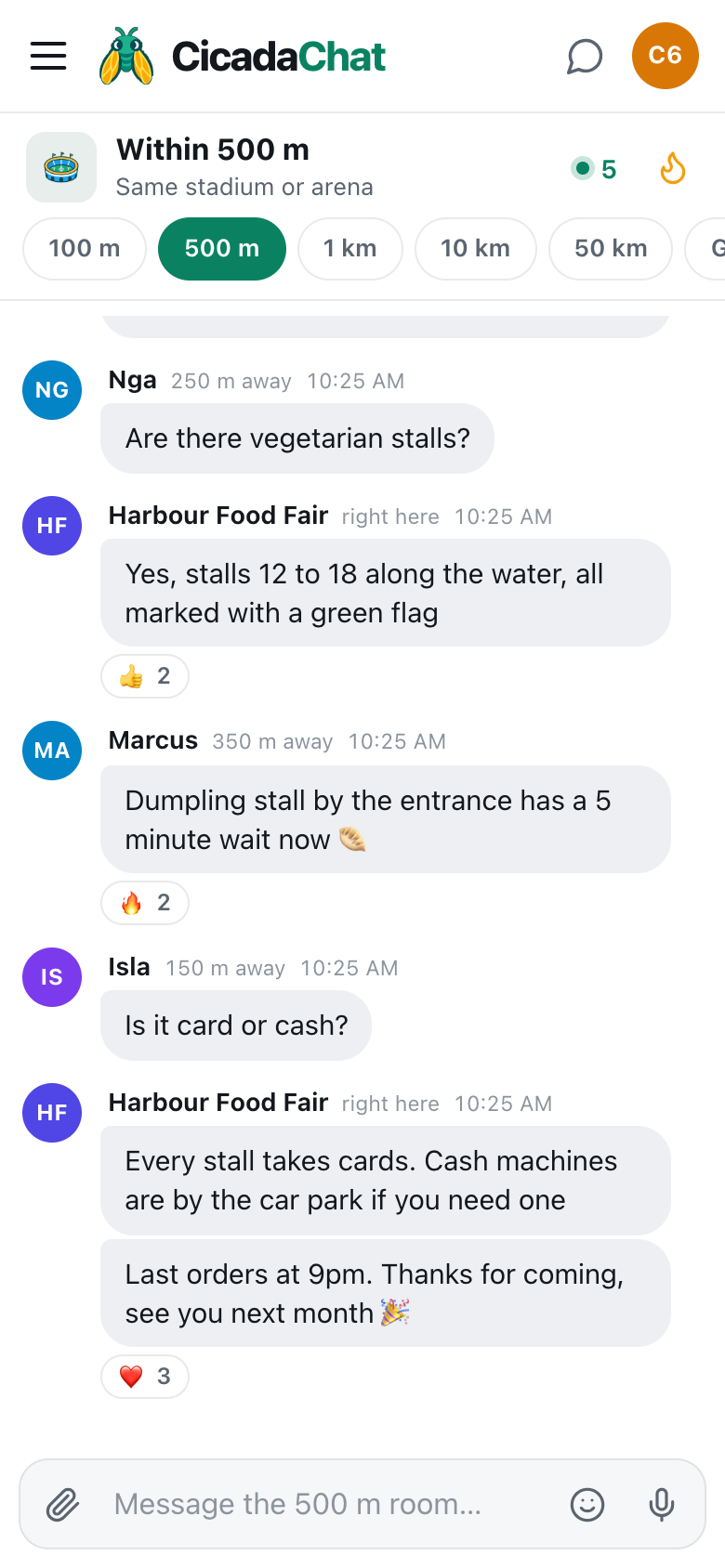
- Useful facts: "Every stall takes cards. Cash machines are by the car park if you need one." "Toilets and baby changing are behind the main tent."
- Changes: "The band is starting 20 minutes late, sorry!" "Car park A is full, please use car park B by the school."
- Highlights: "Prize draw at 3pm at the info tent." "Last 30 minutes for the kids' treasure hunt."
- Closing: "Last orders at 9pm. Thanks for coming, see you next month 🎉".
Keep each post to a line or two, with a time and a place. People read them while walking around.
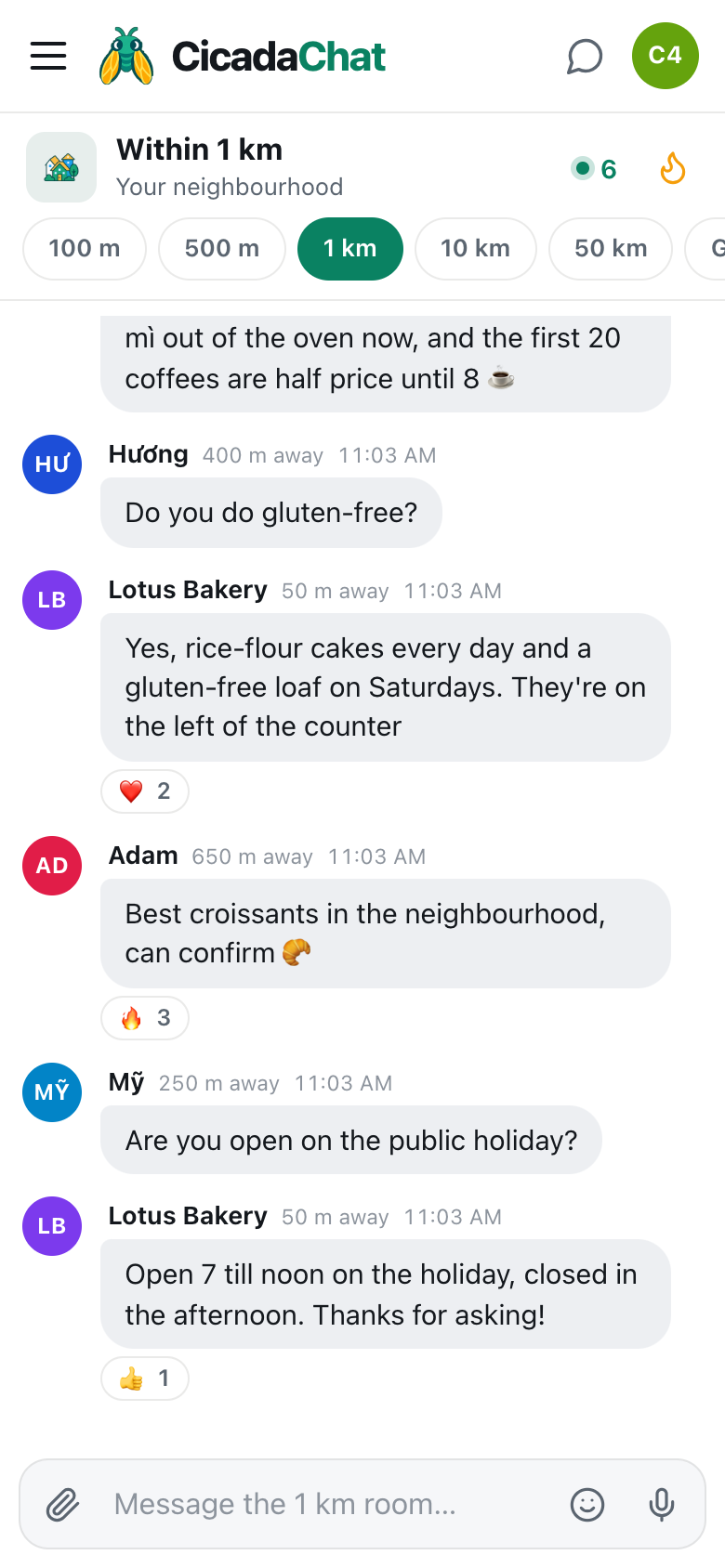
A screenshot of the 500 m room at a food fair. The organiser, posting from the middle of the site, shows as right here to nearby visitors.
Telling visitors the room exists
Visitors who already use CicadaChat will find you on their own. For everyone else, a line on your posters, your programme or the sign at the entrance helps: "Questions on the day? Open cicadachat.com and tap 500 m." No app to install and no sign-up needed, so it's an easy ask.
Answer questions
The room works both ways. Visitors will ask things: "Are there vegetarian stalls?" "Is it card or cash?" "Is the event dog-friendly?" A quick, friendly answer from the organiser is worth more than any sign. "Yes, stalls 12 to 18 along the water, all marked with a green flag" gets a row of 👍 and saves you answering the same question twenty times at the info tent.
Keep an eye on the room through the day, or ask a volunteer to. Some visitors will message you privately by tapping your name. Those chats are one to one, and they see your business card beside them.
How much is too much
The 500 m room belongs to everyone in it. Visitors are there to chat with each other, and an organiser who posts every five minutes quickly becomes the noise people scroll past. A few guidelines:
- Post when something changes or starts, not on a timer.
- A handful of posts across a day is usually right for a one-day event.
- Don't repeat yourself. Messages stay in the room, and the most-reacted ones sit in Hot, the flame button in the header. A good post keeps working after you've sent it.
- Never post about other businesses unkindly, and don't argue with visitors in public. Move a complaint to a private chat.
For stallholders
At a market or fair, you're one of many stalls, and the room is shared with all of them. What works:
- Tell people what's special right now. "Fresh batch of dumplings out now, 5 minute wait 🥟" is better than "Visit stall 14!".
- Be helpful beyond your stall. Answer "where are the toilets?" even though you don't sell toilets. People remember who helped.
- Let customers do the talking. Happy visitors post their own "the dumpling stall is amazing". That's worth more than your own post.
- Use the end of the day. "Last hour, everything half price" brings people back.
On a regular street, rather than at an event, the 100 m room is usually the better size for a shop. The 100 m article for shop owners: talking to the people on your street in the 100 m room covers that side.
Photos
A picture of the stage being set up, the first batch of food, or the prize table makes a post stand out. Tap the paperclip and choose Photo. CicadaChat resizes and re-encodes the photo on your device, which removes the hidden GPS data. What's in the picture is up to you, so photograph the event, not the faces of visitors who didn't ask to be in your post.
Safety and emergencies
The room is a good way to spread practical news quickly: "The east gate is closed, please use the main entrance." It is not your emergency channel. Your stewards, your radios, your first-aid team and the emergency services come first. Use the room afterwards, to tell visitors what to do.
Lost property and lost children happen at every event. Having one clear place to send things, like the info tent, and saying so in the room early in the day makes it much easier for visitors to help each other. For more on how visitors use the room for this, see the article on lost and found in this series.
After the event
Messages stay where they were sent. For the rest of the week, anyone who opens the 500 m room near your site can scroll back, and Hot shows the posts visitors liked most. That's a nice record of the day, and a reminder that your "see you next month 🎉" is still there for the people who live nearby.
If you run a regular event, the room builds a following. Visitors who come every month start answering each other's questions before you do.
A food fair, message by message
11:00 am. From the info tent, you post: "Welcome to the Harbour Food Fair! Cooking demo starts at the main tent in 15 minutes."
12:30 pm. Someone asks about vegetarian stalls. You answer, and two people react with 👍.
2:00 pm. A visitor posts that the dumpling stall by the entrance has a 5 minute wait. The stall gets a queue.
4:15 pm. "Is it card or cash?" You answer: every stall takes cards, and the cash machines are by the car park.
8:30 pm. "Last orders at 9pm. Thanks for coming, see you next month 🎉". Three ❤️ appear under it.
For festivals with stages and campsites, the tips in festivals and fairs: finding your people in a field of thousands show the visitors' side of the room.
No comments yet. Start the conversation.