
The 500 m room: chatting with everyone in the same stadium, arena or campus
CicadaChat's 500 m room is a chat with everyone in the same stadium, arena or campus. What it reaches, what you see in it and how to get the most out of it.
Fifty thousand people in a football stadium. Twenty thousand at an arena show. A university campus on the first morning of term. Every one of those places is full of people with the same questions at the same moment: which gate is quickest, where the short queue is, what just happened on the pitch. CicadaChat's 500 m room is built for exactly that: it's a chat with everyone in the same stadium, arena or campus, without a group to find or a link to share. This article explains what the 500 m room is, who it reaches, what you see in it, and how to get the most out of it.
What the 500 m room is
CicadaChat doesn't have rooms in the usual sense. There's no "Stadium chat" that someone created and you have to join. Instead, every room is a circle drawn around you, and the room ladder gives you six sizes: 100 m, 500 m, 1 km, 10 km, 50 km and Global.
The 500 m room is the second rung. In the room list it's called Within 500 m, with the line Same stadium or arena under it. On a computer, the header spells it out in full: Everyone in the same stadium, arena or campus.
A circle with a 500 m radius is a kilometre across. That's big enough to cover a whole stadium, its stands, its concourses, the car parks and the station outside. It covers most university campuses, a big park, an exhibition centre or a festival site. And it's small enough that the people in it are all there for roughly the same reason you are.
You don't need an account to use it. The first time you open CicadaChat, it creates a guest account for you, and you can start talking straight away.
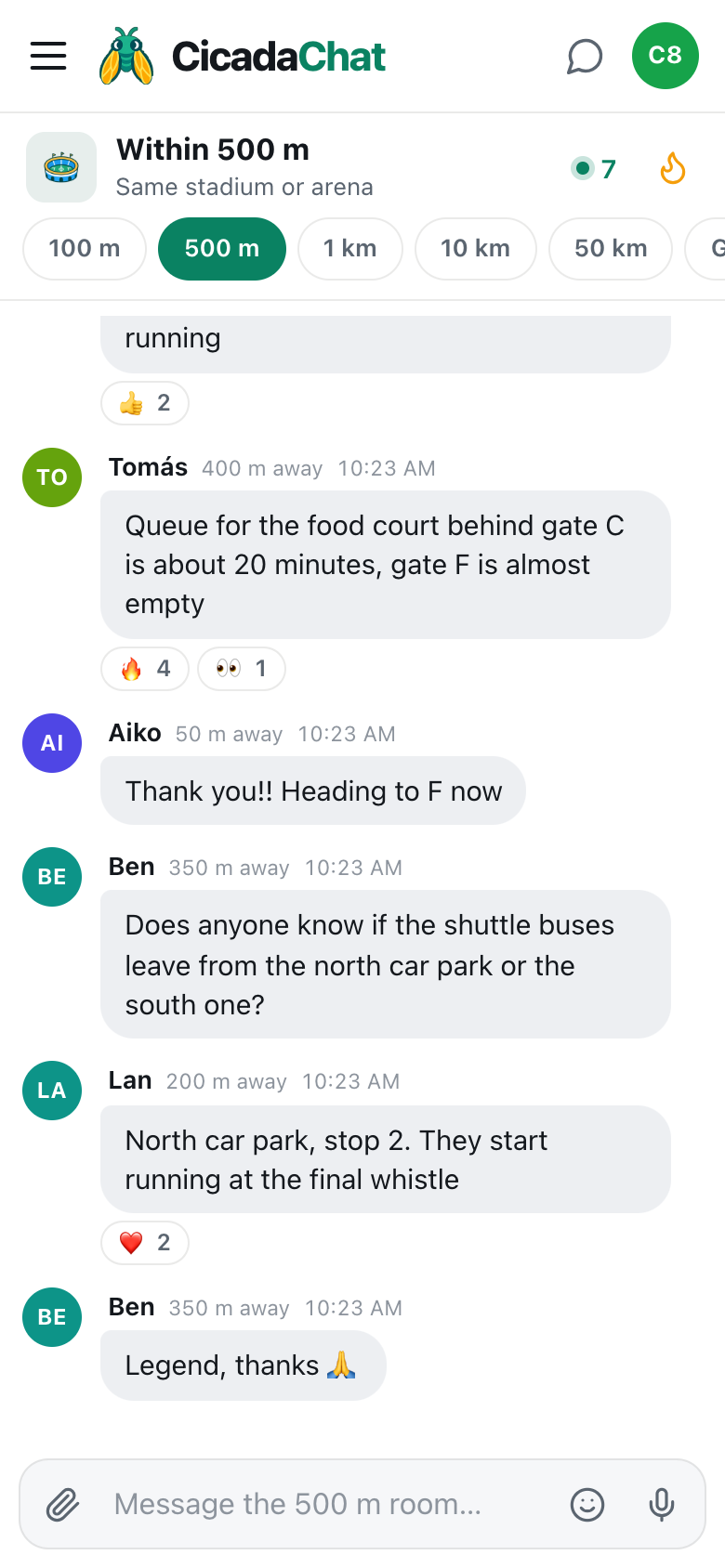
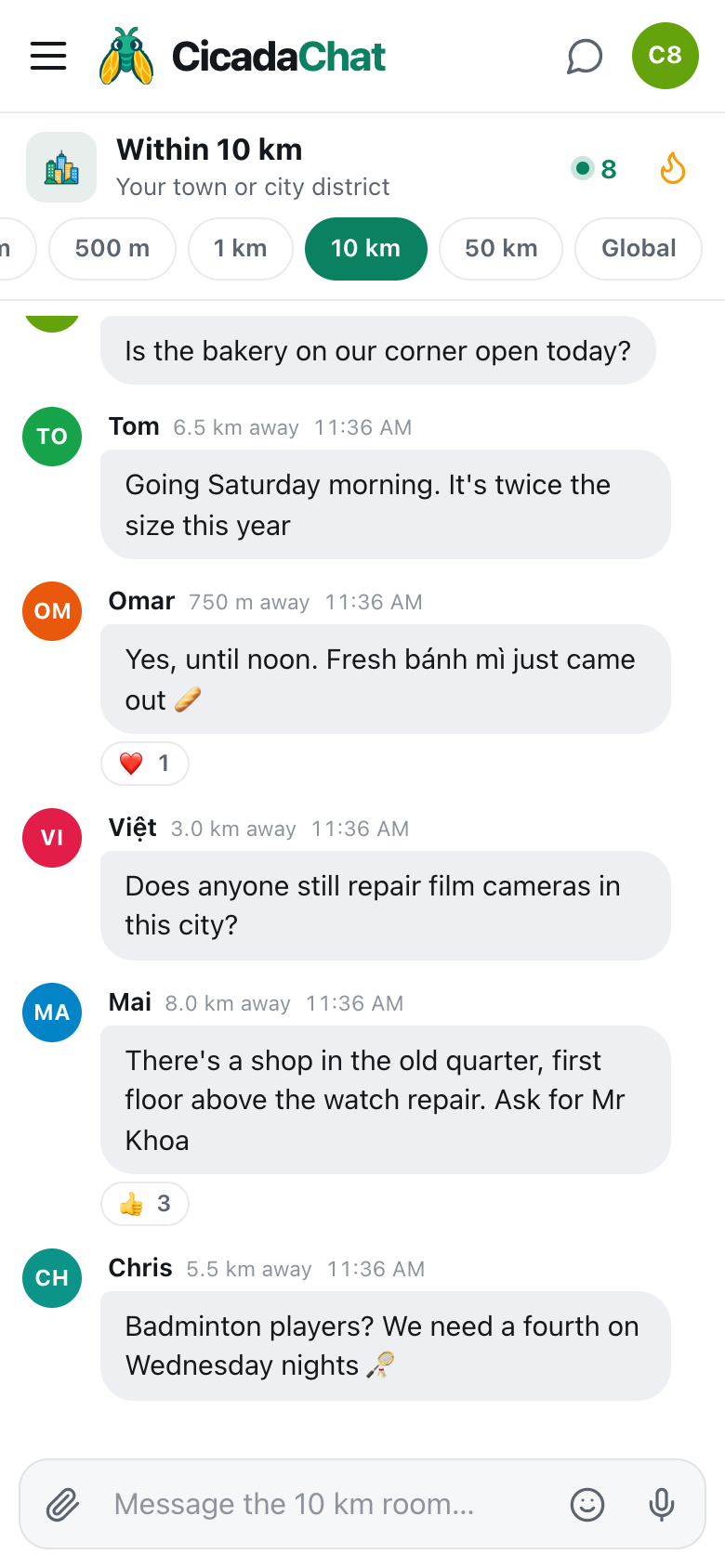
A screenshot of the 500 m room on a phone. The header shows Within 500 m, Same stadium or arena, and how many people are in range.
How to open the 500 m room
The 500 m room needs your location, because the circle is drawn around where you are. The first time you allow location, CicadaChat opens in the 1 km room, the default. From there:
- On a phone: tap the 500 m tab in the row of room tabs under the header. It's the second one, right after 100 m.
- On a computer: click Within 500 m in the Location rooms list on the left.
- Wait a moment while CicadaChat shows Listening… and loads what the people around you have been saying.
- Type in the box at the bottom, which now says Message the 500 m room…, and send.
If the 500 m tab is greyed out, CicadaChat doesn't have your location. Hovering over it on a computer shows Share your location to use this room. Allow location for the site in your browser, and the local rooms unlock. Until then, you're in the Global room, which needs no location at all.
Who hears you, and whom you hear
This is the part that makes CicadaChat different, so it's worth a minute.
Every message remembers two things: where it was sent from, and the size of the room its sender was in. When you send a message from the 500 m room, its reach is 500 m around the spot where you sent it. Someone else sees it when they're inside your circle and inside their own. In short, a message shows up when the distance between you is no more than the smaller of the two rooms.
In a stadium, that works out like this:
- Someone in the 500 m room 300 m away, in the opposite stand, sees your message. You're inside each other's circles.
- Someone in the 1 km room 300 m away sees it too. Their room is bigger, but your message only reaches 500 m, and they're inside that.
- Someone in the 1 km room 800 m away, walking up from the station, doesn't. They're inside their own circle but outside yours.
- Someone in the 100 m room 300 m away doesn't see it either. They've chosen to hear only what's said within 100 m of them.
Two people 300 m apart, both in the 500 m room, see nearly the same conversation, but not exactly the same one, because each circle is centred on a different person. That's normal. The help article why two people in the same room can see different messages goes through it with more examples.
What you see in the room
Each message shows the sender's name, how far away they were when they sent it, and the time. In the 500 m room, distances are rounded: anything under 50 m shows as right here, and everything else is rounded to the nearest 50 m, like 150 m away or 400 m away. Nobody ever sees your coordinates, only that rounded distance.
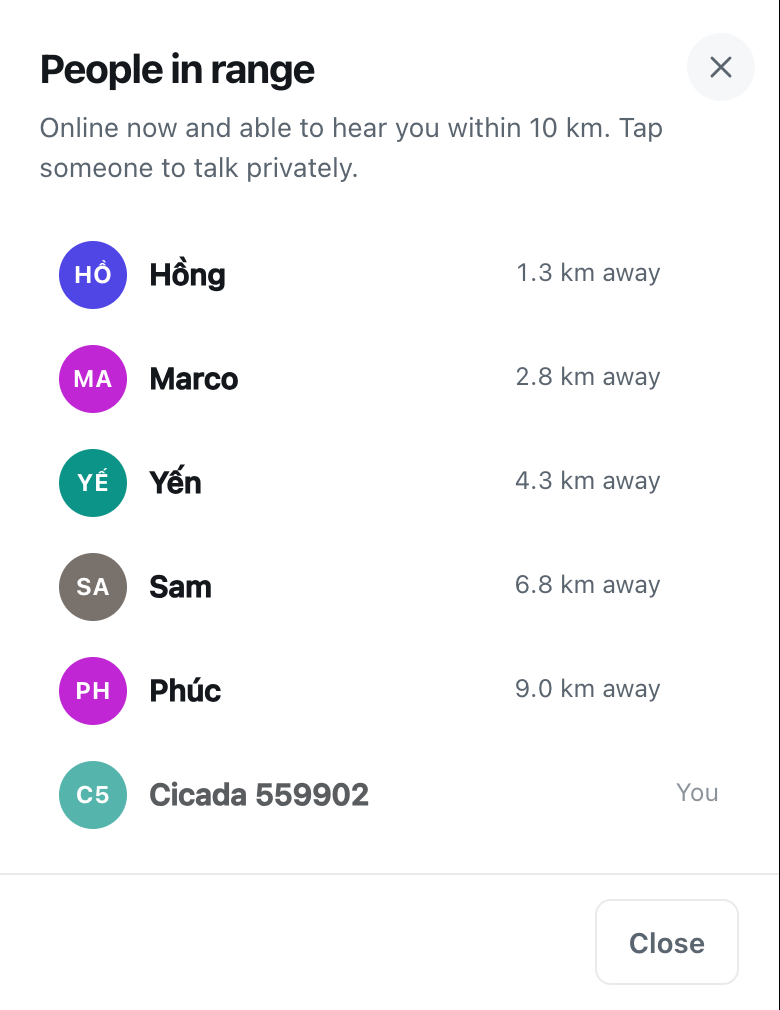
At the top of the room, the header shows people in range: how many people are online right now and would hear you if you spoke. Tap it to see the People in range list, nearest first, with the same rounded distances. Tap anyone's name there, or on any message, to start a private chat with just them. The help article who's around? Using the People in range list explains who the list counts.
Next to it is a flame button. That's Hot: the room's most-reacted messages from the past week, ranked by how many people reacted. In a busy stadium, Hot is the quickest way to catch up on what mattered, like the photo of the winning goal, or the tip about the gate with no queue.
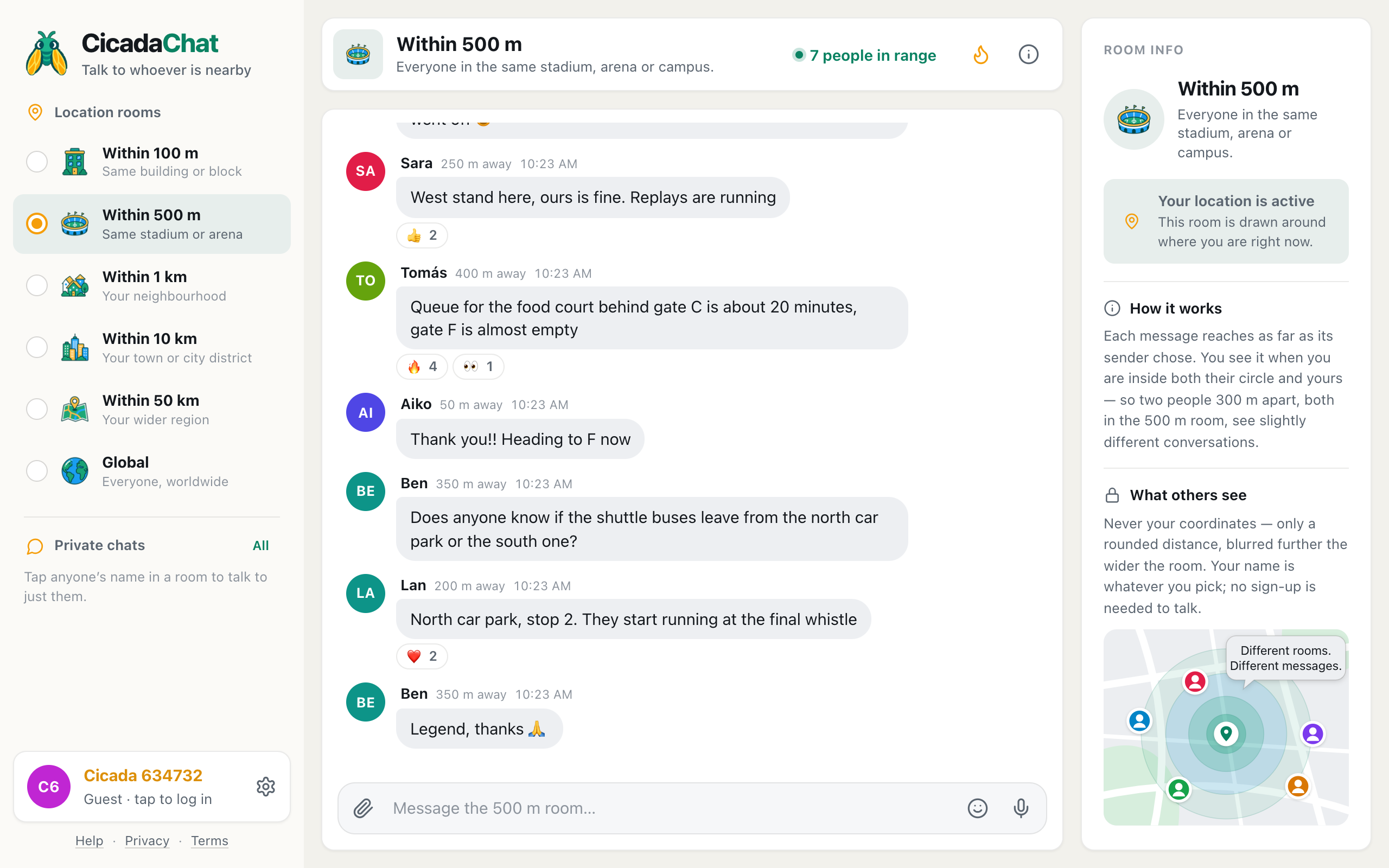
A screenshot of the 500 m room on a computer. The room list on the left shows Within 500 m selected, and Room info on the right explains how the circle works.
The room moves with you
Because the room is a circle around you, it follows you. Walk from the car park to your seat, and the circle moves with you. When you open the room, it loads what's been said within reach of where you are. As you move, new messages reach you based on where you are now, not where you started.
That matters more in the 500 m room than in the others. A stadium is a place you walk into and out of, and a campus is a place you cross several times a day. The 500 m room is always the one around you: the gates while you queue, the stands during the match, the station on the way home.
What people use the 500 m room for
Stadiums and arenas
Match days and big concerts are where the 500 m room shines. Everyone is there for the same thing, everyone has the same practical problems, and the whole venue fits in the circle. People share which gate is moving, where the short queue for food is, what the referee just gave, and which exit to use for the trams.
Campuses
A university campus is a small town that changes every hour. The 500 m room is where students ask whether the library is open late, which printers work, where a lecture has moved to, and who's going to the quiz tonight.
Festivals, fairs and big outdoor events
A festival site, a food fair, a fun run in a park, a market that fills a few streets: all fit in 500 m. The room is a live noticeboard for the whole site: set times, queues, water points, lost property.
Anywhere a crowd gathers
A shopping centre, a beach on a hot day, an airport terminal, a big hospital site, an exhibition hall. If it's bigger than a building and smaller than a neighbourhood, the 500 m room probably fits.
What you can send
The 500 m room works like every other CicadaChat room:
- Messages of up to 2,000 characters, with emoji.
- Reactions: 👍, ❤️, 😂, 😮, 😢, 🔥, 🎉 and 👀. In a crowd, a reaction is the quickest way to say "same" or "thank you".
- Photos and documents, from the paperclip button. Photos are resized and re-encoded on your device, which strips the hidden GPS data phone cameras add.
- Voice notes, from the microphone button, up to five minutes. In a loud stadium, text is usually kinder.
- Your location, from the paperclip's Location option. This is the one time anyone sees an exact spot, and CicadaChat warns you first: Everyone within 500 m will see this exact spot.
There's no way to edit or delete a message once it's sent, so it's worth a second look before you press send, especially in a room this size.
How the 500 m room compares with its neighbours
The 100 m room is one building or block: at a stadium, that's your stand and maybe the next one. The 1 km room is your neighbourhood: at a stadium, it also reaches the streets, the pubs and the people who live nearby and aren't at the match. The 500 m room sits between them, and at a big venue it's usually the one where the whole crowd is and nobody else. For more on when to pick which, see 100 m, 500 m or 1 km? How to tell when the 500 m room is the right size.
A few courtesies for a big room
- Say where you are in useful terms. "Gate D is quick" helps everyone. "Block 114, row K" helps the person who dropped a scarf there. Your exact spot on a map is rarely needed.
- Answer questions. A big room has a lot of people asking the same thing. Answering once saves everyone time, and a 👍 on the right answer helps the next person spot it.
- Don't describe strangers. Twenty thousand people might read it, and one of them is the person you're describing.
- Keep plans to meet in private chats. Tap a name to talk one to one. The public room is for things everyone can use.
Guests and registered accounts
Everything above works as a guest. A free account adds two things that suit big events: friends, who can see when you're online (never where you are), and private rooms, invite-only chats that work from anywhere. If you meet people in a stadium you'd like to see at the next match, that's the way to keep in touch. Creating an account keeps your guest history, so nothing you've said or received is lost.
No comments yet. Start the conversation.