
Privacy across a region: what the people within 50 km can and can't see
What the people in CicadaChat's 50 km room can see about you, what they never see, why distances are rounded to the kilometre, and habits that keep you comfortable.
The 50 km room is the largest local audience CicadaChat has: potentially everyone in your province, county or wider region. When you talk to that many people, it's natural to ask what they can find out about you. This article covers privacy in the 50 km room: what the people within 50 km can see, what they never see, why distances are so rough in this room, and the habits that keep you comfortable talking to a whole region.
The short answer
People in the 50 km room see your name, your profile picture or initials, what you send, when you sent it, and roughly how far away you were: a distance rounded to the nearest kilometre, like 19 km away. They never see your coordinates, your address, your email, your username or which direction you're in. The one exception is a location you choose to share in a message, and CicadaChat warns you before you do.
What the people within 50 km can see
Your name and picture
Every message shows the name you go by. For a guest, that's a generated name like Cicada 148609. A registered account shows its full name, which you choose, and which doesn't have to be your real one. Next to it is your profile photo, or your initials on a coloured circle if you haven't added one.
In a room this wide, most readers will never meet you, but some might: a colleague from the next town, a customer, a relative across the province. Pick a name you're happy for all of them to see.
What you send, and when
Messages, reactions, photos, documents and voice notes are seen by everyone in range, with the time they were sent. A message can't be edited or deleted afterwards. In the 50 km room, that's worth remembering before you press send.
A rounded distance
Each message shows how far away its sender was when they sent it, measured from the person reading. In the 50 km room it's rounded to the nearest kilometre before it ever leaves CicadaChat's server. Someone within about 500 m of the reader shows as right here. Beyond that, you'll see 1.0 km away, 6.0 km away and so on up to 10 km, then whole numbers: 12 km away, 44 km away.
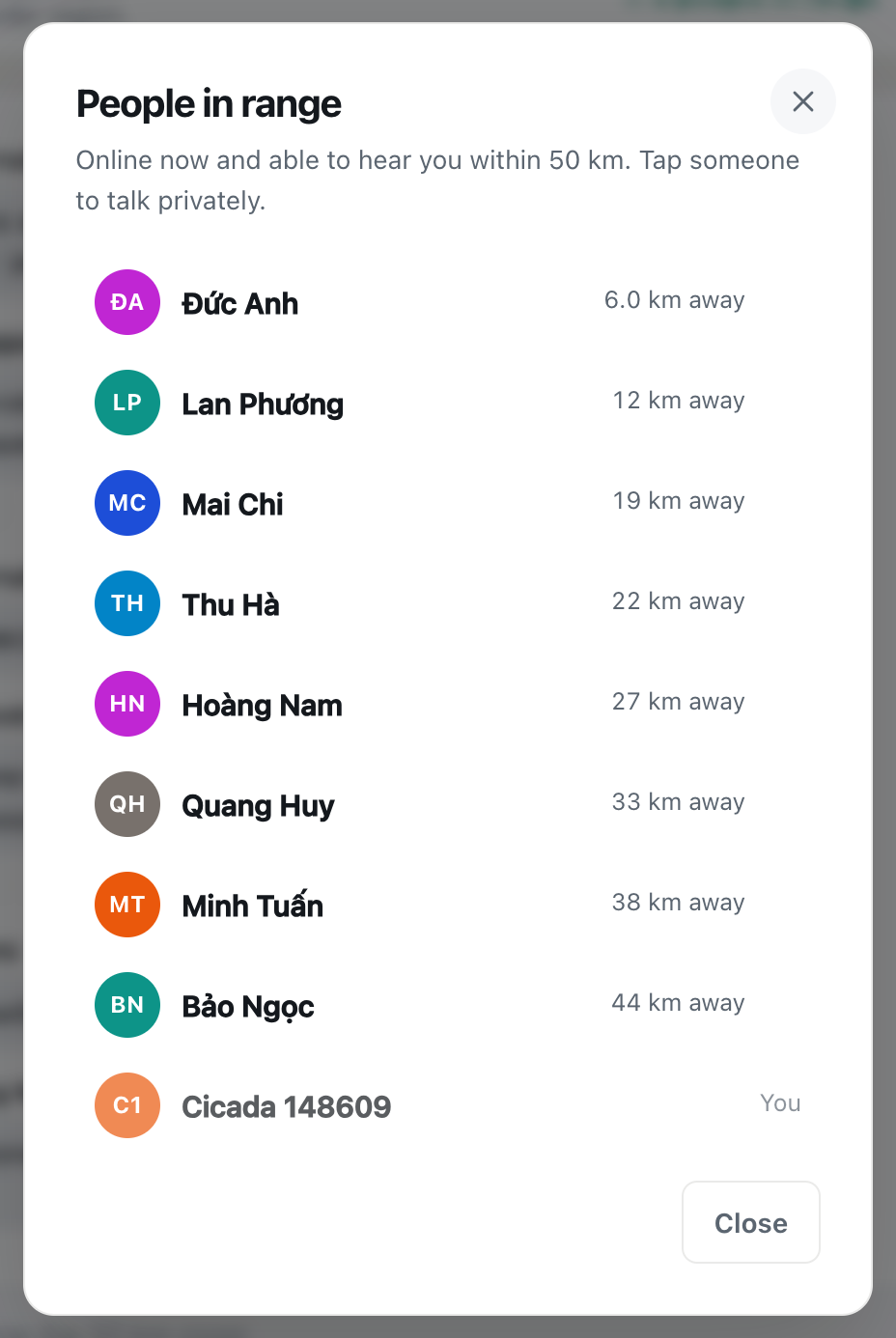
The People in range list uses exactly the same rounding. Tap the green number in the header to open it. It lists the people who are online now and would hear you, nearest first, each with the same rounded distance, and you at the bottom, marked You.
A screenshot of the People in range list in the 50 km room. Distances are rounded to the nearest kilometre, nearest first, and you appear at the bottom as You.
That you're online in the region
Being in the list, and in the number beside the room name, tells people that someone is online within 50 km of them. It says nothing more about where you are than the rounded distance does.
What they never see
- Your coordinates. CicadaChat uses your position to work out who's in range, and stores where each message was sent, but it never sends anyone your latitude and longitude. Other people's devices only receive the rounded distance.
- Your address or town. There's no map of people in any public room and no address on your profile. Nobody sees which town you're in unless you say so.
- Your direction. "19 km away" could be north, south, east or west. In a 50 km room, a circle 19 km out from someone passes through a lot of towns.
- Your email and username. A registered account's email is shown only to you. Your sign-in username is shown to your friends and to members of your private rooms, never in a public room.
- The location hidden in photos. Many phone cameras record where a photo was taken. CicadaChat resizes and re-encodes photos on your device before they're sent, which strips that data.
- Your location, even to friends. Friends see when you're online, but never where you are or how far away.
Why distances are so rough in the 50 km room
CicadaChat rounds distances more coarsely the wider the room: to the nearest 10 m in the 100 m room, 25 m in the 500 m and 1 km rooms, 250 m in the 10 km room, and a whole kilometre in the 50 km room. The room info panel on a computer puts it simply: Never your coordinates — only a rounded distance, blurred further the wider the room.
There are two reasons. The first is that nobody needs more. In a regional room, "27 km away" tells you everything useful: the person is up in the hills, or across the bay, or in the next town. Whether it's 26.6 or 27.4 makes no difference to whether they can tell you about the pass road.
The second is safety. A precise distance, read from several different places, can be used to narrow down where someone is. That trick is called trilateration. The wider the room, the more people can see your distance, and the more places they could be reading it from. So the 50 km room, which has the biggest audience, gives each of them the least to work with. Rounded to a kilometre, every distance is a ring a kilometre wide and many kilometres around.
A worked example
Say you post in the 50 km room from home: "Anyone know a vet who does farm visits?" Someone 12 km away reads it. They learn your name, that you probably keep animals, and that you were somewhere between about 11.5 and 12.5 km from them when you asked. That ring is more than 75 square kilometres of land in every direction. It could hold several villages, a stretch of motorway and a small town.
Three people in different towns could each read a different distance and try to overlap their rings. With kilometre steps, the overlap is still a patch several kilometres across. Add "we're the goat farm behind the red temple on the river road", though, and the rounding stops protecting you. CicadaChat keeps your coordinates to itself. What you write is up to you.
The one time people see an exact spot
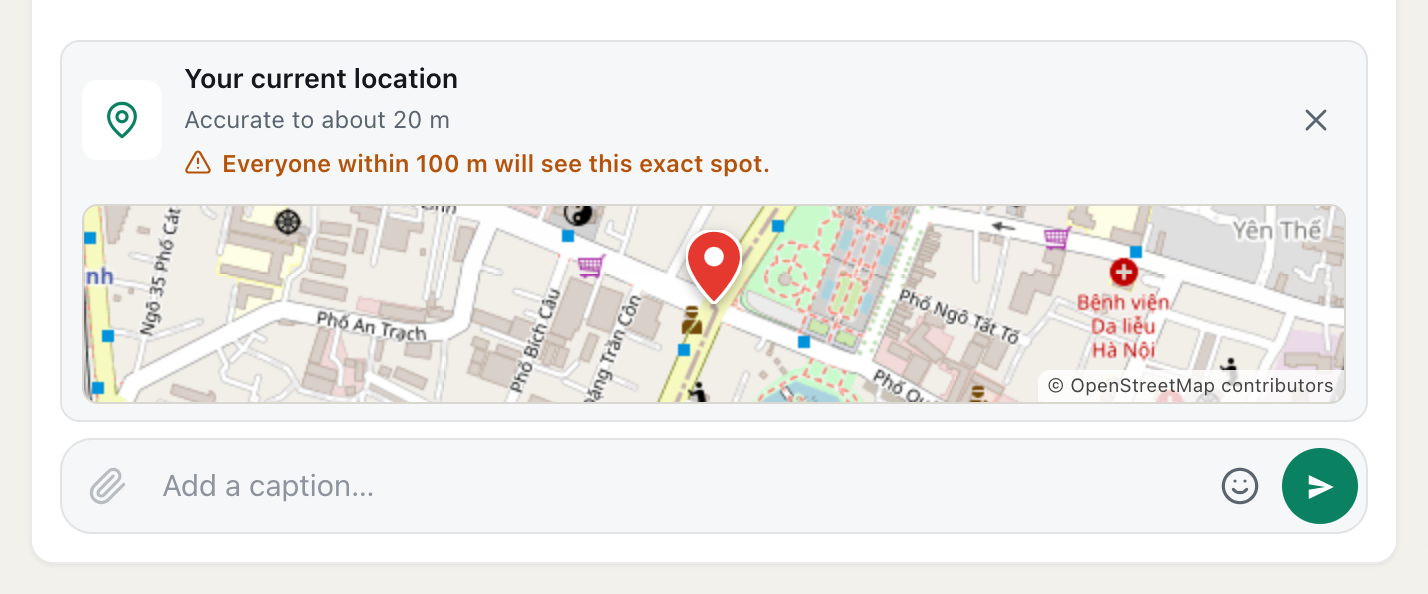
You can share your location in a message, from the paperclip button's Location option. It's the only way anyone ever sees an exact point, and it only happens when you choose to send it. Before you do, the composer shows Your current location, a small map of exactly what will be shared, and a warning of who will see it. In the 50 km room it reads: Everyone within 50 km will see this exact spot.
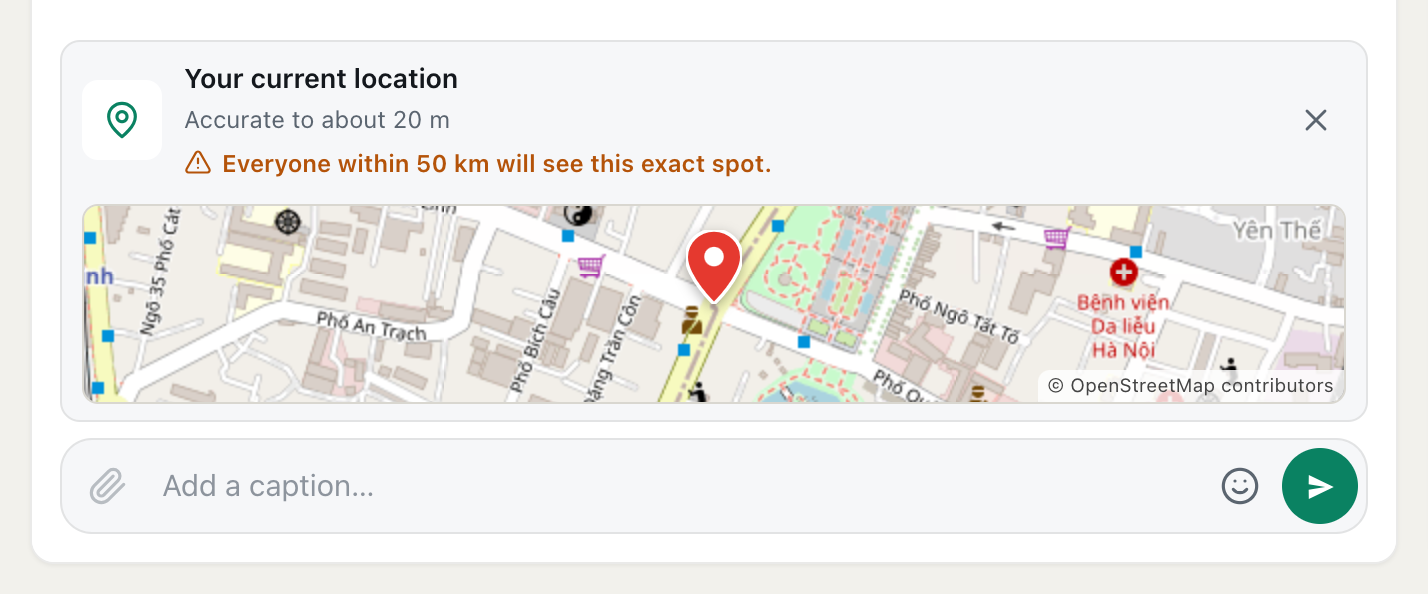
A screenshot of a location about to be shared in the 50 km room, at CicadaChat's sample position. The orange warning says who will see it before you press send.
In a room this size, "everyone" can be a lot of people. Share public places: a car park at the trailhead, a ferry terminal, a café where you're meeting a carpool. Never share your home, your workplace or a child's school. If you change your mind, press the cross on the attachment and it's gone before it's sent. The help article how to share your location in a message, and who will see it explains how shared locations work in every kind of chat.
Private chats are private
Tap someone's name, on a message or in the People in range list, and a private chat with just them opens. Only the two of you can read it, and neither of you sees the other's distance there. In the 50 km room, private chats are where plans become real: sharing a lift, buying cheese from a farm, arranging a guided trek. Move the conversation there before swapping phone numbers, addresses or pick-up points.
Habits that keep you comfortable
- Pick a name that suits a big audience. A first name or a nickname is plenty.
- Say the area, not the address. "Up in the hills" or "on the coast side" is enough for a regional question.
- Watch what photos show. The hidden location data is stripped, but a view from your window, a house number or a car number plate is still visible to everyone.
- Remember that distance is a pattern. If you always post from home, people see roughly the same distance every time. Posting from different places, or from somewhere public, gives away less.
- Don't announce an empty house. "Off to the coast for a week, leaving tomorrow" plus a distance tells a whole region more than it needs to know. Share trip plans in a private room with people you know.
- Meet in public. If a regional conversation turns into a meeting, a lift or a sale, pick a busy public place and tell someone where you're going.
If you'd rather not share your location at all
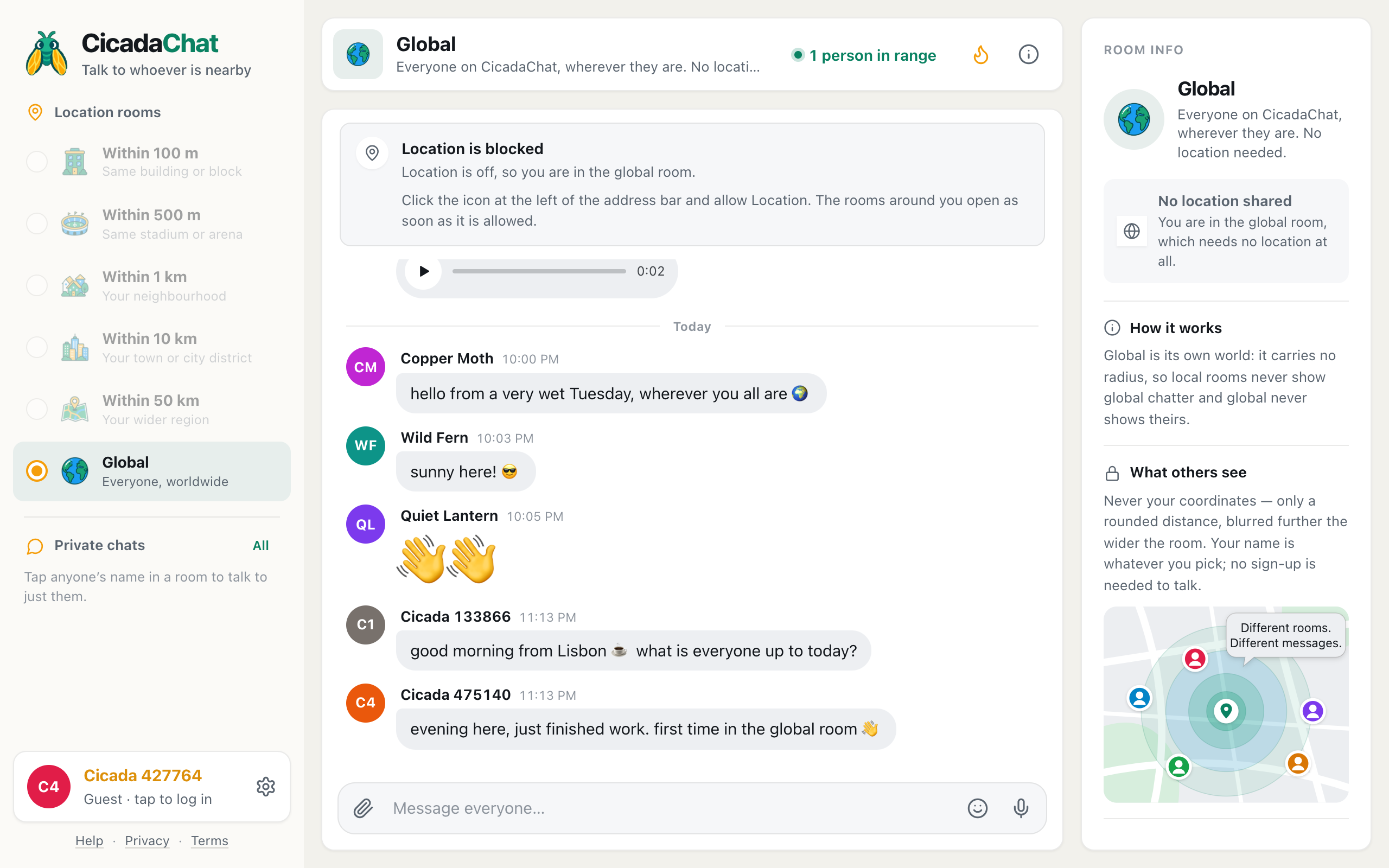
You don't have to. If you say no when your browser asks, or turn location off, CicadaChat puts you in the Global room, which needs no location and never shows anyone's distance. You can't use the 50 km room without location, because the room is drawn around you, but you can still talk to everyone worldwide, and use private chats and private rooms. You can turn location on later, from the prompt or your browser's settings.
How this compares with the smaller rooms
The rules are the same in every local room. What changes is the size of the audience and the rounding. The town-sized version of this article, privacy across town: what the people within 10 km can and can't see, covers an audience that shares your streets, with distances to 250 m. The 50 km room reaches more people, spread over far more ground, and gives each of them a blurrier distance. For everything CicadaChat shows about you across the app, including your profile and business card, see what other people can see about you on CicadaChat, and for what's stored and why, the Privacy Policy.
No comments yet. Start the conversation.