
For farms, trades and tour guides: reaching customers across the region in the 50 km room
For businesses whose customers are spread across a region: how to set up, answer questions in the 50 km room, post well and handle private chats.
Some businesses serve a street. Others serve a whole region: the farm that delivers to three towns, the mechanic who drives out to broken-down tractors, the trekking guide whose customers come from the city an hour away, the wedding photographer, the well driller, the vet who does farm visits. If your customers are spread across 50 km, the 50 km room is where they're asking for you. This article is for farms, trades, tour guides and other businesses that travel: how to set up, how to answer customers across the region in the 50 km room, what to post, and how to be a welcome part of the room rather than an advert in it.
Which businesses suit the 50 km room
A café or a hairdresser mostly serves people who can walk or ride there, which is what the 1 km and 10 km rooms are for. For businesses that serve the whole town: reaching customers in the 10 km room covers town-wide businesses. The 50 km room is for businesses whose customers are further away:
- Farms and producers: cheese, eggs, honey, fruit, vegetables, flowers, anything you deliver or sell at markets across the region.
- Trades that travel: mobile mechanics, farm machinery repair, well drilling, roofing, solar installers, electricians who cover a district.
- Tourism: trekking and tour guides, homestays, boat trips, adventure sports, cooking classes in the countryside.
- Events: photographers, caterers, sound and lighting, wedding venues, marquee hire.
- Specialists: vets, farriers, piano tuners, specialist repair shops, anyone who's the only one of their kind for miles.
Setting up
- Create a registered account at CicadaChat. It's free. A registered account lets you choose your name, sign in on your phone and your computer, and add a business card.
- Use your business's name as your full name, like Green Hill Goat Farm or Tùng Mobile Mechanic. It's the name shown on every message you send, so nobody has to guess who's talking. If you also chat as yourself, keep a separate personal account.
- Add a profile photo: your logo, your farm, your van. It sits next to every message.
- Add a business card, below.
Your business card
A registered account can describe a business in Your account, under Business: Business name, Description, Address, Phone, Email, Website, and up to eight photos, the first of which is the cover. Press Save business when you're done.
The card appears whenever someone opens a private chat with you. On a computer it sits on the right of the chat. On a phone, a shop button appears at the top of the chat, and tapping it shows the card. So when you say "tap my name for the list" in the room, your products, prices, delivery days and area are right there. The help article how to add a business card to your CicadaChat account goes through each field.
For a regional business, the description should answer the questions people always ask: where you go, when, and how to order. For example: "Family goat farm. Cheese, yoghurt and milk. We deliver to the city every Wednesday and to the hill towns on Saturdays. Order by Monday evening." Or: "Mobile repairs for cars, motorbikes and farm machinery, anywhere in the district. Call-out within 24 hours."
Answering is better than advertising
The best way to use the 50 km room is to answer questions. People ask for exactly what they need, in their own words:
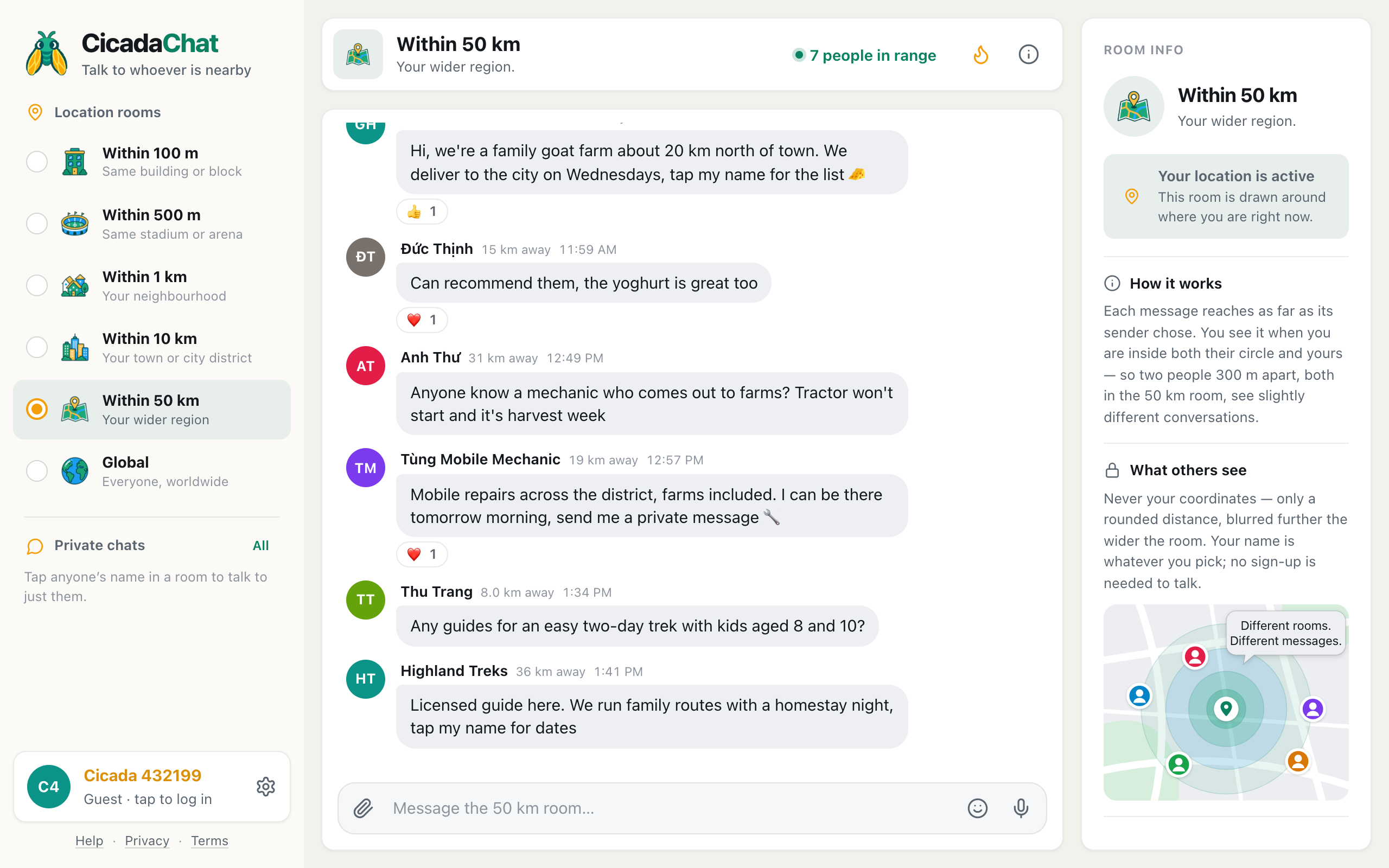
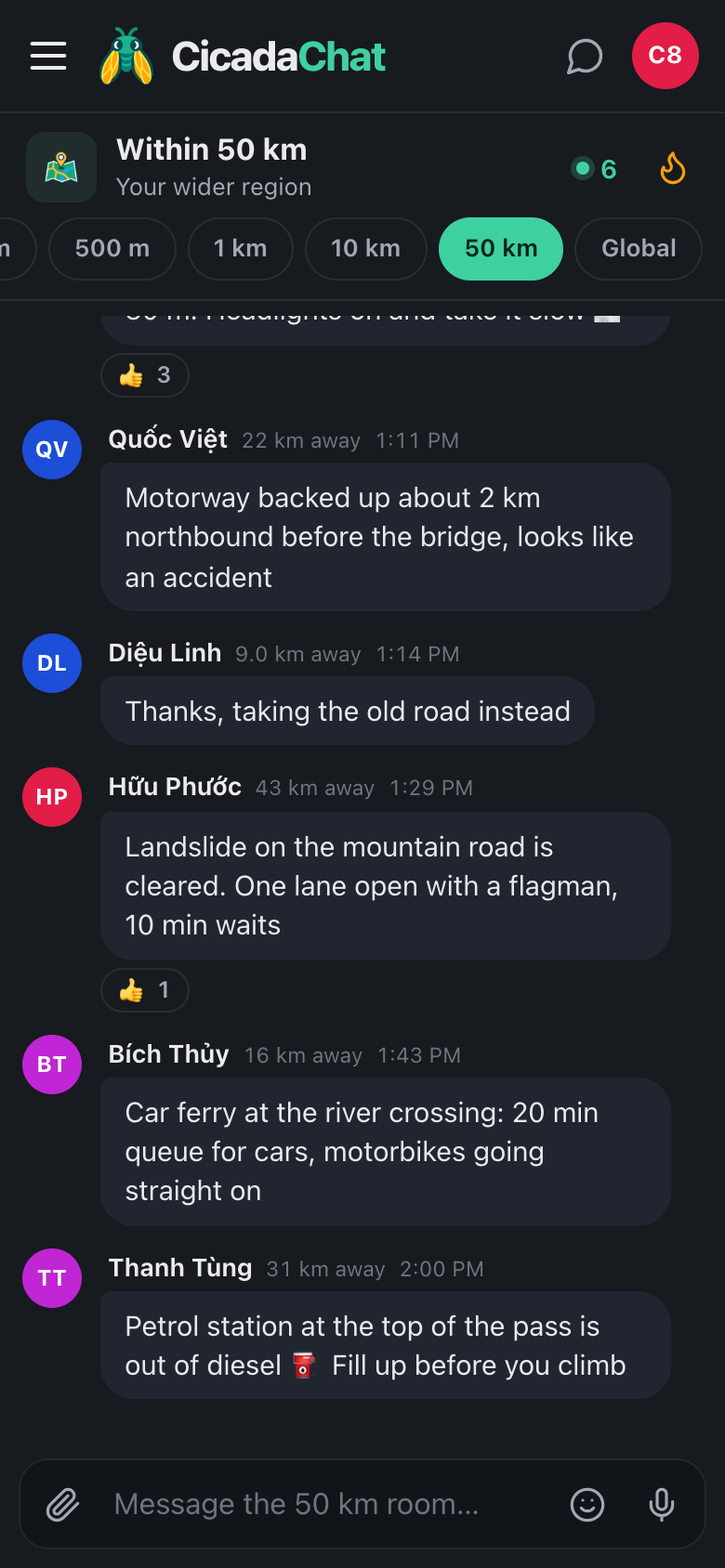
A screenshot of businesses answering in the 50 km room. A goat farm 23 km away, a mobile mechanic 19 km away and a trekking guide 36 km away each reply to a question.
Someone asks where to buy fresh goat's cheese, because the supermarket only has imported. A family goat farm 23 km away replies: they're about 20 km north of town, deliver to the city on Wednesdays, and the list is on their card. A past customer adds that the yoghurt is great too. Later, someone with a tractor that won't start in harvest week asks for a mechanic who comes out to farms, and a mobile mechanic 19 km away offers to be there tomorrow morning. And a parent asking about an easy two-day trek with children gets a reply from a licensed guide 36 km away.
Each answer is useful to the person asking, and to everyone else reading who might need cheese, a mechanic or a guide one day. The recommendation from a past customer is worth more than anything you could write yourself.
Some tips for answering:
- Answer what was asked. Where, when and how much, not your company history.
- Say you're the business. "Hi, we're a family goat farm" is honest, and people appreciate it.
- Say whether you cover their area. In a regional room, the first question is often "do you come out this far?"
- Recommend others when you can't help. If you don't go that far, say who does. It builds trust.
- Move details to a private chat. Orders, addresses, phone numbers and payment belong there.
Where you post from decides who hears you
A message from the 50 km room reaches 50 km around the spot where you sent it, to everyone listening in the 50 km room. If your farm is at the edge of the region you serve, posting from the farm puts half your circle in places you don't deliver to. If you post from the city on your delivery day, you reach your city customers. Many regional businesses post from different places on different days, following their own route.
People only hear you if they're listening at 50 km. Someone 30 km away sitting in their 10 km room won't see your message. That's by design: the 50 km room is for people who are looking across the region, not a way to reach every town's local room. It's also why answering questions works so well. The person asking is, by definition, looking.
People see how far away you were when you posted, rounded to the nearest kilometre, never your coordinates. If your business has a public address, put it on your card. If you work from home, you can leave the address out: the distance alone doesn't reveal where you are. Privacy across a region: what the people within 50 km can and can't see explains exactly what's shown.
What to post, and how often
Beyond answering, the room welcomes the occasional post that's genuinely useful to the region:
- Seasonal news: "Strawberry picking is open again", "First honey of the year is in".
- Your route: "Delivering to the hill towns on Saturday, a few slots left".
- Availability: "Two free days next week for farm machinery repairs", "Guide free for a family trek this weekend after a cancellation".
- Events: an open farm day, a tasting, a market stall.
- Useful information: "Road to the farm is flooded, we'll deliver on Thursday instead". Customers appreciate being told.
Once or twice a week is plenty. The same advert every day turns a useful business into noise, and people stop reading your name. CicadaChat also limits how quickly anyone can send messages. Post too fast and you'll see You are sending messages too quickly.
Photos
Pictures sell regional businesses: the goats, the cheese, the view from the trek, the repaired tractor. Tap the paperclip and choose Photo. CicadaChat resizes and re-encodes photos on your device, which strips the hidden location data many phone cameras add. That's worth knowing if your photos are taken at home or on your land. Up to eight photos can also live on your business card, where they don't scroll away.
Handling private chats well
Most real business happens in private chats. When someone taps your name, they see your card, and you see their message. A few habits help:
- Reply quickly. Someone with a broken tractor in harvest week won't wait long.
- Confirm the details in writing. Date, time, place, price. A private chat keeps a record for both of you.
- Use a shared location for meeting points. In a private chat, the paperclip's Location option sends an exact spot that only the other person sees: the farm gate, the trailhead, the field with the tractor.
- Be clear about payment. CicadaChat doesn't handle money, so agree how you'll be paid before you set off.
Visitors in your room
Because the room moves with each person, visitors to your region see your messages while they're there. A family on holiday by the lake, a couple driving through the hills, a group of friends up for the weekend: when they open the 50 km room, they're in the same conversation as you. For tourism businesses, that's the moment. Answer their questions about what to do, where to eat and which roads are open, and mention what you offer only when it fits. A visitor who got a good tip from you in the room is likely to tap your name.
Being a good citizen of the room
The businesses people trust in a regional room are the ones that give as well as sell. Share road conditions when you're out on your rounds. Answer questions outside your trade when you know the answer. React to other people's good tips. When the storm comes, say you've got a generator and can charge phones. People remember that, and it's the best marketing there is.
Regular customers
When customers keep coming back, a private room can help. A registered account can create one and add friends, for example a room for your weekly delivery customers, or a group of families booked on the same trek. It isn't tied to location, so everyone gets every message wherever they are. It's the right place for "delivery's running an hour late" or "meeting point has moved".
No comments yet. Start the conversation.