
From the 50 km room to a private room: organising a regional club, league or community
How to go from one message in the 50 km room to a private room for a group whose members live an hour apart, and how to run it across a region.
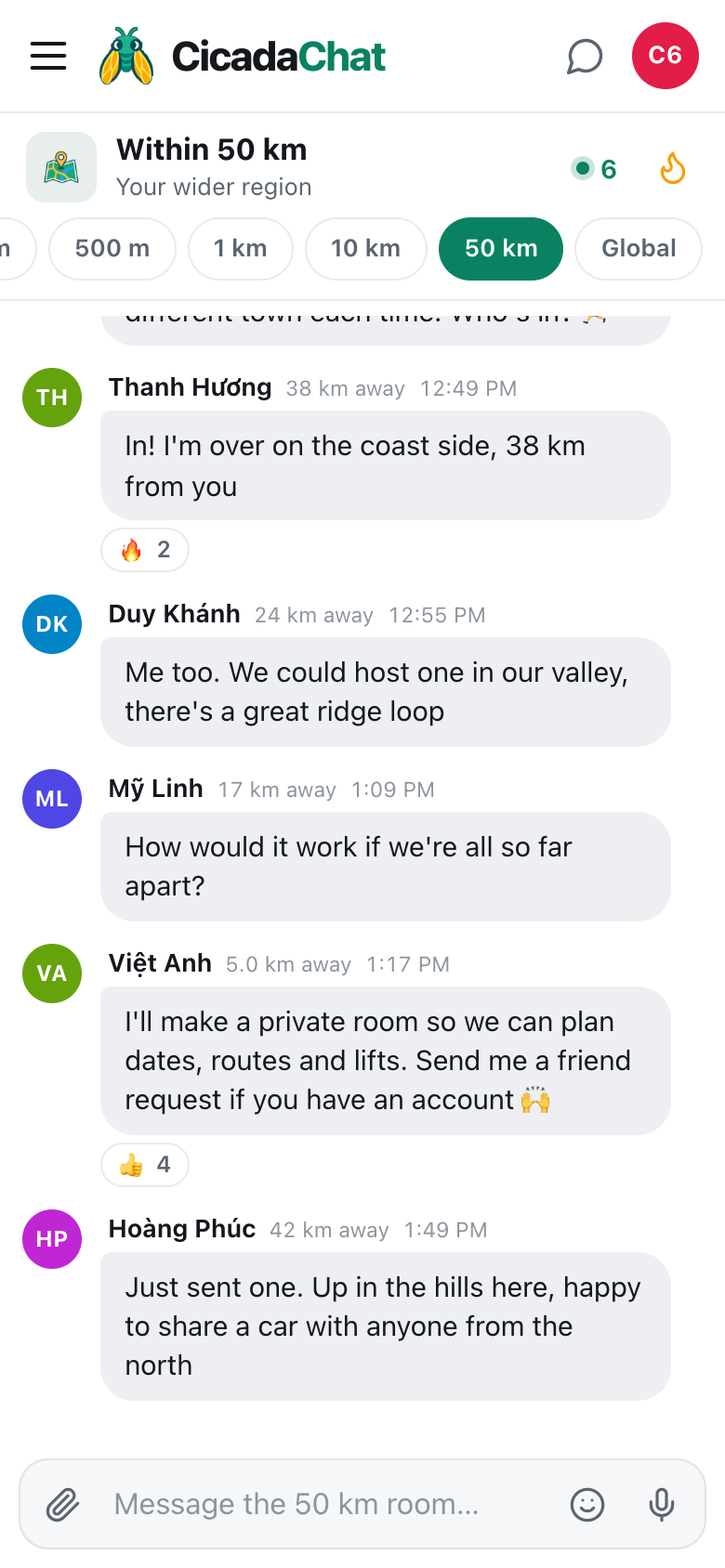
It starts with one message in the 50 km room: "Thinking of starting a regional trail running group: one long run a month, a different town each time. Who's in?" Replies come from the coast, the hills and the valley, 17, 24, 38 and 42 km away. Now you have a group whose members live an hour apart, and you need somewhere to plan dates, routes and lifts. That's what a private room is for. This article walks through organising a regional club, league or community, from the first message in the 50 km room to a private room of its own, and how to run a group spread across a whole region.
Why regional groups need a private room
The 50 km room, Within 50 km, is a circle a hundred kilometres across drawn around each person. It's the best place to find people for something rare or spread out, because a whole region has enough of them. But it's not a good place to run a group, for three reasons:
- Your members aren't all in each other's range. Someone on the coast and someone in the hills can be 80 km apart, outside each other's 50 km circles. In the 50 km room, a message from one might never reach the other.
- It moves. When a member drives to the city or goes away for the weekend, their 50 km room goes with them.
- It's everyone's room. A dozen messages about who's driving whom to Saturday's run is a lot for the rest of the region to scroll past.
A private room solves all three. It's an invite-only group chat that isn't tied to location at all. Every member sees every message, wherever they are, and nobody's distance is shown. Only members can read it, or even tell that it exists.
Step 1: find your people in the 50 km room
Open CicadaChat, tap 50 km in the row of room tabs on a phone, or Within 50 km in the Location rooms list on a computer, and post an invitation that says what, who for, how often and where. For example: "Thinking of starting a regional trail running group: one long run a month, a different town each time. Who's in? 🏃"
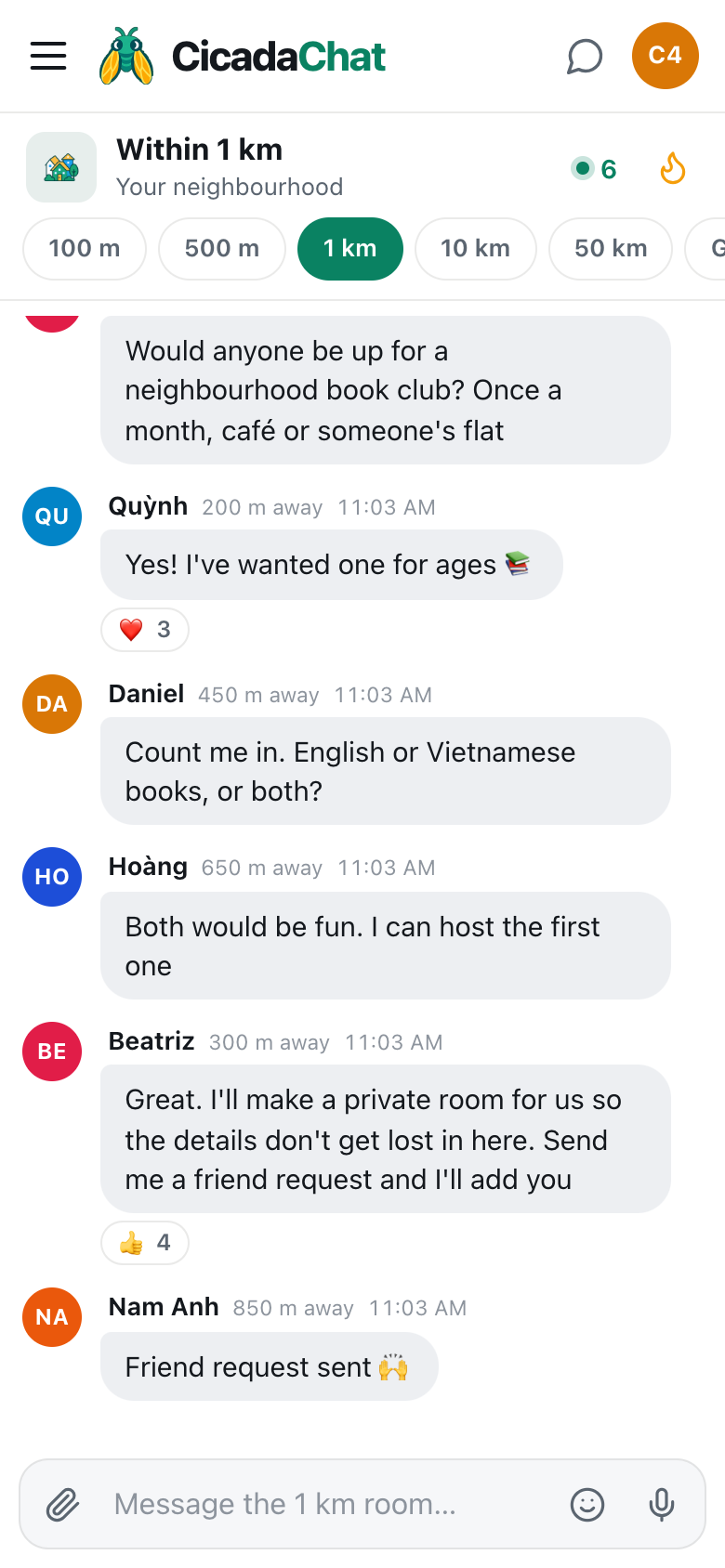
A screenshot of a regional trail running group forming in the 50 km room on a phone. Replies come from 17 to 42 km away, and the organiser offers to make a private room.
Watch the replies. Each one shows how far away the sender was, rounded to the nearest kilometre, which tells you at a glance how spread out the group will be. Someone on the coast side, 38 km away, is in. Someone 24 km away offers to host a run in their valley. Someone asks the obvious question: how would it work if everyone's so far apart? That's the moment to explain the plan: "I'll make a private room so we can plan dates, routes and lifts. Send me a friend request if you have an account 🙌"
Answer questions in the room so the next person to read it has the answers. Reactions like 🔥 and 👍 from people who haven't replied yet are a good sign, and they lift your message into the room's Hot view for the week.
Step 2: registered accounts for everyone
Friends and private rooms are for registered accounts. A guest account is tied to one browser and can disappear if that browser's data is cleared. Creating an account is free, takes a minute, and keeps everything the person already said as a guest.
A guest's name at the bottom of the sidebar says Guest · tap to log in. Tapping it opens the dialog where they can create an account.
Step 3: become friends
A private room's owner can only add their accepted friends. That's deliberate: nobody can be pulled into a room by a stranger.
- Tap a member's name, on one of their messages or in the People in range list. A private chat with them opens.
- Use Add friend. The button changes to Requested while you wait.
- When they accept, it becomes Friends.
It works in either direction. If someone sends you a request, their chat shows Accept, and if you both asked, the second request simply accepts the first. Friends see when each other is online, but never where each other is.
In a regional group, there's one catch: you can only open a private chat with someone you can find. If a member is outside your 50 km room, they won't be in your People in range list. Ask them to send you the request instead, from their side, where you're in range. Or use Find people by username in the friends dialog, if they've told you their username.
Step 4: create the private room
- Open the sidebar and find Private rooms. On a phone, tap the menu button at the top left first.
- Press New, beside the Private rooms heading. The New private room dialog opens.
- Type a Room name, like "Regional Trail Runners" or "Valley Go League".
- Under Add friends, tick the people to add.
- Press Create room.
The room appears in every member's sidebar under Private rooms, and you're its owner. A private room can hold up to 50 people. The help article how to create a private room for people you know walks through it with screenshots.
Step 5: tell the 50 km room
Go back to the 50 km room and say it's done: "Trail running group is up and running. First run is the ridge loop on the 12th. Send me a friend request if you'd like to join." It closes the loop for the people who replied, and leaves the door open for everyone who reads it later.
What goes where
| In the 50 km room | In the private room |
|---|---|
| Finding new members | Dates, routes and places |
| Occasional news: "Trail runners did the coast path today, beginners welcome next month" | Lifts: who's driving, from where, with how many seats |
| Questions from people who might join | Changes, cancellations, "running late" |
| Public events anyone can come to | Photos from the day |
| Road and weather reports that help everyone | Anything personal: phone numbers, pick-up points, who's staying where |
Everything you can send in the 50 km room works in a private room too: messages, reactions, photos, documents, voice notes and shared locations. A location shared in a private room is seen only by its members, which makes it the right place to drop a pin on the trailhead car park or the café where you'll meet.
Running a group across a region
Take turns
In a group spread over 100 km, somebody always has a long drive. Rotate meeting places between the coast, the hills and the city, or meet in the middle. It's fairer, and it shows members parts of the region they wouldn't otherwise visit.
Plan lifts together
Regional groups run on shared cars. Before each meet-up, ask in the private room who's driving and who needs a seat. People from the same side of the region can travel together, which saves fuel and makes the journey part of the day.
Meet less often, for longer
A town club can meet every week. A regional one usually works better monthly or fortnightly, with a longer event each time: a whole-day run, an afternoon of games, a weekend trip.
Keep the details findable
Private rooms have no Hot view. Put the next date, time and meeting point in one clear message, and post it again when it changes, rather than relying on people scrolling back.
Owners, members and changes
Only the owner adds and removes people, renames the room or deletes it. Anyone can leave at any time. When the owner leaves, the longest-standing member becomes the owner, so the group carries on. A room left with nobody in it is deleted. The 10 km version of this guide, from the 10 km room to a private room: organising a club or meetup across town, covers running a group in more detail, from growing it to keeping it friendly.
If something doesn't work
- There's no New button beside Private rooms. You're using a guest account. Create a free account first.
- Someone isn't under Add friends. You aren't friends yet, or their request hasn't been accepted. Their private chat should say Friends.
- You can't find a member to send a request. They may be outside your 50 km room. Ask them to send the request instead.
- The room is full. Private rooms hold up to 50 people. Consider splitting into smaller groups by area or level, with one room for everyone's announcements.
- A member can't see the room. Check that they're signed in to their registered account on the device they're using. Private rooms appear under Private rooms in the sidebar, not in the room tabs.
Kinds of groups that start in the 50 km room
- Outdoor sport: trail running, cycling, hiking, climbing, paddling, paragliding.
- Leagues: football or badminton between towns, chess and Go leagues, quiz nights that rotate.
- Rare hobbies: astronomy, beekeeping, classic motorbikes, traditional music. Rare hobbies need a bigger circle: finding your niche within 50 km has ideas for finding them.
- Producers: farmers sharing machinery, prices and advice, or a cooperative selling together.
- Language and culture: speakers of a language that's rare in the region, or people from the same home town.
- Volunteers: river clean-ups, disaster relief, animal rescue across a district.
Keeping it friendly and safe
- Meet in public places, at least until the group knows each other.
- Add people you've talked to, rather than everyone who reacts in the 50 km room.
- Keep personal details in the private room, and even there only share what you're comfortable with. Members of a private room can see each other's usernames.
- Let people go gracefully. Anyone can leave, and that's fine.
- Keep the door open. Post in the 50 km room now and then, so newcomers to the region can find you.
No comments yet. Start the conversation.