
Planning a building get-together from the 100 m room
From the first idea to keeping in touch afterwards: how to plan a potluck, clean-up or party with your building in the 100 m room, using reactions, Hot and a private room.
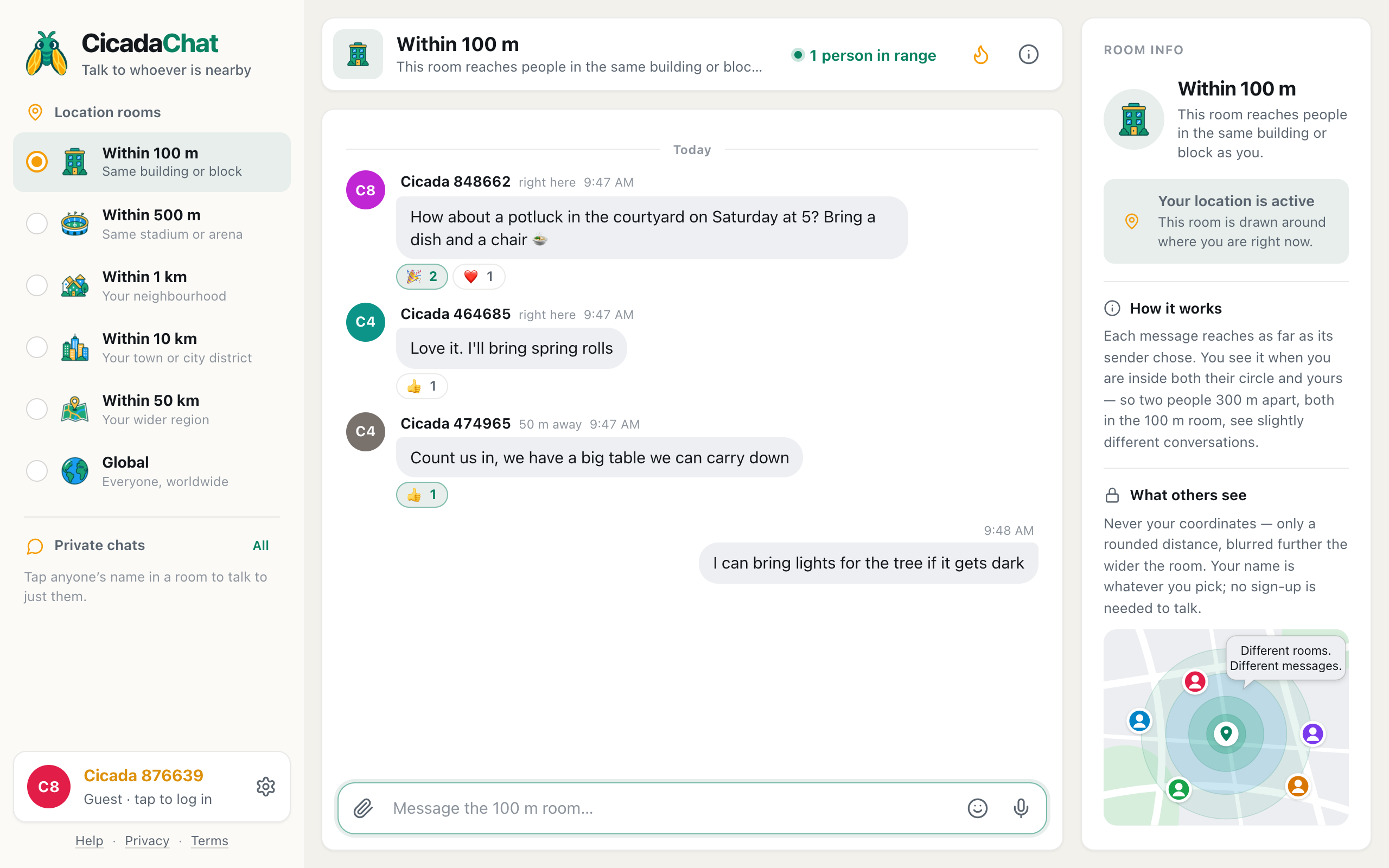
A courtyard potluck, a stairwell clean-up, a birthday on the roof terrace, a table in the street for the summer evening. Building get-togethers are easy to enjoy and hard to organise, mostly because there's no easy way to ask everyone at once. CicadaChat's 100 m room is that way: one message reaches everyone within 100 m of you, which in most cities is your building and the ones around it. This article walks through planning a building get-together from the 100 m room, from the first idea to keeping in touch afterwards.
Why plan a get-together from the 100 m room
The usual options each leave someone out. A note in the lobby is read by people who happen to walk past it. A building group chat only reaches people someone remembered to add. A post in a neighbourhood forum reaches hundreds of people who don't live anywhere near your courtyard.
The 100 m room reaches exactly the people who could walk down the stairs and join in. Your message goes to everyone within 100 m of you who opens a local room, including the neighbour who moved in last week, and it stays at the spot where you sent it, so people who open CicadaChat later that day still see it. Nobody has to be invited, and nobody has to hand over a phone number.
Step 1: float the idea
Start with a simple, specific question. "Anyone up for a get-together?" is vague and easy to ignore. A concrete suggestion is easy to say yes to:
- "How about a potluck in the courtyard on Saturday at 5? Bring a dish and a chair."
- "Thinking of a clean-up of the bike store on Sunday morning, then coffee. Who's in?"
- "Anyone want to put a long table out on the street for the fireworks?"
Send it from home, so the 100 m circle is centred on your building. If you send it from the office, it goes to your colleagues instead.
A screenshot of a courtyard potluck being planned in the 100 m room. Two party reactions and a heart under the idea show who is interested.
Step 2: read the room with reactions
Not everyone will reply, and that's fine. Reactions are the quick yes. The row of quick reactions offers 👍, ❤️, 😂, 😮, 😢, 🔥, 🎉 and 👀, and a 🎉 on your suggestion says "count me in" without a message. Each person's reaction shows as a count under the message, so you can see interest building.
A few replies with details are gold for planning: "I'll bring spring rolls", "we have a big table we can carry down", "I can bring lights". Say thank you, and keep a note of who's bringing what.
Hot keeps the plan at the top
In a busy room, your suggestion can scroll out of sight within a day. The Hot view keeps it findable. Tap the flame button in the header and the room shows its most-reacted messages from the past week, ranked by how many people reacted. A get-together message with a dozen 🎉 reactions sits at the top, where latecomers will find it. A line under the message box reminds you what you're looking at: Most-reacted messages from the past week. Sending a message takes you back to the latest.
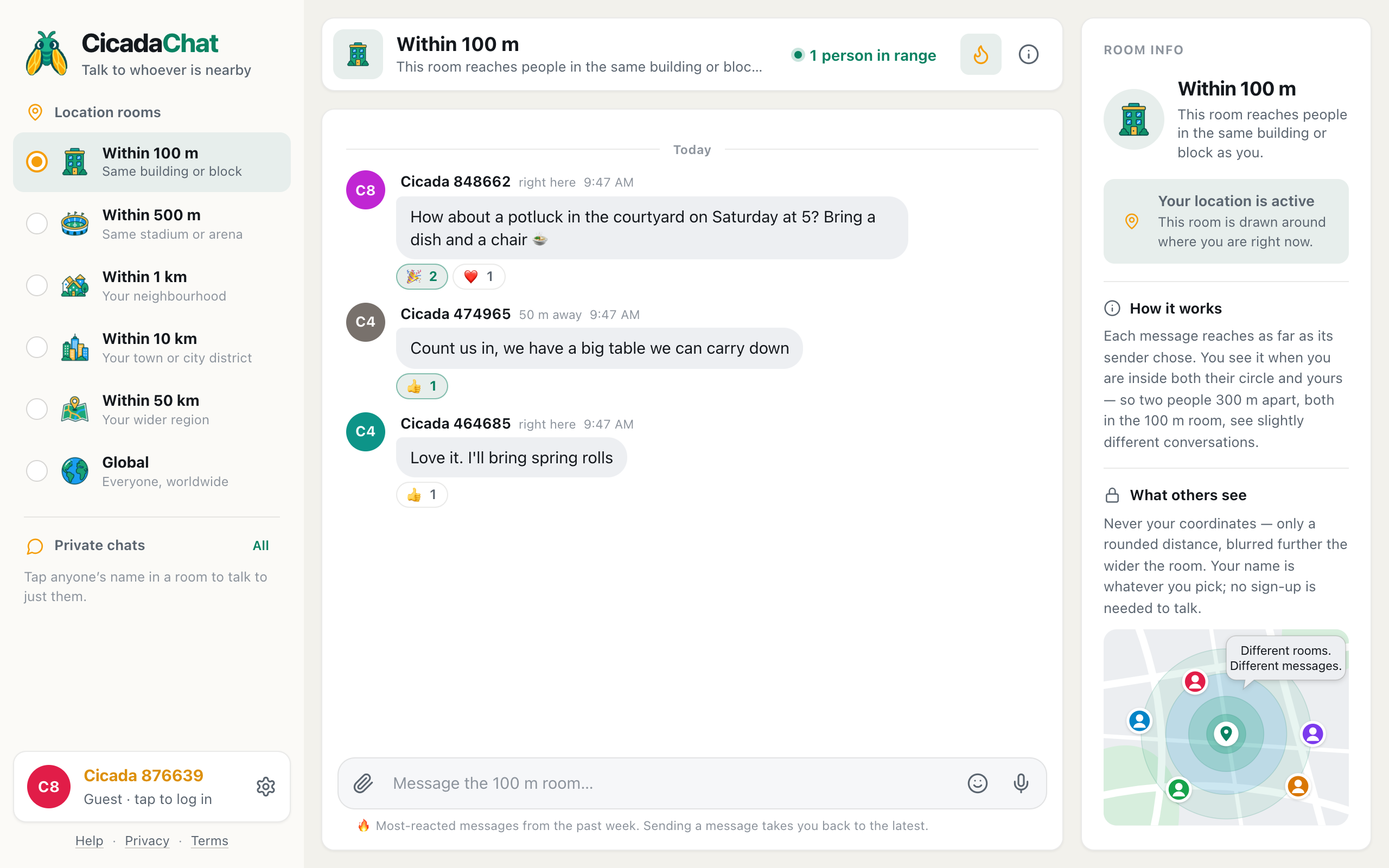
A screenshot of the Hot view, opened with the flame button. The potluck plan sits at the top because the most people reacted to it.
Hot counts people, not reactions: one neighbour adding five emoji is still one person. The help article the Hot view: finding a room's best messages from the past week explains the ranking in full.
Step 3: pin down the details
Once a few people are in, post the plan in one clear message, so nobody has to piece it together from twenty replies:
Potluck in the courtyard, Saturday at 5. Bring a dish to share and a chair. Tables and lights sorted. Kids welcome. If it rains, we'll move under the entrance canopy.
Good details to include: when, where in the building, what to bring, and the rain plan. Details to leave out: flat numbers, phone numbers, and anything that tells passers-by more than they need. The message is visible to anyone within 100 m of your building, not only residents.
If there's something that needs a picture, such as "this is the corner of the courtyard we'll use", attach a photo with the paperclip. CicadaChat strips the hidden GPS data from photos before they're uploaded.
Step 4: remind people on the day
A short reminder on the day works better than a long one the week before: "Potluck starts in an hour, the tables are out!" Send it from the building so it reaches the same circle as your first message. People who reacted to the first message will recognise it.
On the day, the room is also handy for the small logistics: "Does anyone have a bottle opener?" "The gate is propped open, come down whenever."
Step 5: keep in touch afterwards
The 100 m room is great for reaching everyone nearby, but it's public to the whole block and to anyone passing through. After a get-together, you'll often want something more private for the group of neighbours who got involved: a place to plan the next one, share photos from the evening, or organise a residents' meeting.
That's what a private room is for. A private room is an invite-only group chat on CicadaChat, and unlike the 100 m room, it doesn't depend on distance: members stay in it wherever they are. It works like this:
- Everyone involved creates a free CicadaChat account. Private rooms and friends are for registered accounts, and signing up keeps everything from a guest account.
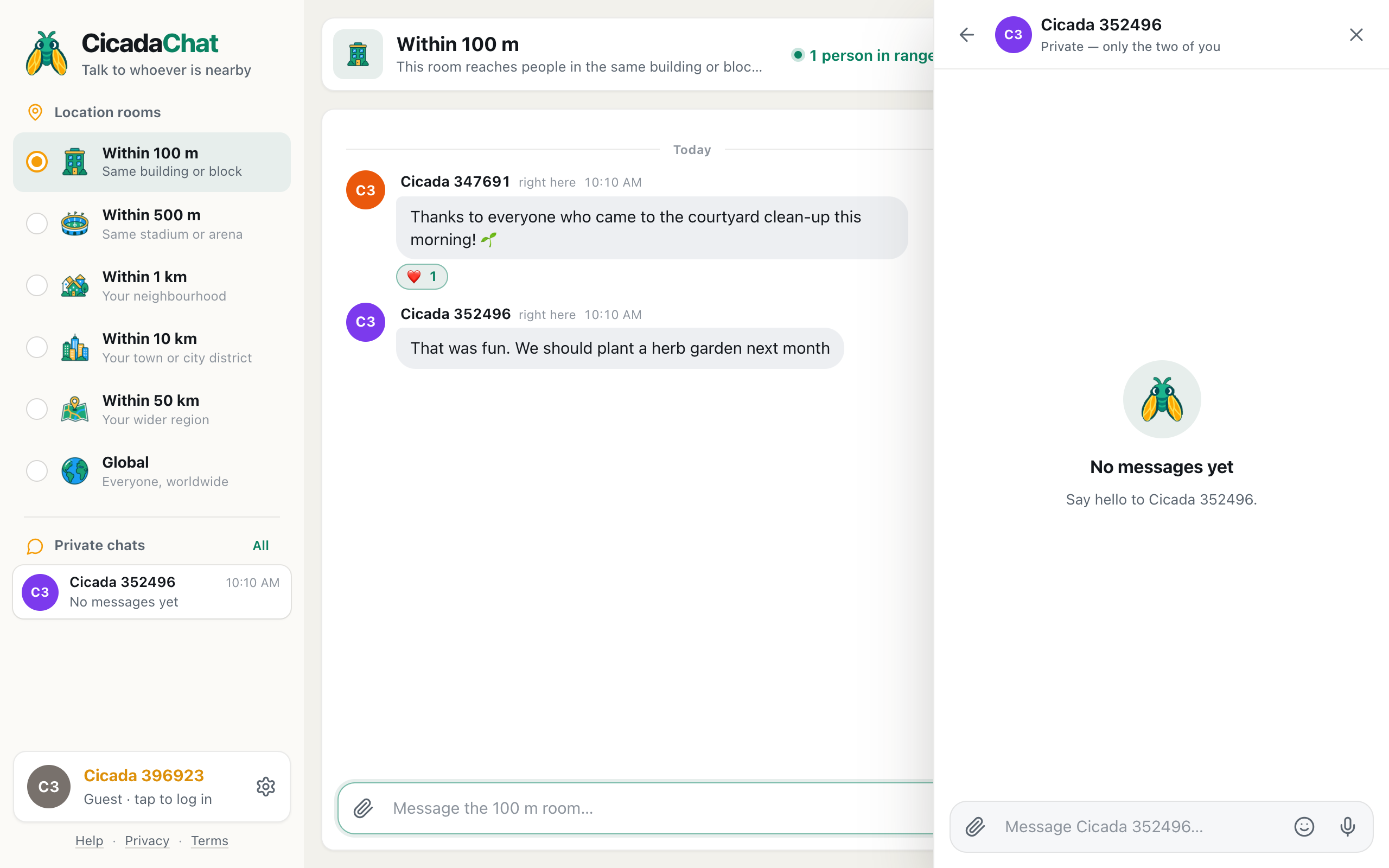
- Add each other as friends. Tapping someone's name on a message in the 100 m room opens a private chat with them, and you can send a friend request from there, or from the People in range list.
- Whoever creates the private room names it, for example "Courtyard neighbours", and adds friends to it. Only accepted friends can be added, so nobody is pulled into a room by a stranger.
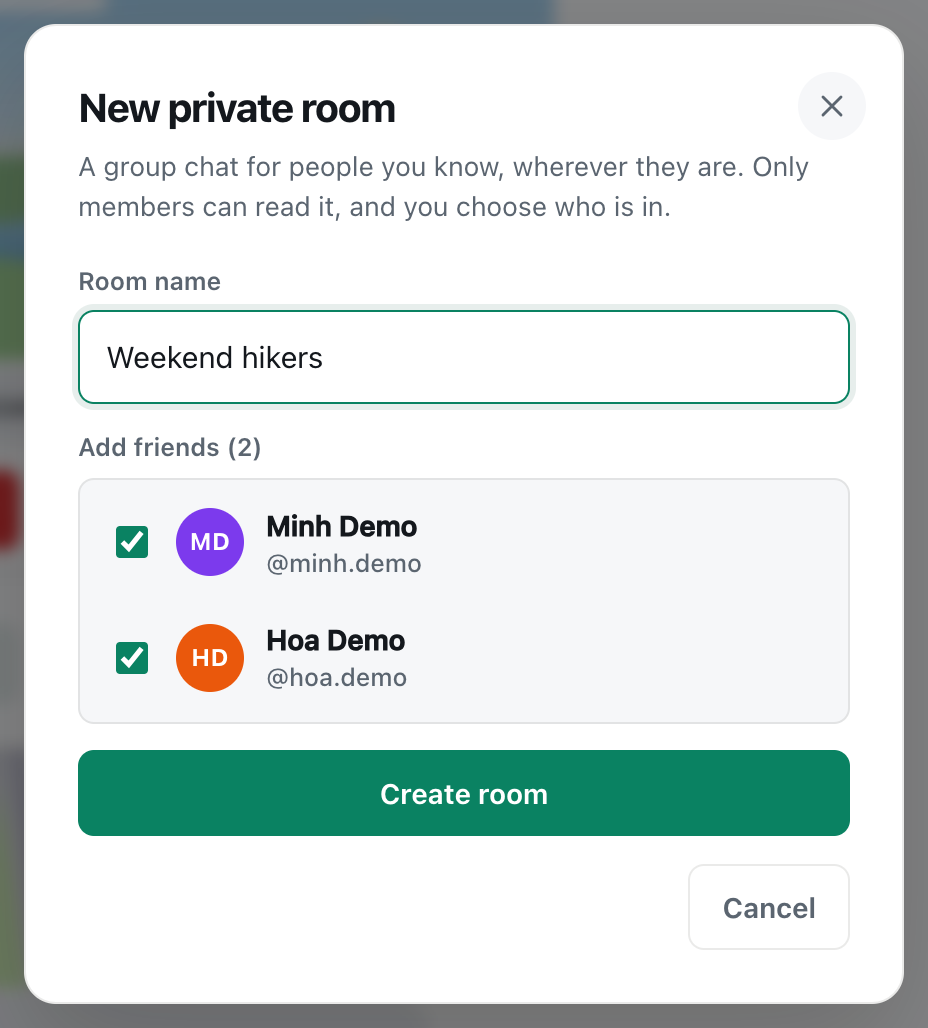
A screenshot of the New private room dialog. Only people who have accepted your friend request appear in the list.
A private room can hold up to 50 members. The full walkthrough, with every step and option, is in how to create a private room for people you know.
Keep the 100 m room for anything that anyone nearby might want to know ("the courtyard will be busy Saturday evening"), and the private room for the people doing the organising.
A timeline that works
A get-together doesn't need much planning, but spreading it over a week or so gives people time to see the idea and join in. A timeline that works well for a courtyard potluck:
- A week before: float the idea with a date and time. Send it in the early evening, when most people are home and more likely to have the app open.
- Over the next few days: watch the reactions and replies. Answer questions ("Can we bring kids?" "Is there a barbecue?"). If the idea is slow to catch on, a friendly nudge after a couple of days helps: "Still thinking about Saturday, a few people are in so far!"
- Three or four days before: post the full plan in one message: time, place, what to bring, the rain plan.
- The day before: a short heads-up for people who won't come but will hear it: "We'll be in the courtyard from 5 to 9 tomorrow."
- On the day: a reminder an hour before, and small logistics as they come up.
- Afterwards: thank people, say it's all tidied up, and invite the keen ones to a private room for next time.
Because every message is sent from the same building, they all reach the same circle of neighbours. Messages stay where they were sent, so someone who opens CicadaChat on Thursday can scroll back and find the whole story, or tap the flame to see the plan at the top of Hot.
Being considerate
A get-together is supposed to make the building friendlier, including for the people who don't come. A few courtesies go a long way:
- Tell the building early. A message a few days ahead, such as "we'll be in the courtyard from 5 to 9 on Saturday", gives anyone who wants a quiet evening time to plan.
- Say when it ends, and stick to it.
- Clean up and say so. "All tidied up, thanks everyone" is a nice last message.
- Don't pressure people. Some neighbours read the room without ever posting. That's fine.
Ideas that work well
- Potlucks in the courtyard, on the roof or in the lobby.
- Clean-up mornings for the bike store, the garden or the stairwell, ending with coffee.
- Swap tables: books, toys, plants, clothes the kids have grown out of.
- Welcome drinks for a new family on the floor.
- Watching a match or the fireworks together from the best window or balcony.
- A residents' meeting about the building, announced in the room and organised in a private room.
Whatever the idea, keep that first message short: what, when, where, and what to bring. Details can come in the replies. And don't worry if only three households turn up the first time. A small, friendly get-together is how the next, bigger one gets started, and the people who came will be the first to react to your next idea.
Every one of these starts with a single message in the 100 m room. If your building isn't using the room yet, talking to your neighbours: an apartment building chat without a group to join has ideas for getting it going.
No comments yet. Start the conversation.