
Storms, floods and outages: checking on your neighbourhood in the 1 km room
Is it just us? How to use CicadaChat's 1 km room in a storm, flood or power cut: mapping an outage, avoiding flooded roads, finding power, saving battery and helping neighbours.
The lights go off mid-evening. The fridge falls silent, the router's lights die, and the first question in your head is always the same: is it just us? A storm brings more questions. Which roads are under water? Is the underpass flooded again? Is anyone still with power, and can they charge a phone? The people who can answer are the people around you, and CicadaChat's 1 km room reaches all of them at once. This article is about storms, floods and outages: how to check on your neighbourhood in the 1 km room, what to ask and report, how to save your battery while you do, and how to look out for the neighbours who might need it most.
Why the 1 km room is the right size for a storm
Outages and floods are patchy. One street loses power while the next keeps it. A road under the railway bridge floods knee-deep while the road beside the school stays dry. What you need to know is what's happening within walking distance, and that's what the 1 km room covers: everyone within a kilometre of you, in one conversation.
The smaller 100 m room is perfect for checking on your own building, and there's a whole article about that: when the power goes out: checking with your building in the 100 m room. The 1 km room answers the next question, the one about the neighbourhood: how far the outage goes, which way to walk, and where there's power.
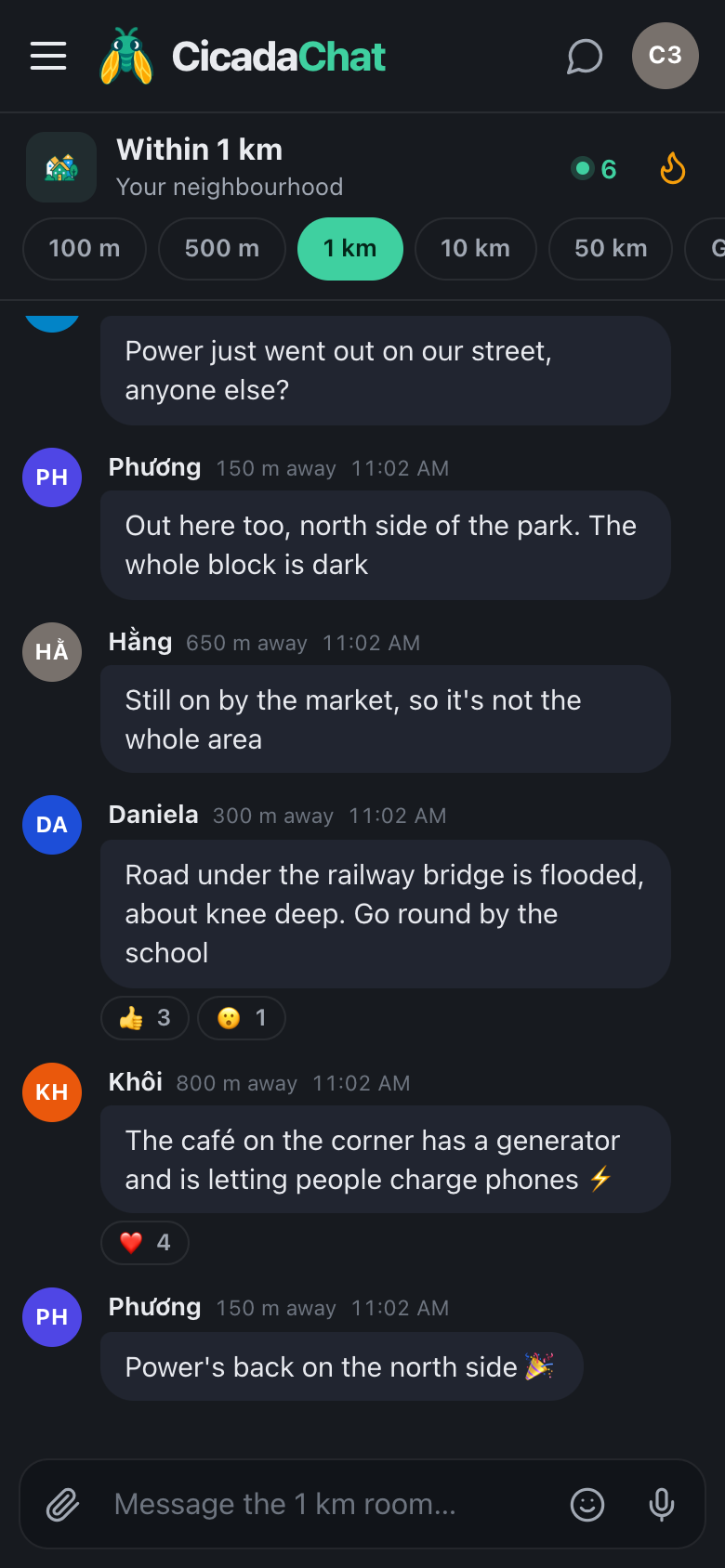
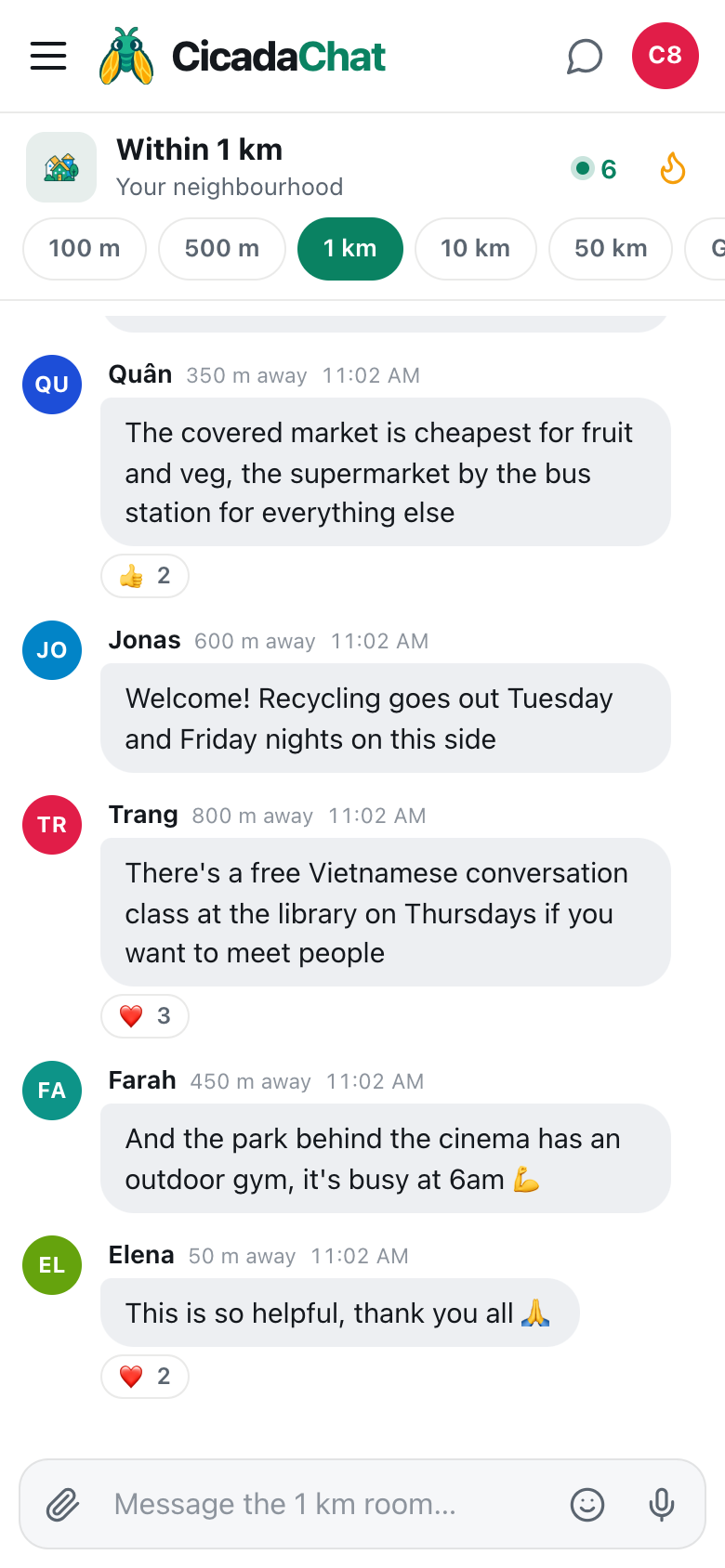
A screenshot of the 1 km room during a power cut, in the dark theme. Neighbours map the outage street by street, warn about a flooded road and share where to charge a phone.
Is it just me? Mapping an outage together
The fastest way to find out how big an outage is, is to ask:
Power just went out on our street, anyone else?
Within minutes, the answers draw a map. "Out here too, north side of the park. The whole block is dark." "Still on by the market, so it's not the whole area." Each answer comes with a distance, like 150 m away or 650 m away, so even without directions you get a sense of how far it spreads.
A few things make these answers more useful:
- Name a landmark. "North side of the park" or "by the market" tells everyone where the edge of the outage is. "Here" doesn't, because the distance doesn't say which direction.
- Say whether it's on or off. "Still on by the market" is just as useful as "out here too". It tells people where to go.
- Say when it comes back. "Power's back on the north side 🎉" helps everyone who's still waiting to guess how long they've got.
The same goes for water. "Water's off on the east side of the canal until 4pm" tells people to fill the kettle.
Floods and blocked roads
In heavy rain, the most useful thing the 1 km room can do is tell people which roads to avoid:
- Say where, and how deep. "Road under the railway bridge is flooded, about knee deep" is a message people act on.
- Offer a way round. "Go round by the school" turns a warning into directions.
- Add a photo if it's safe. A photo shows how deep the water is better than any description. Tap the paperclip and choose Photo. CicadaChat removes the hidden location data from the photo before it's sent. Don't stand in the water to take it.
- Report fallen trees and cables. "Tree down across the lane by the pagoda" saves people a journey. For a fallen power line, call the power company or the emergency services first. Then tell the room to keep away.
Your message reaches 1 km around where you send it. If you're reporting from the flood itself, it reaches the people most likely to drive or walk through it.
Finding power, water and a place to go
During a long outage, the 1 km room becomes a map of resources:
- "The café on the corner has a generator and is letting people charge phones ⚡"
- "The shop by the bus station still has bottled water and ice."
- "The library is open and has lights, if anyone needs somewhere warm."
Messages like these tend to collect the most reactions, and that puts them in Hot, the flame button in the header, which shows the room's most-reacted messages from the past week. If you've just got your phone back on and don't want to scroll through two hours of messages, Hot is where to look.
Saving your battery
When the power's out, every percent counts. A few ways to use the 1 km room without draining your phone:
- Switch to the dark theme. Open Settings and choose Dark under Appearance. On phones with OLED screens, dark backgrounds use less power. It's also easier on your eyes in a dark room.
- Check in, then close. CicadaChat doesn't send notifications, so there's no need to keep it open all evening. Check, reply, and close it until you next need it.
- Use text, not voice. Voice notes are handy, but recording and playing them uses more battery than typing, and people can read text faster.
- Add it to your home screen. On a phone, CicadaChat can sit on your home screen like an app, so it's one tap away when you need it. The help article using CicadaChat on your phone: add it to your home screen shows how.
If your home internet is down with the power, CicadaChat still works over mobile data. Mobile networks can get busy in a storm, so short text messages are the most likely to get through.
Looking out for neighbours
Storms and outages are hardest on people who can't easily go out: older neighbours, people with small babies, people who rely on electrical medical equipment. The 1 km room can help, gently:
- Offer, don't expose. "I have a camping stove and a spare torch if anyone on the park side needs one" is a kind message. "Has anyone checked on the old lady at number 7?" names someone's home in a room of hundreds.
- Take details to a private chat. If someone asks for help, tap their name to open a private chat and sort out the where and when there. A private chat shows no distance, and works wherever you both are.
- Tell the room when help is sorted. "Found a torch, thank you!" stops five people from setting out with one.
Before and after the storm
Before
When a storm is forecast, the 1 km room is a good place to compare notes: which streets usually flood, whether the shop has run out of bottled water, whether anyone has sandbags to share. For a warning that matters across a wide area, the 10 km room reaches the whole district.
After
When the storm has passed, the room helps with the clear-up: which roads are open again, who has a saw for a fallen branch, whether the rubbish collection is running. It's also the place to say thank you to the café with the generator.
One evening's outage, message by message
Here's how an ordinary power cut plays out in a busy 1 km room, and why each message helps:
- 7:42pm. "Power just went out on our street, anyone else?" The question everybody has. Within a minute, three replies.
- 7:43pm. "Out here too, north side of the park. The whole block is dark." Now people know it's more than one street.
- 7:45pm. "Still on by the market, so it's not the whole area." The first edge of the outage. People on the north side now know where the lights are.
- 7:51pm. "Road under the railway bridge is flooded, about knee deep. Go round by the school." The storm that caused it is also closing a road. Three people react with 👍.
- 8:05pm. "The café on the corner has a generator and is letting people charge phones ⚡" The most useful message of the night. Four ❤️ reactions push it to the top of Hot.
- 8:40pm. "Power's back on the north side 🎉" The update that lets everyone on the north side stop worrying, and tells everyone else it's being fixed.
Nobody in that conversation needed to know anyone else. Six messages from six neighbours, between 150 m and 800 m apart, and the whole neighbourhood knew what was happening, where to go and when it was over.
What the 1 km room isn't
It's neighbours helping neighbours. It isn't a warning service, and it isn't a way to call for help. If someone is in danger, call the emergency services first. For official warnings, road closures and outage times, check with the authorities and your power and water companies, and share what they say with the room.
And be careful what you pass on. A rumour that the bridge has collapsed can spread across a neighbourhood faster than the water. Say what you've seen yourself, say where you heard anything else, and remember there's no way to edit or delete a message once it's sent.
When the lights go out, the question is always "is it just us?". In the 1 km room, the answer takes about a minute. For the smaller news of a neighbourhood on an ordinary day, see sirens, roadworks and a queue round the block: finding out what's going on nearby.
No comments yet. Start the conversation.