
Someone is always awake: the Global room across time zones
Because it spans every time zone, CicadaChat's Global room never goes quiet. How times are shown, why replies come in waves, and how to enjoy a room that's always awake.
At three in the morning, your 1 km room is asleep. So is your town, and most of your region. The Global room isn't. Somewhere it's the middle of the afternoon, somewhere else people are just getting to the office, and on the other side of the world someone else can't sleep either. The Global room across time zones is CicadaChat's one room that never closes. This article explains how time works in the Global room, why someone is always awake there, and how to make the most of a conversation where everyone is on a different part of the same day.
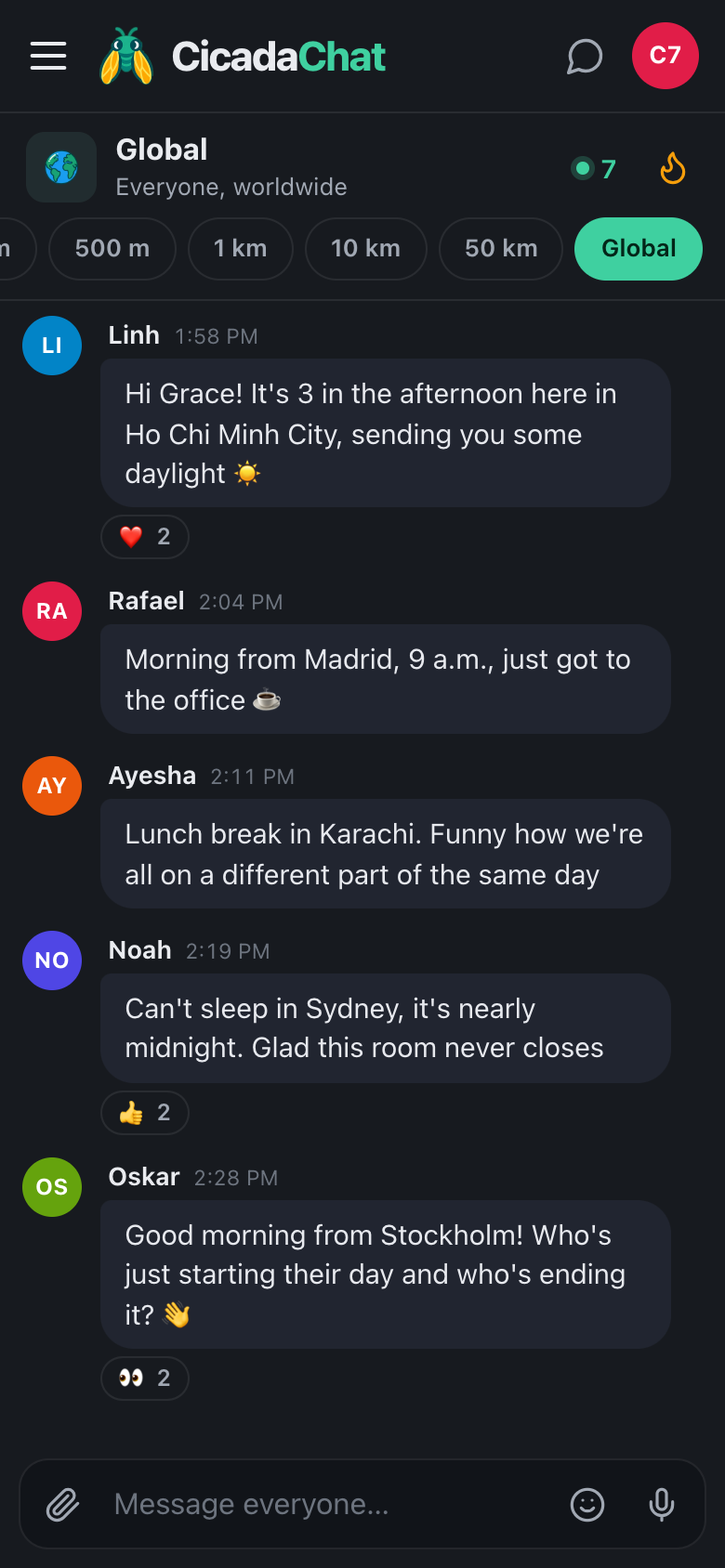
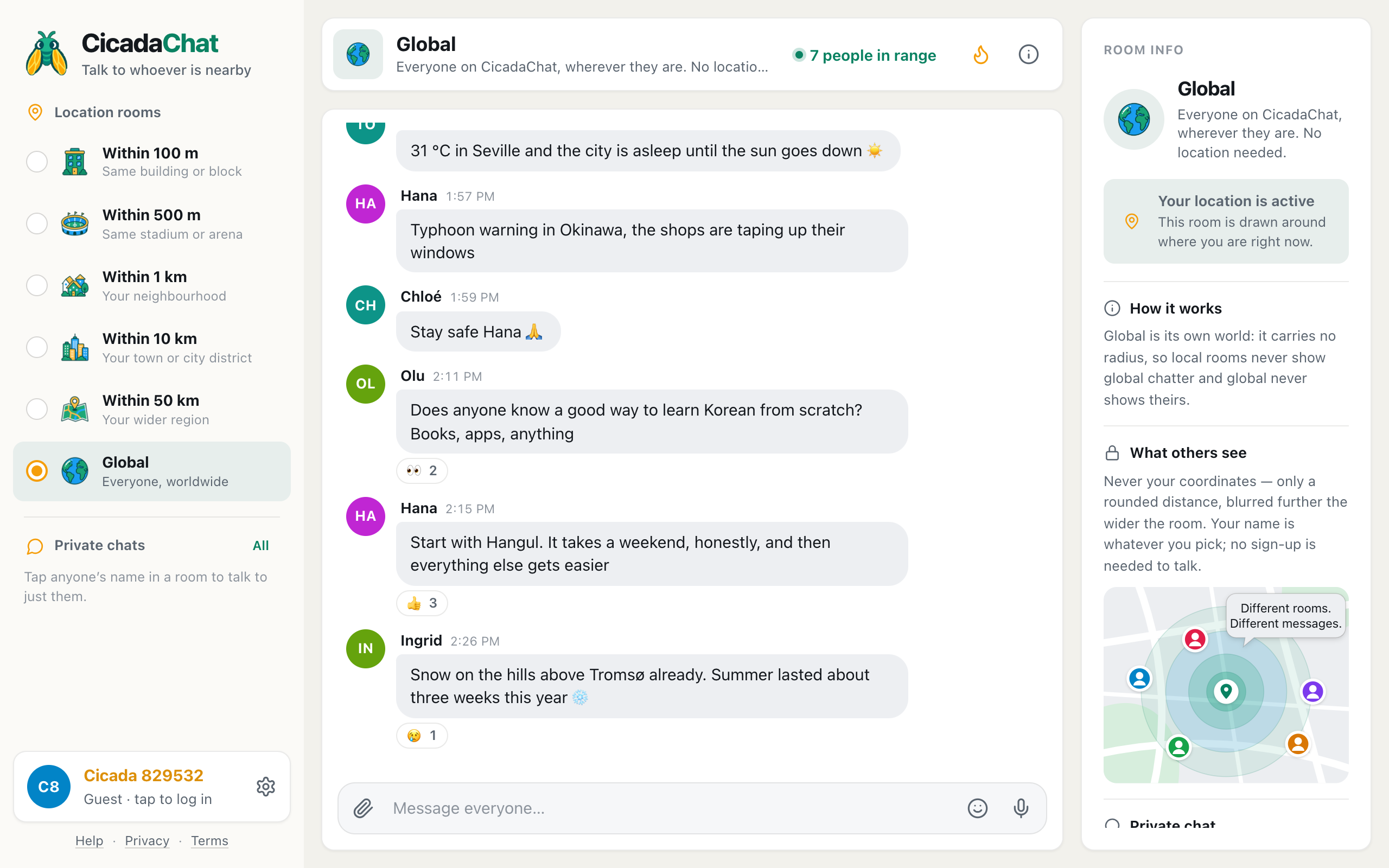
A screenshot of the Global room on a phone in dark mode. Every time is shown in the reader's own time zone, while the messages say what time it is for each sender.
Why Global never goes quiet
CicadaChat's local rooms are made of the people near you, so they follow your local rhythm. The 100 m room in an office building is lively at lunchtime and empty at night. The 1 km room fills up in the evening, when people are home, and fades after midnight. Even the 50 km room, which covers a whole region, mostly shares one clock.
Global is made of everyone on CicadaChat, wherever they are. When Chicago is asleep, Madrid is starting work, Karachi is at lunch and Ho Chi Minh City is in the middle of the afternoon. The room is never busy because of one city's evening. It's busy because, at any moment, it's a sensible hour somewhere.
That's what makes Global the natural room for the hours when everything nearby has gone quiet:
- Night shifts. Nurses, security guards, bakers and taxi drivers are awake while their neighbourhood sleeps. In Global, the first quiet moment of a long night can be a chat with someone having their morning coffee.
- Insomnia. Lying awake is lonely. Global at 2 a.m. has people who are wide awake because it's 2 p.m. where they are, and a few who are lying awake too.
- Jet lag. If you've just landed and your body thinks it's lunchtime, Global has people on your body's clock as well as your new one.
- Early risers. Up at five for a run or a flight? Global's other side of the world is having its evening.
- New parents. Night feeds are long, and Global is one of the few places where "is anyone awake?" gets an answer within minutes.
How times are shown
Every message in CicadaChat carries the moment it was sent, and the app shows that moment in your time zone, using your device's clock and its usual format (12-hour or 24-hour). So when Grace in Chicago writes "3:10 a.m., night shift at the hospital", the time next to her message isn't 3:10. It's whatever your own clock said at that instant.
That can feel strange at first. The message says it's the middle of the night, and the timestamp says it's the afternoon. Both are right: the words are Grace's time, and the timestamp is yours. In Global, it's the words that tell you where someone is in their day.
The dividers between days follow your clock too. Today, Yesterday and dates like Wednesday, Sep 23 are your days, not the sender's. A message someone sent on their Monday evening can land under your Tuesday.
Saying what time it is where you are
Because the app shows everyone's messages on the reader's clock, people in Global have a habit of saying what time it is for them. It's the easiest way to start a conversation there:
- "Morning from Madrid, 9 a.m., just got to the office ☕"
- "Lunch break in Karachi."
- "Can't sleep in Sydney, it's nearly midnight."
- "Good morning from Stockholm! Who's just starting their day and who's ending it?"
You don't have to name a city. "It's 3 a.m. here" or "just finished dinner" gives people enough context to reply sensibly, and it doesn't say where you are. CicadaChat never shows your location or distance in Global, so what you say about your time and place is entirely up to you.
What changes at different hours
Global has a rhythm of its own, as the world's busy regions take turns being awake. You don't need to memorise it, but it helps to know that the room feels different at different times of your day:
- When your region is having its morning, Global is full of greetings from places where it's evening, and plans for the day from places where it's morning too.
- When your region is having its evening, you'll overlap with the morning somewhere far away, and conversations tend to be about the day ahead for them and the day behind for you.
- In your small hours, Global often feels calmer and more personal: fewer people, longer conversations, more of the "can't sleep either?" kind.
The number next to the flame in the header, people in range, tells you how many people are in the Global room right now. If it's small, it's a good time for a proper conversation. If it's large, it's a good time for questions that need lots of answers.
Replies that take a while
In a room that spans the whole planet, some of the people you talk to go to bed while you're still chatting. That's normal. A question you ask before your lunch might get its best answer from someone who wakes up six hours later.
A few habits help conversations survive the time difference:
- Make questions stand on their own. "Any tips for Seoul in November?" still makes sense to someone who reads it tomorrow. "What about the other one?" doesn't.
- Check back later. Global's history stays in the room, so scroll up when you come back to see whether anyone answered while you were away.
- Use the Hot view to catch up. The flame button in the header shows the most-reacted messages of the past week. It's the fastest way to find what happened while you slept.
- Move to a private chat for a long conversation. Tap someone's name to talk one to one. Your private chats are listed in the sidebar and stay there, so a conversation that spans two time zones can go at its own pace.
For how private chats work, see private chats: how to message someone one to one.
Night mode for night owls
If you're using Global at night, dark mode is easier on the eyes and on anyone sleeping next to you. Open Settings (the gear next to your name at the bottom of the sidebar), and under Appearance choose Dark. Or leave it on System, and CicadaChat follows your device, switching to dark whenever your phone or computer does.
A night in Global
Here's how the picture at the top of this article played out. Grace, a nurse in Chicago, posted at ten past three in the morning, her first quiet moment of the night. Within minutes, Linh in Ho Chi Minh City replied that it was three in the afternoon there and sent some daylight. Rafael arrived in his Madrid office at nine and said good morning. Ayesha wrote from her lunch break in Karachi, noticing that they were all on a different part of the same day. Noah, who couldn't sleep in Sydney, was glad the room never closes. And Oskar in Stockholm, just starting his morning, asked who was starting their day and who was ending it.
Six people, six different hours, one conversation. None of them shared a location, and none of them needed to. The words did all the work.
Being kind across the clock
A few things are worth remembering when the people you're talking to are living a different hour from you:
- Someone's "good morning" may be your bedtime. Reply in kind anyway. It's their morning.
- People up at 3 a.m. aren't always up by choice. Night-shift workers and people who can't sleep can be tired, worried or just want quiet company. Gentle conversation goes a long way.
- Nobody owes a quick answer. If someone goes quiet, they may simply have gone to sleep, or started work.
Making friends across time zones
Some of the nicest friendships in Global start between people who are awake at the same odd hours for completely different reasons: a nurse on nights in one country and an office worker at lunch in another. If you get along with someone, a registered account lets you add them as a friend. Friends see when each other is online, which in a friendship across time zones is surprisingly useful: you'll know when they're around without having to work out what time it is where they are.
Language is the other thing that shapes who you talk to in Global. If you'd like your late-night chats to double as practice, read practising a language with the world: language exchange in the Global room.
In short
Global is the room that's always awake, because it's always a sensible hour somewhere. Times are shown on your clock, so let your words say what time it is for you. Expect replies to come in waves as the world wakes up and goes to sleep, and use the Hot view and private chats to keep up. For an overview of everything else in the room, see the Global room: chatting with everyone on CicadaChat, wherever they are.
No comments yet. Start the conversation.