
When the weather crosses the region: storms, floods, smoke and snow in the 50 km room
Weather doesn't stop at the edge of town. How to follow storms, floods, smoke and snow across your region in the 50 km room, and report what you see.
Weather doesn't stop at the edge of town. A storm comes in off the sea and crosses the coast road, the city and the hills in a single afternoon. Rain that falls in the mountains at noon reaches the river in the valley by evening. Smoke from a fire 40 km away turns your sky orange. The people who can tell you what's coming are the ones it's already reached, and they're usually within 50 km. This article is about following storms, floods, smoke, heat and snow in the 50 km room: what to ask, how to report, and how to use a regional conversation to get ahead of the weather.
Why weather needs a regional room
For what's happening on your own street, the 1 km room is best: who has power, which drain is blocked, whether the neighbours are all right. Storms, floods and outages: checking on your neighbourhood in the 1 km room covers that side. But the weather itself works at a bigger scale. A storm front is tens of kilometres wide. A river gathers water from a whole catchment. A heatwave covers a province.
The 50 km room is a circle a hundred kilometres across, drawn around you. That's big enough to include the place the weather is coming from, not just the place it's arriving. It's the difference between "it's raining" and "it's been raining hard in the hills for three hours, and the river's up a metre".
What a storm looks like in the 50 km room
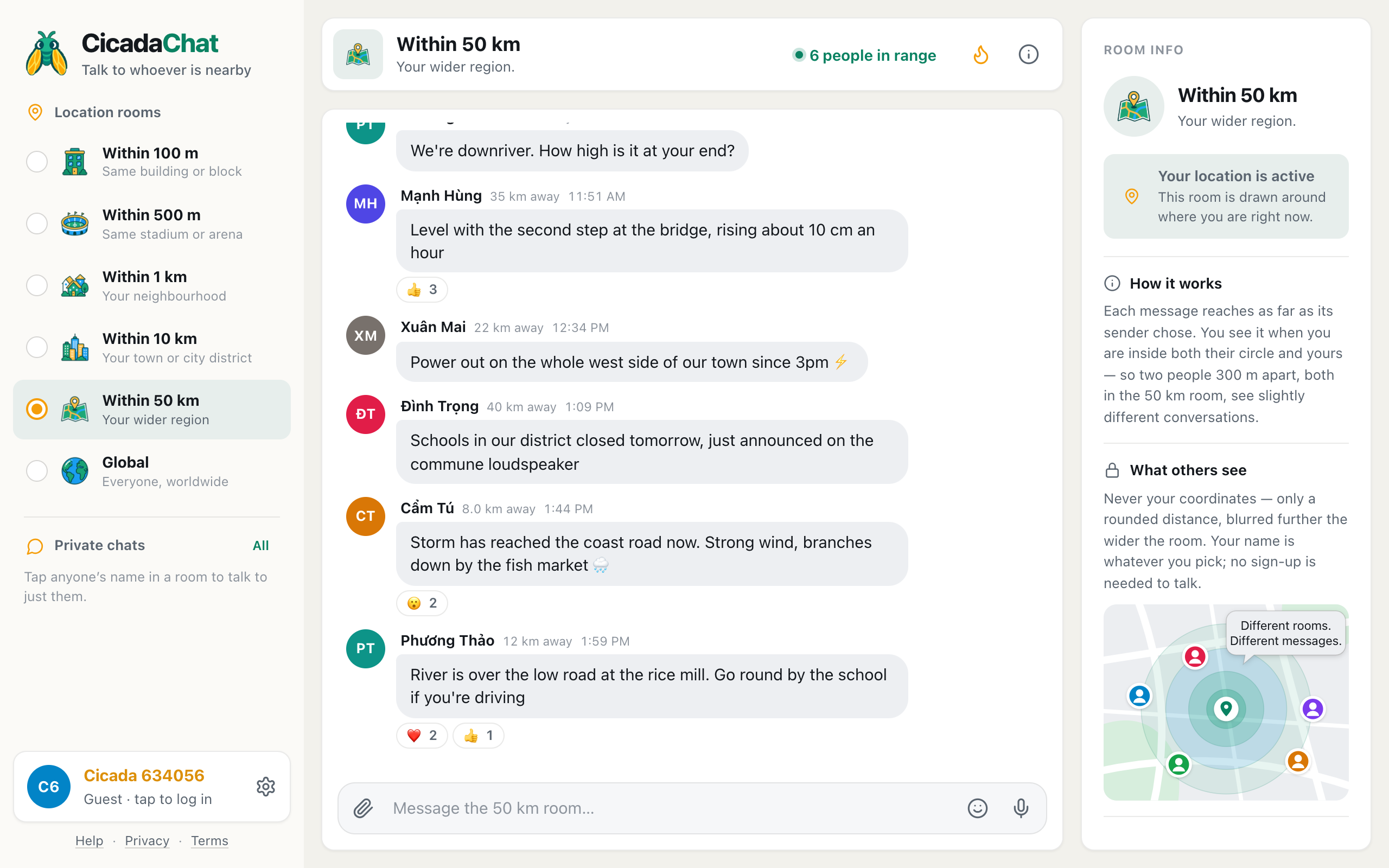
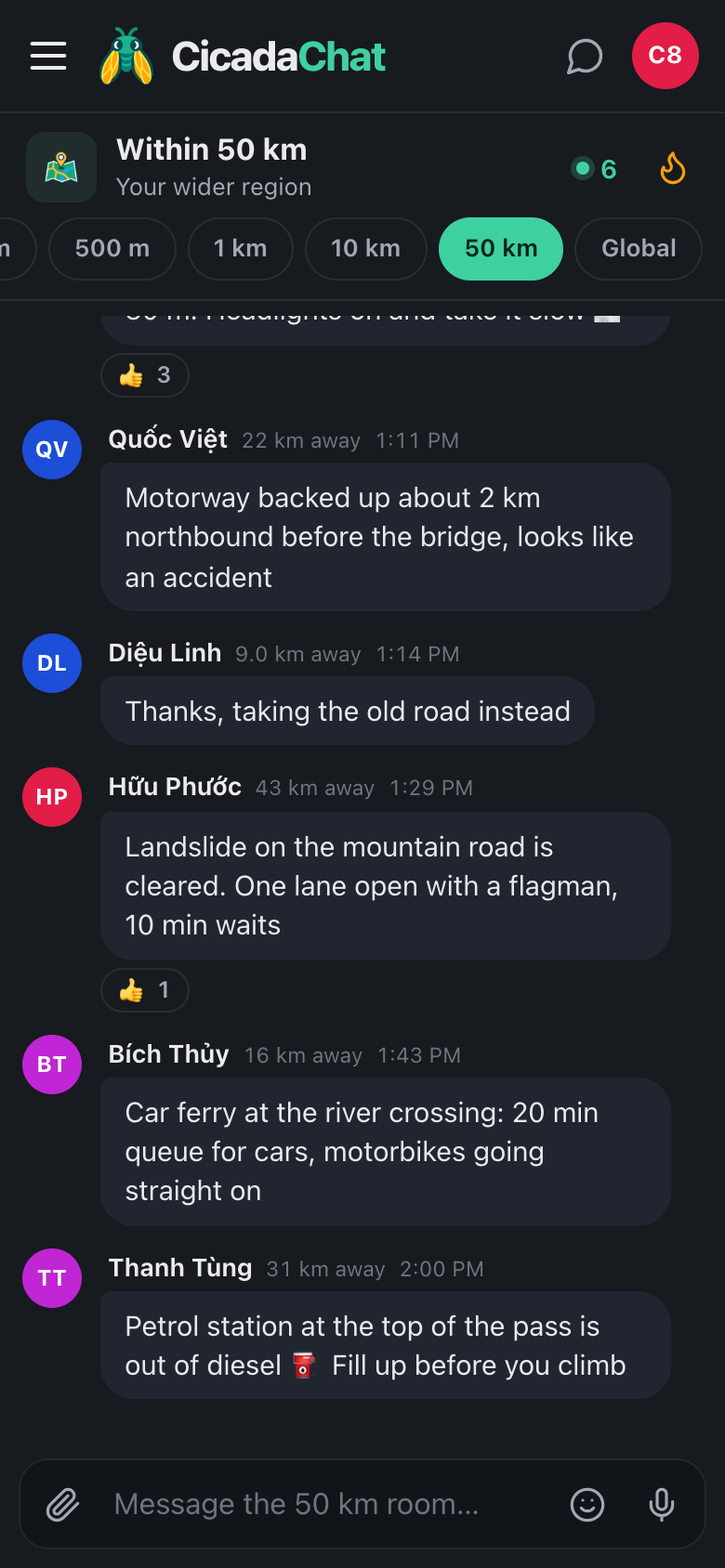
A screenshot of the 50 km room during a storm. Someone 35 km upstream reports the river level, others report a power cut, school closures and a flooded road by the rice mill.
Here's an afternoon during a storm. At midday, someone 35 km away in the hills says the rain has been very heavy since noon and the river is rising. Someone downriver asks how high, and the answer comes back: level with the second step at the bridge, rising about 10 cm an hour. Three people react with 👍. After that come a power cut on the west side of a town 22 km away, school closures announced 40 km away, the storm reaching the coast road with branches down, and finally, close by, the river over the low road at the rice mill with a way round.
Put together, the room tells a story no single town could: where the rain fell, how the river responded, and when it arrived. The people downstream had hours of warning.
What to ask
Good weather questions are about places and times:
- "Anyone up in the hills? How heavy is the rain there?"
- "How high is the river at the bridge in town?"
- "Is the coast road flooded, or can a car get through?"
- "Where's the smoke coming from? Is it getting closer?"
- "Is the pass open after last night's snow?"
- "Anyone have power on the east side?"
Say where you are in general terms, like "downriver" or "on the coast side", so people know what matters to you. You don't need to give an address, and you shouldn't.
How to report
A useful weather report gives where, what, how much and when:
- Where: a place people know. "The bridge in the hill town", "the rice mill on the low road", "the fish market on the coast".
- What: rain, wind, water, smoke, snow, a landslide, a fallen tree, a power cut.
- How much: measure it against something. "Level with the second step", "up to the car's wheel arches", "can't see the hills 5 km away".
- Which way it's going: "rising about 10 cm an hour", "moving east toward the coast", "easing off now".
- When: each message shows the time it was sent, but saying "as of 3pm" helps when you're passing on something you saw earlier.
Update when things change. "River has stopped rising" or "power back on the west side" is just as valuable as the first warning, and it stops people worrying.
Photos help a lot. A picture of the river at the bridge says more than a paragraph. Take them from somewhere safe. CicadaChat re-encodes photos on your phone before they're sent, which strips the hidden location data many cameras add.
Reading the room during bad weather
Every message shows how far away its sender was, rounded to the nearest kilometre. During a storm, that's useful information in itself:
- A report from 35 km away about rain in the hills is from someone who's probably there.
- Reports moving closer over the afternoon, from 40 km, then 22 km, then 8 km, show a storm coming toward you.
- Distances have no direction, but you usually know which way the hills, the river or the coast lie.
Check the time on each message and look for the latest word on each place. Reactions help: when several people react 👍 to a report, others are confirming it.
The flame button, Hot, shows the room's most-reacted messages from the past week. After a big storm, it's where the most useful updates collect, and a good way to catch up if you've been without power. The help article the Hot view: finding a room's best messages from the past week explains how it's ranked.
Floods and rivers
Rivers are where regional reports save the most. Water takes time to travel downstream, and people in the hills can see what's coming hours before it arrives. If you live near a river:
- Get to know the landmarks people use for levels, like the steps at the bridge or the marker at the ferry.
- Ask upstream early, when the rain starts, not when the water's at your door.
- Report your own level so people further down can plan.
- Say which roads are under water and which way round works.
Never drive or walk through flood water to get a report or a photo. Water that looks shallow can hide a washed-out road.
Storms and typhoons
Big storms usually come with official warnings, and those come first. What the 50 km room adds is what's happening on the ground: where the wind has brought down trees, which roads are blocked, where the power's out, which shops are open afterwards. As the storm crosses the region, reports come in from the side it hit first, giving the rest of the region a picture of what to expect.
Smoke, dust and heat
Smoke from fires, whether in forests, on farmland or at a factory, can spread across a whole region. So can dust storms and haze. The 50 km room helps you find out where it's coming from and whether it's getting worse. Heatwaves are regional too: people share where there's shade, water and air conditioning, and check on each other.
Snow and ice
In the mountains, the valley can be clear while the pass is under snow. Drivers coming down are the best source of news on road conditions at the top. Motorways, mountain passes and ferries: the 50 km room for long drives and commutes has more on reporting road conditions well.
Power cuts and your phone
During a long outage, your phone's battery becomes precious. A few tips:
- Check the room in short visits rather than leaving it open.
- Turn on the dark theme, in Settings under Theme, which is easier to read in the dark.
- Keep messages short. Text uses far less data than photos or voice notes if the mobile network is struggling.
- After a long gap, reload the room to see what was said while you were offline, and look at Hot for the most important updates.
Before the season: get ready
The 50 km room is most useful in bad weather when you already know how to use it. A few minutes on a calm day make a stormy one easier:
- Know your landmarks. Which bridge, gauge or ferry do people upstream use to describe the river? Which pass or junction closes first in snow? Read back through the room, or the Hot view after the last storm, to learn the names locals use.
- Know your directions. Distances in the room don't say which way. Work out roughly where the hills, the coast and the river lie from home, so a report from 35 km away means something straight away.
- Put CicadaChat on your home screen. In an emergency you want it one tap away, not buried in a browser tab.
- Allow location. The 50 km room needs it. If you turned it off once and forgot, turn it back on before the season starts, not during a power cut.
- Make a private room for family. If relatives live across the region, a private room lets you check on each other in one place, whoever is in whose range.
What the 50 km room isn't
CicadaChat is a conversation between people, not an alert system. It doesn't replace official warnings, weather services or the emergency services. If someone is in danger, call the emergency number first. Use the room for what people see with their own eyes, and follow official instructions about evacuations and closures.
It's also worth being careful with rumours. "I heard the dam is going to burst" spreads fast in a storm. If you pass something on, say where it came from, and if you can't check it, say so.
Helping each other
A regional room is also where people offer help. Somebody has a generator and can charge phones. A farm on high ground has room for animals. A shop is open after the storm and has water. Offers like these are what make a regional room feel like a community. Keep the details for private chats: tap someone's name to talk to just them.
When the weather clears, say so. A last message like "river back below the bridge steps, low road open again" closes the story for everyone who followed it.
No comments yet. Start the conversation.