
Practising a language with the world: language exchange in the Global room
Find a partner in CicadaChat's Global room, trade your language for theirs, and use private chats and voice notes to practise. With topic ideas and tips for correcting kindly.
The best way to learn a language is to use it with real people, and the Global room is full of them. At any hour, someone in Valencia wants to practise English, someone in Seoul is looking for an English partner and can help with Korean, and someone in Hanoi wants to brush up on French. Language exchange in the Global room is simple: you help with your language, they help with theirs. This article explains how to find a partner, how to make the practice useful, how voice notes and private chats help, and how to keep it friendly for everyone else in the room.
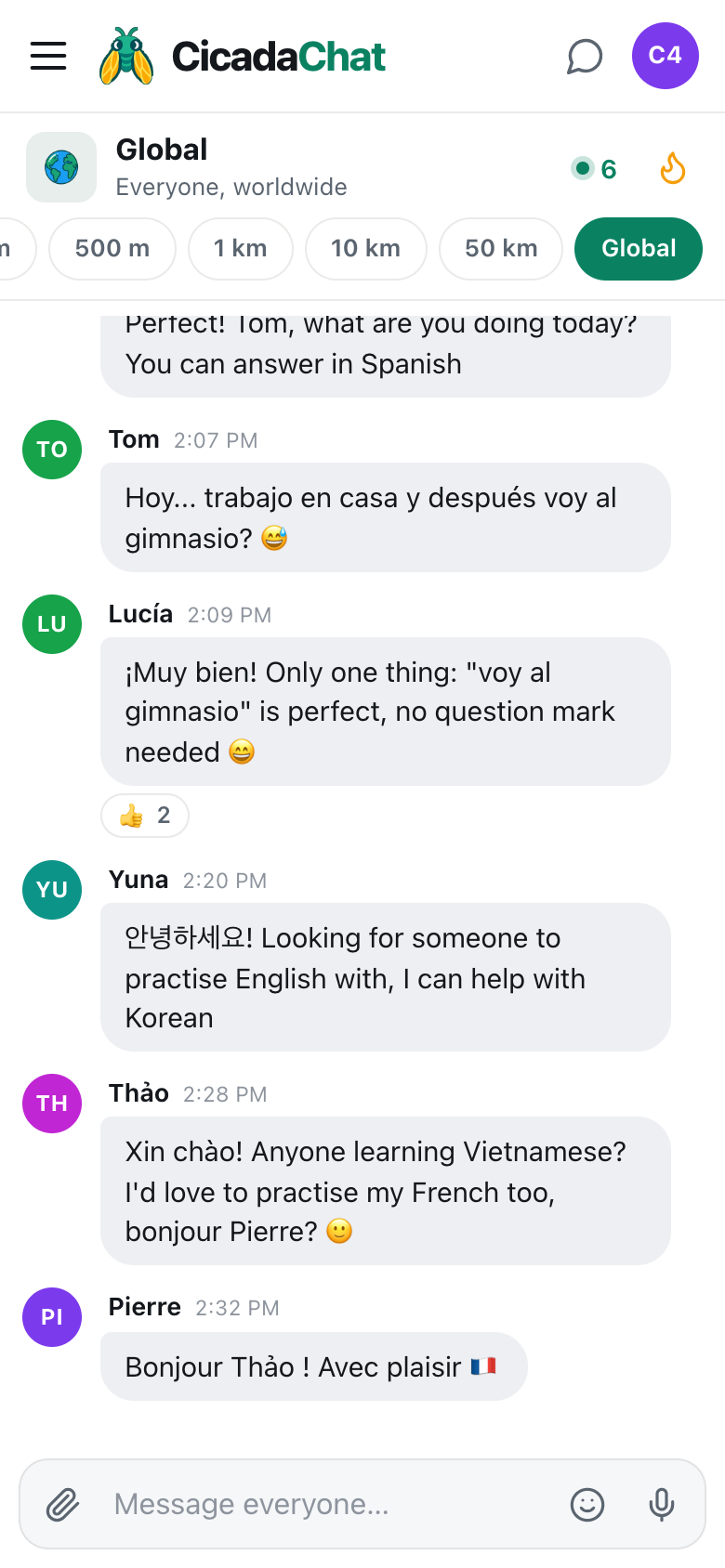
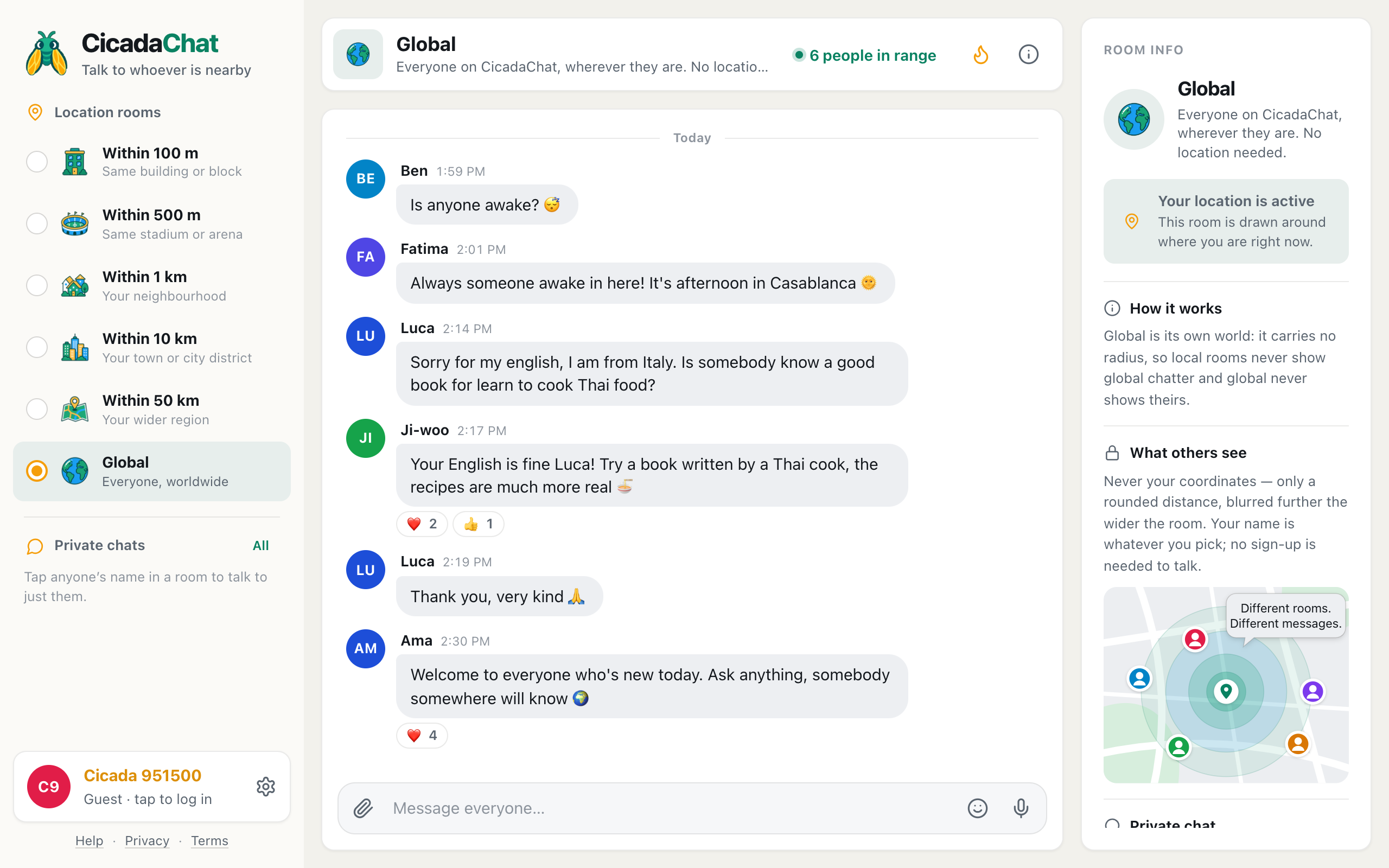
A screenshot of language exchange in the Global room on a phone. Messages mix Spanish, Korean, Vietnamese, French and English, with a friendly correction getting a thumbs up.
Why Global works for language practice
The local rooms are made of people near you, and most of them speak your language. That's what makes them useful for local questions, and not much use for practising Spanish. Global is the opposite: it's one room for everyone on CicadaChat, wherever they are, so the languages you'll meet there are as varied as the people.
It also suits language practice in a few specific ways:
- No sign-up to start. Open CicadaChat, go to Global, and you can write your first message straight away as a guest.
- No location needed. Global doesn't use your location and never shows anyone how far away you are.
- Someone is always awake. Because Global spans every time zone, there's usually a native speaker of the language you're learning around, whatever time it is for you.
- Low pressure. Nobody expects perfect grammar in a chat. A short message with a mistake in it is exactly how practice starts.
Finding a partner
The easiest way is to say what you're offering and what you're looking for, in one friendly message. The ones that get replies look like this:
- "Hola! I'm from Valencia and I'm learning English. Anyone want to practise? I help with Spanish 😊"
- "안녕하세요! Looking for someone to practise English with, I can help with Korean."
- "Xin chào! Anyone learning Vietnamese? I'd love to practise my French too."
Three things make them work: a greeting in your own language (it tells people what you speak without a label), what you want to practise, and what you can give in return. An exchange is a trade, and people are much quicker to reply when they know there's something in it for them too.
If you see someone else's message that matches yours, reply to it directly. Writing a word or two in their language, even with mistakes, is a warm way to say hello: "¡Hola Lucía! I'm learning Spanish, trade you 👋".
Practising in the room
A few quick exchanges in the room itself are fine and often fun for everyone watching. They also show other learners that it's a friendly place to try. Keep it short and lively:
- Ask a simple question in the other language. "What are you doing today? You can answer in Spanish."
- Answer as best you can. "Hoy... trabajo en casa y después voy al gimnasio? 😅" is a perfectly good try.
- Correct gently, and only one thing. "¡Muy bien! Only one thing: 'voy al gimnasio' is perfect, no question mark needed 😄". Praise first, then the most useful fix. A list of every mistake is discouraging.
- React to good tries. A 👍 or 🎉 on someone's first sentence in a new language costs nothing and means a lot.
Moving to a private chat
A proper practice session, with long messages, back-and-forth corrections and questions about grammar, is better in a private chat. It keeps the Global room open for everyone else, and it gives the two of you a thread you can come back to.
- Tap your partner's name on one of their messages, or find them in People in range (the number in the room header).
- A private chat opens. Its header says Private — only the two of you.
- Write your first message. The conversation appears under Private chats in the sidebar, so you can find it again later.
Guests can start private chats too, so you don't need an account for this. Private chats: how to message someone one to one has the details.
Voice notes for pronunciation
Text only gets you so far. To hear how a word really sounds, or to get feedback on your own accent, use a voice note:
- Press the microphone button in the message box. The first time, your browser asks for permission to use the microphone.
- Speak. The message box shows Recording… and a timer. A voice note can be up to five minutes long.
- Press send to share it, or the bin button to throw it away and try again.
Voice notes work in private chats and in the rooms. For language practice, they're usually best in a private chat: your partner can listen as many times as they like and reply with their own recording of the same sentence, which is the quickest way to hear the difference.
A simple structure for an exchange
Exchanges work best when both people get a fair share. A pattern many pairs use:
- Half and half. Spend the first half of the conversation in one language and the second half in the other. Or alternate days.
- Pick a topic. "What did you do this weekend?", "describe your town", "your favourite food and how to cook it". A topic gives you vocabulary to practise.
- Keep a list. When your partner corrects something, note it down. Reuse it next time.
- Send a voice note of the day's new words. Your partner says them, you repeat them back.
It doesn't have to be formal. Plenty of good exchanges are just two people chatting, each in the language they're learning, each nudging the other when something sounds odd.
Topic ideas for practice
If you run out of things to say, try one of these. Each one works as a first message in Global or as a session in a private chat:
- Your day so far. Easy vocabulary, and a natural way to use past and future tenses.
- What you had for breakfast. Food words are the ones you'll need first when you travel.
- Your town, described to someone who's never been. Directions, places and adjectives.
- The weather. In Global it's always different somewhere, so it's a real conversation, not small talk.
- A film, song or book from your country. Your partner gets a recommendation and you both get new words.
- A recipe, step by step. Instructions and quantities, and a voice note of you reading it aloud.
- A plan for the weekend. Future tense and invitations.
- Something that happened this week. Storytelling is where the real practice is.
Keep a topic for fifteen minutes in each language and you'll be surprised how quickly the conversation stops feeling like practice.
You don't need a partner for every session, either. Reading Global in the language you're learning is practice in itself: people write the way they really talk, with the short forms, emoji and slang that textbooks leave out. When a message in that language makes you smile, react to it. It's a small way of taking part before you feel ready to write.
Keeping in touch with a good partner
A good language partner is worth keeping. If you both have registered accounts, add each other as friends: open your private chat and use the add-friend button in its header, and they'll get a request to accept. Friends appear in your sidebar, you can see when each other is online, and you'll find each other again whatever room you're in. Friend requests: adding, accepting, declining and removing friends explains how requests work.
If several learners of the same language get along, a registered account can also create a private room, a small group chat that only its members can read. A private room for three or four people practising French together is a lovely thing.
Good manners for language learners
Global is a room for everyone, including people who aren't learning anything. A few habits keep it pleasant:
- Be generous with mistakes. Many people in Global write in their second or third language. Don't correct people who haven't asked for it, and never mock anyone's English, or anyone's anything.
- Don't flood the room. A few messages of practice are charming. A long lesson belongs in a private chat.
- Remember there's no translation button. CicadaChat shows messages exactly as they were written. If you write something only a few people can read, add a few words in a language most people share.
- Don't share personal details too quickly. A language partner you met today is still someone you met today. Phone numbers and social media can wait until you know them.
More on keeping the room friendly in talking to the whole world: good manners in the Global room.
In short
Say hello in your own language, say what you're learning and what you can offer, and reply to people whose offer matches yours. Practise briefly in the room, move longer sessions to a private chat, and use voice notes for pronunciation. Correct gently, react generously, and add a good partner as a friend so you can keep going. Somewhere in the world, right now, someone is hoping to practise your language.
No comments yet. Start the conversation.