
Match day: using the 500 m room at a football stadium
From the turnstiles to the final whistle: how the whole stadium talks in CicadaChat's 500 m room, with reactions, Hot and photos from the stands.
Forty thousand people, one match, and a hundred small questions: which gate is moving, who got booked, where the toilets with no queue are, whether the trams are running. On match day, CicadaChat's 500 m room is a chat with the whole stadium. There's no group to find and no link to pass round. Open CicadaChat in your seat, tap 500 m, and you're talking to everyone in the ground. This article walks through a match day in the 500 m room, from the turnstiles to the final whistle, with the features that help most and the manners that keep it fun.
Why the 500 m room fits a stadium
CicadaChat rooms are circles drawn around you. The 500 m room reaches everyone within 500 m, a circle a kilometre across. A big football stadium is 250 to 300 m from end to end, so from any seat the 500 m room covers the whole ground, the concourses, the fan zone and usually the car parks and the station outside.
The rooms either side don't fit as well. The 100 m room covers your stand and perhaps the next one: useful for "is the kiosk behind block 114 open?", but you'd miss most of the crowd. The 1 km room reaches the pubs, flats and streets around the ground, full of people who aren't at the match. The room list sums the 500 m room up in three words: Same stadium or arena.
Getting set up before kick-off
- Open CicadaChat on your phone and allow location when your browser asks. The rooms need it to know who's near you. Nobody else ever sees your coordinates.
- Tap the 500 m tab under the header.
- Glance at the header. It shows Within 500 m and the number of people in range: how many people are online right now and would hear you if you spoke.
- Scroll up to see what's already been said. On match day, the first few messages are usually about gates and queues.
A guest account is created for you the first time you open CicadaChat, so there's nothing to sign up for. If you go to a lot of matches, adding CicadaChat to your home screen makes it one tap away, like an app.
A match day, message by message
At the gates
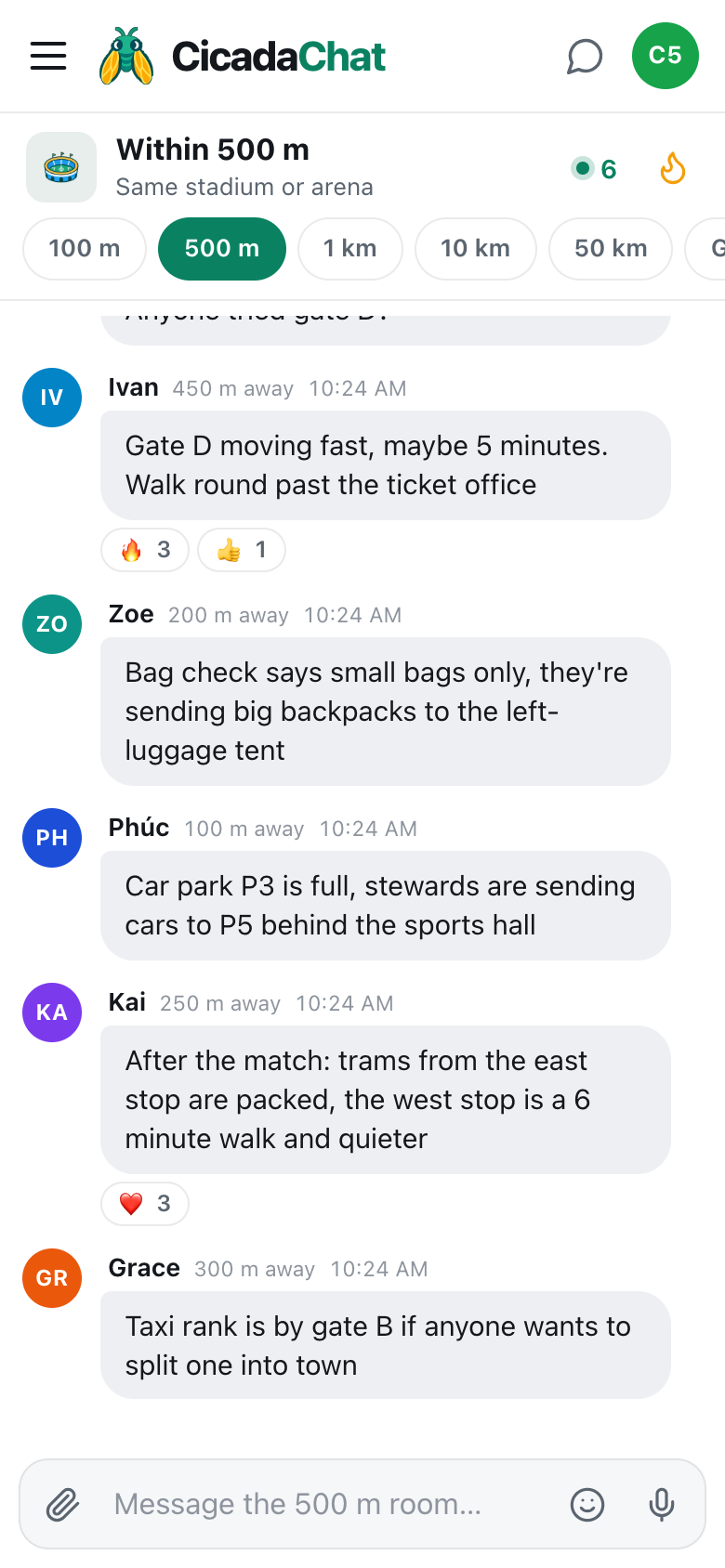
The first hour of a match day is queues. The 500 m room turns forty thousand people into a live queue report: "Gate A is 30 minutes, gate D is moving fast." "Bag check says small bags only." "Car park P3 is full, stewards are sending cars to P5." If you've just come through a quick gate, say so: the people behind you will thank you with a 🔥. There's a whole article on this part of the day: getting in and getting home: gates, queues and car parks in the 500 m room.
Teams out
Once you're in your seat, the room changes tone. "Teams are out!" "What a noise from the north end 🔥". It's the stadium talking to itself, from every stand at once.
During the match
This is when the room earns its place. You can't hear the announcer, you didn't see who got booked, and the replay on the big screen was from the wrong angle. Somebody in the 500 m room did see it:
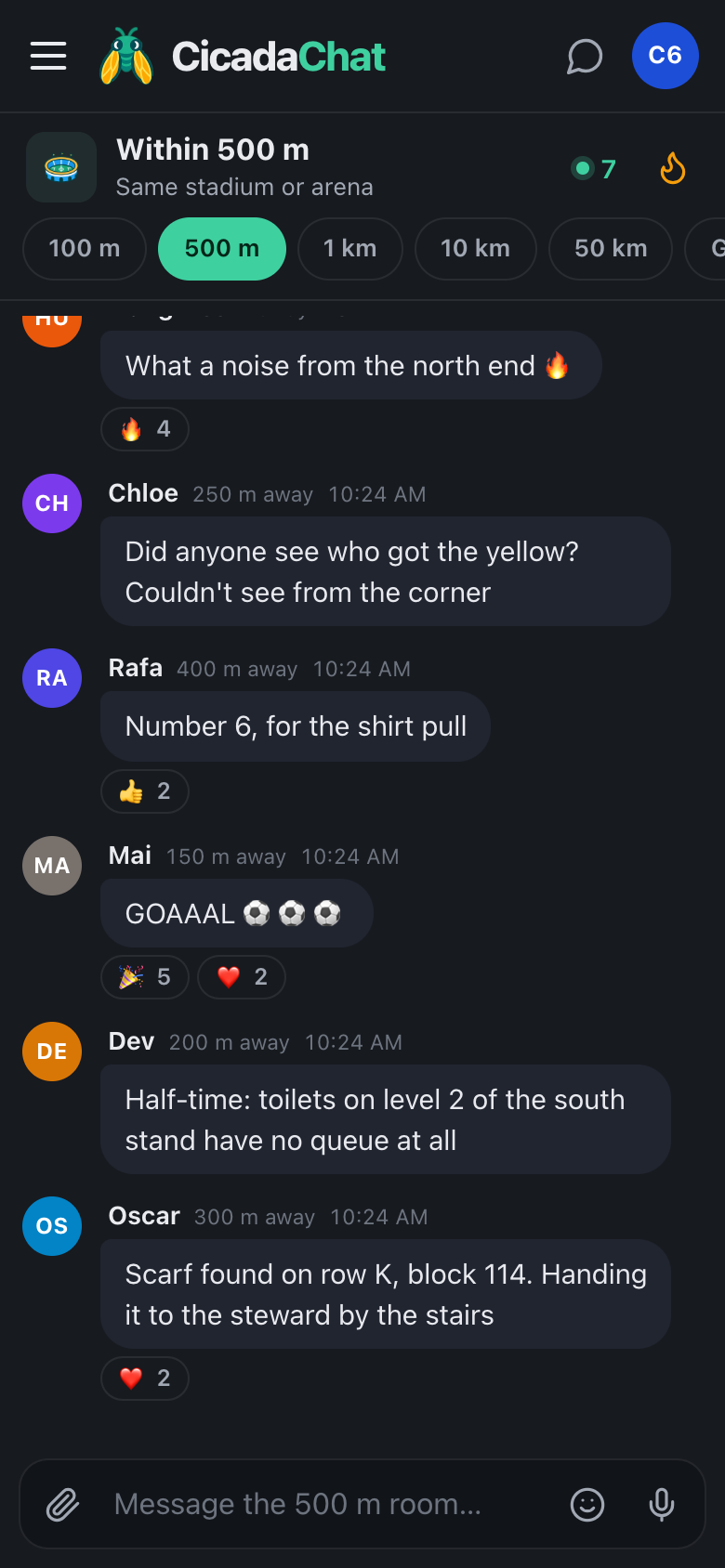
- "Did anyone see who got the yellow? Couldn't see from the corner." "Number 6, for the shirt pull."
- "Was that offside? Looked level from the east stand."
- "Who's the sub coming on?"
And when the goal goes in, the room goes up with it: "GOAAAL ⚽⚽⚽", with a row of 🎉 and ❤️ under it within seconds.
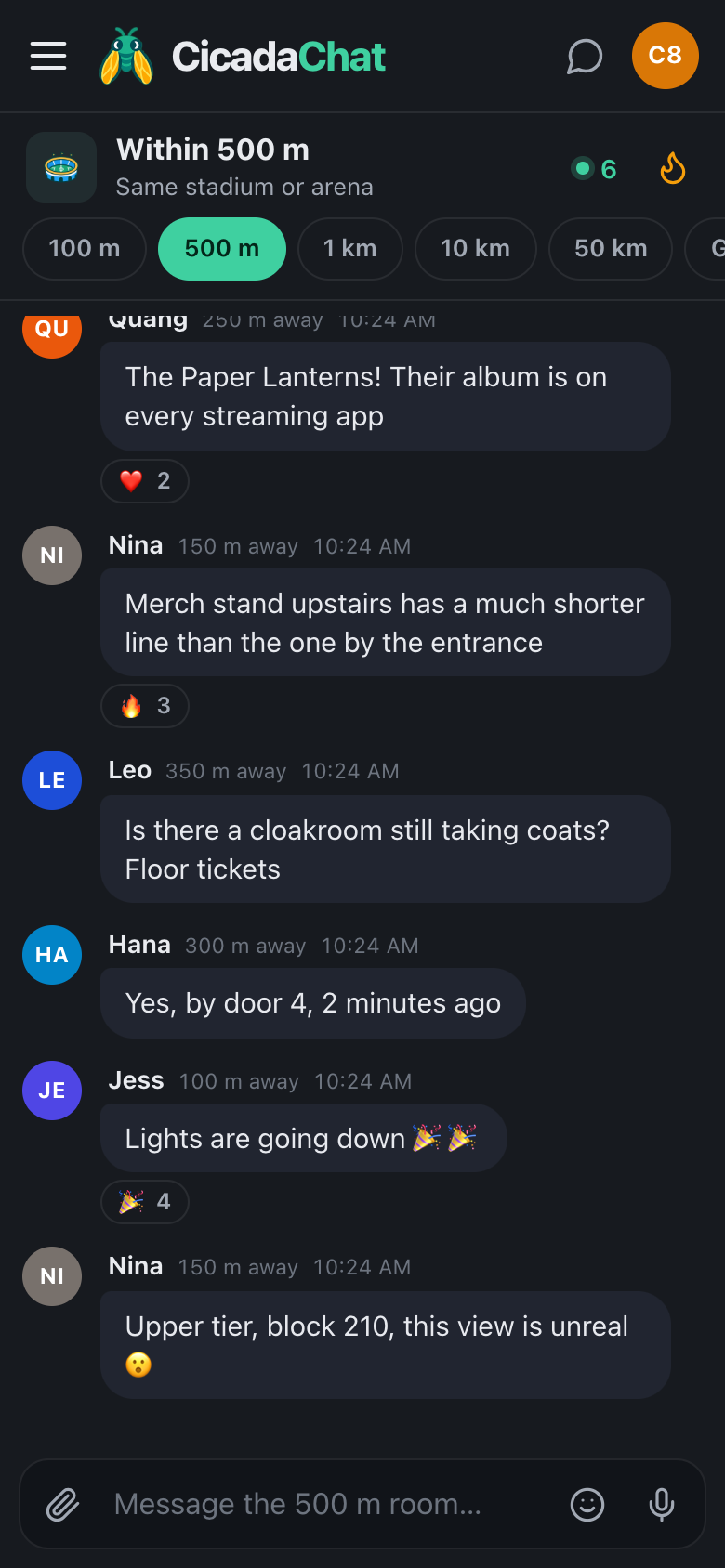
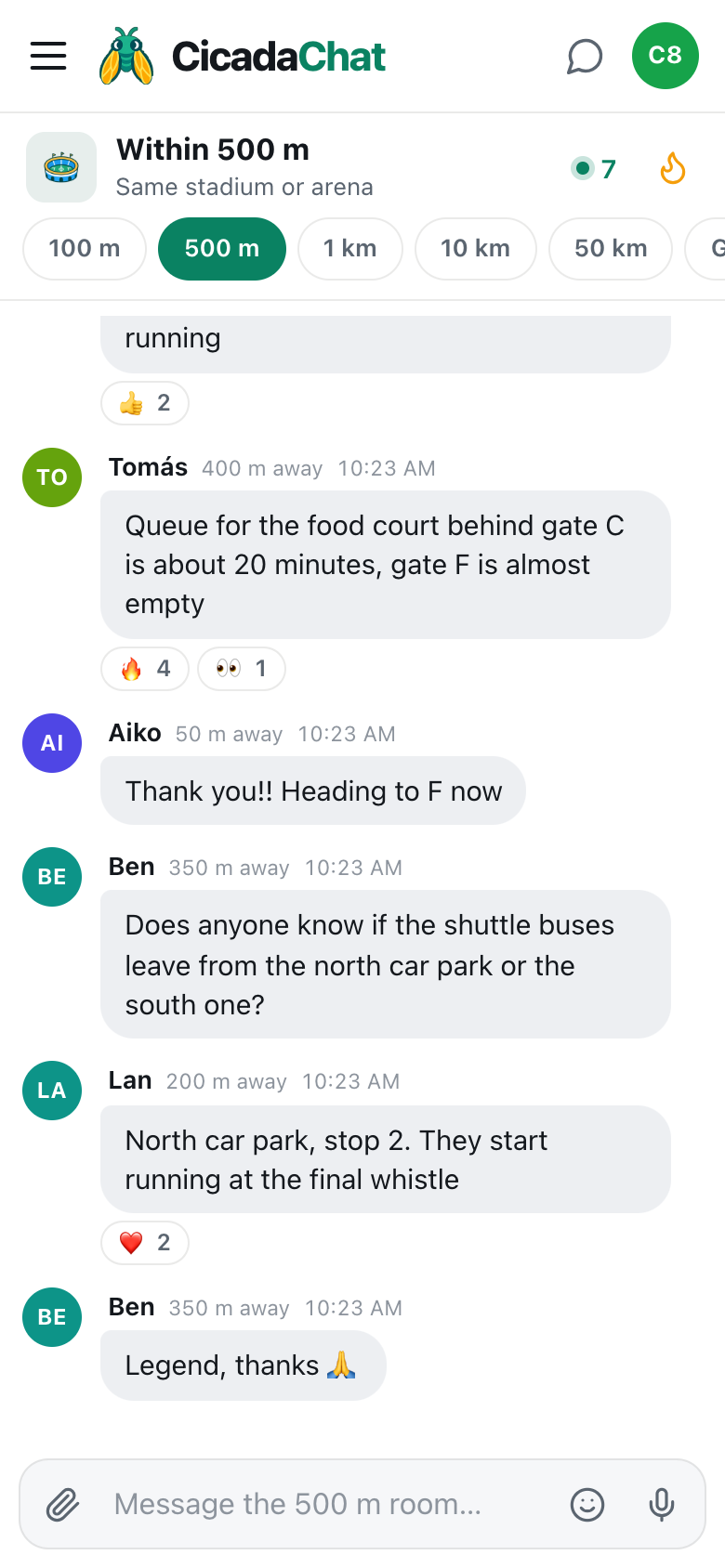
A screenshot of the 500 m room during a match, in dark mode. Distances show how far across the ground each message came from.
Half-time
Fifteen minutes, and everyone wants the same three things: a toilet, a drink and something to eat. The room is where the useful tips land: "Toilets on level 2 of the south stand have no queue at all." "The pie stand behind block 120 still has the veggie ones." One good tip saves hundreds of people ten minutes each.
The second half
More of the same, with rising nerves. "Five minutes of stoppage time, according to the board." "Anyone know if a draw is enough to go through?"
Final whistle
Then the rush for the exits, and the last useful questions of the day: which tram stop is quieter, when the shuttle buses start running, whether anyone wants to share a taxi into town.
Reactions: cheering without typing
In a stadium, your hands are busy and the noise is enormous. Reactions are the quickest way to join in. Tap a message on your phone, or hover over it on a computer, to show the row of quick reactions: 👍, ❤️, 😂, 😮, 😢, 🔥, 🎉 and 👀. If someone has already reacted, tapping their reaction under the message adds yours to the count, and tapping it again takes yours back. A 🎉 on a goal message is the silent version of the roar. A 👍 on the right answer to "who got the yellow?" tells the next person which answer to trust. A 👀 on "was that a penalty?" says "I'm watching the replay too".
Hot: the match in highlights
The flame button in the header opens Hot: the room's most-reacted messages from the past week, ranked by how many people reacted. After a match, Hot reads like a highlights reel written by the crowd: the goal, the tip about the toilets, the scarf that found its way back to its owner. It's also the best way to catch up if you arrive late, or if the room is moving too fast to follow. The help article the Hot view: finding a room's best messages from the past week explains how it's ranked.
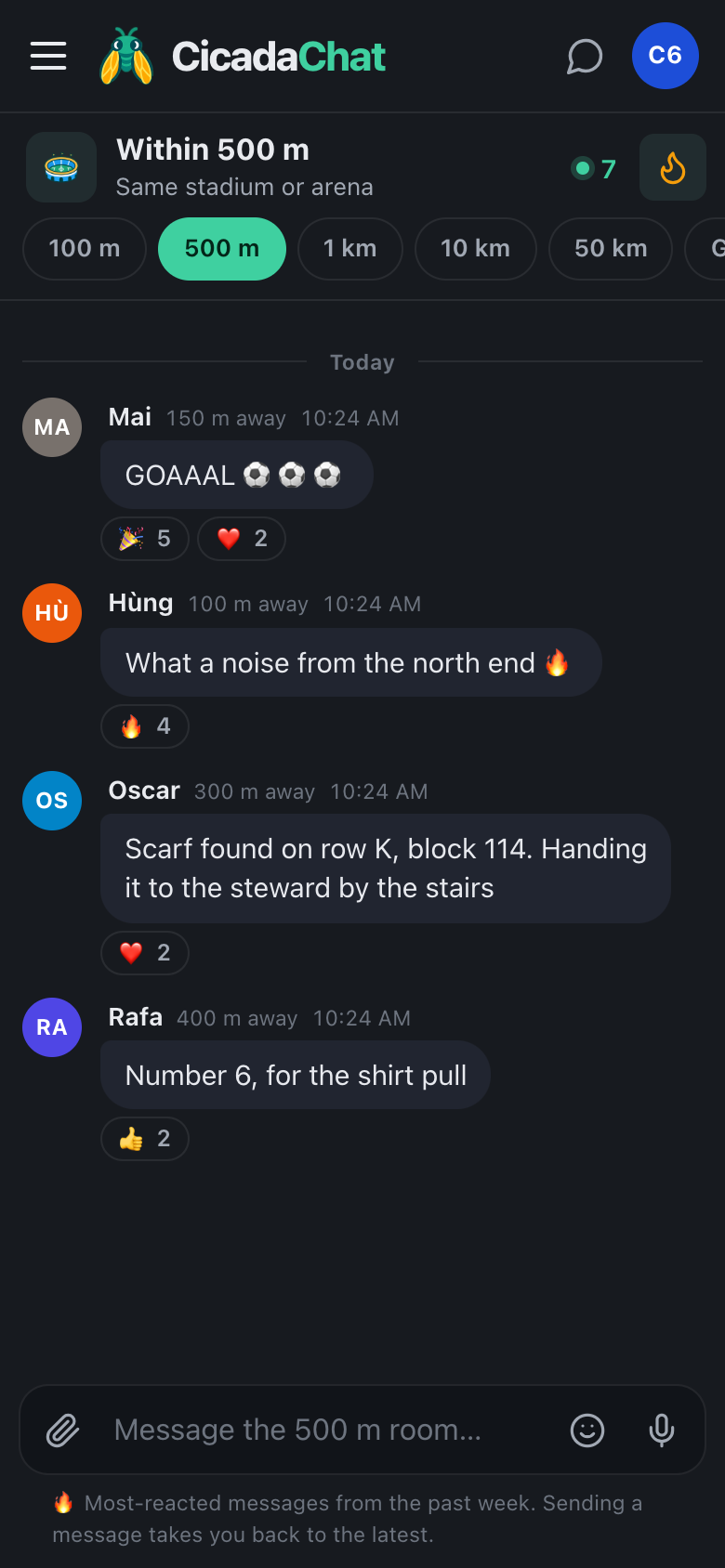
A screenshot of the Hot view after the match. The most-reacted messages rise to the top, and sending a message takes you back to the latest.
Photos from the stands
Tap the paperclip and choose Photo to share the view from your seat. CicadaChat resizes the photo on your phone and re-encodes it, which strips the GPS data your camera hides in the file. What the photo shows is up to you, so a few things to check:
- Your ticket. Never post it. A barcode is often all someone needs to get in with a copy.
- Faces. The pitch, the crowd from a distance and the tifo are great. A close-up of the person in front of you isn't.
- Your seat number. Fine when there's a reason to share it, such as handing in something someone lost. Otherwise, there's no need.
Lost something? Found something?
A stadium produces a steady stream of lost scarves, phones, keys and, now and then, lost people. The 500 m room reaches everyone who might have seen them. "Scarf found on row K, block 114, handing it to the steward by the stairs" is exactly the kind of message the room is for. For a longer guide, including what to do when you lose your friends in the crowd, read lost in the crowd: finding your friends and lost things within 500 m.
Home and away
Rival supporters share a stadium, and they share the 500 m room too. That's part of what makes it fun: you'll see the away end celebrating their goal in real time. It also asks for a bit of care.
- Banter, not abuse. Teasing about the score is match day. Insults about people are not. Remember that everyone within 500 m reads it, including families.
- No threats, no "see you outside". Not even as a joke. Everyone within 500 m can read it, and nobody can tell it's a joke.
- Don't wind people up about where they're sitting. The distance next to a name is rounded, but "the lot in block 210" is a real group of people.
Tips from regulars
- Use dark mode for evening matches. Choose Dark in Settings, or System to follow your phone. A dimmer screen is kinder to the people around you and saves battery.
- Save battery for the journey home. You'll want your phone for tickets, the tram and messages to whoever's picking you up. Turn the brightness down and close CicadaChat when you're not using it.
- Drop to 100 m when the room is too busy. At a sell-out, the 500 m room can move fast. The 100 m room is just your part of the ground: quieter, and more about your stand.
- Answer questions. The quickest way to make the room good is to answer the question you know the answer to. If someone has already answered it, a 👍 on their reply does the same job without adding another message.
- Keep meet-ups private. Tap a name to talk one to one before sharing where you're sitting or waiting.
After the match
The conversation stays where it happened. The next time you're at the ground, you'll see what was said at the last match if you scroll back, and the Hot view keeps the best of it for a week. If you've met people you'd like to go to matches with, create a free account and add them as friends. You can make a private room for your block, which works from anywhere: at the ground, in the pub or at home when you're watching the away match on TV.
No comments yet. Start the conversation.